OptiMonk
Popup Library
Pricing
Sign inStart for free
Use cases
Email popupsExit-intent popupsGamificationUpsell popupsQuiz popupsSeasonal offers
Platform
AI assistantsAnalyticsIntegrations
NewVideo popupsAll features
Popup LibraryPricing
Support
Help centerDeveloper docs
Learn
BlogChangelog
Company
CustomersAbout usPartner programTalk to sales
Start for freeSign in
Popup library/Seasons & events/Christmas

Christmas popup examples

41 popups: Christmas campaigns built around gift guides, shipping cutoffs and last-minute gift cards. Open any example and rebuild it for your store in one click.

Christmas
Narrow it down
Christmas welcome discount popups13Christmas popups for home & living8Christmas popups for fashion & apparel8Christmas popups for food & drink7Christmas list building popups7Christmas spin-to-win popups6Christmas popups for pets5Christmas quiz popups5

Christmas popup examples

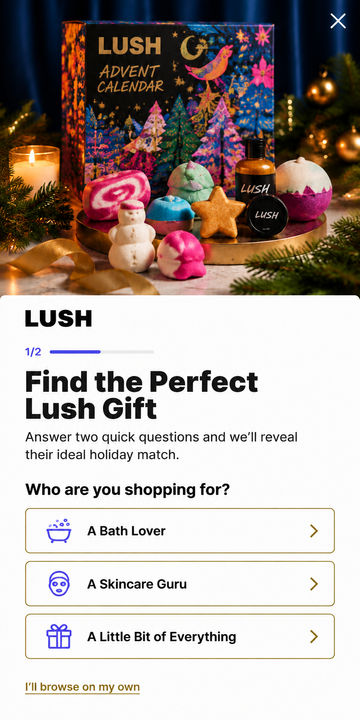
The Festive Curator — popup concept inspired by lush.comShow preview

The Festive Curator

QuizBeauty & cosmeticsChristmas
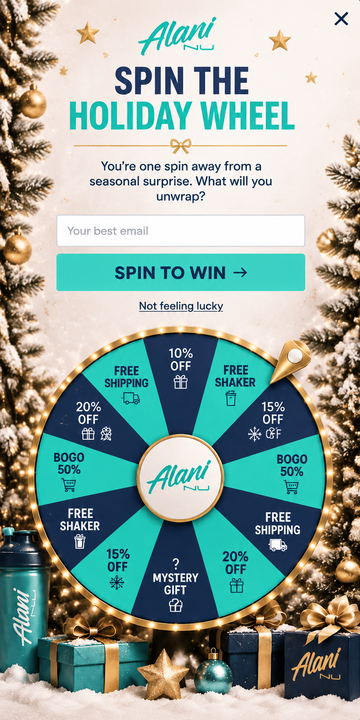
Holiday Hustle Wheel — popup concept inspired by alaninu.comShow preview

Holiday Hustle Wheel

Spin-to-winHealth & wellnessChristmas
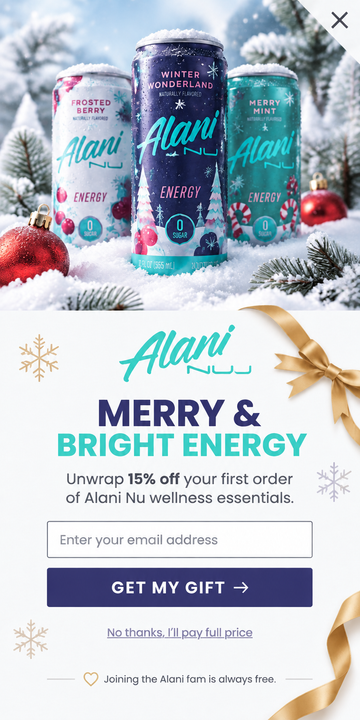
Frosted Performance — popup concept inspired by alaninu.comShow preview

Frosted Performance

Welcome discountHealth & wellnessChristmas
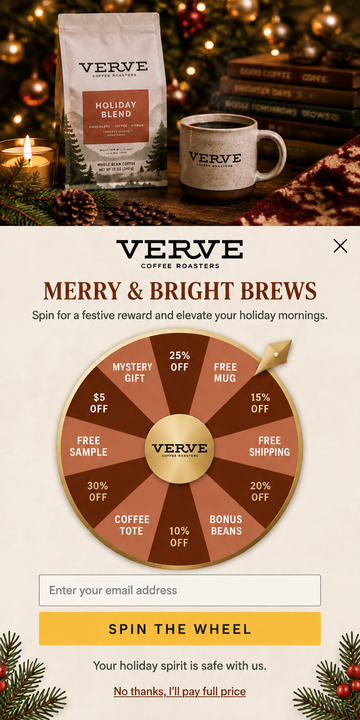
Mid-Century Modern Cabin — popup concept inspired by vervecoffee.comShow preview

Mid-Century Modern Cabin

Spin-to-winFood & drinkChristmas
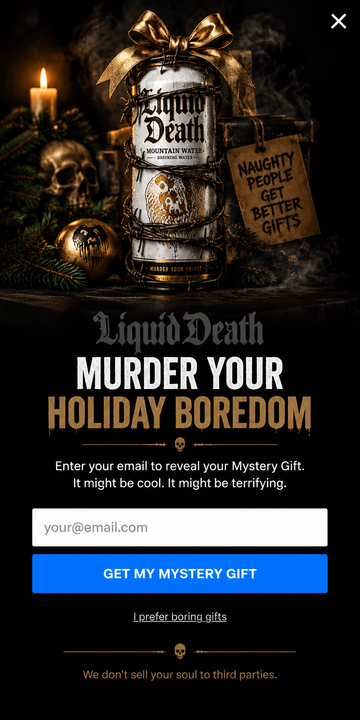
The Krampus Gift — popup concept inspired by liquiddeath.comShow preview

The Krampus Gift

List buildingFood & drinkChristmas
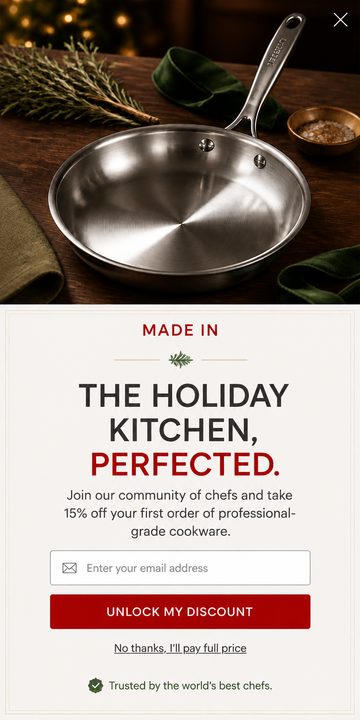
The Heirloom Hearth — popup concept inspired by madeincookware.comShow preview

The Heirloom Hearth

List buildingHome & livingChristmas
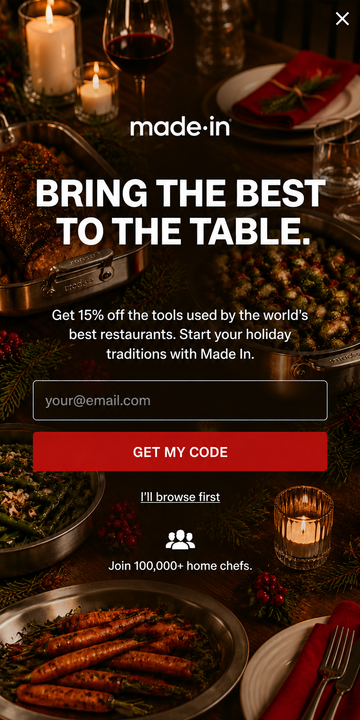
The Winter Table — popup concept inspired by madeincookware.comShow preview

The Winter Table

Welcome discountHome & livingChristmas
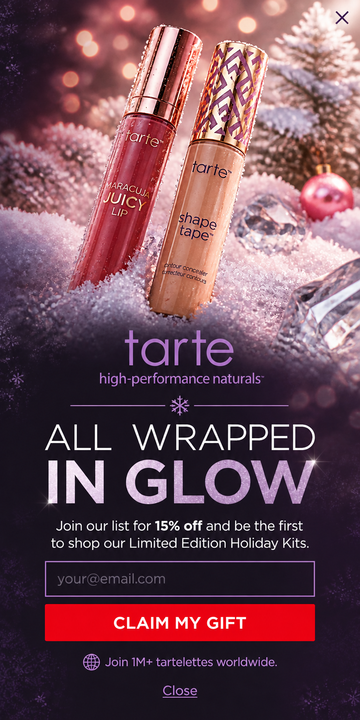
Immersive Fullscreen Glow — popup concept inspired by tartecosmetics.comShow preview

Immersive Fullscreen Glow

List buildingBeauty & cosmeticsChristmas

What a Christmas popup should do

December shoppers are buying for other people, so they are unsure, short on time and watching the calendar. The examples above help with all three: gift guides by budget or recipient, a gift-finder quiz that recommends a product, and a delivery deadline in plain words.

Most keep the discount secondary. In December the reason to order today matters more than the size of the offer, and a popup in your own colors stands out more than another red-and-green banner.

Before and after the shipping cutoff

December has one date that changes everything: the last day an order can still arrive in time. Plan the popups around it.

Early December: gift guides and signups, shown on collection pages, with a quiz for undecided visitors.

The week before your carrier’s last day: make the deadline the headline and count down to it on product and cart pages.

After the cutoff: switch to digital gift cards and in-store pickup, and stop promising delivery before Christmas. From December 26, move to New Year popups for clearance and fresh-start offers.

Rebuild an example in your brand

Open any example and choose “Use this as inspiration”: OptiMonk’s agentic popup builder recreates it with your logo, colors and offer, with a separate mobile version. For more ideas, read these Christmas popup examples and the guide to Christmas marketing campaigns.

Run one A/B test early in the month, such as a quiz against a gift guide, and keep the winner for the busy final weeks.

Build your own Christmas popup

Paste your store URL — OptiMonk AI drafts a popup in your brand in about a minute.

Get Started Free

Christmas popups: common questions

The shipping cutoff. In December “order by the 18th for delivery before Christmas” moves more orders than another discount.

A gift-finder quiz or a popup linking to gift guides by budget turns indecision into a recommendation and an email.

Switch to digital gift cards and in-store pickup. The popup keeps selling when the parcel can no longer arrive in time.

Yes, when you can tell them apart. A gift buyer needs ideas, budgets and delivery dates; someone buying for themselves responds to the offer itself. A short question in the popup (“shopping for someone else?”) lets you show each the right next step.

Leave recent buyers and existing subscribers out of the signup offer, and show past customers an add-on or gift idea instead. In a month when people visit many times, a popup that repeats itself gets closed on sight.

Use it for the deadline. A visitor leaving the cart page can see the date by which their order still arrives for Christmas, which is often more persuasive than another discount.

Related collections

Back to school popups37 popupsAutumn popups42 popupsHalloween popups41 popupsBlack Friday popups49 popups

Popular popup collections

By industry

Fashion & apparel popupsBeauty & cosmetics popupsFood & drink popupsHome & living popupsHealth & wellness popupsJewelry & accessories popups

By season

Back to school popupsAutumn popupsHalloween popupsBlack Friday popupsCyber Monday popupsChristmas popups

By use case

Welcome discount popupsQuiz popupsSpin-to-win popupsCart abandonment stopper popupsScratch card popupsExit reminder popups

Combinations

Black Friday popups for fashion & apparelQuiz popups for beauty & cosmeticsWelcome discount popups for food & drinkHalloween popups for fashion & apparelSpin-to-win popups for beauty & cosmeticsFullscreen welcome discount popups
OptiMonk
The popup agent for ecommerce.
Platform
AI AssistantsAnalyticsIntegrationsAll features
Developers
DocsAPIMCPChangelog
Resources
CustomersPopup libraryBlogHelp centerAgentic popup guide
Company
AboutPricingCareersContactComparisons
© 2026 OptiMonk. All rights reserved.
Privacy PolicyTerms of ServiceMagyar