Back to all use cases
Contact Form

Get quote-requests and contacts in an effective, yet subtle way

Get quote-requests and contacts in an effective, yet subtle way using OptiMonk's Contact Form templates.

Contact Form

Expected results

2-5%popup conversion rate

Difficulty

Easy

Industry

Any, Ecommerce, Media, Saas, Service

Goals

ListBuilding, Collect feedback

When to use it?

Looking for a direct, convenient channel for customers to connect with your support team or inquire about your products and services? Try this strategy.

Displaying your Contact Form in a popup or sidemessage serves as an accessible and user-friendly way for your customers to seek assistance, ask questions, or resolve any concerns they may have.

No more endless searches for your support email or contact page. Save a step for customers and improve the user experience.

How to set it up?

Step 1: Create a new campaign

Scroll down and choose a template.
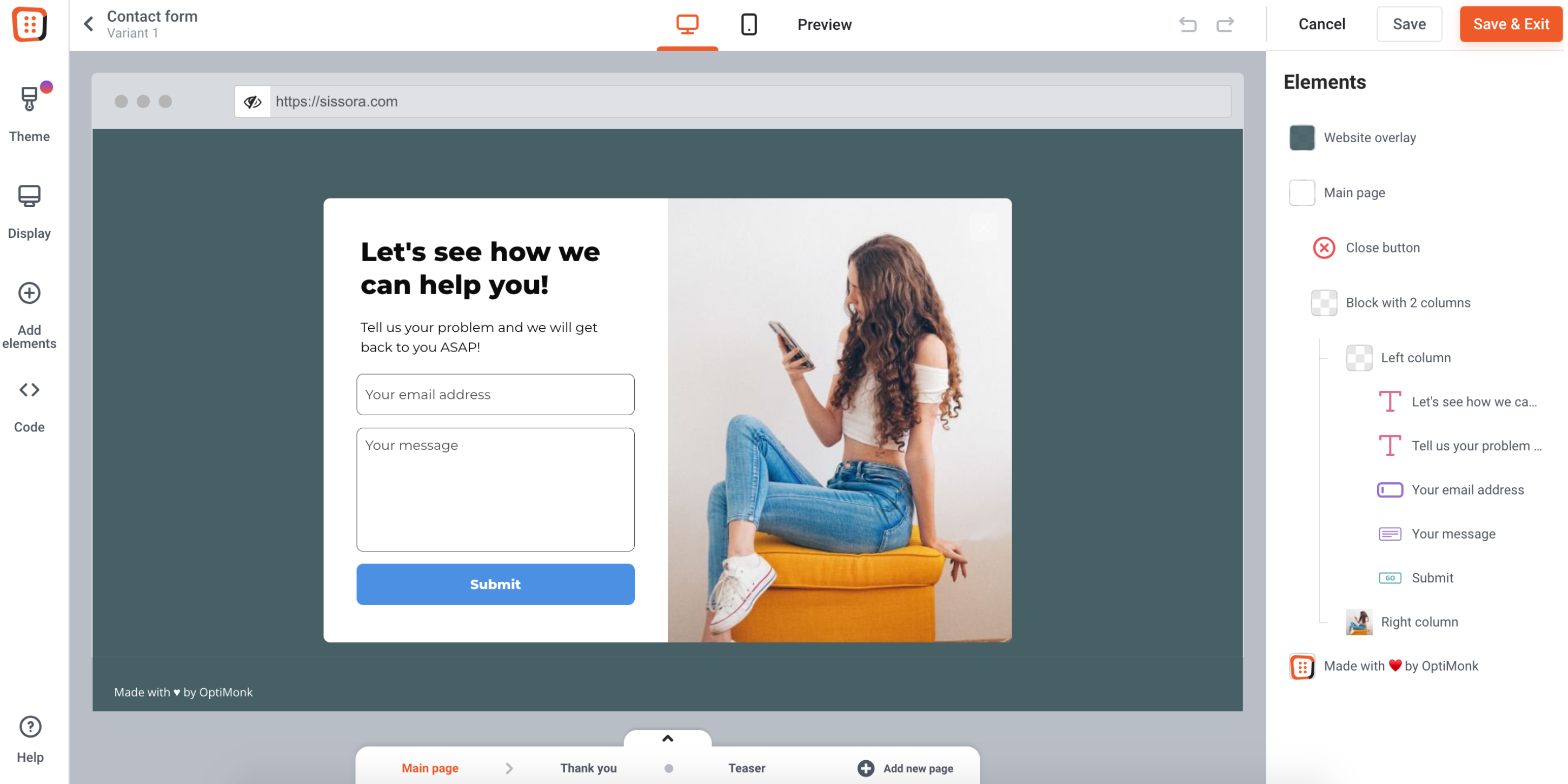
Step 2: Setup your contact form

Address your visitors with a question that you are interested in.

Set up your contact form in the OptiMonk editor

Step 3: Activate your campaign

Pick a template and launch your first
Contact Form campaign in 2 minutes

Preview
Preview
Preview
Preview
Preview
Preview
Kate - CRO Expert
Kate
CRO Expert

Want us to set this
up for you?

Register a new OptiMonk account today and get your first campaign professionally set up by our team of conversion specialists.

Looking for more
personalization tactics?

Countdown Offer

Countdown Offer

Stop visitors from abandoning their cart with a last-minute offer

EasyView use case
Lead Magnet

Lead Magnet

Grow your email list by offering valuable content in the form of ebooks

EasyView use case
Newsletter Signup Popup

Newsletter Signup Popup

Build your newsletter list in a user friendly way

EasyView use case