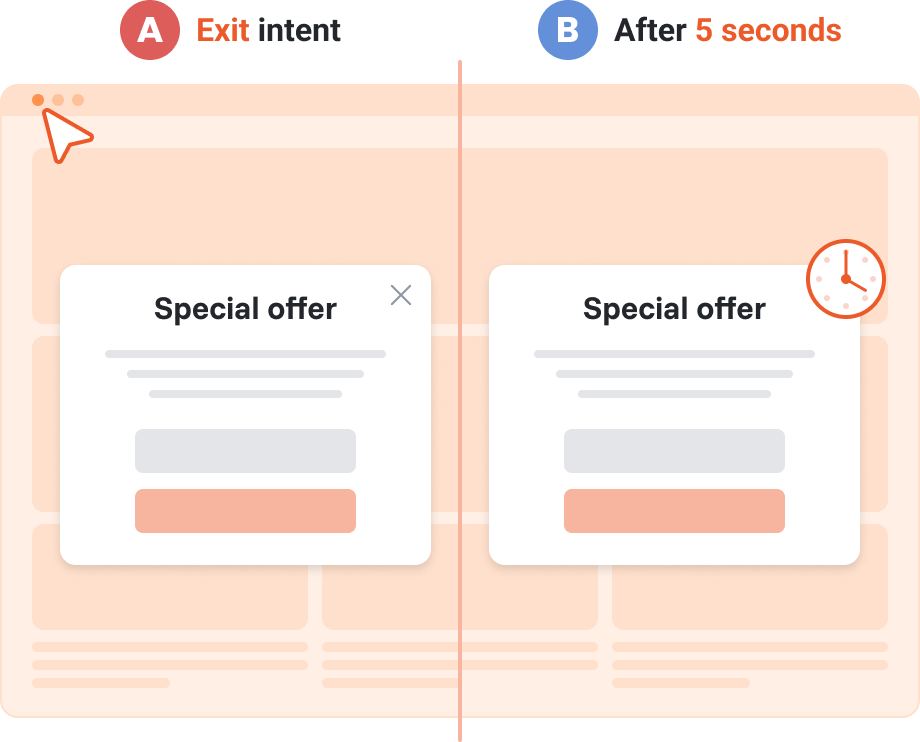
Expected results
Difficulty
Intermediate
Industry
Any, Ecommerce, Saas, Media, Service
Goals
Boost conversions
When to use it?
You have a great popup offer, but visitors aren’t converting. The message may be right, but the timing isn’t. Timing can greatly impact conversions.
With our Multi-campaign A/B test, you can find the best moment to show your message.
Test different timings, use real data to decide, and improve your conversions and revenue.
Here are a few real-life trigger tests you can run:
- 3 sec vs 15 sec – Show a welcome discount shortly after page load or give visitors more time to settle in before prompting.
- 15 sec vs exit intent – Ask for an email with a special offer. Compare showing it to engaged users who might convert soon vs those about to leave.
- Exit intent + 80% scroll vs exit intent only – Offer a lead magnet (e.g., eBook) to visitors about to exit who may want further exploration. Test targeting highly engaged scrollers vs all exit-intent users.
- Click on “Add to Cart” vs scroll 50% – Trigger an upsell or bundle offer right after cart interaction vs showing it mid-scroll during product exploration.
- 60% scroll vs exit intent vs 15 sec inactivity – Test a countdown popup with free shipping or 15% off across different behaviors: browsing, leaving, or idling.
How to set it up?
Step 1: Create your first campaign
If you don’t have a campaign to A/B test yet, now is the time to create one. If you already have a welcome popup campaign, skip to Step 2.
Here you can browse our 300+ pre-made popup templates and create a new campaign in minutes. Fine-tune it to your style and set the trigger to 5 seconds.
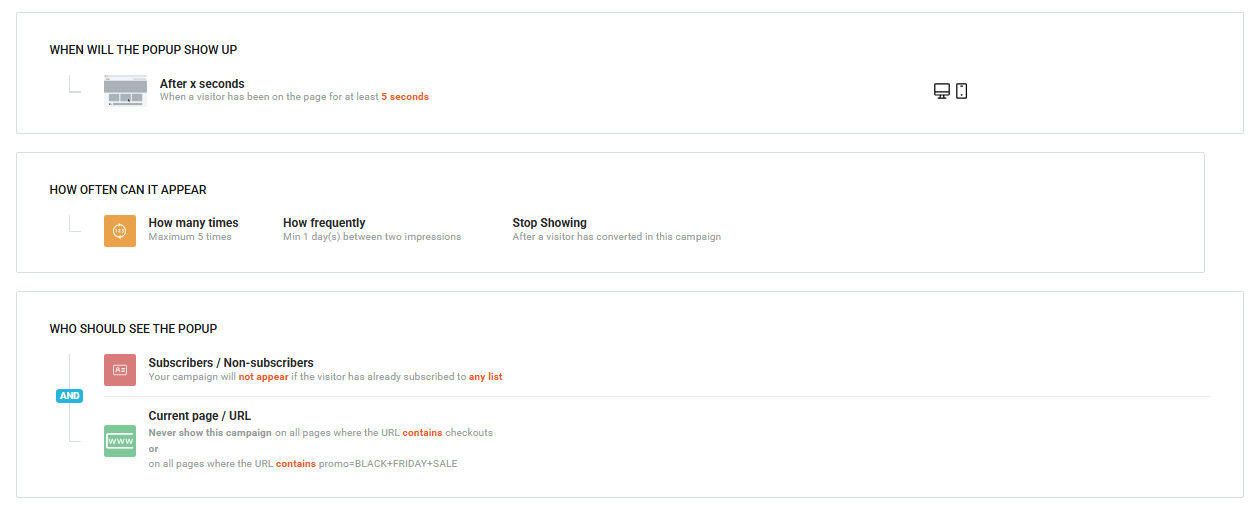
Step 2: Duplicate your campaign
Once your welcome popup is ready, duplicate it to create a second version.
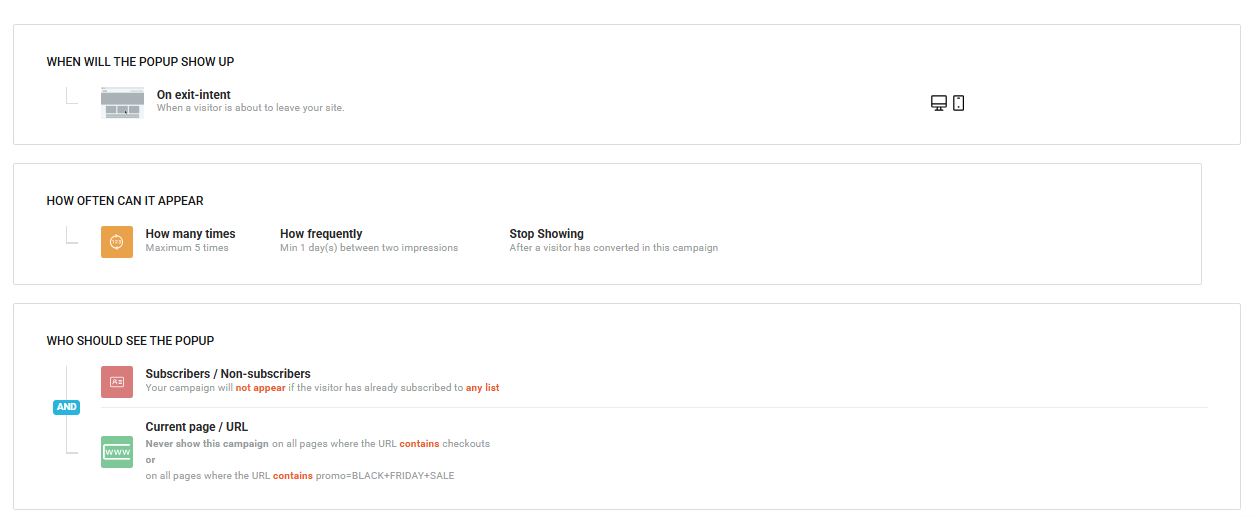
Keep everything the same—just change the trigger. If the first popup appears after 5 seconds, set the duplicated campaign to trigger on exit intent.
Settings summary of the exit-intent campaign:
Step 3: Start a new Multi campaign A/B Test
Now it’s time to test these campaigns against each other to find out which one performs better using the Multi campaign A/B Test feature.
To create a new Multi/campaign A/B Test:
- Select Optimize a Website
- Click Multi-campaign A/B test and choose Get started
- Select your domain
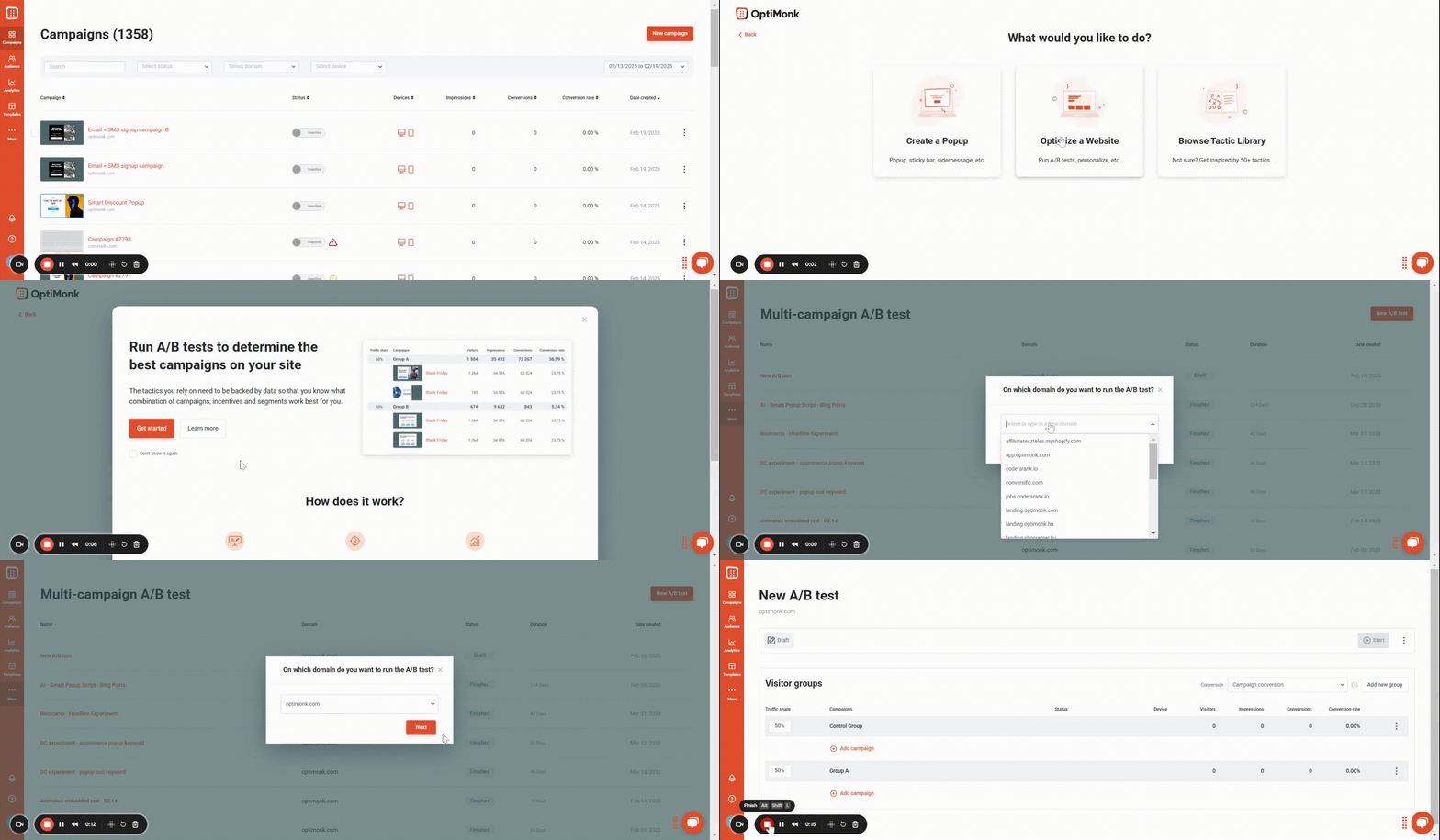
Here, simply add the two campaigns you created earlier, keep the traffic share at 50-50%, and activate the test.
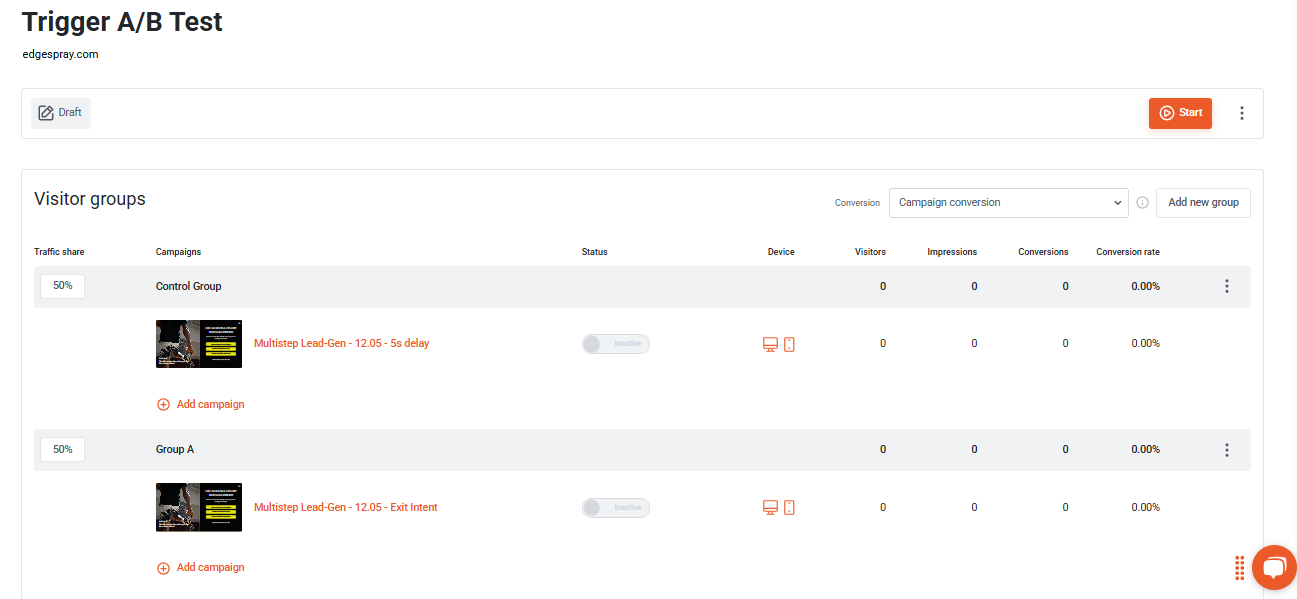
In case you would like to see detailed instructions on how to set up a new Multi campaign A/B Test, please click here.
Step 4: Measure performance and make data-based decisions
Once you’ve got enough data (at least 100 total conversions across both variants), analyze the results of the experiment and decide which campaign performed better. At this point, the experiment can be stopped and you should only run the more effective campaign.