


14 Effective Thanksgiving Marketing Ideas to Boost Your Sales in 2026
Discover creative Thanksgiving marketing ideas to engage customers, build buzz, and drive sales before Black Friday and Cyber Monday.
In this article, we’ve compiled a list of the 25 top ecommerce apps that will help you streamline your operations, boost sales, and grow your online business.
In short
We reviewed 25 ecommerce tools across 9 categories — ecommerce platforms, SEO, social media, conversion, email & SMS, reviews & loyalty, customer service, referral & CRM, and analytics. Don't feel overwhelmed by the list: most stores only need a handful of these to get started. If you're short on time, jump straight to the Starter Stack section for our recommended day-one setup and honest pricing estimates for both an early-stage and a growing store.
Running an online store can feel like juggling a dozen tasks at once: managing inventory, processing orders, handling marketing, and keeping customers happy.
It's no wonder many ecommerce business owners are always on the lookout for ecommerce tools that offer comprehensive help managing their store.
This guide covers the 25 best ecommerce apps for small and mid-size stores in 2026, organized by category so you can find exactly what you need without wading through tools that don't fit your stage or budget. Whether you're piecing together your first proper stack or upgrading what you already have, you'll find the must-have ecommerce apps worth your attention and your money.
Not every tool belongs in every stack. Before adding something new, ask yourself four quick questions:
With that framing in mind, here are the 25 online store apps worth building around. Apps are only part of the picture, though: our guide to ecommerce optimization shows how to put them to work.
Your ecommerce platform is the foundation everything else plugs into. Get this choice right and the rest of your stack becomes much easier to build. Get it wrong and switching later is painful.
Here are the three platforms that make the most sense for small and mid-size stores.

Shopify is a leading ecommerce platform that’s loved by entrepreneurs of all sizes. Whether you’re just starting or already have a growing business, Shopify makes it easy to set up and run your online store with just a few taps.
The platform offers a user-friendly interface and a vast app marketplace to customize and enhance your store’s functionality.
Best for:
First-time store owners, DTC brands, and social sellers who want to launch fast without touching code
One con
Costs can creep up as you scale. Some of the most useful integrations are paid apps, so it's worth factoring that into your budget early on
Pricing
Starts at $32/month.

WooCommerce is a free, open-source plugin for WordPress, making it a go-to choice for those who want complete control over their store, making it the most customizable option on this list. If you're already on WordPress, it's the natural next step.
Best for
Content-driven stores already on WordPress, especially those where SEO, blogging, and full data ownership matter
One con
Just like with Shopify, costs can add up quickly: separate hosting, a domain, and paid extensions mean your real monthly bill is higher than the "free plugin" suggests
Pricing
Free plugin; hosting typically $10–$30/month

BigCommerce is built for stores that are outgrowing simpler platforms. It ships more built-in features than most competitors, including multi-currency, advanced SEO, and B2B tools, without depending heavily on third-party apps to fill the gaps.
Best for
Mid-size stores with complex catalogs, B2B needs, or international ambitions who want built-in features without a long app list
One con
Theme selection is more limited than Shopify's, and annual revenue limits can force plan upgrades
Pricing
Starts at $39/month.
| Platform | Best for | Free plan | Starting price |
|---|---|---|---|
| Shopify | All-in-one simplicity | ✗ (trial only) | $32/month |
| WooCommerce | WordPress customization | ✓ (plugin is free) | ~$10-30/month (hosting) |
| BigCommerce | Complex catalogs & scaling | ✗ (trial only) | $39/month |
Your store is live. Now the real challenge begins: getting people to find it. Organic search is one of the highest-ROI traffic channels available to ecommerce stores: unlike paid ads, every click you earn through SEO doesn't cost you per visit. But ranking doesn't happen by itself. You need the right data to find opportunities, fix issues, and outpace competitors. These two tools give you exactly that.
💡 Before you invest in any paid SEO tool, make sure Google Search Console is set up. It's free, shows you which search terms bring people to your store, and flags technical issues that might be holding your rankings back. It's not a replacement for the tools below, but it's the foundation every store should have first.

Ahrefs is a powerful SEO tool that provides comprehensive data on keywords, backlinks, and competitor strategies. It's the go-to choice for ecommerce stores that want to understand exactly why competitors outrank them, and what it takes to overtake them.
Best for
Stores that want to understand why competitors outrank them and build a serious backlink strategy to close the gap
One con
AI features for content suggestions and AI search visibility are available to try on lower plans in beta, great for experimenting, but going deep on AI traffic research will require a significantly pricier plan
Pricing
Free Webmaster Tools for your own site. Paid plans from $129/month (Lite)

Semrush offers an all-in-one digital marketing solution with SEO, content marketing, and competitor analysis features. Where Ahrefs goes deep on backlinks, Semrush goes wide, covering PPC research, content marketing, and social alongside SEO in one dashboard, making it the stronger pick if you want everything in one place.
Best for
Stores that want SEO, PPC, and competitor research all in one place instead of juggling separate tools
One con
Only one user seat included. Adding team members costs $45–$80/month extra, which adds up quickly for small teams
Pricing
Free plan (10 searches/day). Paid from $139.95/month (Pro)
| Tool | Best for | Free plan | Starting price |
|---|---|---|---|
| Ahrefs | Backlink analysis & content gaps | ✓ (your own site only) | $129/month (Lite) |
| Semrush | All-in-one SEO & competitor intel | ✓ (10 searches/day) | $139.95/month (Pro) |
* Semrush's 10 daily searches apply across all tools: keyword lookups, domain overviews, and backlink checks all draw from the same limit, and clicking between reports counts as separate searches. Most users hit the cap within a single research session. See what you can do with a free Semrush account.
SEO brings people who are actively searching for what you sell. Instagram, TikTok, Facebook, and Pinterest bring people who didn't know they needed it yet, driving the kind of organic reach and user-generated content that paid ads can't replicate. But juggling multiple platforms manually is a serious time sink.
This category isn't about which social networks to be on. That's a whole separate conversation. This category is about the tools that let you manage all of them from one place, so you can focus on creating content instead of copy-pasting it across five tabs.

Buffer is a social media management tool that allows you to schedule, publish, and analyze posts across multiple platforms. It's the go-to pick for small store owners who want to stay consistent on social without spending hours on it. Clean interface, no learning curve, and a genuinely useful free plan.
Best for
Solo creators and small ecommerce stores who want reliable multi-platform scheduling on a budget. The native Shopify integration is a handy bonus
One con
No competitor tracking or social listening. If you want to monitor brand mentions or benchmark against rivals, you'll need a separate tool
Pricing
Free (3 channels, 10 posts each). Paid from $6/month per channel

Sprout Social offers powerful tools for managing, monitoring, and analyzing your social media presence. It's a step up in every sense: more depth, more data, and more team features. But a significantly higher price tag that's only justified if you're running a dedicated social media operation.
Best for
Marketing teams at established stores that need social listening, competitive intelligence, and influencer management alongside their scheduling
One con
Social listening is one of Sprout's strongest features, but it's a paid add-on on top of your subscription, and community reports suggest it starts around $999/month, which puts it out of reach for most small-to-mid size stores
Pricing
No free plan (30-day trial available). From $199/user/month (Standard, billed annually)
| Tool | Best for | Free plan | Starting price |
|---|---|---|---|
| Buffer | Simple scheduling on a budget | ✓ (3 channels) | $5/month per channel |
| Sprout Social | Enterprise-grade social management | ✗ (30-day trial) | $199/user/month (annual) |
You've got the traffic channels set up: search bringing in people actively looking, social bringing in people discovering you for the first time. Now comes the moment that decides everything: what happens when they actually land on your store.
Most visitors leave without buying. Popup and CRO tools give you a fighting chance to capture them: whether that's an email before they bounce, the right product at the right moment, or an almost-abandoned cart recovered.
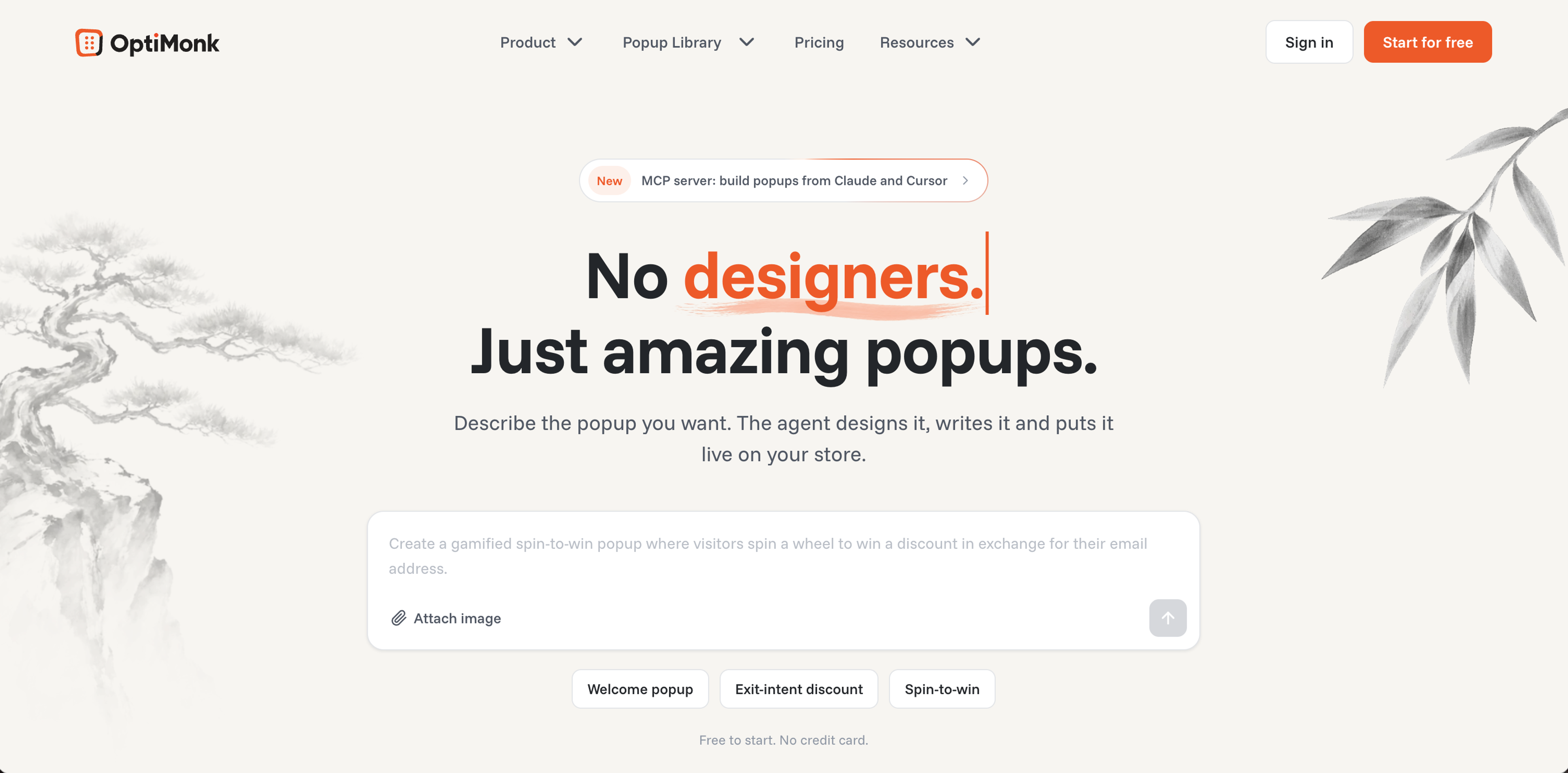
OptiMonk is an agentic popup builder for ecommerce brands. You describe the popup you want, and the AI agent designs it on brand, writes the copy and builds a mobile version, without a designer, a developer or an agency.
The agent asks a few questions about your store and your offer, then draws four concepts in your brand's colors, fonts and logo. To change one, just say what should be different. After launch, the same conversation runs A/B tests and suggests the next campaign to build.
Best for
Ecommerce stores ready to go beyond basic list-building and use personalization and product recommendations to actively drive revenue from their traffic
One con
It's built for popups only: card and fullscreen popups, but no sticky bars, slide-ins or embedded page content.
Pricing
Free plan (10,000 pageviews/month, all features included). Paid plans from $19/month billed yearly ($29 monthly)

Justuno is a conversion optimization platform built for ecommerce stores that want deep behavioral targeting and advanced segmentation. It goes well beyond basic popups, covering exit offers, product recommendations, quizzes, banners, and A/B testing from one platform.
Best for
Stores with 10K+ monthly visitors that want advanced behavioral targeting and are ready to invest time in learning a powerful but complex platform
One con
No longer supports Shopify checkout page popups since August 2024 due to Shopify's checkout.liquid deprecation — a meaningful gap for stores that rely on checkout-stage conversion
Pricing
Free plan up to 2,000 visitors/month. Lite from $39/month
| Tool | Best for | Free plan | Starting price |
|---|---|---|---|
| OptiMonk | Agentic popup builder for ecommerce | ✓ (10,000 pageviews/mo) | $19/month (billed yearly) |
| Justuno | Advanced behavioral targeting | ✓ (up to 2,000 visitors/mo) | $39/month |
* Pricing models differ: OptiMonk counts pageviews, Justuno counts visitors. For a typical ecommerce store, 10,000 pageviews ≈ 2,000–3,000 visitors, putting both free plans in a similar ballpark, with OptiMonk's slightly more generous.
Your popup just did its job. Someone entered their email or phone number. Now comes the part where a stranger becomes a customer, and a customer becomes a loyal fan. Email and SMS are two of the most powerful ecommerce marketing tools available, and not just for one-off promotions, but for nurturing relationships, building brand trust, and keeping your store top of mind long after that first visit.

Klaviyo specializes in email and SMS marketing automation, offering advanced segmentation and analytics to deliver personalized campaigns. It's the go-to choice for ecommerce stores that want to move beyond basic newsletters and into revenue-driving flows.
Best for
Stores that want email marketing built specifically for ecommerce, not adapted from it
One con
Since February 2025, Klaviyo bills for every active profile whether you email them or not. Stores with large but inactive lists can see unexpected cost jumps
Pricing
Free for up to 250 contacts. Paid plans start at $20/month

Omnisend offers ecommerce-native email and SMS marketing with the same power as Klaviyo at up to 35% less. Where Mailchimp serves general marketing and Klaviyo charges enterprise prices, Omnisend is built specifically for online stores, syncing product data, purchase behavior, and cart activity natively with Shopify, WooCommerce, and BigCommerce.customers on a deeper level.
Best for
Ecommerce brands that want the same power as Klaviyo without paying nearly twice as much
One con
Contact-based pricing means costs scale with list size, so large low-engagement lists need cleaning before migration
Pricing
Free plan (250 contacts, 500 emails/month). Paid from $16/month. Free migration in 5 days.

Mailchimp is a versatile, all-in-one marketing platform that offers tools for email marketing, social media ads, and landing pages. It's the most beginner-friendly option on this list, ideal if you're just getting started and want one tool to handle the basics.
Best for
Beginners who want a simple, all-in-one starting point for email marketing
One con
The free plan no longer includes automations as of 2025. You'll need a paid plan to set up any automated flows
Pricing
Free plan (500 contacts, no automations). Paid Essentials plan from $13/month

Postscript is one of the most popular dedicated SMS marketing tools for Shopify stores. It lets you build and manage text message campaigns with the same segmentation logic you'd expect from a top-tier email tool.
Best for
Shopify stores ready to treat SMS as a serious revenue channel with event-driven flows for abandoned cart, browse abandonment, and win-back
One con
Shopify-only, so not an option if you're on WooCommerce or BigCommerce
Pricing
30-day free trial with $100 in messaging credits. Starter plan from $25/month minimum spend, usage-based pricing on all plans
| Tool | Best for | Free plan | Starting price |
|---|---|---|---|
| Klaviyo | Advanced ecommerce email & SMS | ✓ (up to 250 contacts) | $20/month |
| Omnisend | Klaviyo-level power at lower cost | ✓ (250 contacts) | $16/month |
| Mailchimp | All-in-one simplicity | ✓ (no automations) | $13/month |
| Postscript | SMS-first Shopify stores | ✗ (30-day trial) | $25/month |
You've been nurturing your email and SMS subscribers. Now it's time to turn those customers into something even more valuable: repeat buyers and brand advocates. Reviews build the trust that converts new visitors, while loyalty programs give existing customers a reason to keep coming back. Together, they give your store two things money can't buy directly: credibility before the first purchase, and a genuine reason to make a second one.

Yotpo is one of the most recognized names in ecommerce reviews and loyalty, offering a modular platform where stores can combine product reviews, UGC, and loyalty programs under one login. It's built for established stores with real volume. It's not the most budget-friendly option, but it's one of the most feature-complete.
Best for
DTC brands with real order volume that want reviews, UGC, and loyalty connected in one data layer, particularly strong if Instagram and shoppable galleries are part of your marketing mix
One con
Each module is billed separately and pricing scales with order volume. Reviews and loyalty combined can exceed $300/month at mid-volume, and the pricing structure often requires a sales call to fully understand
Pricing
Free plan (very limited). Reviews Starter from $79/month for up to 500 orders

Loox is a product reviews app that helps Shopify merchants collect and display photo and video reviews. It's the go-to pick for visual and DTC brands where the quality of how reviews look is just as important as having them, with beautiful display widgets and automated collection straight out of the box.
Best for
Fashion, beauty, and lifestyle stores on Shopify where customer photos are the primary trust signal
One con
Shopify-only, so WooCommerce and BigCommerce stores can't use it. Video reviews are locked behind the Convert plan at $49.99/month
Pricing
Free plan available (Beginner). Paid plans from $49.99/month (Convert)

Smile is one of the most popular loyalty apps for Shopify, letting stores launch a fully branded rewards program (points, VIP tiers, and referrals) without any coding. It's built for stores that want to increase repeat purchase rates without the complexity of enterprise loyalty platforms.
Best for
Small and mid-size stores that want a clean, no-fuss loyalty program with points, VIP tiers, and referrals, without enterprise complexity or pricing
One con
Loyalty points redemption at checkout is restricted on lower plans and may require Shopify Plus, a limitation that catches many users off guard after signing up
Pricing
No free plan. Standard from $79/month (up to 1,000 monthly orders)
| Tool | Best for | Free plan | Starting price |
|---|---|---|---|
| Yotpo | Reviews + loyalty at scale | ✓ (very limited) | $79/month (Reviews Starter) |
| Loox | Visual photo & video reviews | ✓ Free plan | $49.99/month |
| Smile | Points, VIP & referral loyalty | ✗ (no free plan) | $79/month |
You've built loyalty and earned reviews, but customers will still have problems, questions, and moments of frustration. How you handle those moments is what separates stores that keep customers from stores that lose them. Good customer service isn't just damage control. It's a retention tool in its own right. These three platforms cover the full range from lean live chat to enterprise helpdesk.

Tidio combines live chat, chatbot automation, and AI into one lightweight platform that small stores can have running in under 30 minutes. Unlike Gorgias and Zendesk, it doesn't charge per agent, making it a genuinely affordable starting point for stores that want chat and basic automation without a complex helpdesk setup.
Best for
Small and early-stage stores that want live chat and chatbot automation up and running fast, without per-agent pricing
One con
Three separate billing pools (conversations, Lyro AI, and Flows) make the real monthly cost hard to predict; what looks like $29/month can climb quickly once you add AI and automation
Pricing
Free plan (50 billable conversations). Starter from $29/month

Gorgias is a customer service platform built specifically for ecommerce, letting support agents view order history, issue refunds, and update shipping details directly inside the ticket, without switching between tools. It's the most ecommerce-native helpdesk on this list by a significant margin.
Best for
Shopify stores where support agents need to see orders, issue refunds, and update shipping without ever leaving their inbox
One con
Ticket-based pricing means costs can spike sharply during peak seasons. Black Friday overage fees catch many stores off guard, and AI Agent interactions are billed separately on top of your plan
Pricing
7-day free trial. From $10/month (50 tickets). Basic from $50/month (300 tickets)

Zendesk is one of the most comprehensive customer service platforms available, covering email, live chat, social, voice, and self-service knowledge base from one workspace. It's not built specifically for ecommerce, but its depth and flexibility make it the go-to for larger operations that have outgrown simpler helpdesks.
Best for
Larger ecommerce operations with complex multi-channel support needs, multiple brands, or enterprise-level compliance requirements
One con
Per-agent pricing adds up fast as your team grows. The $19 entry plan is outgrown within weeks by most stores, pushing real costs toward $55–$115/agent/month
Pricing
14-day free trial. From $19/agent/month (realistically $55/agent/month for most ecommerce stores), billed annually
| Tool | Best for | Free plan | Starting price |
|---|---|---|---|
| Tidio | Affordable live chat & chatbots | ✓ | $29/month (Starter) |
| Gorgias | Ecommerce-native helpdesk | ✗ (7-day trial) | $10/month (50 tickets) |
| Zendesk | Enterprise multi-channel support | ✗ (14-day trial) | $19/agent/month ($55 realistic) |
Your customers are happy. Now put that happiness to work. Referral tools turn satisfied buyers into active advocates who bring in new customers at a fraction of the cost of paid ads. And once those new customers arrive, a CRM keeps track of every relationship so nothing gets missed. These two tools handle the part of growth that most stores leave to chance.

ReferralCandy is a referral marketing platform that helps ecommerce stores turn existing customers into brand advocates through automated referral programs. It's used by 30,000+ stores and consistently delivers strong ROI, with the platform reporting an average of 1,220% ROI across its merchant base.
Best for
Ecommerce stores selling physical products that want word-of-mouth working for them on autopilot, and it's not the right fit for B2B or service businesses
One con
The success fee ads up at scale. The Basic plan charges 10.5% on every referred sale, which gets expensive fast. Upgrading to Grow at $79/month drops it to 3.5%, so high-volume stores should factor that into their decision from the start
Pricing
7-day free trial. Basic from $39/month + 10.5% success fee. Grow from $79/month + 3.5% success fee

HubSpot is one of the most recognized CRM platforms in the world, combining contact management, email marketing, sales pipelines, and customer service in one connected platform. For ecommerce stores ready to gHubset serious about managing customer relationships at scale, it's a natural central hub for the whole operation.
Best for
Small stores that want a genuinely free, powerful CRM to keep customer relationships organized. It's a great starting point, but expect costs to jump significantly once you need advanced automation
One con
The jump from Starter to Professional is steep. Real marketing automation starts at $890/month, which catches many stores off guard after outgrowing the entry-level plan
Pricing
Free CRM available. Starter from $20/seat/month (monthly billing). Professional from $890/month
| Tool | Best for | Free plan | Starting price |
|---|---|---|---|
| ReferralCandy | Plug-and-play referral programs | ✗ (7-day trial) | $39/month + 10.5% commission |
| HubSpot | CRM & marketing automation | ✓ (free CRM) | $20/seat/month (Starter) |
You've built the full stack. Now you need to know what's actually working. Without analytics, every decision is a guess. With the right tools in place, you can see exactly where customers drop off, which campaigns drive real revenue, and where your next growth opportunity is hiding.

Google Analytics is the starting point for any online store's analytics setup. It's free, integrates with virtually every tool on this list, and gives you the traffic, conversion, and revenue data you need to make basic decisions, all without spending a dollar.
Best for
Every store, no exceptions. This should be the first tool you install before anything else on this list
One con
GA4's interface is notoriously difficult to navigate. Store owners coming from Universal Analytics often find it frustrating, and basic reports that were simple before now require more setup
Pricing
Free

Kissmetrics is a behavioral analytics platform that tracks individual customers across sessions and devices rather than anonymous traffic. Where Google Analytics tells you what's happening in aggregate, Kissmetrics shows you what specific customers do from first visit to repeat purchase.
Best for
Mid-size stores that want to go beyond traffic data and understand the complete customer journey from first click to repeat purchase
One con
Pricing starts at $99/month, which is too steep for early-stage stores where Google Analytics covers most needs for free
Pricing
$1 trial for 7 days, then from $99/month. Volume-based pricing scales with event count

Crazy Egg is a website optimization tool that shows you where visitors click, scroll, and drop off on your pages, through heatmaps, session recordings, and A/B testing. It's not a full analytics platform, but it answers a very specific question: why are visitors not converting?
Best for
Stores that know their traffic numbers but want to understand *why* visitors aren't converting. Heatmaps reveal things no spreadsheet can
One con
Requires annual billing. There's no month-to-month option, which is a commitment for stores that want to try it short-term
Pricing
Free instant heatmaps available. Paid plans from $29/month (billed annually) with session recordings and A/B testing

Supermetrics is a data pipeline tool that pulls marketing data from 100+ platforms, including Google Ads, Meta, Klaviyo, and Shopify, and sends it automatically to Google Sheets, Looker Studio, or BigQuery. Think of it as the plumbing that connects your data sources to wherever you do your reporting.
Best for
Data-driven teams running multiple ad channels who are tired of manual reporting. Supermetrics automates the boring part so you can focus on the analysis
One con
Costs escalate quickly. Each additional data destination, data source, and user costs extra, and connection reliability issues are a recurring complaint in user reviews
Pricing
14-day free trial. Starter from €49/month (monthly billing). Costs rise significantly with additional destinations, sources, and users
| Tool | Best for | Free plan | Starting price |
|---|---|---|---|
| Google Analytics | Traffic & conversion tracking | ✓ (always free) | Free |
| Kissmetrics | Person-level customer journey | ✗ ($1 trial, 7 days) | $99/month |
| Crazy Egg | Heatmaps & A/B testing | ✓ (instant heatmaps) | $29/month (annual) |
| Supermetrics | Automated multi-channel reporting | ✗ (14-day trial) | From €49/month (Starter) |
If you've made it this far, you've just read through 25 tools across 9 categories, and that's a lot to take in. Don't feel overwhelmed. You don't need all of this on day one, or even in your first year. Most successful stores start with a handful of tools and add more as the need becomes obvious.
We've put together the three most essential tools for any store just starting out: Shopify as your store foundation, Google Analytics to track your traffic from day one, and Klaviyo for email marketing with basic popup forms built in.
Shopify is the only one that comes with an upfront cost at $32/month — the other two have generous free tiers that will carry you through the early months without spending a cent. For the platform, we're going with Shopify here because it's the most beginner-friendly choice and the most widely used among small and mid-size stores, but if you're already on WooCommerce or BigCommerce, the rest of this stack works just as well.
Here's what that looks like in terms of monthly cost:
| Tool | Purpose | Free/ starting | First paid tier |
|---|---|---|---|
| Shopify | Your store foundation | No free plan | $32/month (Basic) |
| Google Analytics | Track traffic & conversions | Free forever | — |
| Klaviyo | Email and SMS marketing & basic popup forms | Free (250 contacts) | $20/month |
| Total | - | $32/month | ~$52/month |
* Your only real upfront cost is Shopify. Everything else waits until you actually need more capacity.
After a few months of consistent effort, a growing store typically reaches around 40,000 pageviews per month, enough traffic to justify expanding your stack beyond the basics. Here's what to add and when:
A realistic monthly cost for a well-equipped store at this stage sits somewhere between $230–280/month. It's a real investment, but one that a store generating consistent revenue at this traffic level should be able to justify comfortably.
This is also when SEO starts earning its place. If your traffic growth has stalled and you're wondering why, the answer is usually search visibility. Tools like Ahrefs and Semrush can help, but both start at $129–139/month, so treat it as a deliberate investment when you're ready for it.
Building an online store is already a big undertaking. The tools should make it easier, not add to the stress.
Start with the basics. Get your store live, install Google Analytics, set up a popup to capture emails, and connect an email tool. That's it. Four tools, one of which is free forever, two of which have generous free tiers. Everything else on this list exists for when you need it. You'll know when that moment comes, because your business will tell you.
The best ecommerce stacks aren't built in a day. They're built one problem at a time. Bookmark this page, come back when something needs fixing, and pick the right tool for that moment. That's how every successful store does it.
At a minimum, you need an ecommerce platform (like Shopify), an analytics tool (Google Analytics), a way to capture emails (like OptiMonk), and an email marketing tool (like Klaviyo). If you go with Shopify, you'll also have access to thousands of the best Shopify apps to extend your store as you grow. Everything else (reviews, loyalty, customer service, referrals) can be added as your store grows and the need becomes clear. Start lean and let your business tell you what it needs next.
In the early stages, your only real cost is your ecommerce platform. Shopify starts at $32/month, and most other essential tools have free tiers that carry you through the first few months. As your store grows to around 40,000 pageviews per month, a realistic full stack typically runs $230–280/month. The key is not paying for tools you haven't outgrown the free version of yet.
Klaviyo is built specifically for ecommerce. It syncs deeply with Shopify, tracks revenue per email, and is the strongest choice for stores that want advanced automation. Omnisend is a solid alternative that's easier to learn and covers email, SMS, and web push from one place. Mailchimp is the most beginner-friendly of the three and works well if you're just starting out, but its ecommerce-specific features lag behind the other two. If you're serious about email as a revenue channel, Klaviyo is the long-term pick.
It depends on your store size. For small and early-stage stores, Tidio offers live chat and chatbot automation on a generous free plan, easy to set up with no per-agent fees. For growing Shopify stores that need order management directly inside their helpdesk, Gorgias is the strongest dedicated ecommerce option. Zendesk is best reserved for larger operations with complex, multi-channel support needs.
Not immediately. In the early stages, Google Analytics and Google Search Console (both free) cover most of what you need to understand your traffic. Dedicated SEO tools like Ahrefs or Semrush start to earn their place once your store is generating consistent traffic and you're ready to invest in content and search visibility as a growth strategy. Both start at $129–139/month, so treat them as a deliberate investment rather than a day-one purchase.
Yes, but only for tools that run directly on your storefront: things like live chat widgets, popup tools, heatmap trackers, and review widgets. These inject code into your pages and can add load time if overused. Tools that work in the background (like email platforms, CRMs, or reporting tools) don't affect your page speed at all. The rule of thumb: be selective with front-end tools, and always check your page speed score after installing anything new.
Start with free plans wherever they're available. Most of the tools on this list have genuinely useful free tiers that are more than enough for early-stage stores. The right time to upgrade is when you've hit a specific limit that's costing you results: your email list has outgrown Klaviyo's free tier, your OptiMonk pageviews are maxed out, or your support volume needs more than a chatbot can handle. Upgrading in response to a real need is always smarter than paying upfront for capacity you don't use yet.


Discover creative Thanksgiving marketing ideas to engage customers, build buzz, and drive sales before Black Friday and Cyber Monday.

Learn 5 ways ecommerce brands can turn new subscribers into recurring revenue using welcome flows, personalization, loyalty programs, re-engagement, and referrals.

Need fresh ideas for your summer marketing? Discover 14 sizzling strategies to boost engagement, grow your email list, and drive conversions.