


14 Effective Thanksgiving Marketing Ideas to Boost Your Sales in 2026
Discover creative Thanksgiving marketing ideas to engage customers, build buzz, and drive sales before Black Friday and Cyber Monday.
How to create a Shopify discount code, share it as a link, and show the right code to the right visitor.
In short
Shopify discount codes give shoppers money off, a free item or free shipping when they enter the code at checkout. They matter because the right code turns a browser into a buyer. Create one under Discounts in your admin, then share it as a link or a popup.
Most discount codes fail long before the payment page. The shopper never saw the code, forgot it somewhere between the email and the cart, or found a bigger one on a coupon site.
Making the code is the easy part: it takes a couple of minutes in Shopify. The harder part is deciding who gets which code, and how it reaches them at the moment they're ready to buy.
A Shopify discount code is a word or string, like WELCOME10, that a shopper enters at checkout to get an amount off, a buy X get Y deal or free shipping. You create it in your Shopify admin under Discounts, then share it as a code, a shareable link or a popup.
Shopify gives you two ways to discount: a discount code, which the shopper types in, and an automatic discount, which applies itself when the cart meets your conditions. Codes work in your online store and in person with Shopify POS.
| Discount code | Automatic discount | |
|---|---|---|
| How it applies | The shopper enters it at checkout | Applies itself in the cart and at checkout when the conditions are met |
| Best for | Email campaigns, partners, popups, first-order offers | Sitewide sales, collection promos, bulk purchases |
| Watch out for | Forgotten codes; shared codes ending up on coupon sites | Shoppers may not notice it; it can give a bigger discount than you meant |
| Store limit | Up to 20,000,000 unique codes per store | Up to 25 active automatic discounts, app-based ones included |
Sources: Shopify Help Center, discount methods, discount codes and automatic discounts.
Every Shopify discount, code or automatic, is one of these types. The type decides what the shopper gets; the settings decide who gets it and when.
| Type | What it gives | Example |
|---|---|---|
| Amount off products | A percentage or fixed amount off specific products or collections | 10% off one collection |
| Amount off orders | A percentage or fixed amount off the whole order, often with a minimum | 10% off orders above a set amount |
| Buy X get Y | A discount on some items once the shopper buys a set quantity or spends a set amount | Buy two, get the third free |
| Free shipping | Free shipping for orders that meet your criteria, with an option to exclude expensive rates | Free shipping above a set order value |
Amount off discounts don't cover shipping costs; that's what the free shipping type is for. For the full setup, see our guide to free shipping on Shopify.
For tiered discounts or several conditions in one offer, Shopify points you to discount apps, or Checkout Blocks on Shopify Plus. Still choosing what to offer? Start with these common discount codes.
Here's the desktop flow for an amount off code, with the field names your admin shows today (Shopify Help Center):
Buy X get Y and free shipping codes start the same way. Only the middle differs: Buy X get Y asks what the customer buys and gets, and free shipping asks for countries and can exclude shipping rates over a set amount. One code can apply to up to 100 specific customers, products and variants.
A shareable discount link adds the code to the shopper's cart when they click it, so there's nothing to type. It's the simplest fix for the forgotten code.
To get one (Shopify Help Center):
The link uses the format yourstore.com/discount/CODE. To send shoppers to a different page, you can also edit the link by hand: change /discount/CODE to /discount/CODE?redirect=/collections/sale, with the path of the page you want.
A few limits to know:
Use discount links in emails, SMS, social posts and influencer bios, or as a QR code in the package. OptiMonk doesn't send emails or SMS; your email or SMS tool carries the link.
Use an automatic discount when everyone should get the deal, one shared code when you want to know where the sale came from, and a unique code when the offer is meant for one shopper only.
| Situation | Use | Why |
|---|---|---|
| A sitewide sale everyone should get | Automatic discount | Nobody has to find or type anything |
| A newsletter, influencer or partner code | One shared code, plus its link | Easy to say out loud, and the Sales by discount report shows its use |
| A first-order welcome offer | A unique, single-use code | It can't be passed around |
| An exit-intent or cart-saving offer | A unique code with a short expiry | The deadline is real for each shopper |
| Lucky wheel or scratch card prizes | One code per prize | Each slice or card gives exactly what it shows |
A shared code is easy to remember, which is the problem: once it's on a coupon site, anyone can use it. A unique code works once, so passing it on is worth nothing.
In the Create discount flow, you type or generate one code per discount. For a different code for every shopper, you need an app. A popup can also create them, one per visitor (see below).
What are unique single-use coupon codes? Codes that belong to one shopper and stop working after one order. For ways to use them, see these coupon examples.
Shopify lets shoppers stack discounts only if you allow it on each discount, and only up to a limit. Each discount has a class: product, order or shipping (Shopify Help Center).
Three settings protect your margin on every code:
For the bigger picture, see our discount strategy guide and how to offer online coupons without killing your profits.
A code only earns its cost when the right person sees it at the right moment. A popup can wait for a trigger, pick its audience and show the matching code.
Show a welcome popup a few seconds into the first visit, and hide it from people who already subscribed. Give a unique, single-use code with one use per customer, so the first-order offer stays first-order only. More in our guide to welcome popups.
Use exit intent, on desktop and on mobile, to catch shoppers as they leave. A unique code with a short expiry gives them a real reason to finish now. For offer ideas, see these abandoned cart coupon code ideas, and for the whole recovery flow, our guide to abandoned cart recovery on Shopify.
Target by cart value and show the offer only to shoppers below your goal. Free shipping or an amount off orders code with a minimum purchase amount pulls the order over the line.
Building the popup itself? Our step-by-step guide to a discount popup for your Shopify store covers it.
These popups come from the OptiMonk Popup Library, each designed by the OptiMonk agent for a real brand. Under each, you'll find the Shopify settings its offer needs. More are in the welcome discount collection.
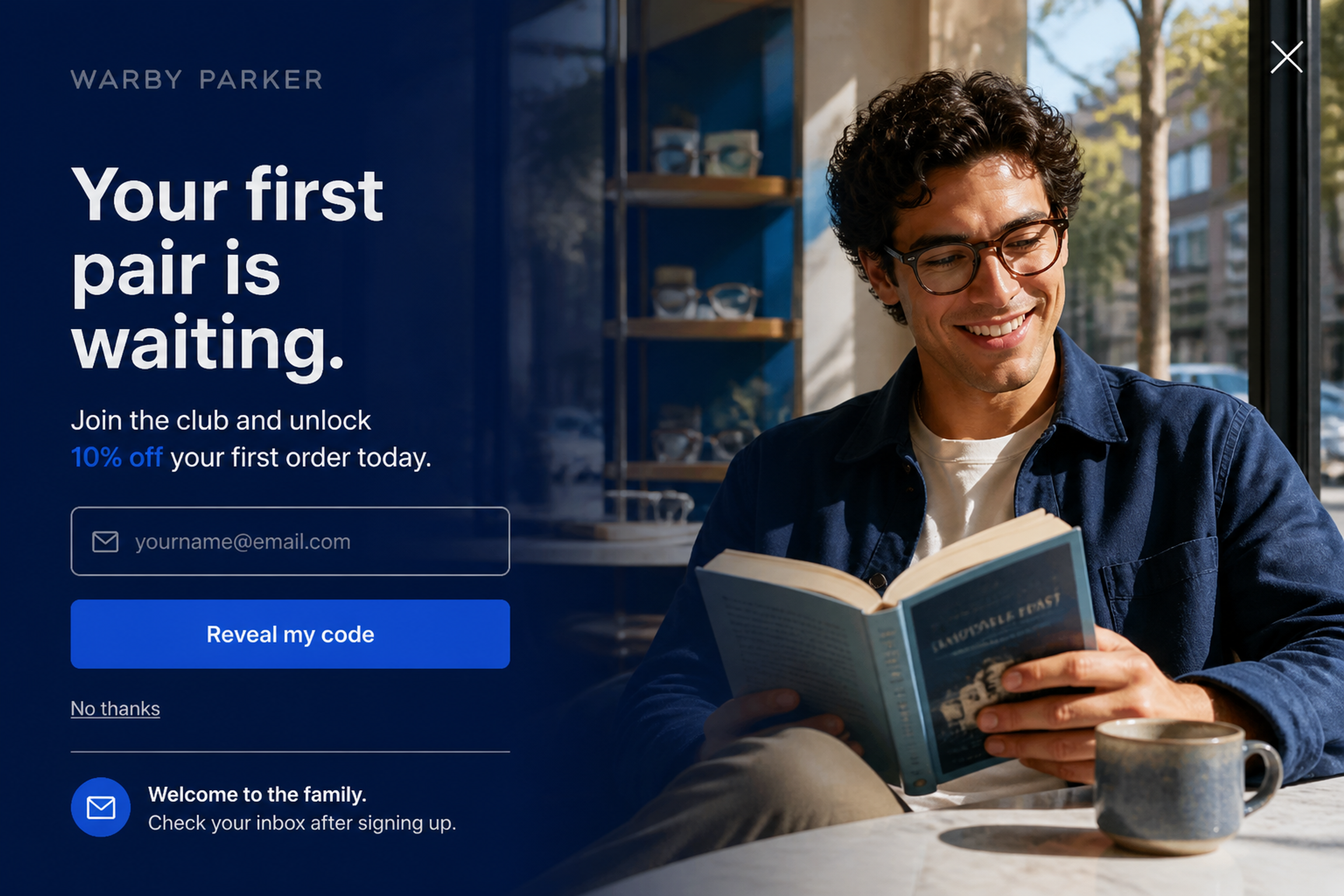
A classic first-order offer: 10% off for an email, and a button that says what happens next, "Reveal my code". In Shopify, use a unique, single-use code with Limit to one per customer. More buttons like it: CTA button examples.
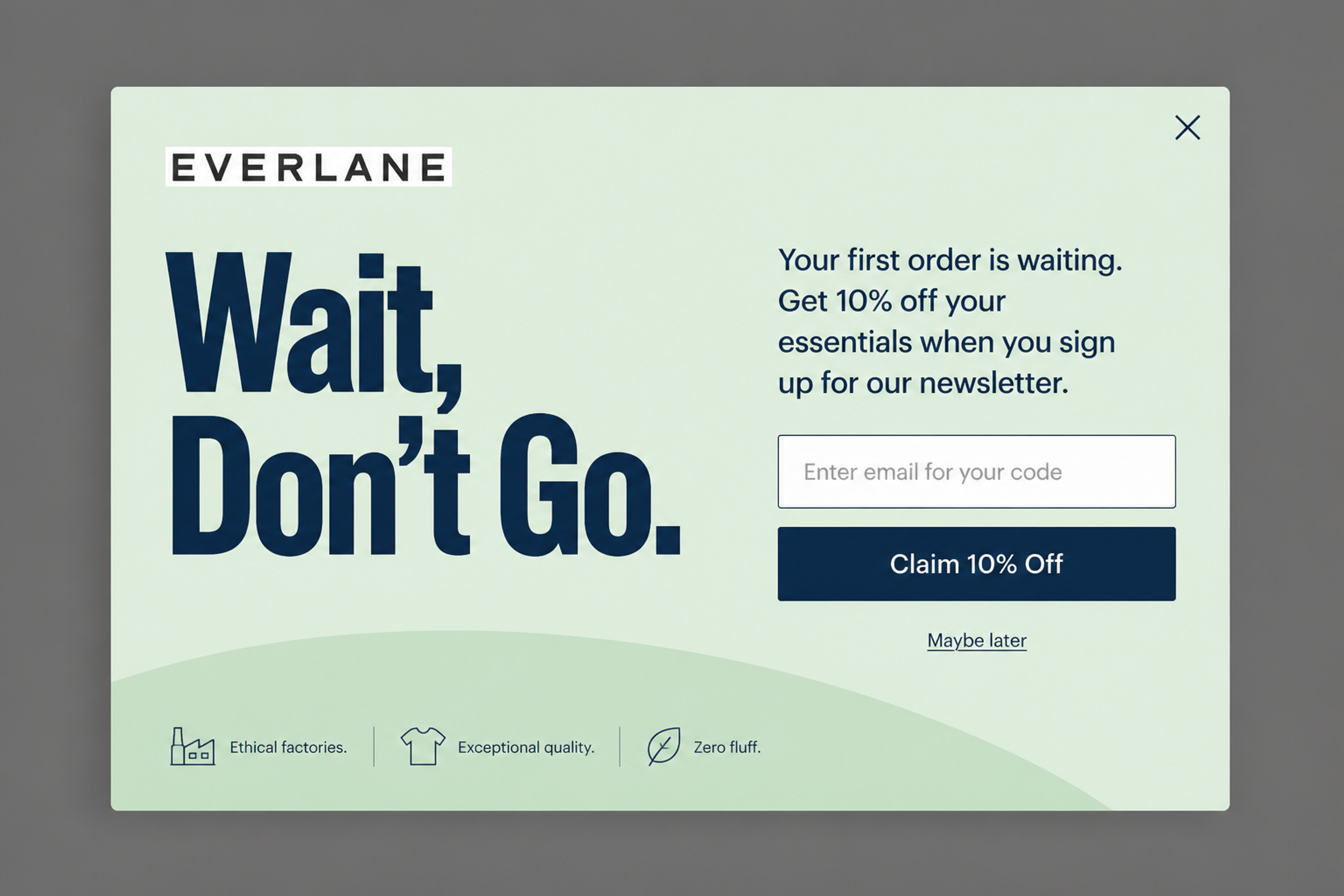
"Wait, Don't Go." is built for exit intent, and the field label promises the code right away. Pair it with a unique code that expires soon after the shopper sees it, so the offer can't wait for next month.
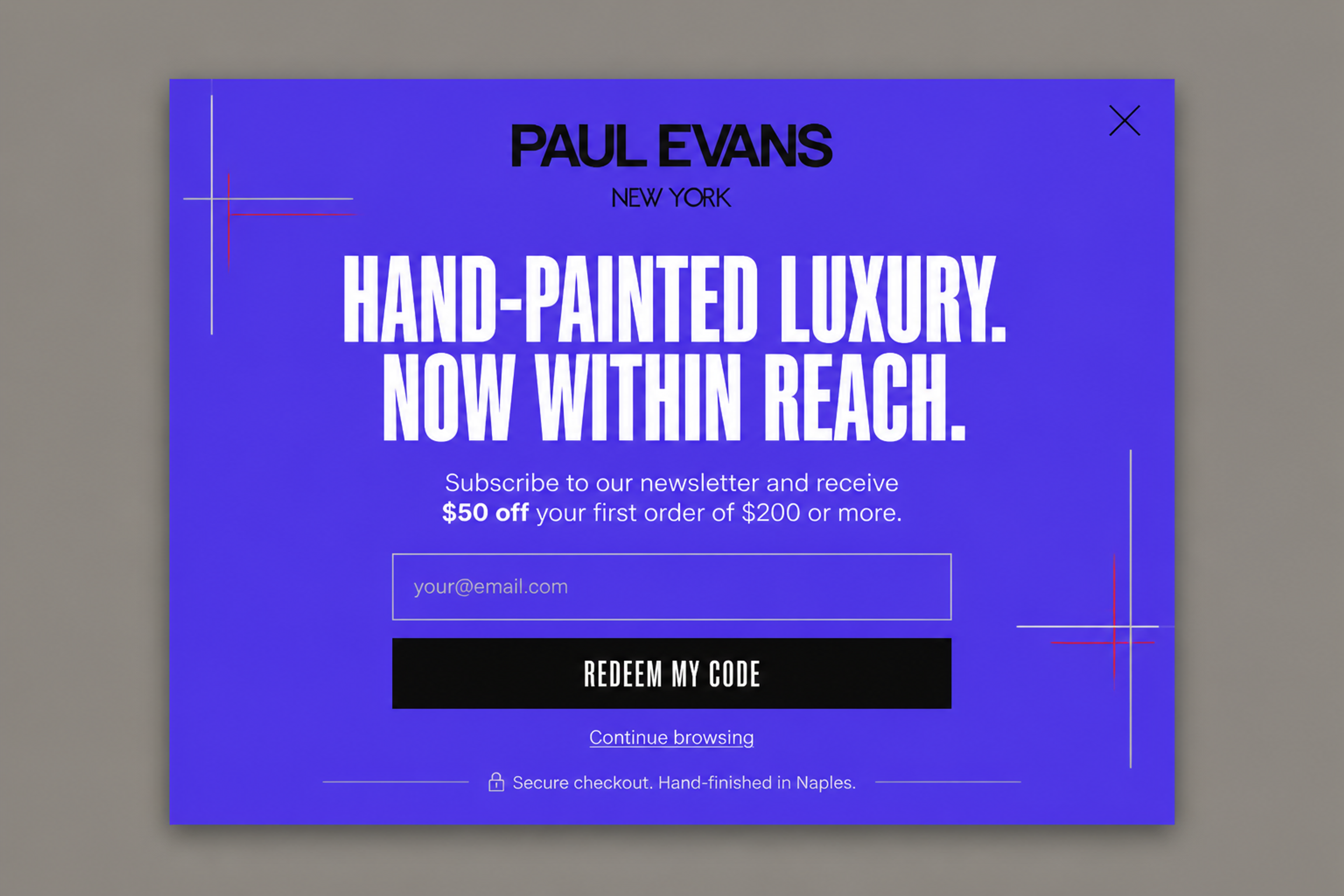
The offer is $50 off a first order, but only above a set spend, and the popup says so in one line. In Shopify, that's Amount off orders with a Fixed amount and a Minimum purchase amount.
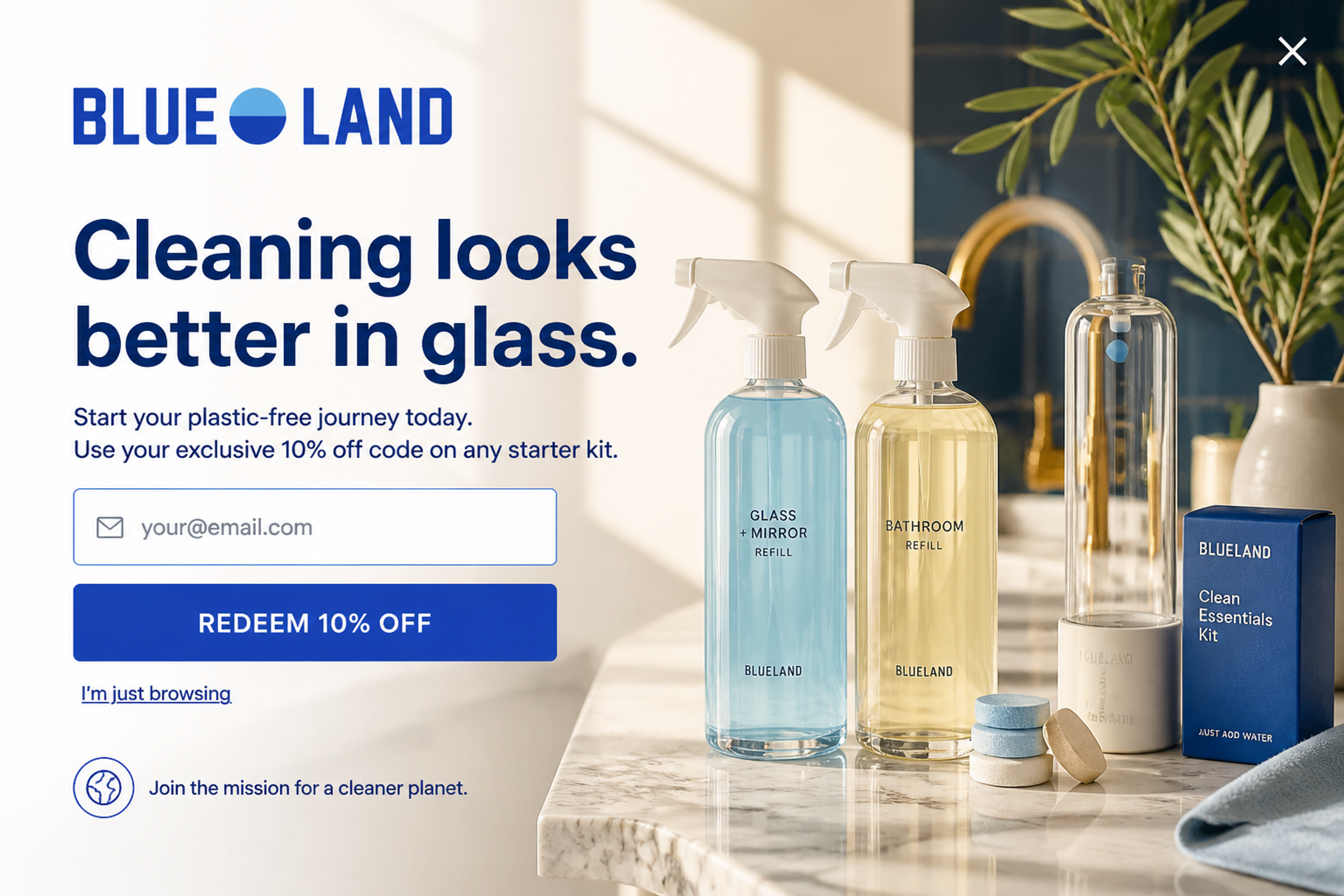
The code works on starter kits only, and the popup says so up front. In Shopify, that's Amount off products with Applies to set to Specific collections, so the code can't be used on the rest of the store.
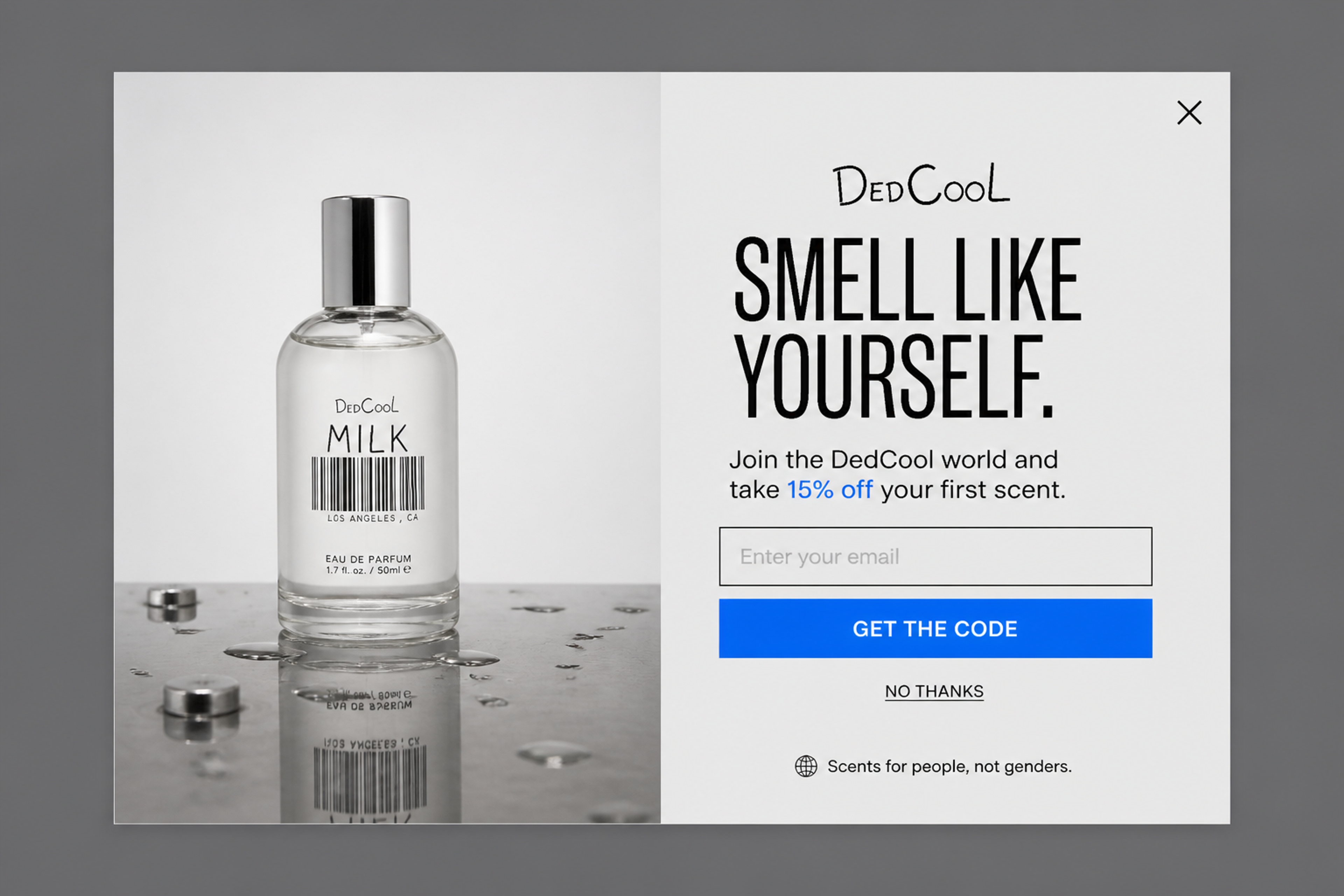
One offer, one field, one button. Keep the Shopify side just as simple: one discount at 15% off, and auto-apply on, so the shopper never has to copy the code.
OptiMonk is an agentic popup builder for online stores. On a connected Shopify store, three features handle the code side of a discount popup.
Discount codes shows a code in the popup, usually on the thank-you step after sign-up. Ask for it in your one-sentence brief ("A welcome popup with 10% off for first-time visitors.") and the code appears in the Coupon step, where you can change it.
The discount has to exist in your store. On Shopify, OptiMonk checks whether the code exists, has expired or has hit its usage limit, and if it's missing, you can click Create it in Shopify. A/B variants can use different codes, and a lucky wheel or scratch card has its own prize table with a code per prize.
Unique codes gives every visitor their own code. Upload a pool of codes (.txt or .csv), or on Shopify choose Shopify coupon: a single-use code is created in your Shopify store when the popup is shown.
You set the discount, an optional prefix like BLACKFRIDAY, and an expiry counted from the moment the visitor sees the code. If an uploaded pool runs out, the campaign stops showing, or visitors see your text instead.
Auto-apply codes puts the code on the order at checkout by itself, so the shopper doesn't have to remember or paste anything. Turn on Automatic redemption in the Coupon panel. With a fixed code, the switch appears once the code is confirmed to exist in Shopify.
It works with fixed codes and Shopify-generated codes on connected Shopify stores. It isn't available for scratch cards. The goal is the same as a shareable link's, nothing to type, but here the code comes from the popup instead of an email.
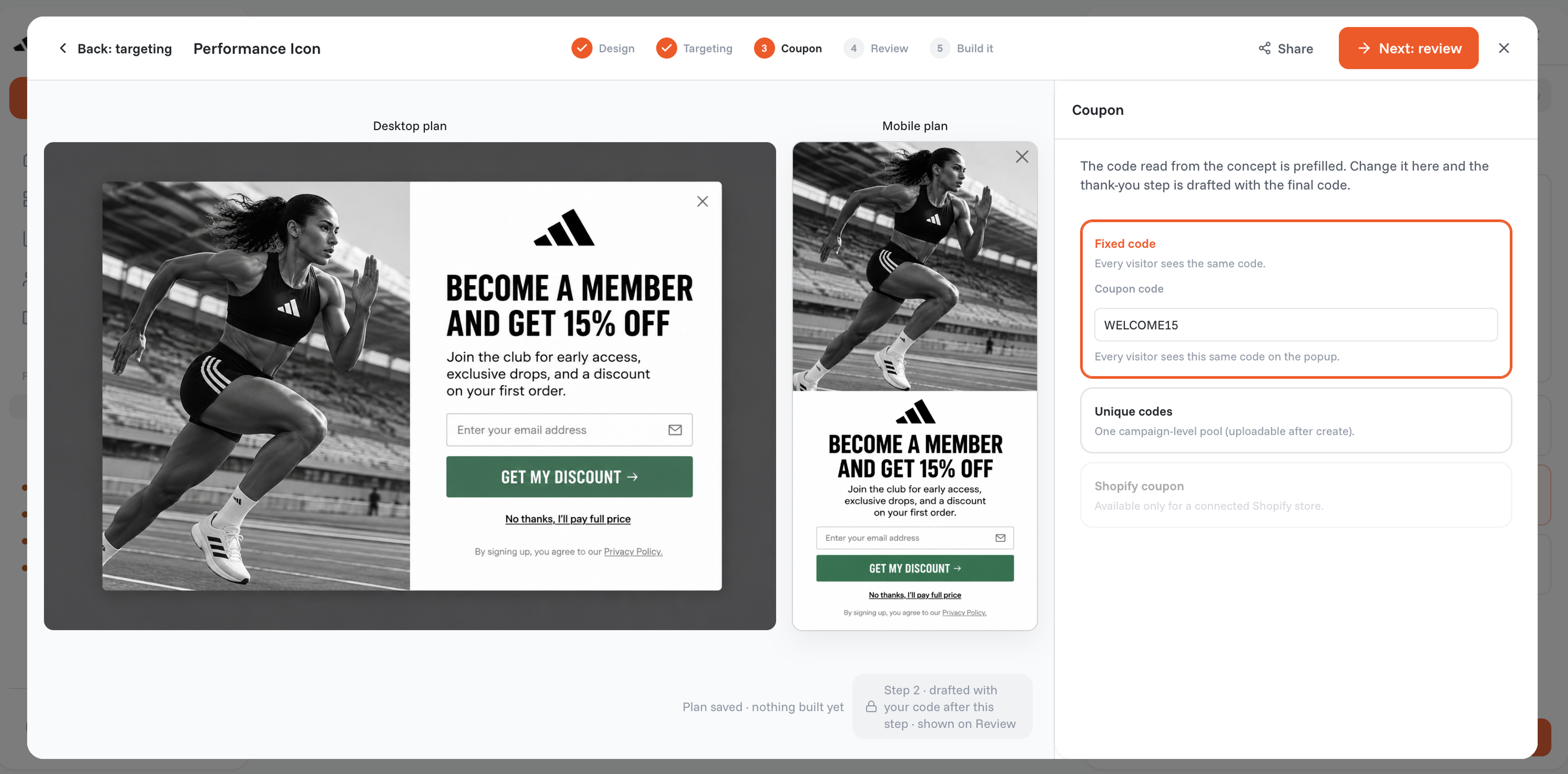
You describe the popup in one sentence, for example:
"Show first-time visitors a popup with a unique 10% code that expires 48 hours after they see it, after 5 seconds, not to subscribers, and auto-apply it at checkout."
The agent designs the popup on brand, writes the copy, builds a separate mobile version and sets the targeting. Then you can test it: A/B test 10% off against free shipping, or the whole design, and run a holdout test to see whether the popup adds orders at all.
For how codes fit into personalized offers, see our guide to ecommerce personalization; for sign-up offers, lead capture; for prize games, gamified popups.
In your Shopify admin, go to Discounts, click Create discount and pick the type, such as Amount off products. Under Method, select Discount code, enter or generate the code, set the value, limits and dates, and click Save.
Yes. Open the discount, click Promote, then Get a shareable link, and copy the link or download the QR code. The link looks like yourstore.com/discount/CODE, and adding ?redirect=/collections/sale sends shoppers to a specific page.
They're codes made for one shopper that work only once, so they're worth nothing on a coupon site. They suit welcome offers, exit-intent offers and game prizes.
Yes, if you allow it. Customers can use up to 5 product or order discount codes and 1 shipping discount code on the same order, and only when each discount's Combinations setting allows the other's class. If two discounts can't combine, Shopify applies the better one.
A discount code works only when the shopper enters it at checkout, so you decide who gets it. An automatic discount applies itself in the cart and at checkout when the conditions are met, so everyone who qualifies gets it.
Create the code in Shopify, or let OptiMonk create a unique one when the popup shows. Then tell the agent in one sentence who should see it and when.
Free to start. No credit card.

Discover creative Thanksgiving marketing ideas to engage customers, build buzz, and drive sales before Black Friday and Cyber Monday.
Learn 5 ways ecommerce brands can turn new subscribers into recurring revenue using welcome flows, personalization, loyalty programs, re-engagement, and referrals.
In this article, we’ve compiled a list of the 25 top ecommerce apps that will help you streamline your operations, boost sales, and grow your online business.


