


What's New - June 2026
Six new features to help you prep for peak season — from a brand new analytics dashboard to unique coupon codes for Lucky Wheel, autosave, and more.
The last couple of months at OptiMonk were all about improvements. Here's what we've been working on.
In short
Discover OptiMonk's latest updates, including faster admin interface, enhanced popup editor, and dynamic free shipping bar for Shopify stores. Explore new BFCM templates and automatic coupon code generation to boost sales during peak shopping seasons. Personalize popups with dynamic text replacement and manage campaign priorities for optimal visitor engagement. Join our VIP Research Group for exclusive early access.
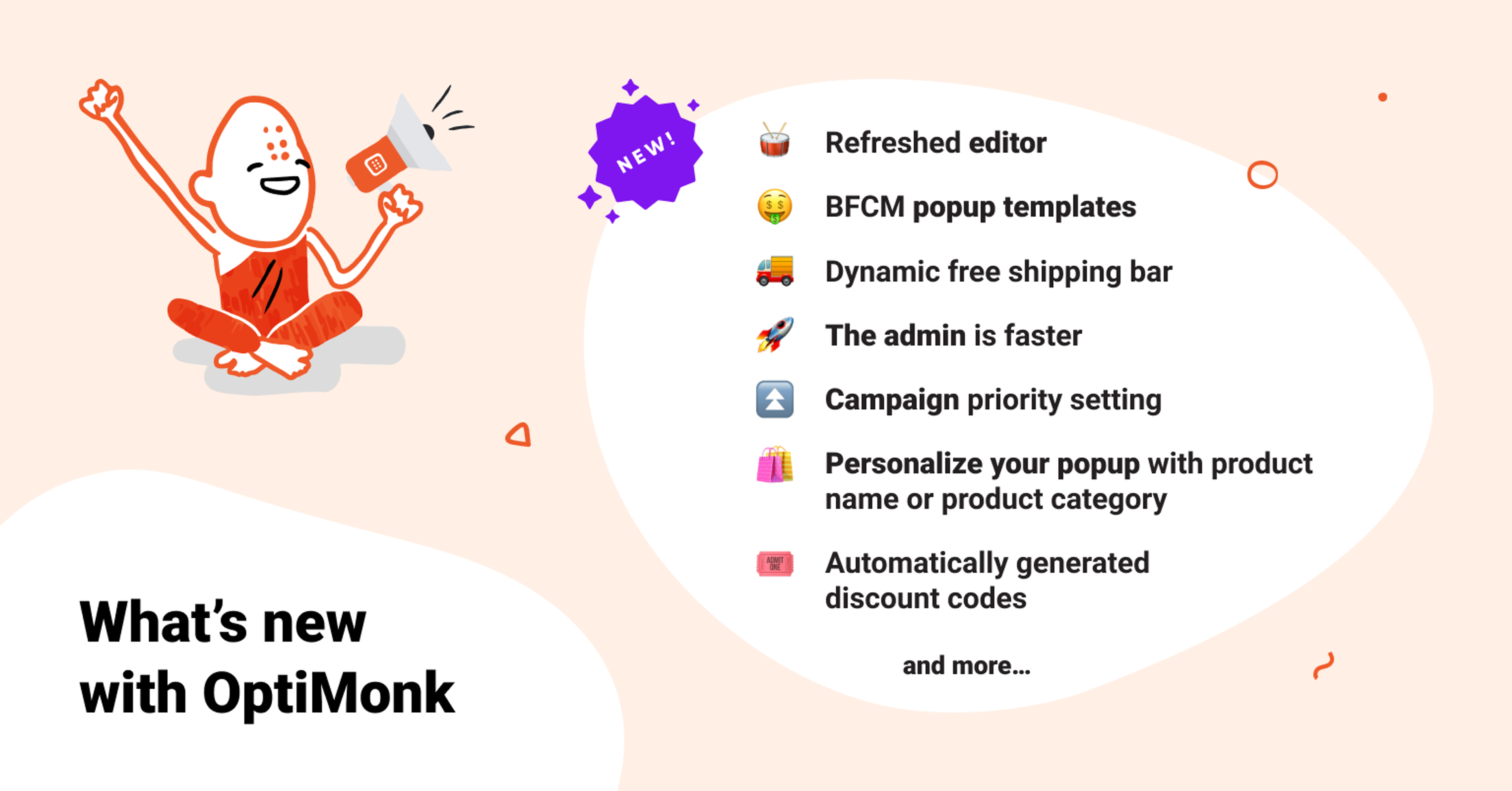
We are happy to announce that, this month, we’ve not only made the OptiMonk Admin Interface run much faster but we’ve also improved our Editor to make popup creation easier.
And, we’ve prepared some brand new BFCM templates that will help you to make the most of the year’s hottest sales season.
Here’s some details of the exciting improvements we’ve been working on:
A couple of weeks ago, we launched brand new Cyber Monday templates. But we kept on going, and more templates have arrived for the hottest sales season.
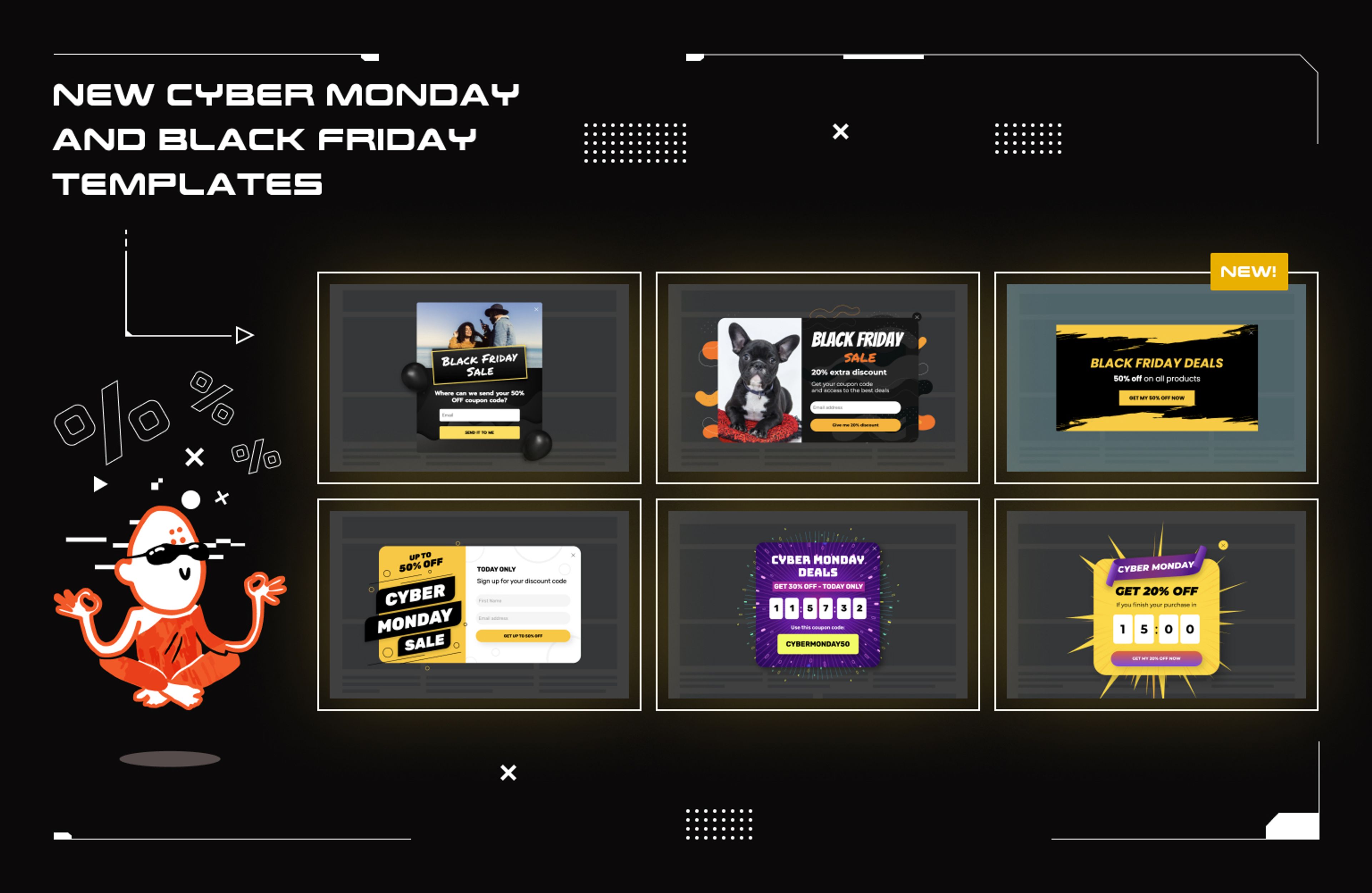
Here are some use cases for these free BFCM popup templates:
Check out our Black Friday templates here and our Cyber Monday templates at this link.
Over the last couple of months, we’ve been working hard to make popup editing simpler and faster.
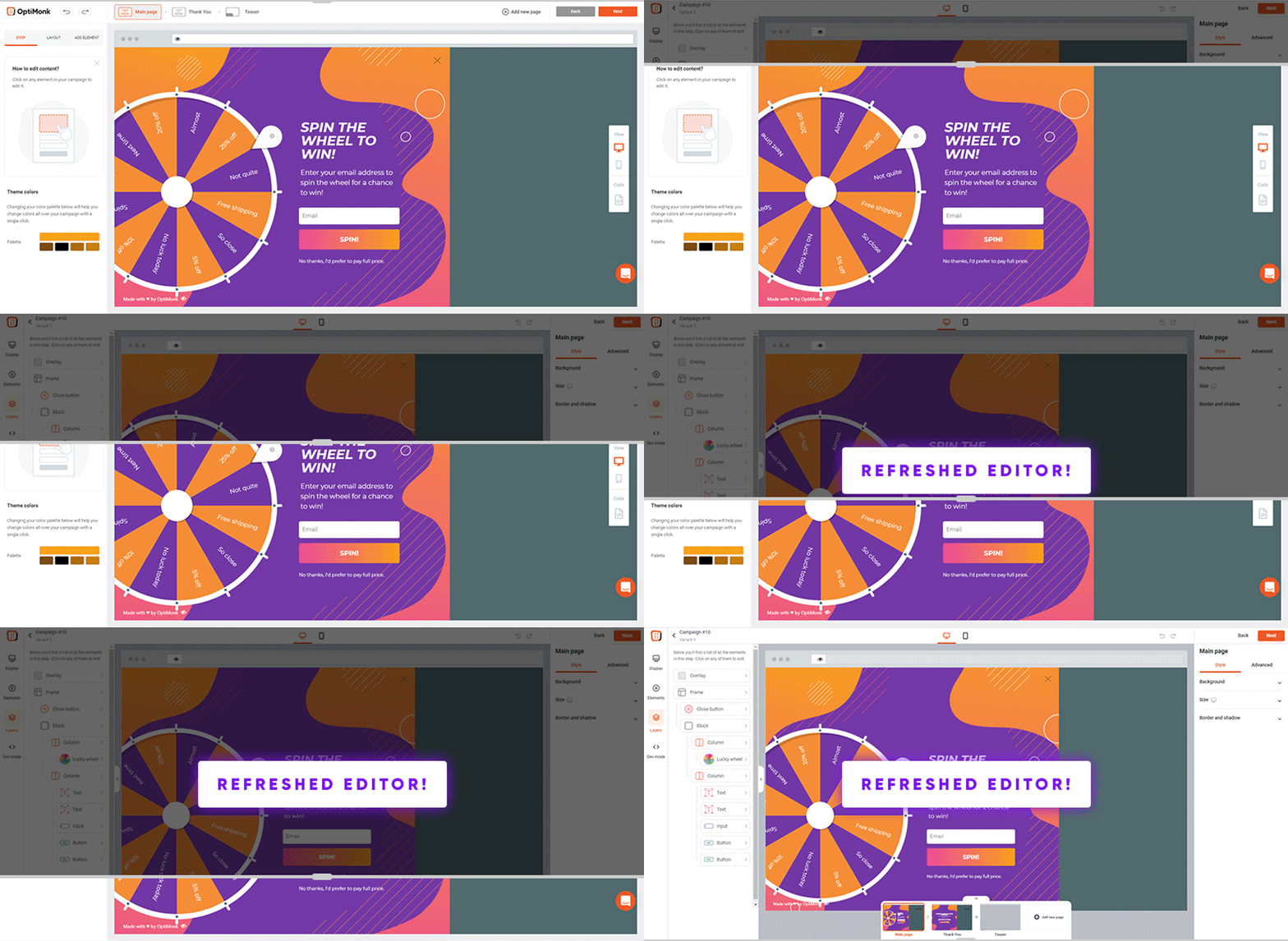
Here’s a sneak peek of the changes:
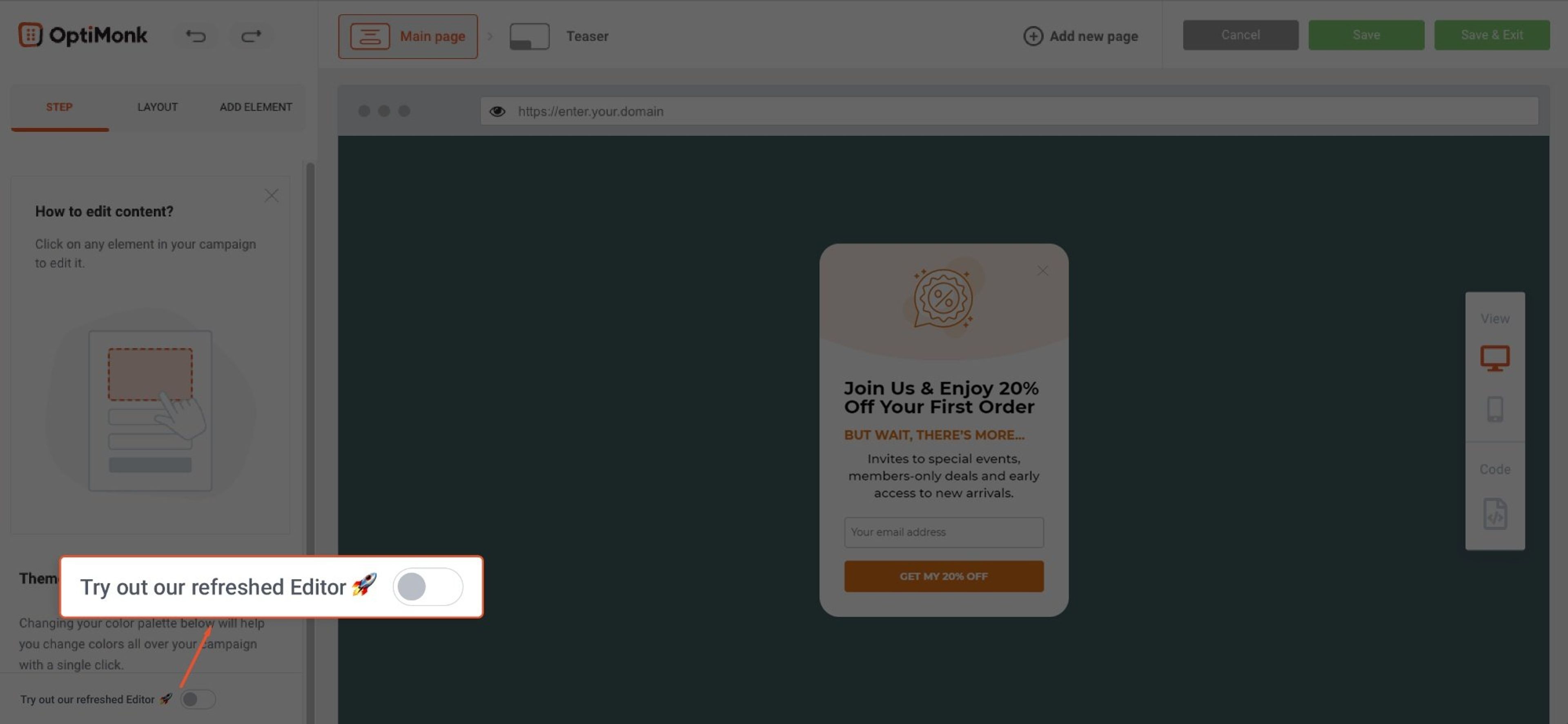
To check it out, all you’ve got to do is click one button at the bottom of the editor.
How can you entice your shoppers to add just one more item to their cart before making a purchase?
The answer: Free Shipping Bar
Instead of getting into the psychology of it, I’ll just ask whether you’ve seen this Drake-meme yet. It’s an accurate demonstration of common shopper behavior and thinking.
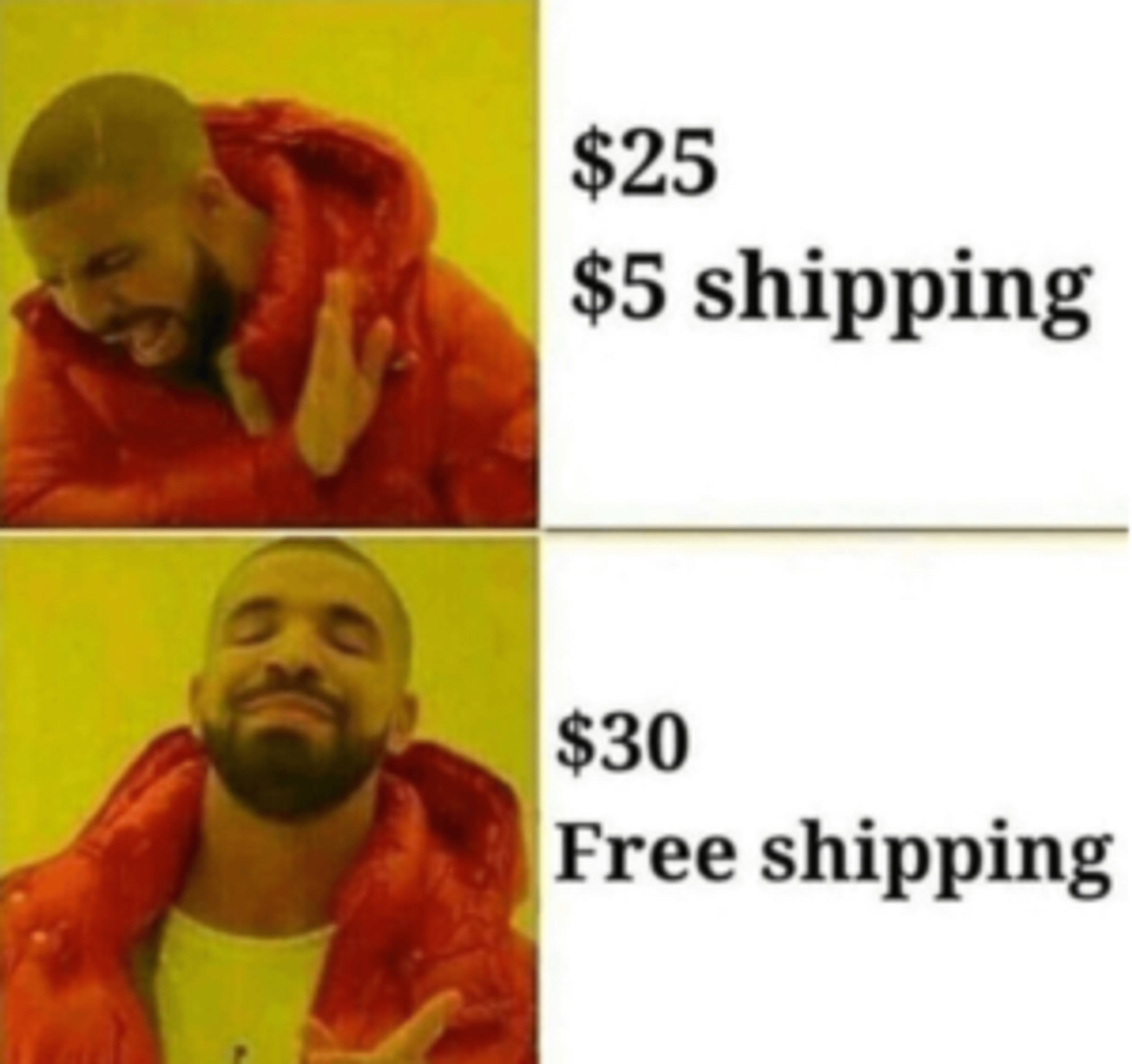
Thanks to our latest improvement for Shopify stores, you can increase your average cart value by showing your users how much more they need to spend to qualify for free shipping (or a free gift).
Use it on a sticky bar by copying and pasting the DTR shortcode [[cartValueCountdown:100]] into a text element. Add the limit amount after the colon. (Important note: the currency is not detected, so please type it after the shortcode.)
As soon as a user adds something to their cart, the free shipping bar will automatically show how much more they need to spend to reach free shipping. Once they hit the threshold, the campaign switches to the next page
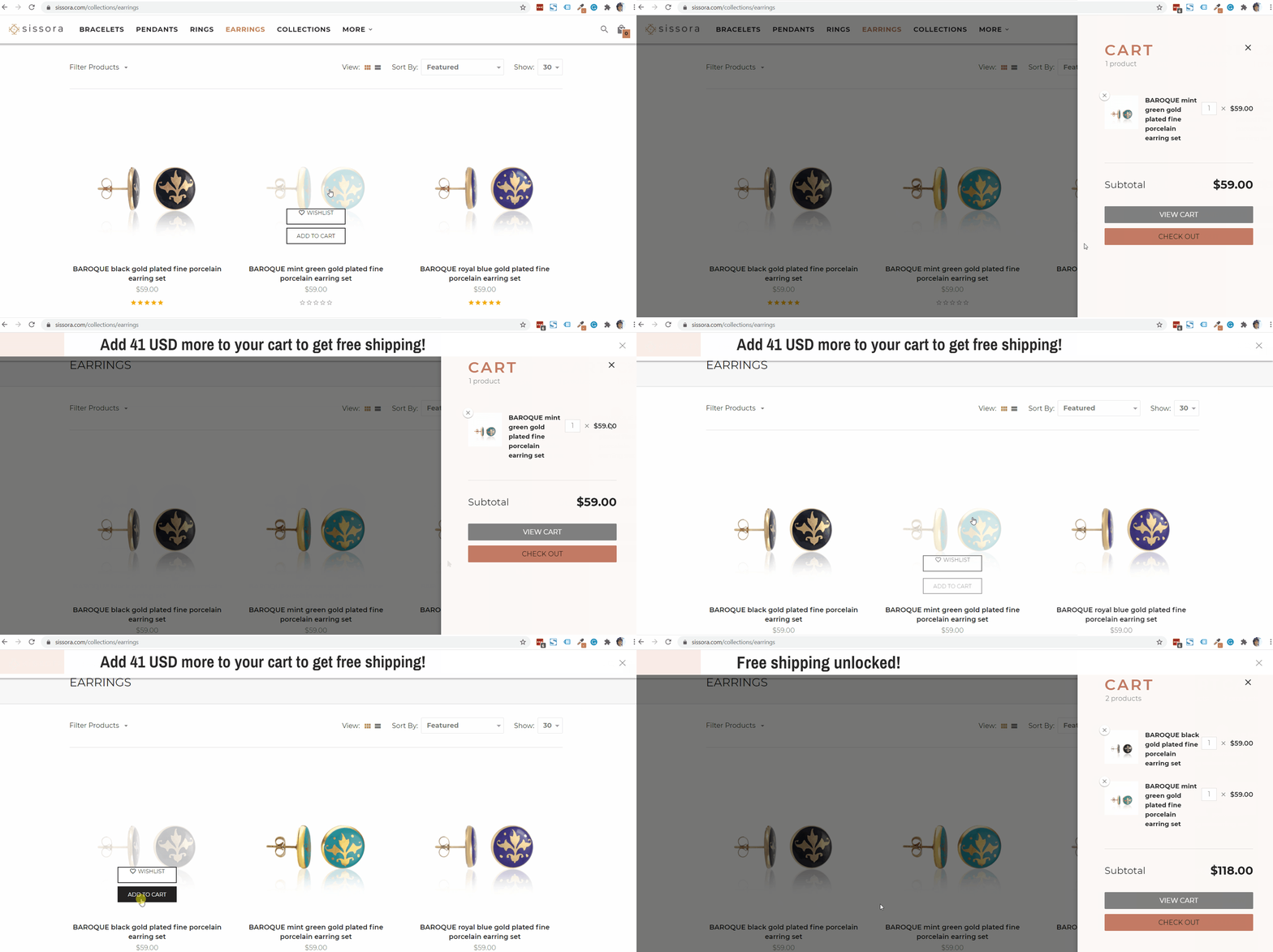
Let's take a look at an example:
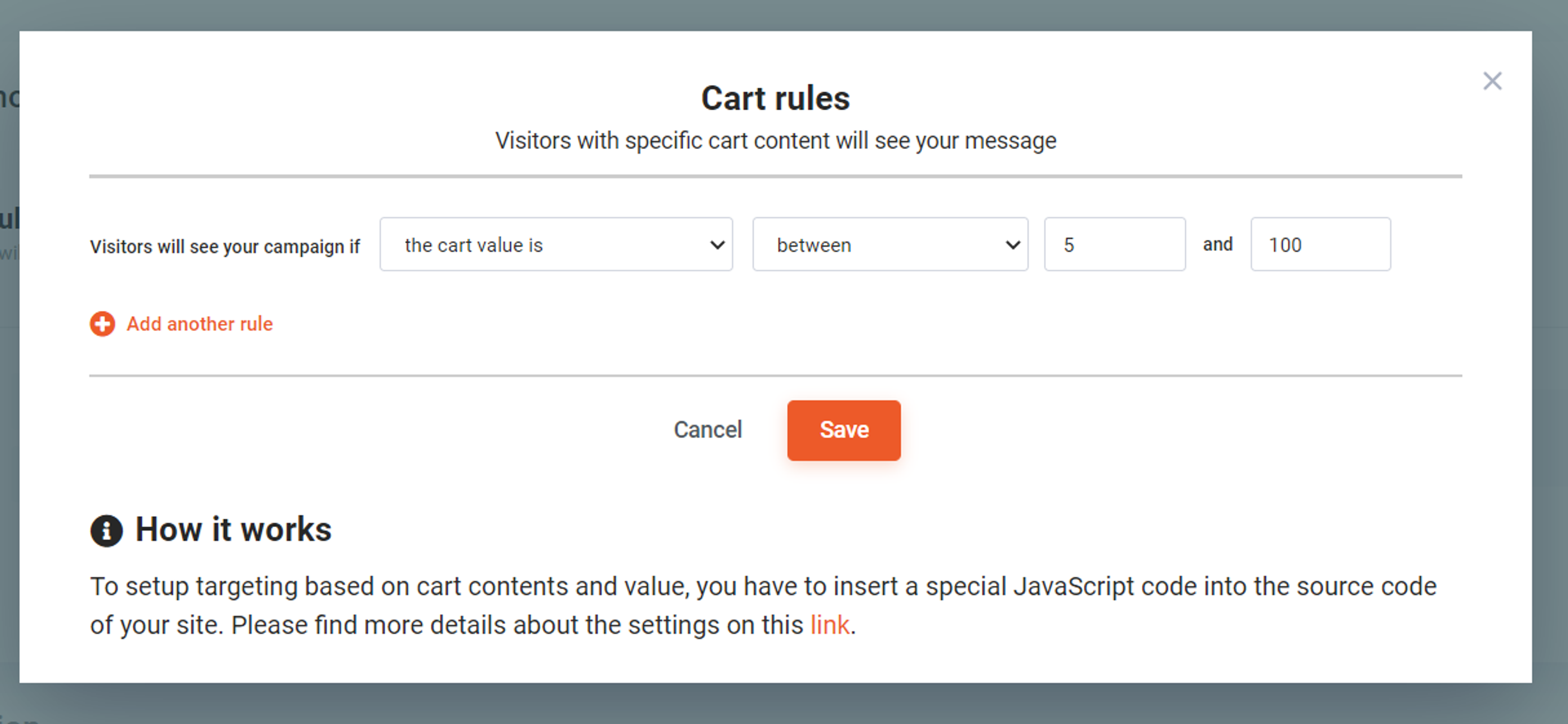
When setting up this Free Shipping Bar, ensure the minimum cart value is above 0 and below your free shipping threshold. That way, your campaign will only be displayed to visitors who have already added something to their cart.
Please note that this feature is available only for Shopify stores.
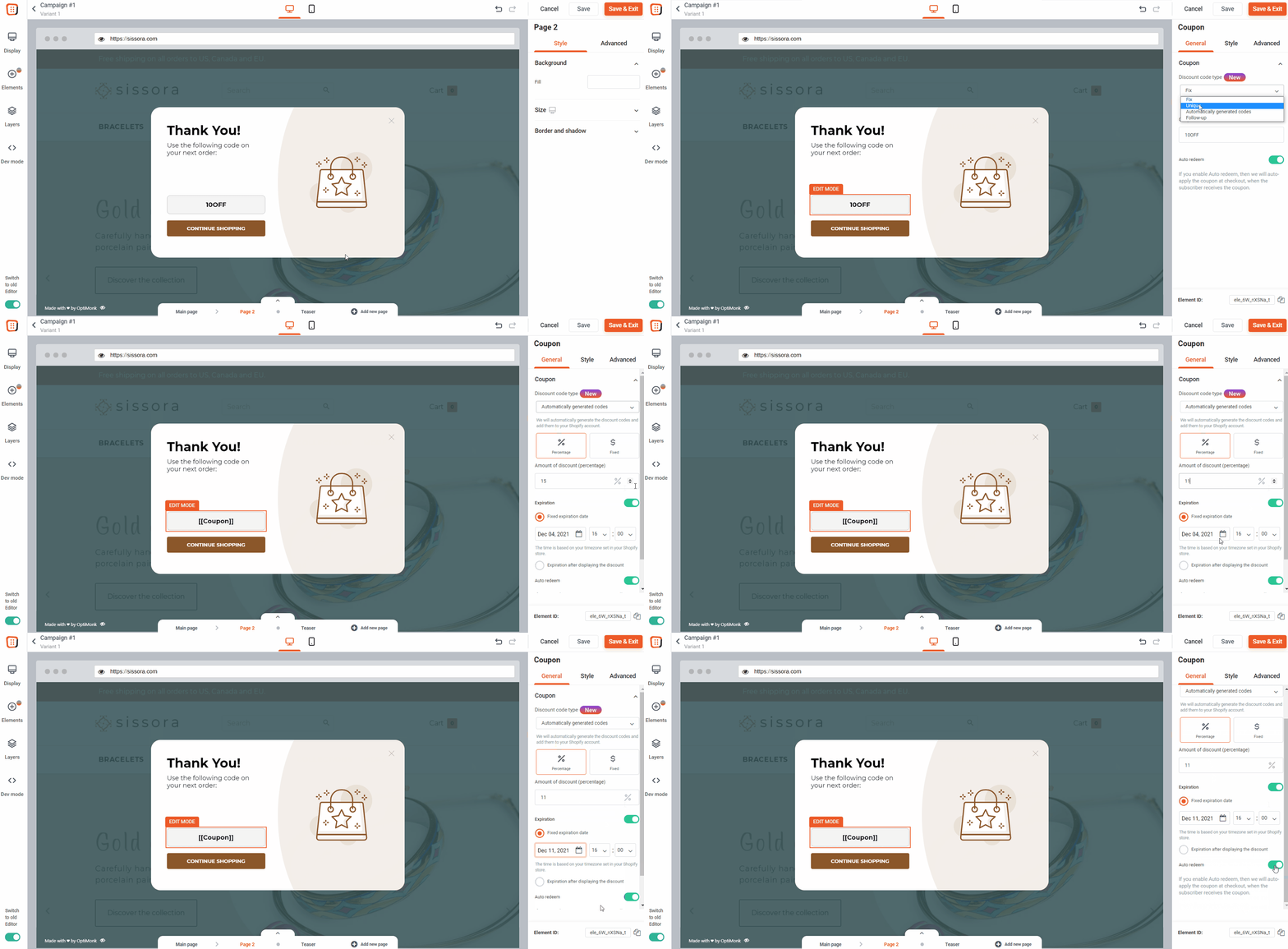
We wanted to make it easier for Shopify users to get coupons up and running in their stores.
Here's how we did it: We created a system that generates unique discount codes and automatically adds them to your Shopify account. That means no more manual uploading.
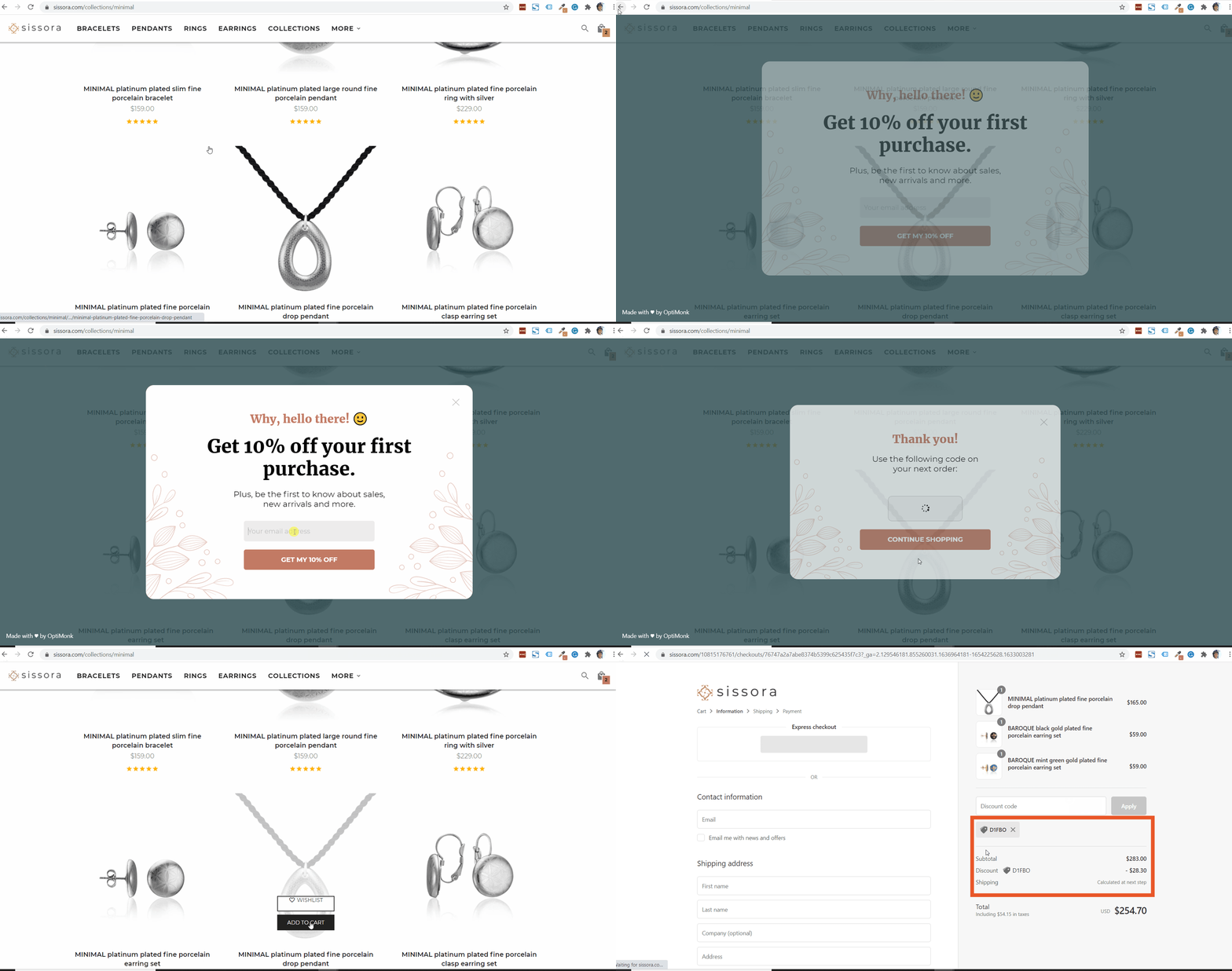
A few important notes:
To take advantage of these features, you’ll simply need to select the “Automatically generated code” option while creating a campaign with a coupon element.
(If you aren't using Shopify, you can upload your discount codes to OptiMonk and set them in your ecommerce store.)
Our Dynamic Text Replacement (DTR) makes popup personalization easy. It’s extremely useful if you’d like to use one campaign to deliver personalized promotions to visitors on specific products or category pages.
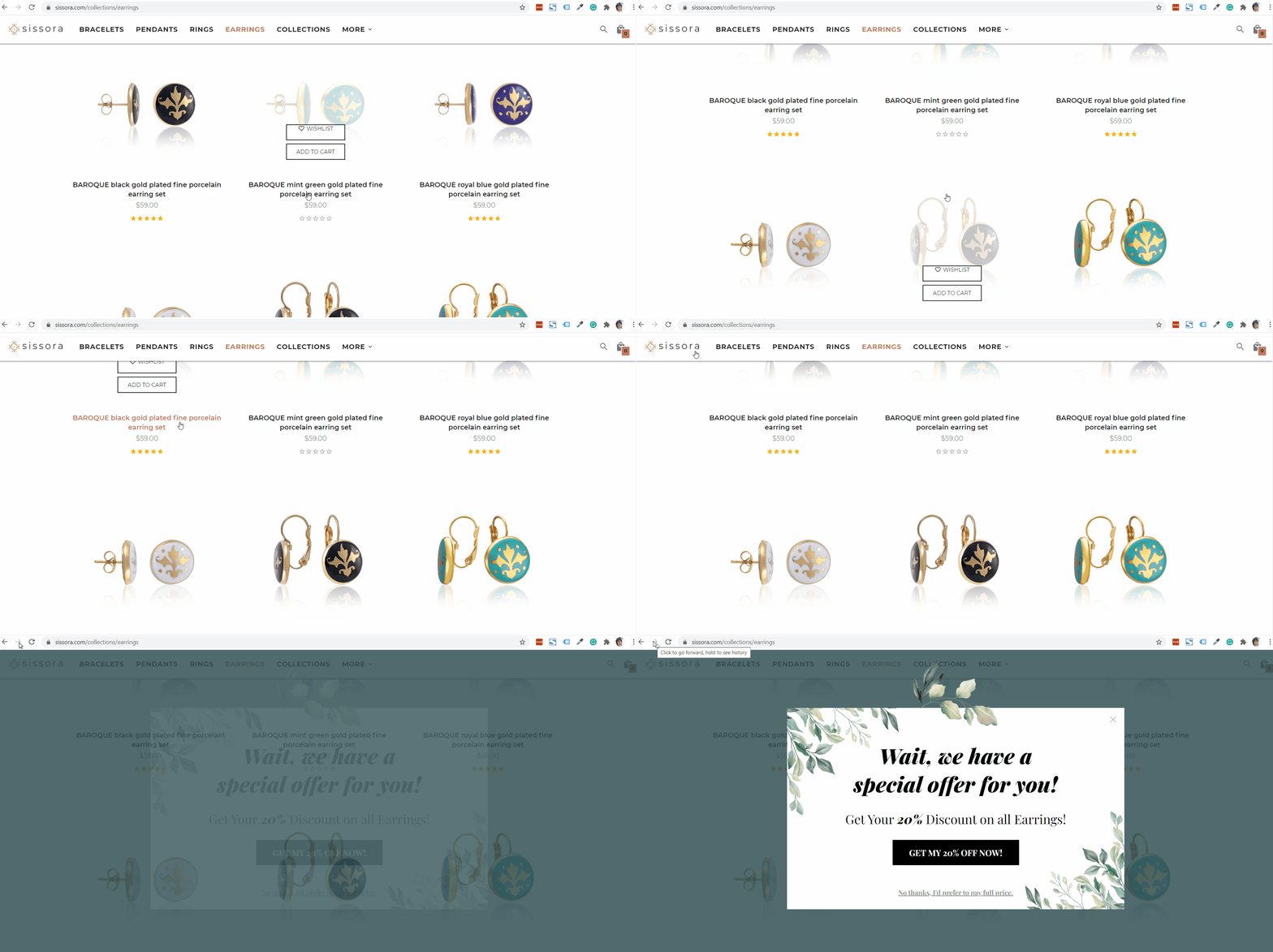
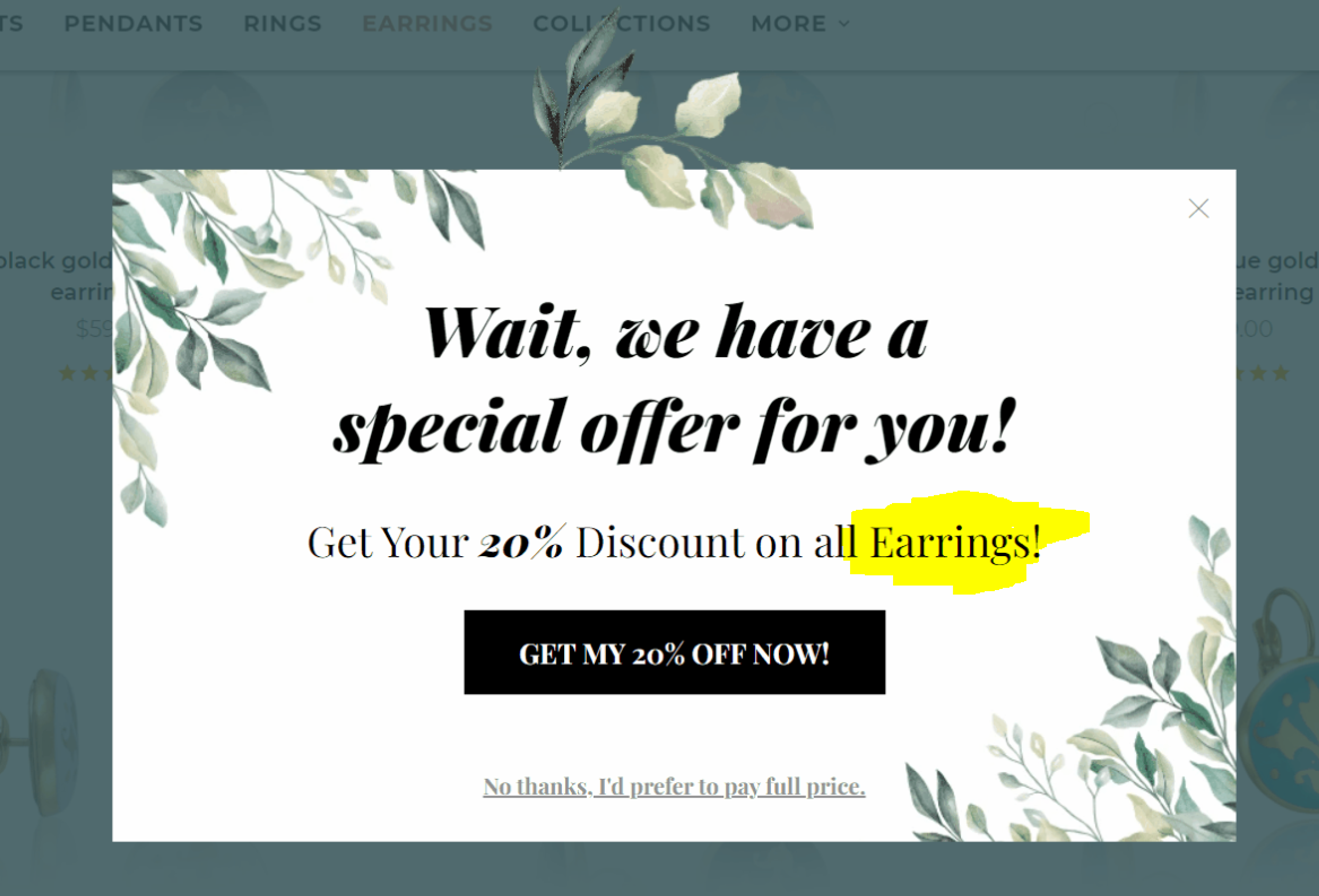
For example, if a user is browsing your Earrings category page, you can set up an exit-intent popup to promote a 20% discount on Earrings. When the user visits the Bracelets category page, the same campaign will promote a 20% discount on Bracelets.
How to set it up?
Simply add a text element and insert one of the following short-codes:
And how about customizing the targeting?
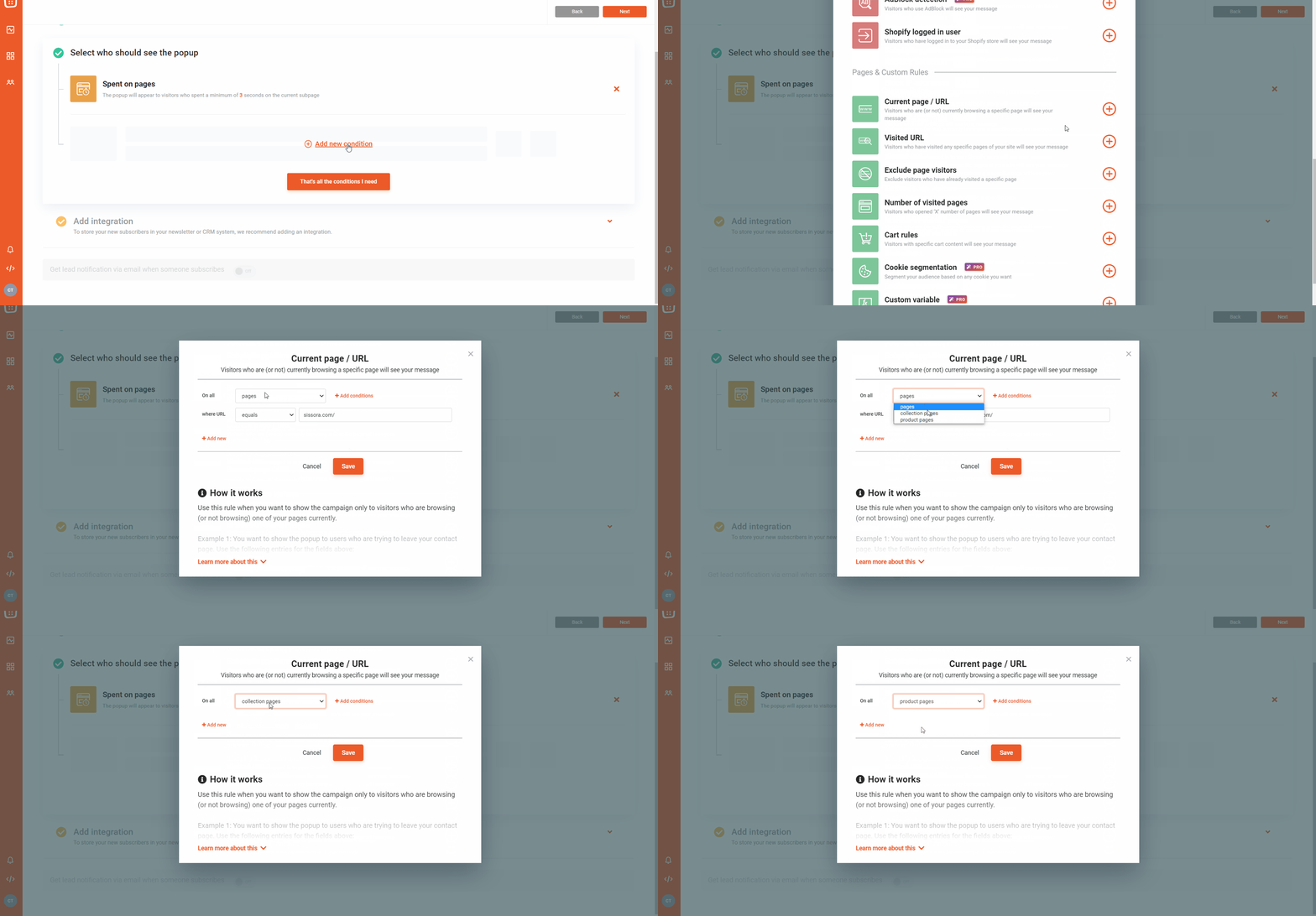
In the campaign settings, use the “Select who should see the popup” menu to select “Category pages” or “Product Pages.” If you want to narrow it down even further, you can set up the “URL contains” condition as well.
Sometimes more than one of your campaigns will target the same visitor. In order to avoid showing too many popups in a short period of time, you can now set priority statuses to your campaigns.
This means that you’ll always be showing the most important messages to your visitors first.
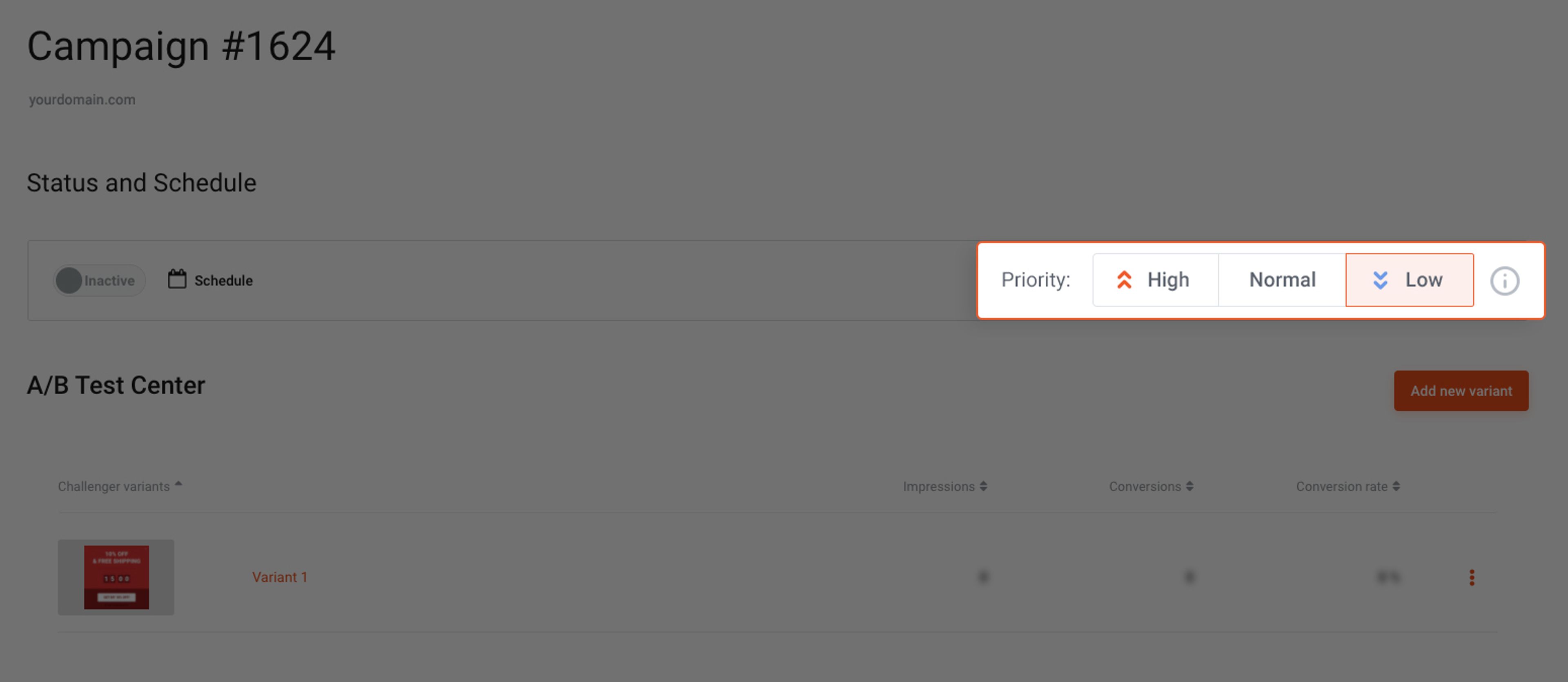
Let's say you have a general welcome popup all year round – with a 5% discount coupon for new visitors. However, during Black Friday you want to show a slightly different message that contains a 10% coupon for the new visitors. Just set the Black Friday campaign to “High” priority” and all of your new visitors will see the seasonal message. You don’t even need to turn off your general Welcome popup.
The Campaign Priority Settings are in the campaign Status and Schedule of specific campaigns. (The default priority setting is “normal” on all of your campaigns.)
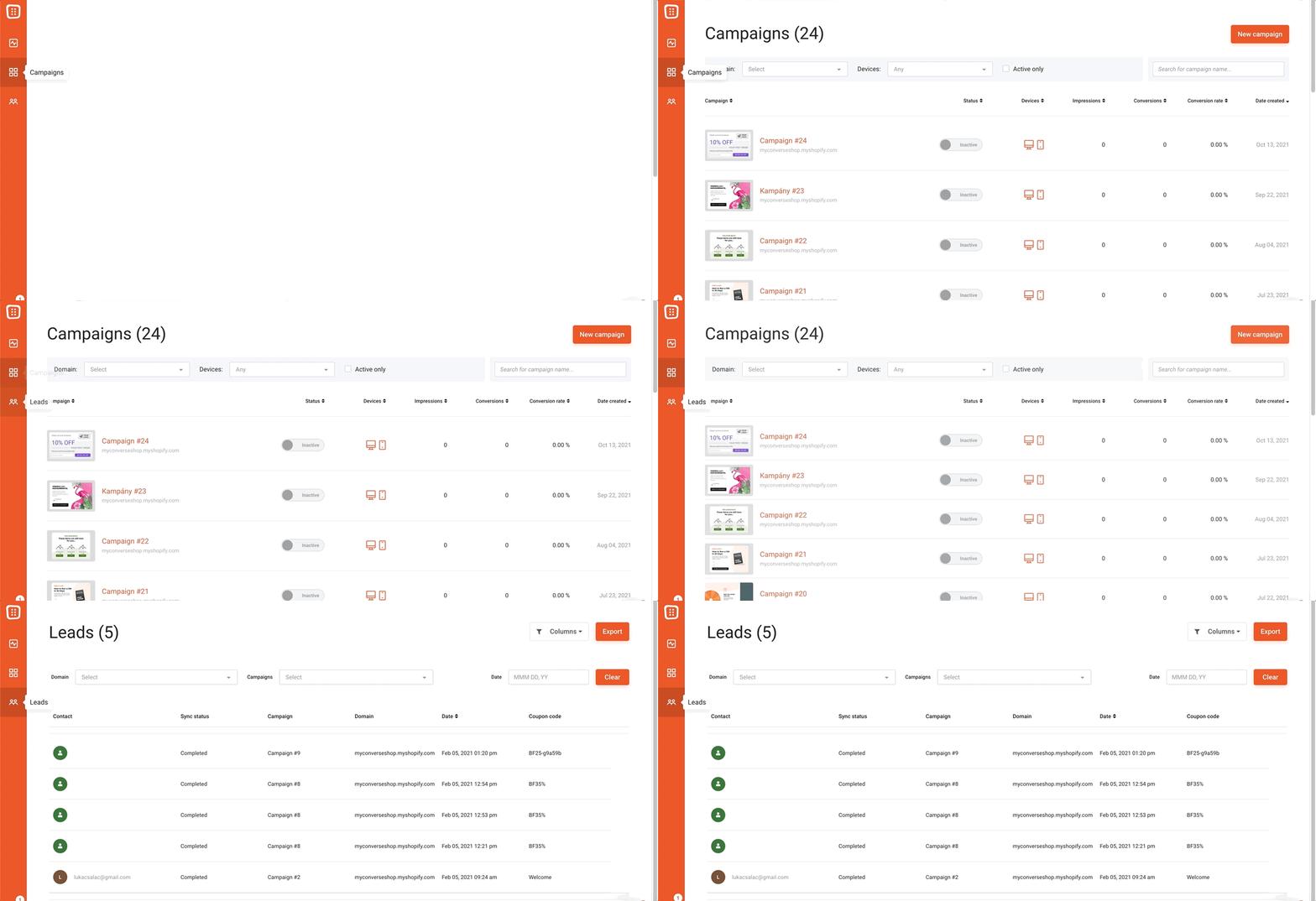
🤓 93.7% faster, to be precise. We made this improvement a priority because we know that nobody likes waiting unnecessarily. We won’t bore you with the technical details about caching or reductions in the average time of database requests before and after the optimization. We’ll just say that we sped it up, so you can see your campaigns and leads almost instantly.
We’re currently recruiting volunteers to join our VIP Research Group where you can:
Interested? Click here to learn more.
We hope you like our new features. Please give them a try and don’t hesitate to let us know what you think in the comment section. Create a free account or log in to get started!


Six new features to help you prep for peak season — from a brand new analytics dashboard to unique coupon codes for Lucky Wheel, autosave, and more.
This release brings smarter, faster, and more personalized popup campaigns, powered by AI Editor, AI Popups, product page optimization, and deeper integrations.
This release focuses on new features that make it easier to turn your visitors into customers, from smart product recos to more flexible campaign management.


