Best Ecommerce Personalization Stats, Types, Examples & Tools
Learn from the best and see how successful online stores use ecommerce personalization to improve their sales and conversions.
The seven types of website personalization, with real examples from online stores and ideas you can copy.
In short
Website personalization matches every shopper with an offer that fits a signal you know, such as their country, cart contents or the ad they clicked. Relevant offers get more attention than one message for everyone. Start with one visitor group, give it its own message and test it.
A shopper from Berlin, a returning customer and someone who just clicked your Instagram ad all land on the same homepage. Most stores show all three the same message, even though each came for something different.
Website personalization changes what each visitor sees based on something you already know about them. There are seven main types, built on location, new or returning visits, browsing behavior, cart contents, traffic source, stated preferences and customer status. Each one is below, with a real store example and an idea to try.
Website personalization is changing what a visitor sees based on something you know about them: where they are, what they browsed, what's in their cart or what they told you. A first-time visitor from Germany and a returning customer from Texas shouldn't get the same message.
The messages, offers and product picks you show this way are called personalized content. A headline, a product row, a shipping note or a popup can all be personalized.
Personalization vs. customization: with customization, the visitor sets things up themselves, such as choosing a currency or filtering by size. With personalization, the store decides for them, based on a signal it already has.
Personalization makes a store feel smaller and more helpful, in four ways:
Shoppers notice the difference. In McKinsey's research, 71% of consumers expect companies to deliver personalized interactions, and 76% get frustrated when that doesn't happen. The same report found that personalization most often drives a 10 to 15% revenue lift (McKinsey, November 2021).
Each type is built on one signal about the visitor, and each signal is a way to segment your visitors. Here they are, with a real store example for each.
Location-based personalization changes prices, currency, shipping info or offers based on the visitor's country. It's the easiest type to start with, because the store already knows the country from the visit.
Example: Kylie Cosmetics. When a visitor from Hungary lands on the US store, a popup says "Welcome! We ship to Hungary": local currency, international shipping rates and duties already included, with one button to switch to the local store. There, prices show in forint and the top bar names the free EU shipping threshold.
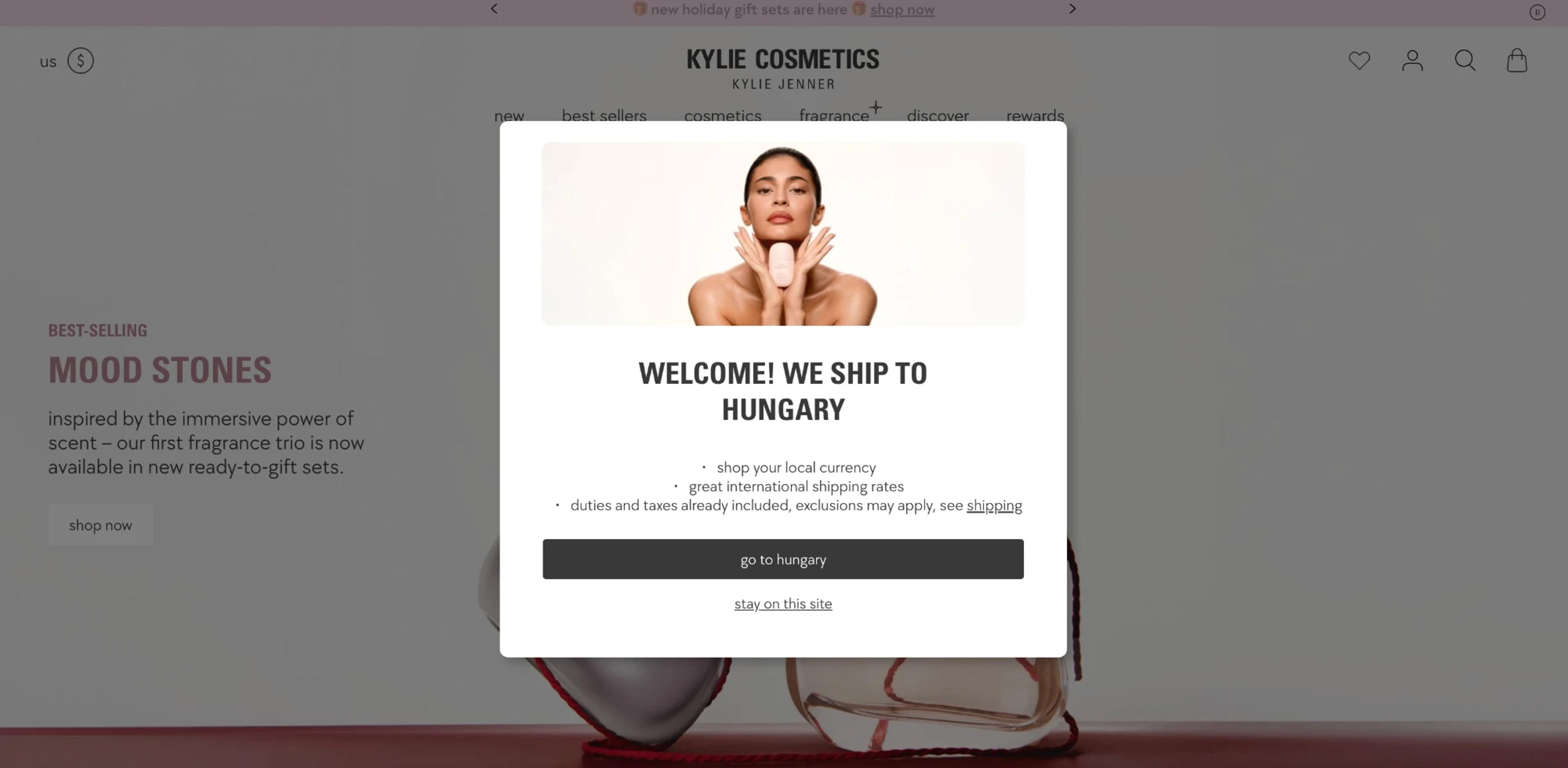

Why it works: a shopper who sees their own currency and shipping terms doesn't have to wonder if the store ships to them.
Try this: show visitors from outside your home market the delivery time and the free shipping threshold for their country.
This type treats first-time visitors and returning visitors differently. A new visitor needs an introduction and a reason to buy the first time; a returning one needs a reason to continue.
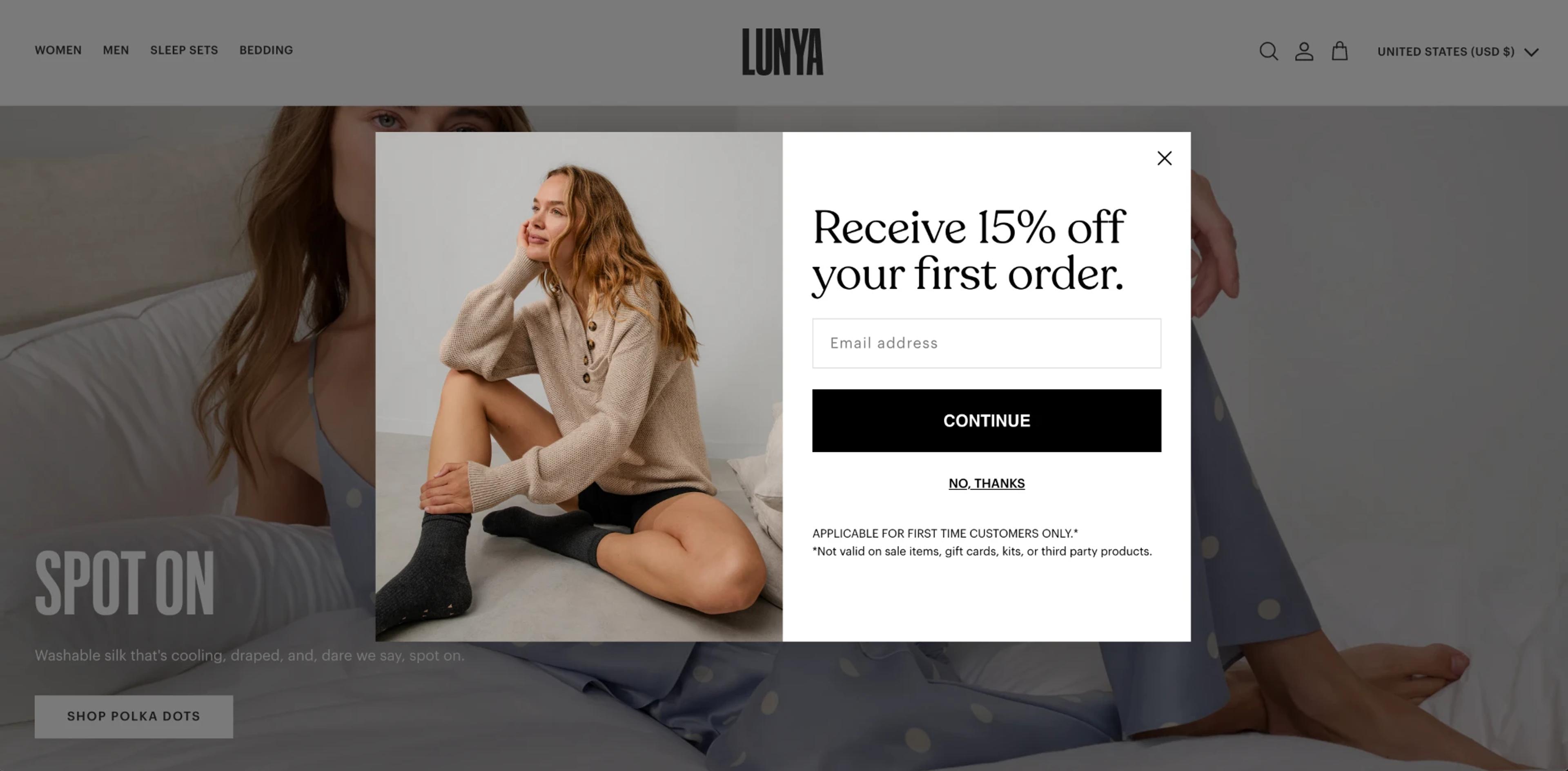
Example: Lunya. Lunya shows new visitors a signup popup with a first-order offer: "Receive 15% off your first order." The small print says it applies to first-time customers only, so the offer works as a welcome, not as a discount for everyone.
Example: Booking.com. A returning visitor sees a small message under the Sign in button: "Welcome back! It's always a pleasure to see you." It asks them to sign in to see deals of up to 50% off, so the second visit gets a reason to log in instead of another introduction.
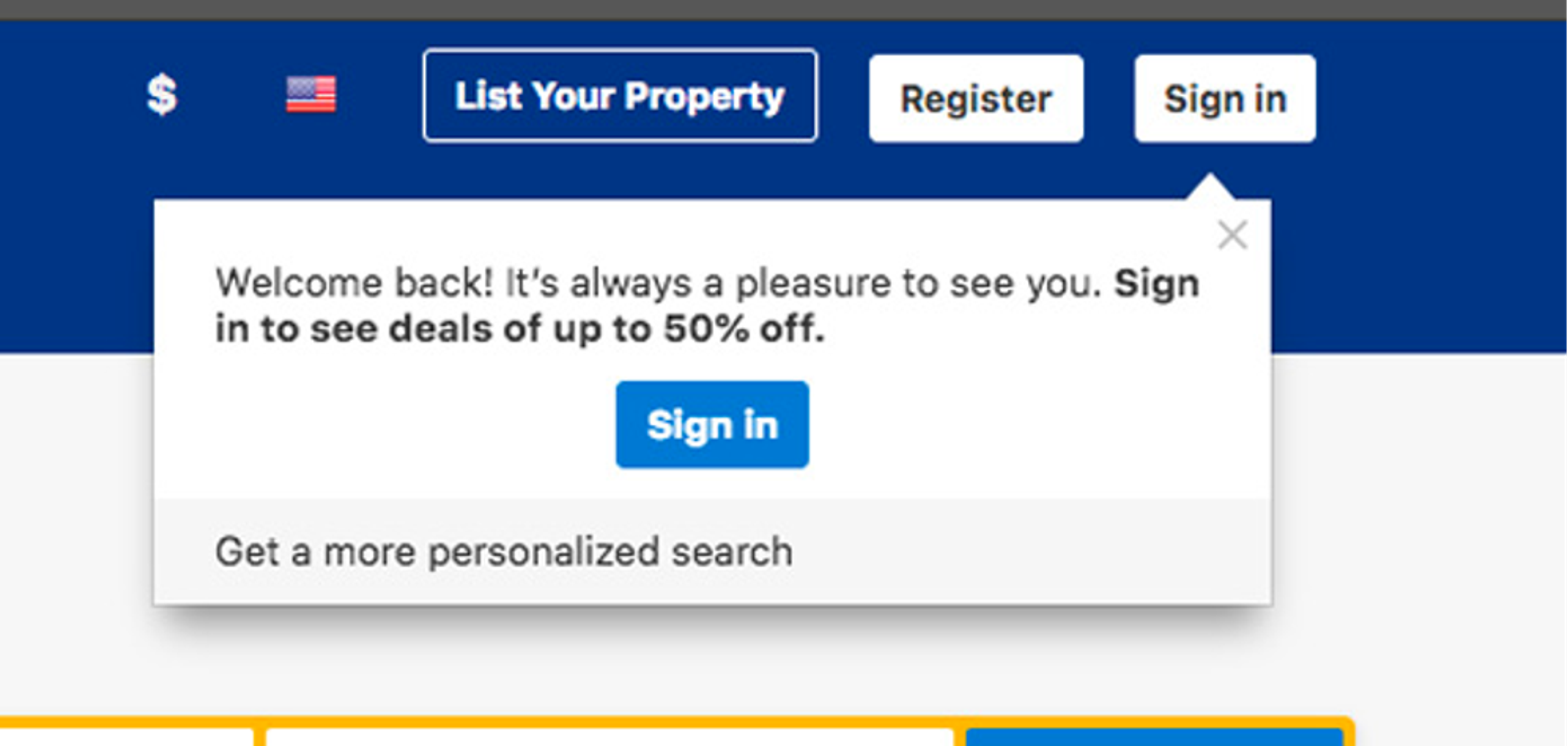
Why it works: the first visit and the fifth visit have different jobs. Treating them the same wastes the offer on one group or bores the other.
Try this: welcome first-time visitors with a first-order offer, and show returning visitors a "pick up where you left off" message instead.
Behavior-based personalization uses what the visitor viewed, searched or bought to choose what to show next. The most common form is product recommendations.
Example: Amazon. Amazon's recommendations are built on what it calls item-to-item collaborative filtering: for each item in a customer's recent purchase history, the system pulls up related items, and items that show up across those lists are recommended. Amazon described this in The history of Amazon's recommendation algorithm. On the site, this shows up as rows like "Related to items you've viewed" and "Recommendations for you."
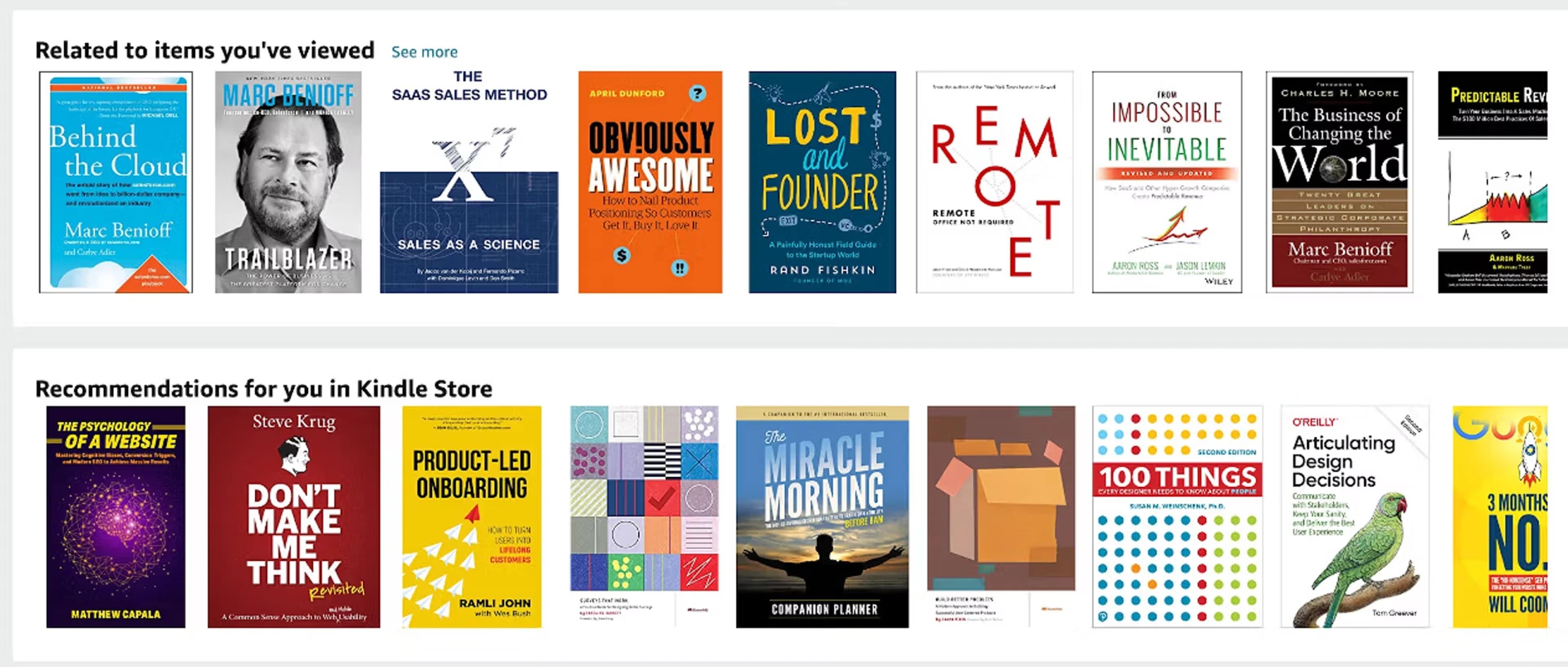
Why it works: a related product is a smaller decision than starting a new search.
Try this: show visitors who viewed a product but didn't buy the items they looked at, with one line of reassurance (reviews, free returns). More ideas: product recommendation examples.
Cart-based personalization reacts to the value or contents of the cart. It's often used for free shipping thresholds, add-ons and offers for shoppers about to abandon a cart.
Example: Glossier. Glossier's shopping bag opens with a progress bar and the exact amount left to free shipping, here "9.935 Ft away from free standard shipping." Right below the product, a "Bundle + Save" block offers a matching item at 21% off when bundled with what's already in the bag, so the add-on also helps reach the threshold.
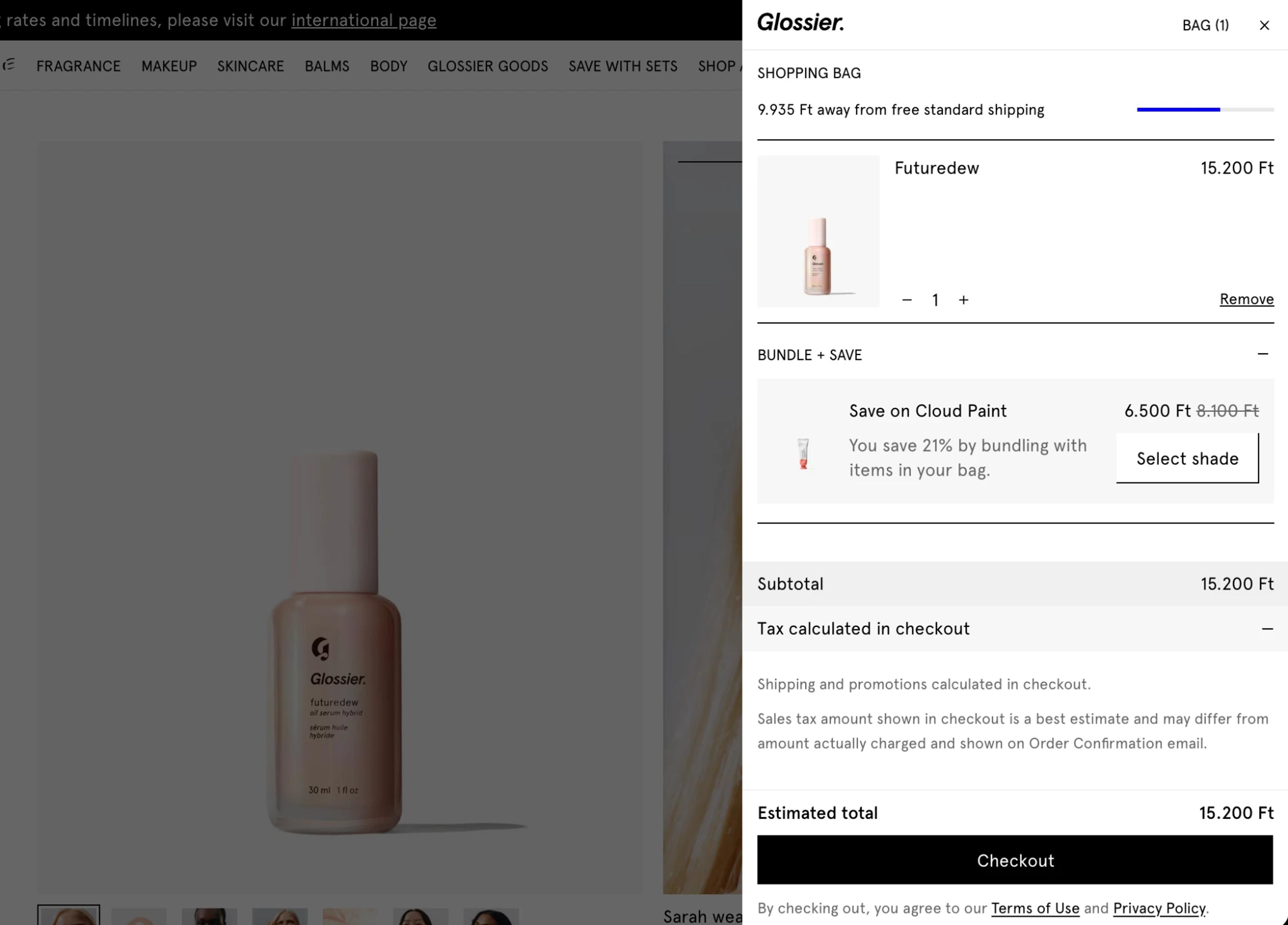
Why it works: a specific, reachable goal ("$12 to go") is easier to act on than a general rule ("free shipping over $50").
Try this: when the cart is just under your free shipping threshold, suggest two or three low-priced add-ons.
This type matches the message to where the visitor came from: a Google ad, an Instagram post, an email, an influencer link. The landing message continues the ad instead of starting over. Most stores tell these sources apart with UTM codes.
Example: BlendJet. Visitors who arrive from Instagram see a popup that names where they came from: "Special offer for finding us on Instagram. Enjoy 10% off," with an email field to claim the code. The offer reads as a thank-you to Instagram followers, not as a discount for everyone.
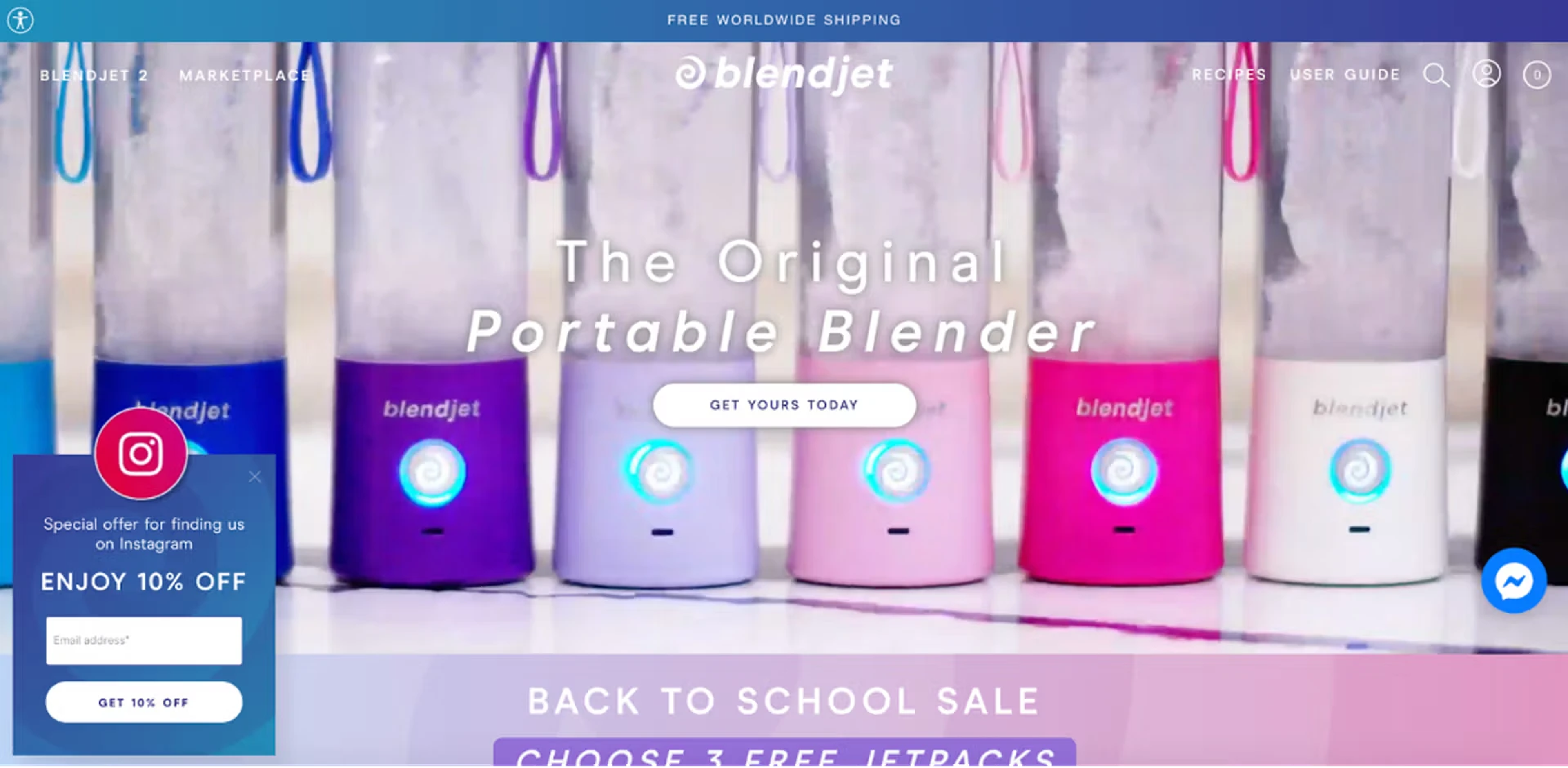
Why it works: a visitor who clicked a "20% off" ad expects to see that 20% when they land.
Try this: for visitors with utm_source=instagram, repeat the offer from the post on arrival.
Preference-based personalization uses what the visitor tells you directly: their skin type, size, budget or taste. This is sometimes called zero-party data, because the shopper gives it to you on purpose.
Example: ASOS Fit Assistant. Once a shopper has told Fit Assistant a few things about themselves, such as height, weight and how they like clothes to fit, ASOS shows their size right above the size selector: "Your Fit Assistant size is EU 36." The shopper doesn't have to check a size chart on every product page.
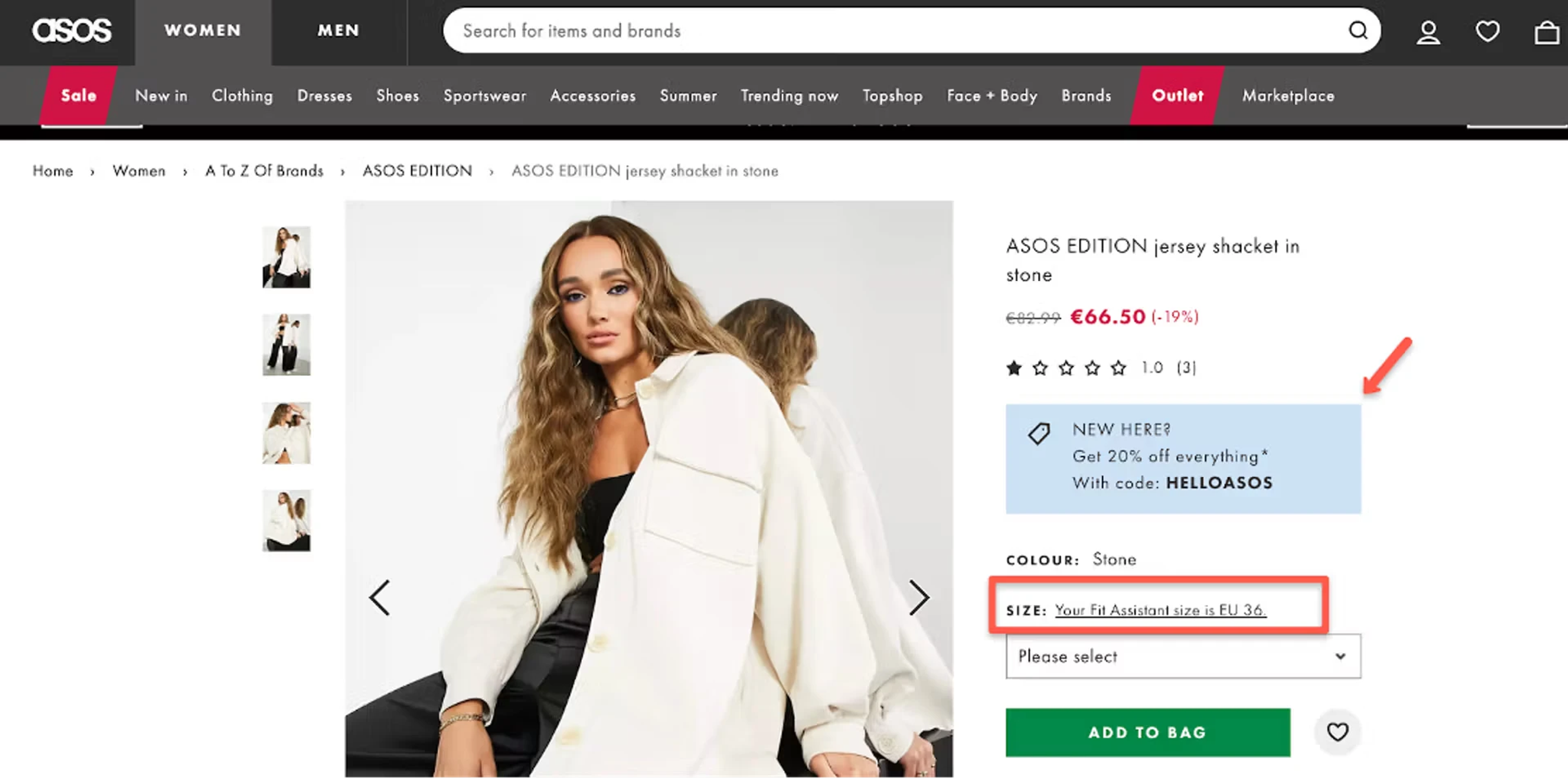
Why it works: the shopper answers a question once, and every recommendation after that is easier to trust.
Try this: ask first-time visitors one question ("What are you shopping for?") and show products that match the answer.
This type uses who the visitor already is to you: a subscriber or not, a customer or not, a VIP. The basic rule: don't ask someone to sign up if they already have.
Example: Vegetology. Vegetology greets returning customers with an OptiMonk popup: "Welcome back to Vegetology," followed by an offer made for people who already know the products, nutrient-packed bundles at 30% off. There's no signup form; the button takes them straight to the bundles.
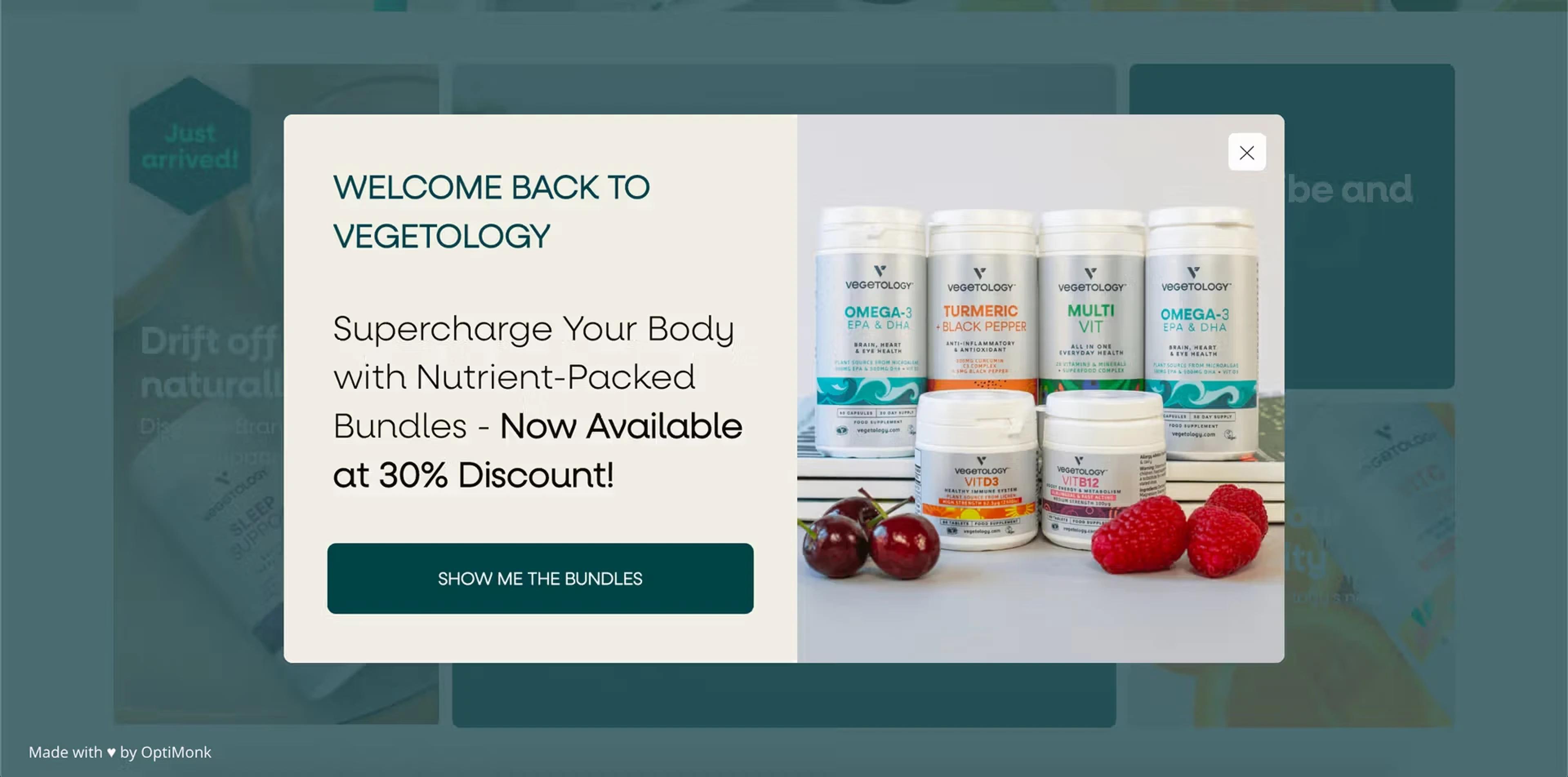
Why it works: messages that ignore what the customer has already done feel like the store doesn't know them.
Try this: hide the signup offer from subscribers, and give your VIP segment early access to the next sale instead.
There are two ways to show a personalized message: change the page itself, or show a separate message on top of it.
1. On-page (dynamic) content. The page's own headline, banner, product grid or search results change for each visitor. Personalized blocks placed inside the page are sometimes called embedded content. This needs your store platform's own features or a dedicated personalization engine, and usually some setup work.
2. Targeted popups (overlays). The page stays the same, and a popup shows one message to one segment: a country-specific shipping offer, a quiz for first-time visitors, an add-on suggestion for a cart just under the threshold. You can set this up without a developer.
Most stores use both: the platform handles currency and recommendations on the page, and popups carry the offers and questions for specific segments.
Each idea below can be done with a targeted popup or with your store platform. Pick the one that matches a segment you already have.
| Type | Idea | Who sees it |
|---|---|---|
| Location | Show delivery time and currency for the visitor's country | Visitors from outside your home market |
| Location | Offer free shipping over a local threshold | Visitors from one target country |
| New vs. returning | First-order discount in exchange for an email | First-time visitors |
| New vs. returning | "Welcome back" with the latest arrivals | Returning visitors |
| Behavior | "Still thinking about these?" with the viewed products | Visitors who viewed products but didn't add to cart |
| Behavior | Bestsellers from the category they browsed | Visitors on a category page for over 30 seconds |
| Cart | Tell shoppers how much is left to free shipping | Cart value under the threshold |
| Cart | Suggest two or three add-ons | Cart value just under the threshold |
| Cart | A bigger offer for bigger carts on exit intent | Cart value above a set amount |
| Traffic source | Repeat the ad's offer on landing | utm_source=instagram (or your ad campaign) |
| Traffic source | A shorter signup form for email clicks | Visitors from your newsletter |
| Preferences | 3-question quiz, then product picks and a code | First-time visitors |
| Preferences | A follow-up offer based on the quiz answer | Visitors who answered the quiz |
| Customer status | Hide the signup offer | Subscribers |
| Customer status | Early access to the next sale | Your VIP segment (for example, a Klaviyo segment) |
Here's what some of these ideas look like as popups, from the OptiMonk Popup Library. Each was designed by the OptiMonk agent for a real store's brand.
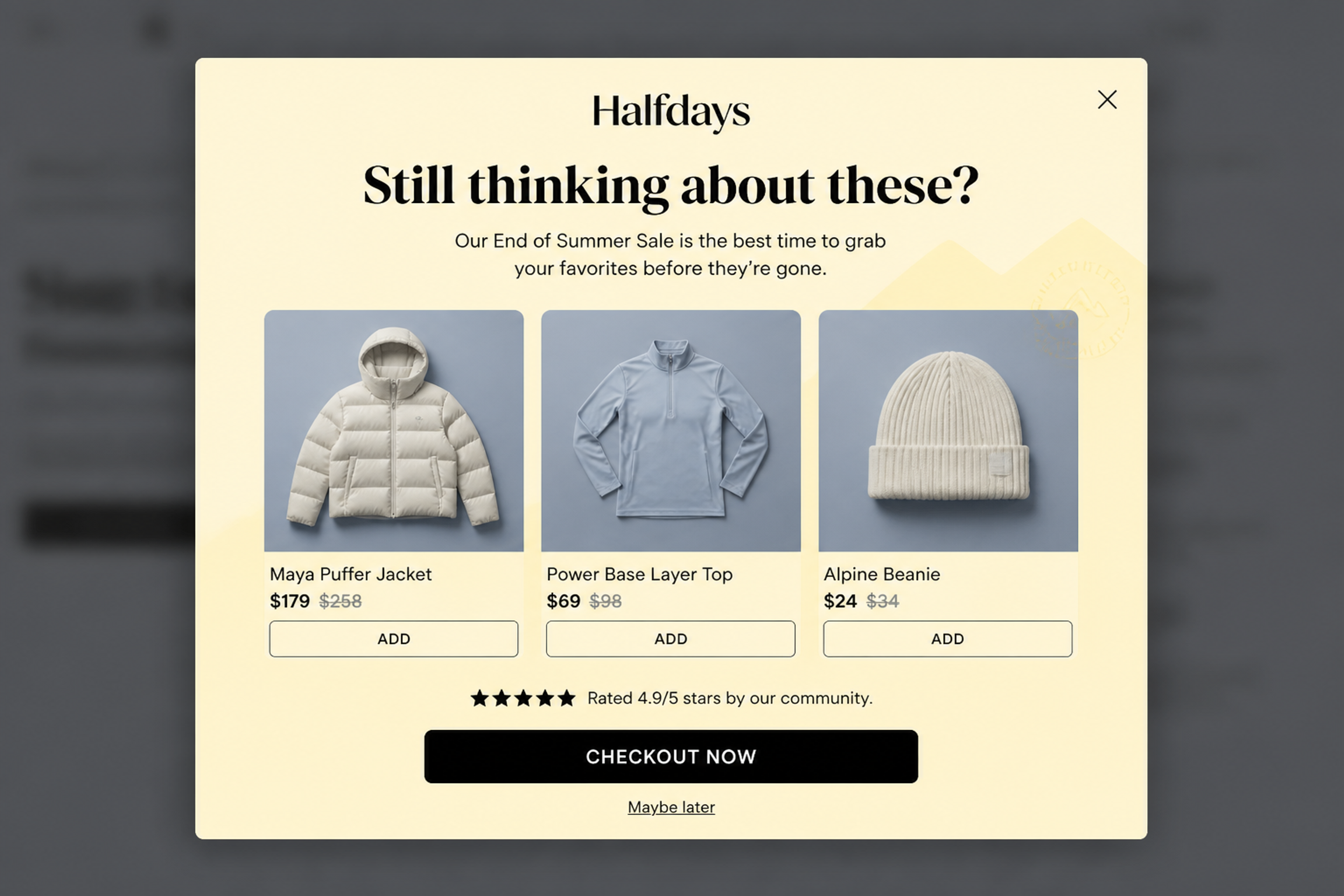
The Perfect Set Recommendation (designed for Halfdays). "Still thinking about these?" brings back three products with prices and an Add button each, plus a star rating line. It's the behavior idea from the table: remind the shopper of what they were looking at. See this popup
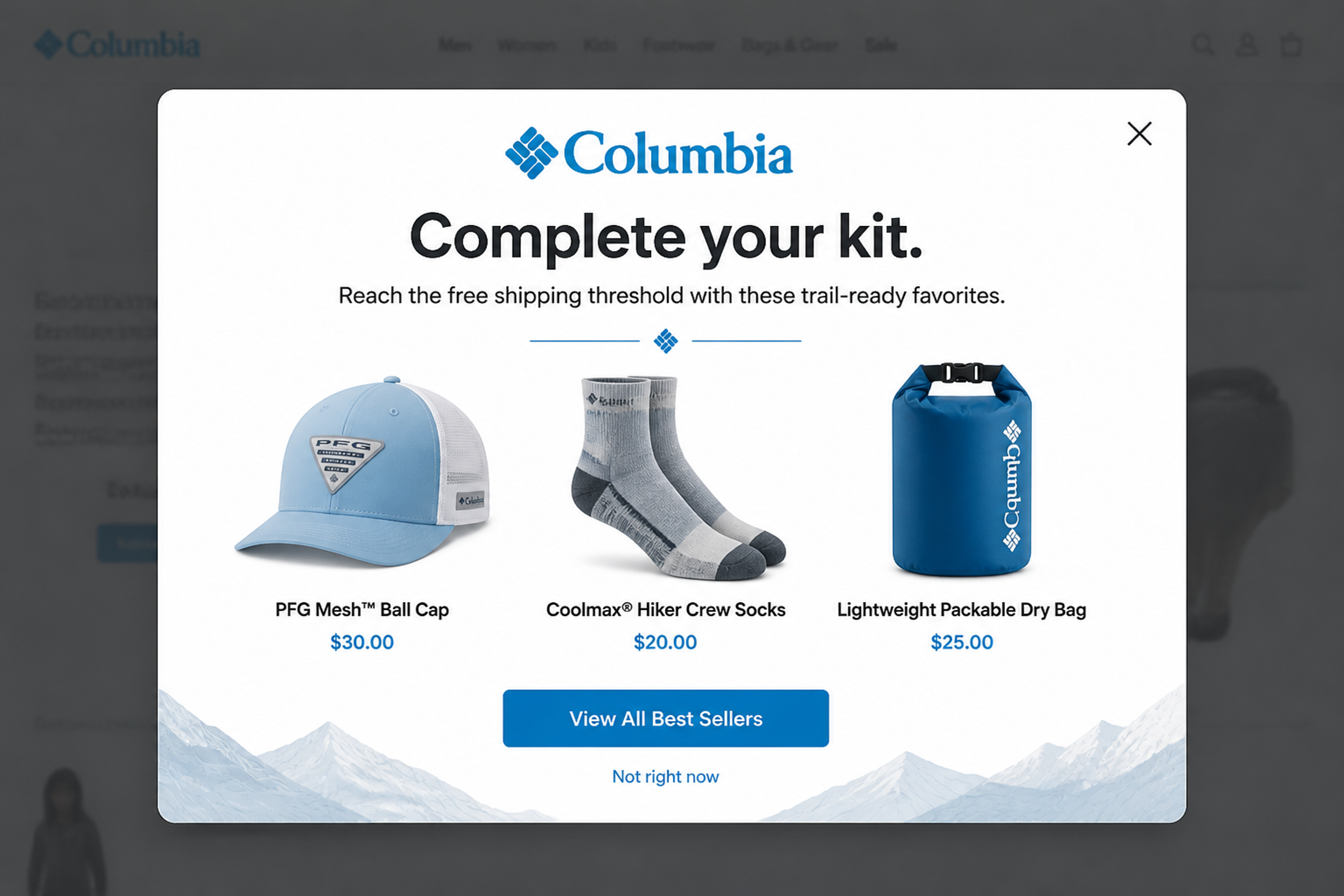
The Gear Upgrade (designed for Columbia). "Complete your kit. Reach the free shipping threshold with these trail-ready favorites." Three small add-ons make the threshold easy to hit, so the shopper gets free shipping and the order grows. See this popup
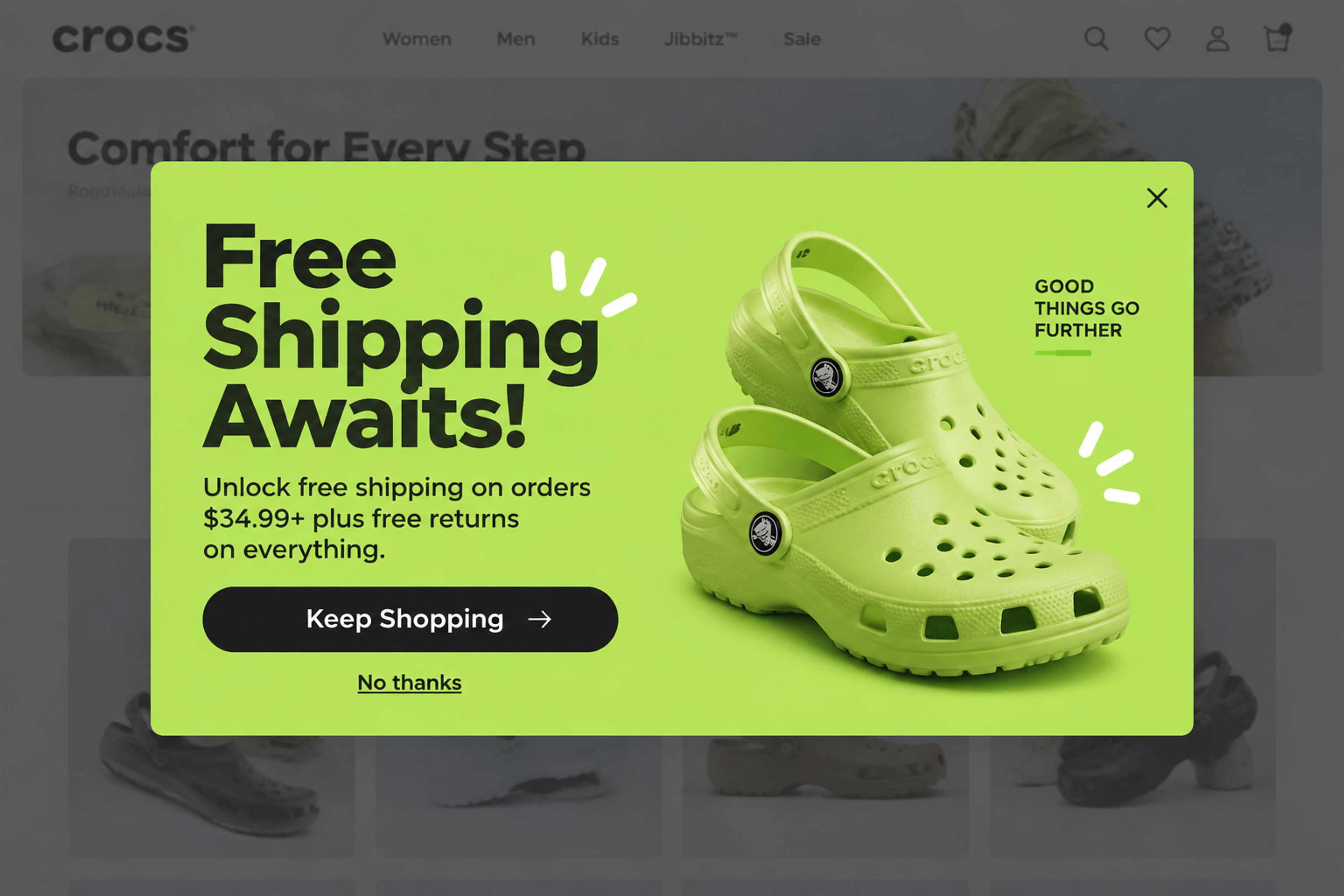
Free Shipping Threshold Modal (designed for Crocs). Shown on exit intent: "Free Shipping Awaits!" with the threshold and free returns in one line, and a Keep Shopping button. It answers the shipping question right when a visitor is about to leave. See this popup
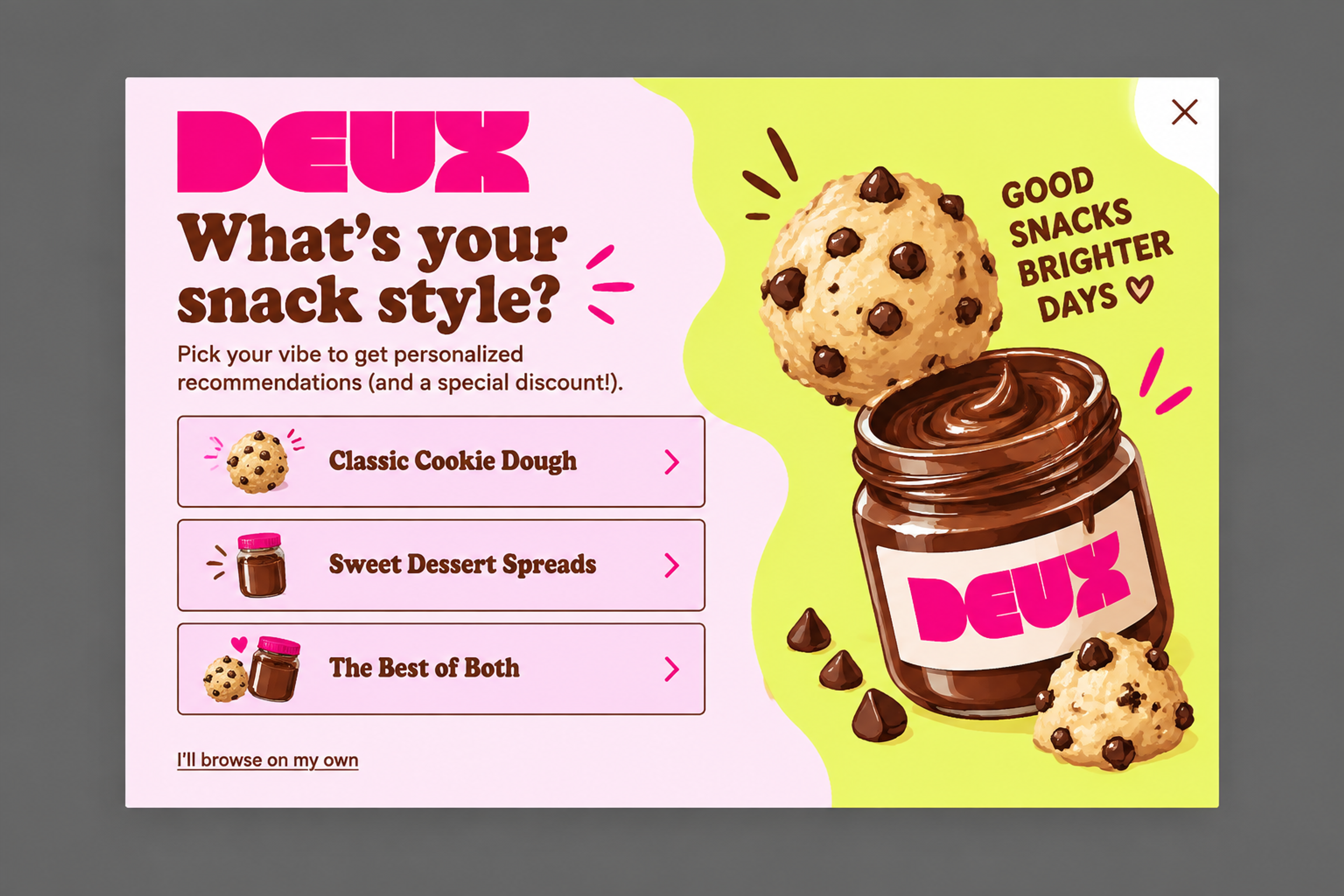
Dough Discovery Quiz (designed for Eat Deux). "What's your snack style?" with three tappable answers, for personalized recommendations and a discount. The question comes first and the email step later, when the visitor wants the result. See this popup
OptiMonk doesn't change your page content. It shows the right popup to the right visitor.
That covers most of the seven types. Here is how each one maps to targeting in OptiMonk:
| Type | Targeting in OptiMonk | Ask the agent, for example |
|---|---|---|
| Location | Country (is from / is not from) | "Show visitors from Canada our shipping times and prices in CAD." |
| New vs. returning | Returning visitors | "Show first-time visitors 10% off their first order." |
| Behavior | Product recommendations in the popup and visited pages | "Before visitors leave a product page, show them the products they viewed." |
| Cart | Cart rules (cart value, number of products, product in cart) | "When the cart is under $50, suggest three add-ons to reach free shipping." |
| Traffic source | Source (Google organic, Google Ads, Facebook, direct, or a custom utm_source) | "Show visitors from Instagram the 15% offer from our post." |
| Preferences | Survey answers and connected campaigns | "Ask new visitors what they're shopping for, then show matching products and a code." |
| Customer status | Subscribers (people who signed up through an OptiMonk popup) and Klaviyo lists and segments | "Don't show the signup popup to subscribers. Show our VIP Klaviyo segment early access instead." |
More on each rule: country targeting, returning visitors, visited pages, cart value targeting, source-based targeting, survey-based targeting, connected campaigns, subscriber recognition, Klaviyo lists and segments, and dynamic product recommendations.
You describe the popup in one sentence, for example: "Create a popup promoting free shipping over €50 for visitors from Germany." The agent designs it in your brand's colors and fonts, writes the copy and builds a separate mobile version.
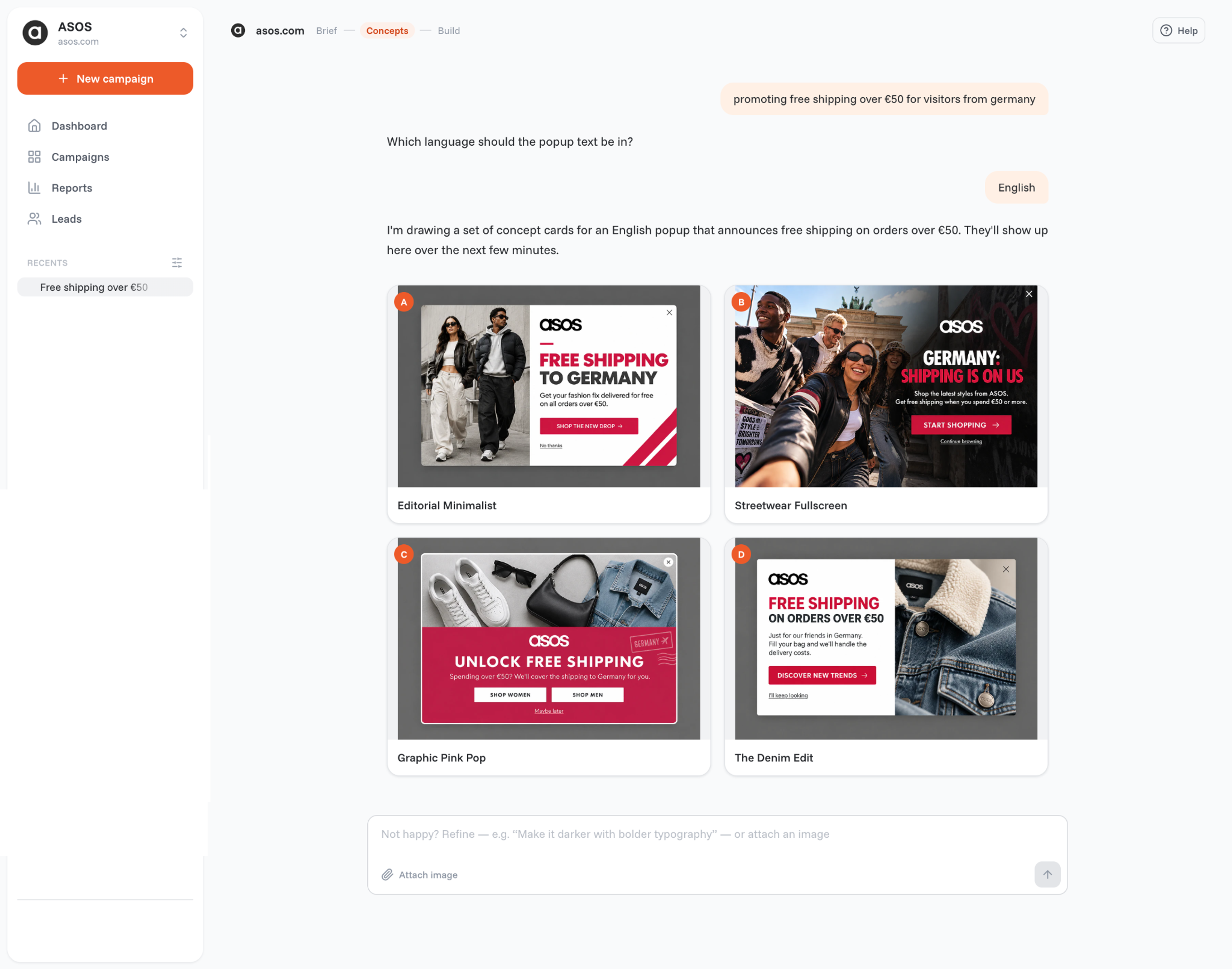
It doesn't stop at publish. You can A/B test the offer or the whole design, and run a holdout test that compares the popup with a control group that sees no popup, so you see the revenue it brings in.
For more popup-specific examples, see these personalized popup examples.
For a wider plan, see these personalization strategies and our ecommerce personalization guide.
The seven main types are location-based, new vs. returning visitor, behavior-based (browsing and purchase history), cart-based, traffic source, preference-based (quizzes and surveys) and customer status personalization. Each one uses a different signal to decide what a visitor sees.
Product recommendations based on what you viewed are the most common example, like Amazon's recommendations. Others are prices in your own currency, a cart note that says how much is left to free shipping, and quiz results that suggest products.
With customization, the visitor makes the choice, such as picking a currency or a size filter. With personalization, the store makes the choice for them, based on what it knows, such as their country or their cart.
Not necessarily. To change the page's own content for each visitor, you need your platform's features or a personalization engine. To show a targeted message to one segment, a popup tool is enough.
Yes. Many store platforms handle currency and basic recommendations, and a popup tool lets you target by country, cart, traffic source or subscriber status without code. With OptiMonk, you describe the popup in one sentence and the agent builds it.
You don't need a personalization engine to start. Pick one group you can already recognize, such as visitors from abroad, carts just under your free shipping threshold or people who came from an ad, and give them one message that fits. Compare it with a holdout group, then add the next.
Your first personalized popup is one sentence away: describe who should see it and what it should say, and the OptiMonk agent designs it for your brand, with a separate mobile version.
Free to start. No credit card.