


Ecommerce Segmentation: 9 Visitor Segments Every Online Store Can Build
The visitor segments an online store can build from day one, the rule behind each, and how to set them up.
What ecommerce personalization is, what our data from 18,000 stores shows, a 5-step strategy and the software you need for each job.
In short
Ecommerce personalization means showing each shopper the products, offers and messages that fit them. It matters because one generic offer wastes discounts and misses buyers. Pick one segment with a clear signal, like cart value or traffic source, give it its own message, and test it against a holdout.
Shoppers who arrive from social media abandon 77.54% of their carts. Shoppers who arrive from search abandon 63.81%. Same store, same products, same checkout: the difference is who they are and why they came (OptiMonk data from 18,000 ecommerce websites).
Yet most stores greet both with the same banner and the same 10% code. For the search visitor, who was close to buying anyway, that code is margin given away. For the social visitor, who is still just looking, it's often the wrong offer at the wrong moment.
Ecommerce personalization is tailoring what each visitor sees in an online store, from product recommendations and search results to offers, emails and popups, based on signals like location, traffic source, browsing, cart contents and what they told you. It can be rule-based (you set the rules) or AI-driven (software adapts the rules itself).
Personalization in ecommerce is the store's decision: you choose what each shopper sees. Customization is the shopper's decision, like engraving a name or picking a color; see personalization vs. customization for the difference.
It can happen in five places: the page content, site search, product recommendations, email and SMS after the visit, and onsite popups during the visit. For real stores doing each of these, see these types of website personalization.
The numbers below are OptiMonk data, not third-party surveys. The first set comes from 18,000 ecommerce websites; the rest from popup campaigns and customer case studies.
| Traffic source | Conversion rate | Cart abandonment rate |
|---|---|---|
| Social media | 0.91% | 77.54% |
| Search engines | 1.55% | 63.81% |
| Direct | – | 69.39% |
| All stores | 1.81% | 70.32% |
Source: 27 ecommerce conversion rate optimization statistics, based on OptiMonk data from 18,000 ecommerce websites.
The gap between social and search is the case for personalization in one table. A visitor's source tells you how ready they are to buy, before they click anything.
What happens when stores act on that signal:
Averages are a starting point. Your own store's numbers, measured against a control group, tell you more than any benchmark; step 5 of the strategy below shows how.
Ecommerce personalization runs on three kinds of data. The first two are yours; the third is fading.
Zero-party data is what shoppers tell you on purpose: quiz answers, survey replies, stated preferences, a birthday. It's the most accurate signal, because nobody has to guess. A one-question quiz popup is the easiest way to start; see these quiz funnel examples, our guide to zero-party data, and how Sephora's personalization strategy uses quizzes. Example 4 below shows a coffee quiz built this way.
First-party data is what shoppers do on your store: where they came from, which pages they viewed, what's in the cart, whether they've visited before, which country they're in, and what they ordered last time. Most of it is available from the first pageview, even for anonymous visitors.
Third-party data is collected by other companies on other sites. Browsers keep restricting third-party cookies, so a strategy built on it gets weaker every year.
Before you personalize, decide who your groups are. Our guide to behavioral segmentation covers how to group shoppers by what they do. For every group a store can build from day one, see our guide to ecommerce segmentation.
There are two ways to decide what each shopper sees. Most stores use both: rules for the moments they understand well, and AI where there are too many products or shoppers to write rules for.
Rule-based (or prescriptive) personalization works with IF/THEN rules you write yourself. For example:
Each extra condition makes the group smaller and the message more relevant. Rules are easy to read, easy to change and work even with little traffic, because nothing has to be learned first.
AI-driven (or adaptive) personalization lets software change the rules itself. A recommendation engine learns which products to show next to which, and a search tool reorders results by what each shopper clicks. This is the core of most "AI personalization ecommerce" tools.
It needs steady traffic and enough orders to learn from, and you see less of why it made each choice. For the tools in this group, see our list of AI tools for ecommerce and our guide to product recommendations.
OptiMonk sits between the two. The targeting is rule-based, so you decide who sees each popup. The popup itself is designed by the AI agent from one sentence, and Product recommendations inside the popup can be products you pick, or products OptiMonk picks live for each visitor. To pair a popup with a code, see how to create and auto-apply Shopify discount codes.
An ecommerce personalization strategy doesn't need a big platform or a data team to start. It needs one goal, one group of shoppers and a way to measure the result. These five steps work as a simple personalization framework you can repeat.
Choose the number you want to move: email signups, recovered carts or average order value. One goal keeps the first campaign small and makes the result easy to read.
Pick a group of shoppers you can recognize from their behavior: visitors from social media, carts above a certain value, first-time visitors, shoppers from one country. A clear signal means you can set it up as a rule today, without extra tools. The visitor segmentation behind each signal can be as simple as "new" vs. "returning".
Give each group the message that fits its situation. A first-time visitor needs a reason to trust you; a returning visitor with a full cart needs a reason to finish.
Don't give a first-order code to everyone. Exclude Subscribers and past buyers, so the people who already said yes don't get the same offer again.
The same message lands differently on arrival, after a scroll, after 30 seconds on a product page or on exit intent. Match the moment to the segment: newcomers after a short delay, cart holders on exit. Our guide to popup timing covers the options by visitor.
Keep a slice of the segment away from the campaign and compare: conversion rate, revenue per visitor and average order value. That difference is what the personalization really adds, not just how many people clicked.
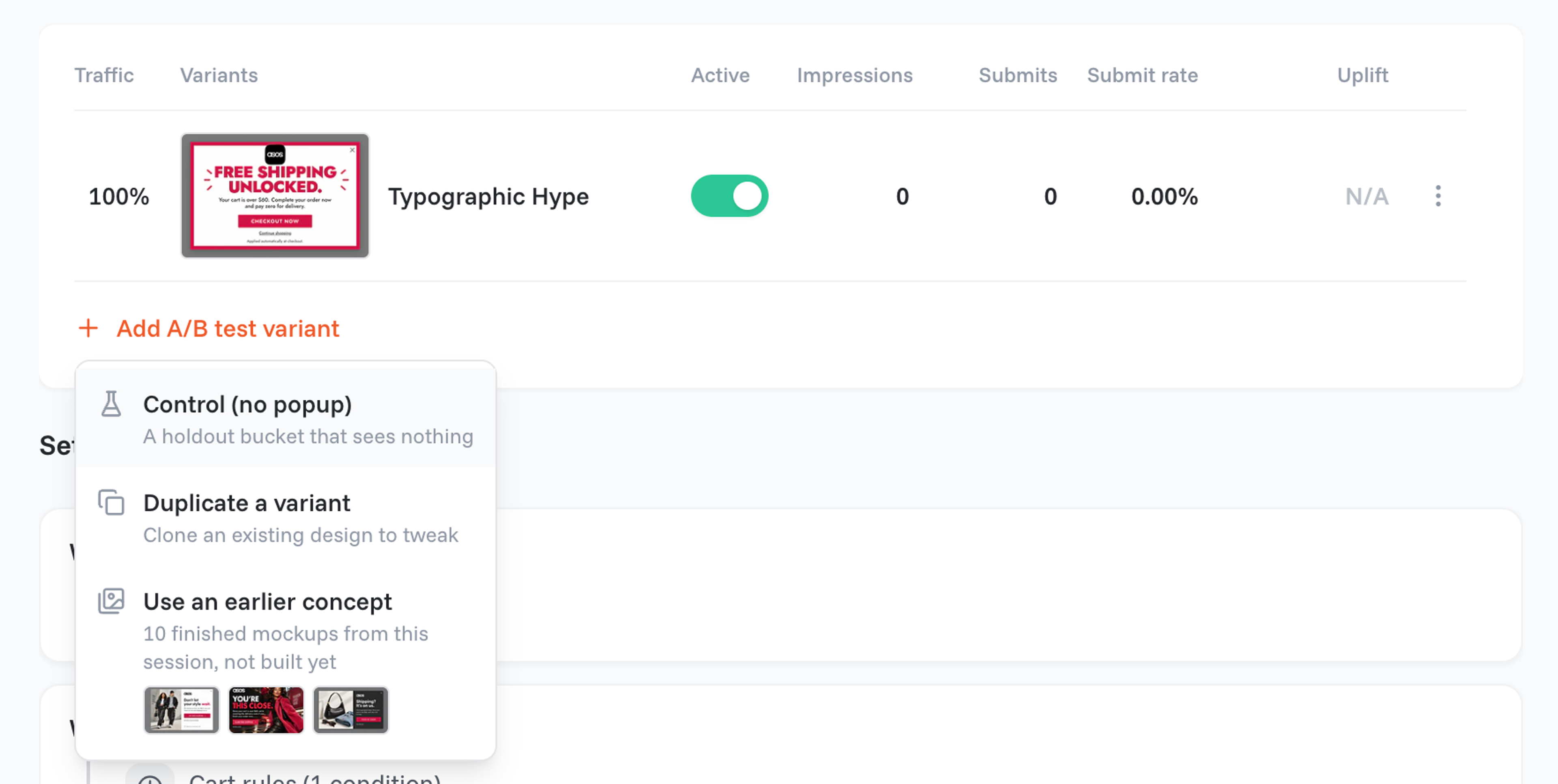
In OptiMonk, the Holdout test adds a "Control (no popup)" arm next to your variants, and A/B testing compares copy, offers or whole designs. Our guide to A/B testing covers sample size and test length.
One more rule: only personalize with data you have a legal basis to use, and say so in your privacy policy. This is a practical note, not legal advice.
Here are five examples, each built around one signal. For more ideas by page type, see these website personalization examples. Each popup below comes from the OptiMonk Popup Library and was designed by the agent for a real store's brand.
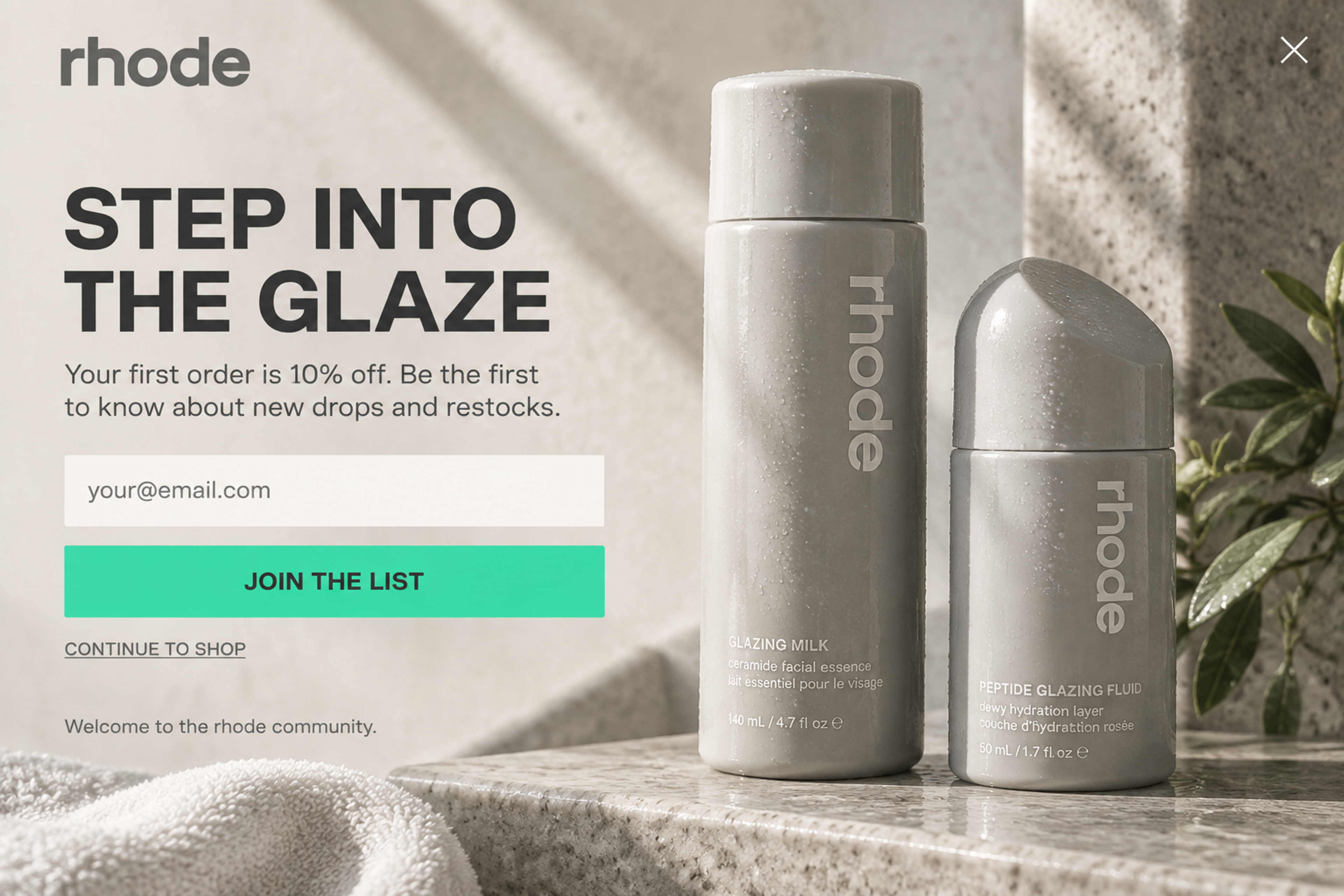
Signal: first visit. "Step into the glaze. Your first order is 10% off." A fullscreen welcome for shoppers who don't know the brand yet. Show it only to new visitors with the Returning visitors rule, so regulars never see a welcome again.

Signal: leaving with a full cart. "One last look at paradise. Take 20% off your cart." Use Cart value to split the offer: a plain reminder for small carts, the discount only above your threshold. More in our guide to cart abandonment.
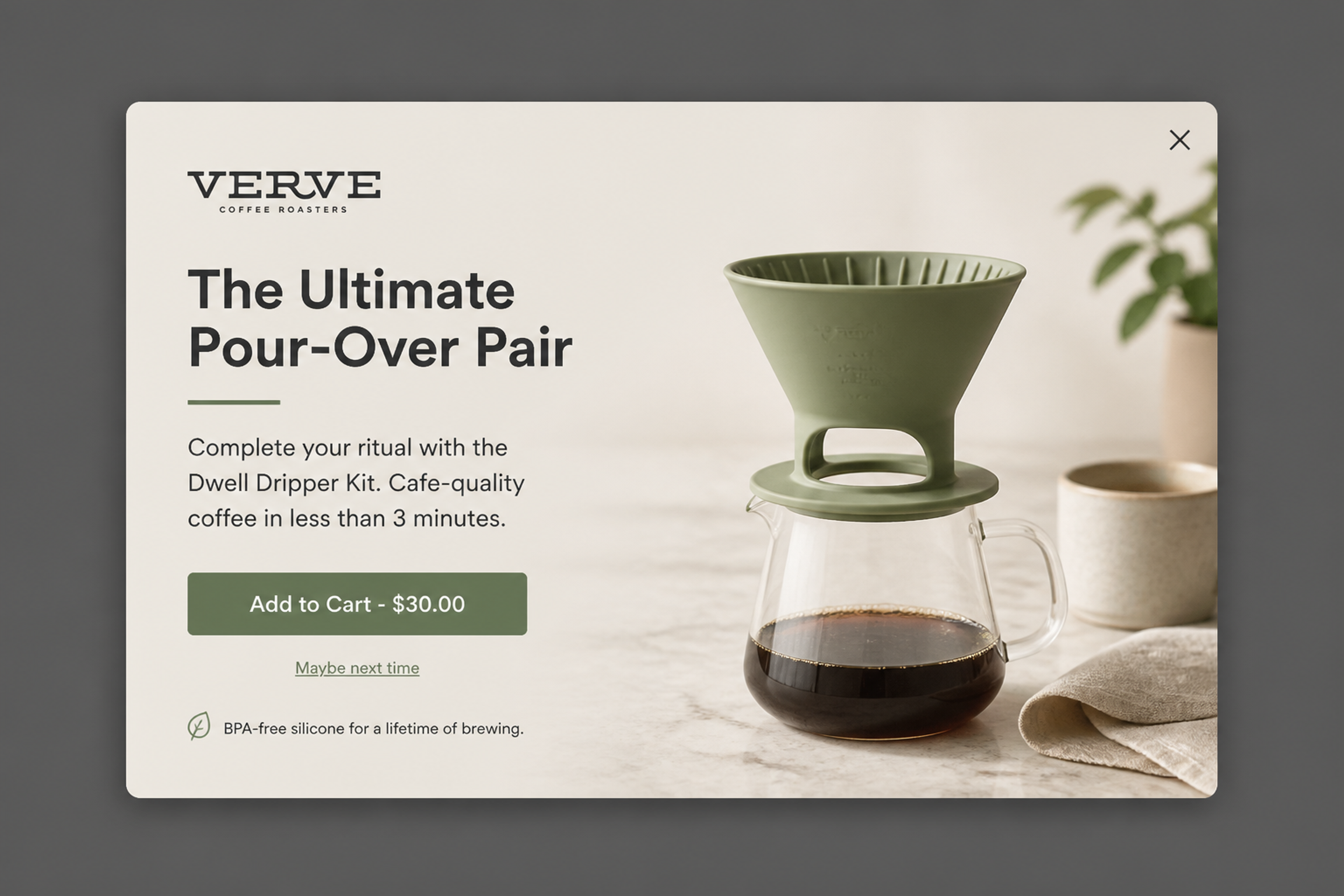
Signal: one product in the cart. "Complete your ritual with the Dwell Dripper Kit." A shopper buying coffee beans gets the brewer that goes with them. Target it with Cart contents, the same rule Olive Oil Lovers used.
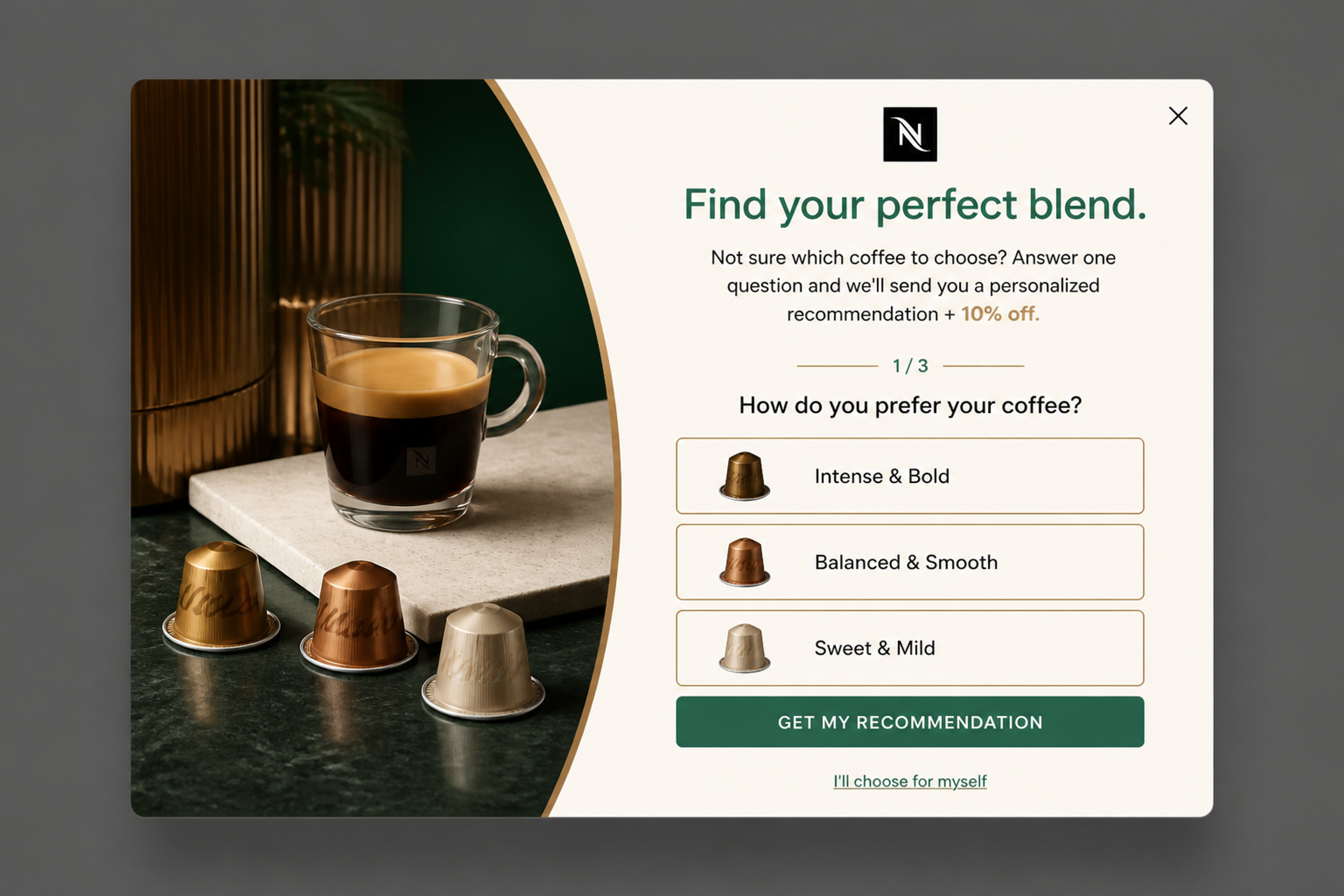
Signal: undecided browser. "Find your perfect blend." One question with three answers, then a recommendation and 10% off for an email. The answer is zero-party data: with Survey answers, each shopper's next popup can follow what they picked.
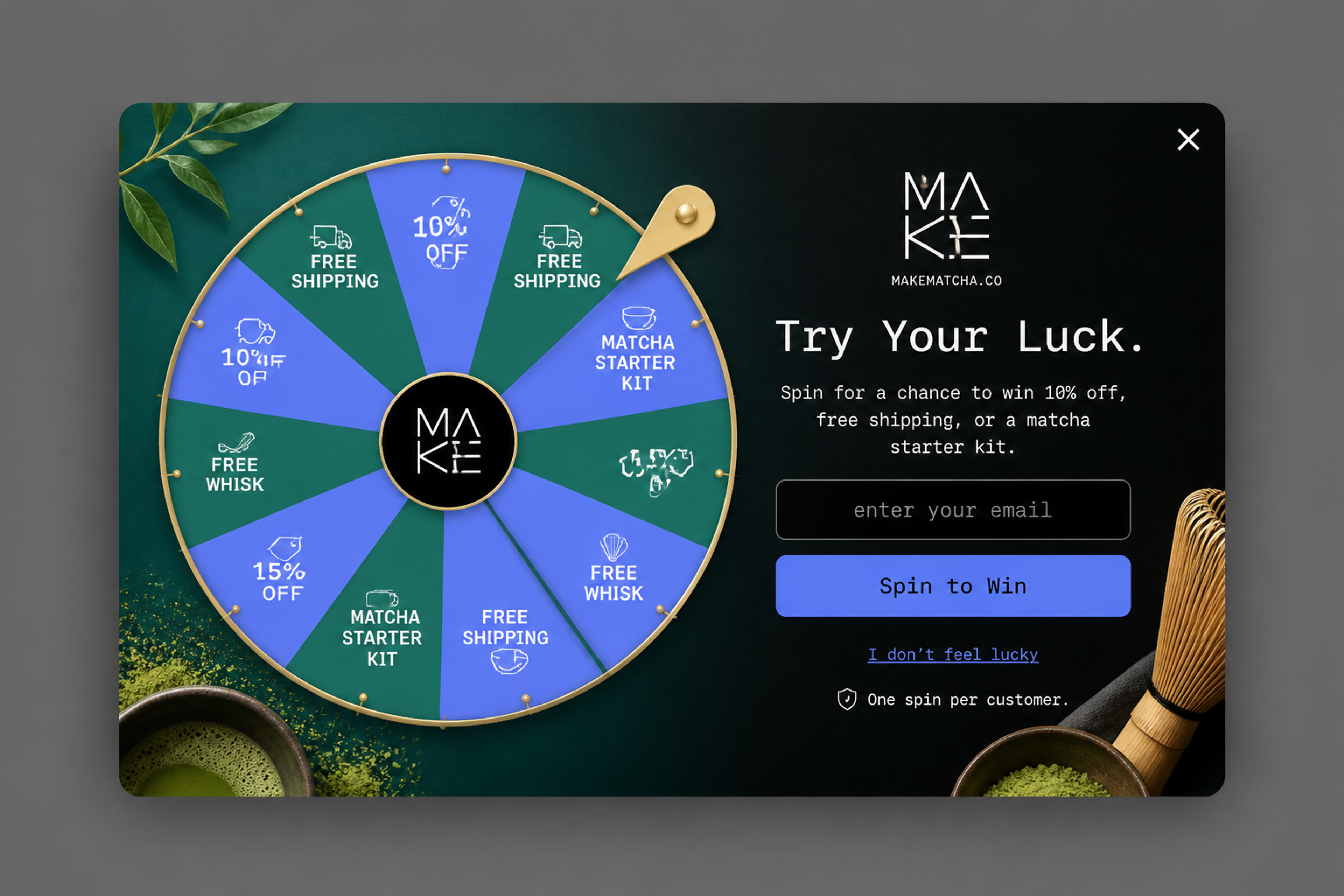
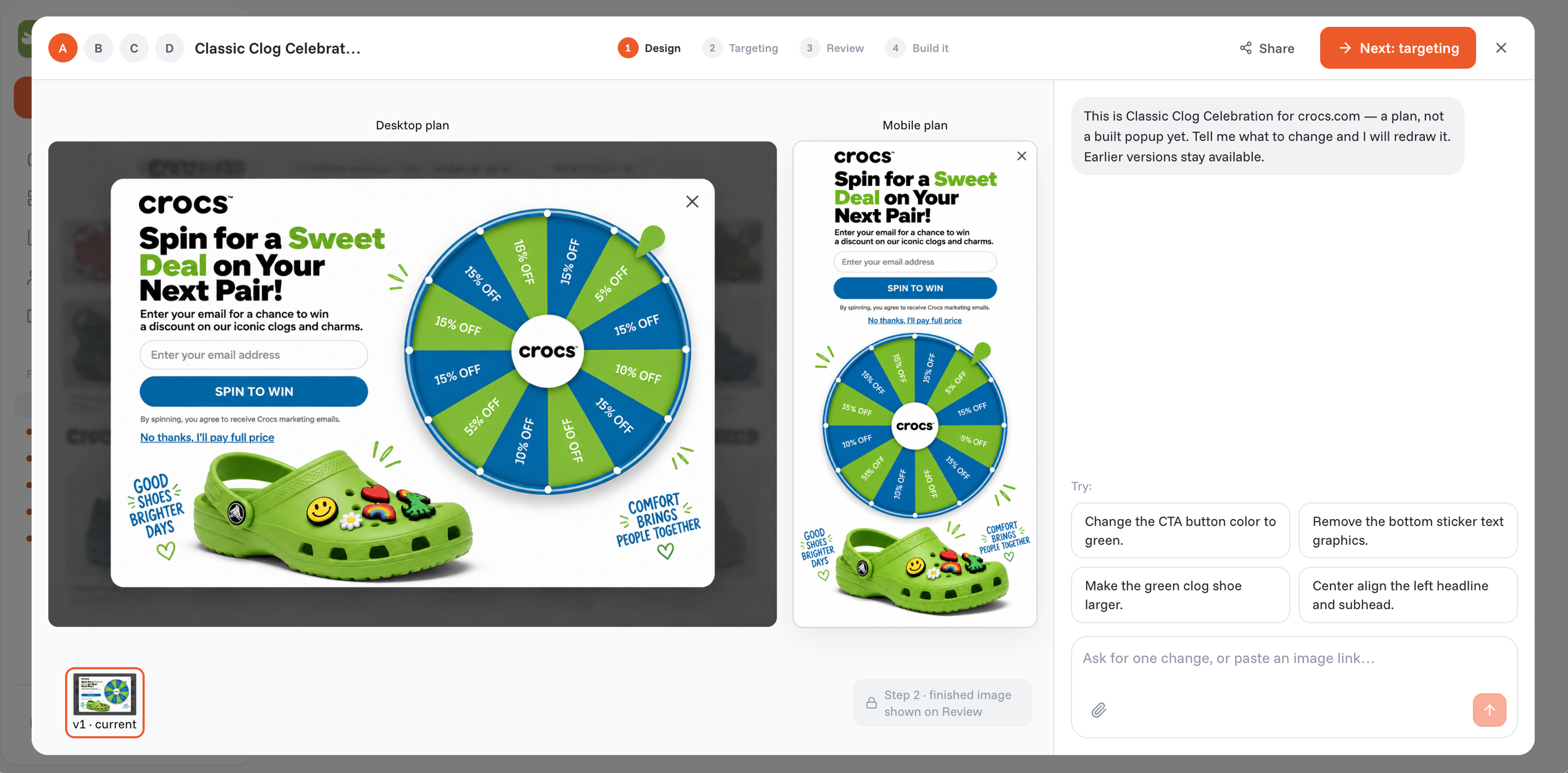
Signal: arriving from social media. "Spin for a chance to win 10% off, free shipping, or a matcha starter kit." Social visitors convert least, so a game gives them a lighter first step. Show it only to that traffic with Traffic source; more ideas in gamified popups.
Personalized offers work best with a reason to act now. Add a real deadline for a sense of urgency, show limited stock honestly (see these scarcity examples), and back the offer with social proof. Seasonal sales are a good test: our Black Friday marketing guide shows how to give each segment its own offer.
No single ecommerce personalization platform covers every job. Each type of software personalizes one part of the store, so the right choice depends on where you lose the most shoppers.
| Type | What it personalizes | Good for | Examples |
|---|---|---|---|
| Recommendation and merchandising engines | Product grids, "you may also like", homepage sections | Large catalogs with steady traffic | Nosto, LimeSpot, Dynamic Yield |
| Search and discovery | Search results, autocomplete, sorting | Large catalogs where shoppers search | Algolia, Voyado Elevate |
| Email and SMS platforms | Messages after the visit, by profile and behavior | Known subscribers and customers | Klaviyo, Omnisend |
| Onsite popups and targeting | The message a visitor sees during the visit, by source, cart, country, visit count or answers | Anonymous visitors, no developer needed | OptiMonk |
| Your store platform | Built-in recommendations, markets and currencies | A free first step | Shopify, WooCommerce |
How to choose: start with the tool that covers your biggest gap. If most of your traffic is anonymous and leaves without a trace, start onsite. If you have a large list of past buyers, start with email. If shoppers struggle to find products in a big catalog, a recommendation or search tool (what many vendors call a personalization engine) comes first.
OptiMonk is an agentic popup builder for ecommerce stores. You describe the popup you want, and the AI agent designs it on brand, writes the copy, builds a separate mobile version and sets the targeting. Formats are card popups, fullscreen popups, lucky wheels and scratch cards.
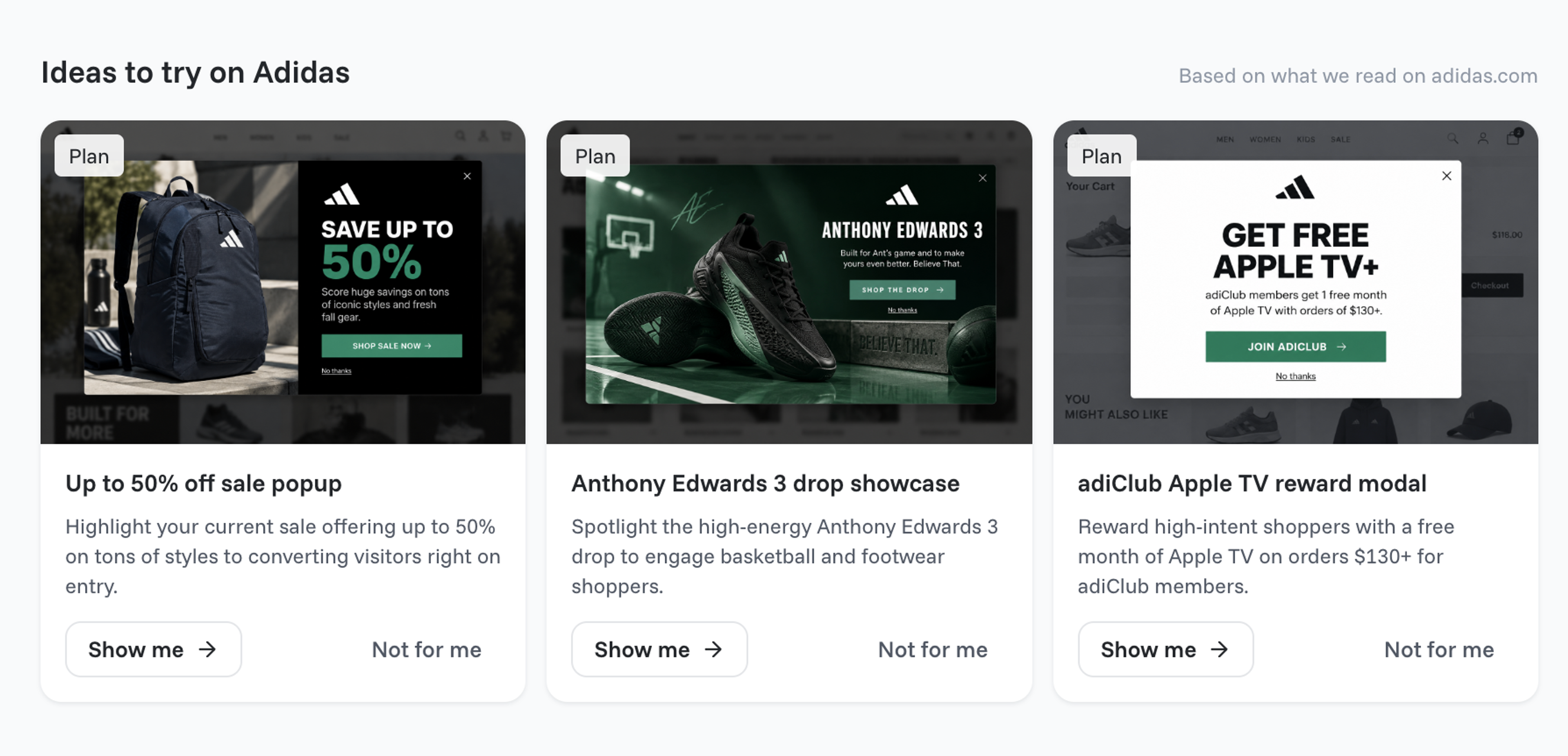
The personalization is in the targeting. Each rule below has its own feature page:
After the popup is built, A/B testing and the Holdout test show what it adds, and the dashboard reports the revenue it influenced. Frequency limits keep a popup from following the same shopper around. You can also build and edit popups from Claude, ChatGPT or Cursor through the MCP connection.
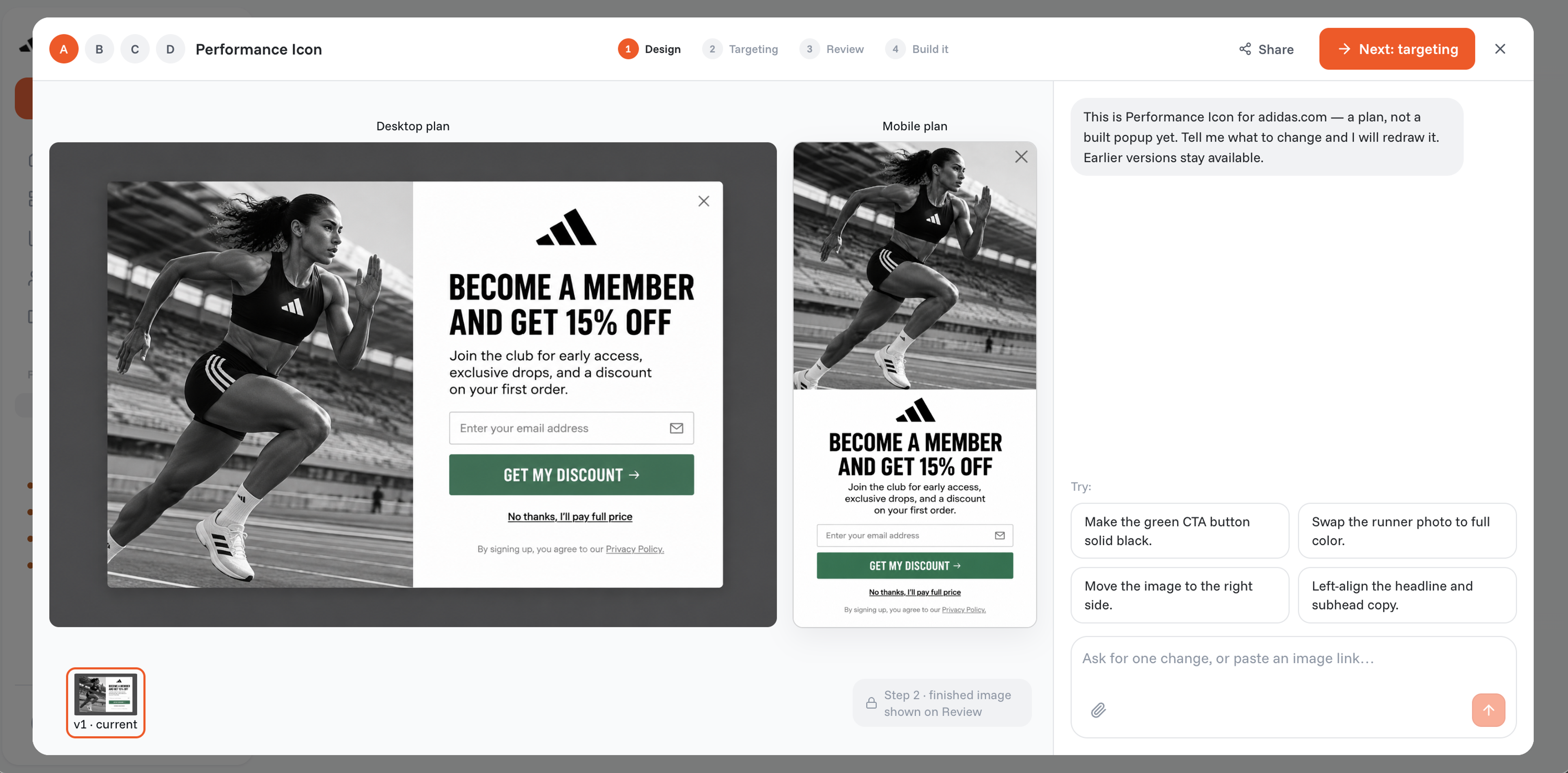
It works with Klaviyo, Mailchimp, HubSpot, Omnisend, Attentive, Postscript, Brevo, Salesforce and 30+ more email, SMS and CRM tools.
Pricing: Free plan with every feature (10,000 pageviews/month). Paid plans from $19/month, billed yearly.
Limits: OptiMonk personalizes popups only. It doesn't rewrite your page content, and it doesn't send emails or SMS: the address a shopper leaves in a popup goes to your email tool, which does the sending. For ideas, see these personalized popups.
The main ecommerce personalization trends are about who builds the experience, who it reaches and how it's measured. These six are already visible in stores today.
For years the slow part of personalization wasn't the data, it was making a separate design and message for every segment. AI agents now do that work from a sentence: with OptiMonk, you describe the popup and the agent designs it, with a mobile version and the targeting. More options in our list of AI tools for ecommerce.
Most store visitors never log in, and many never come back. Country, traffic source, cart contents and visit count are known from the first pageview, so stores can personalize for each segment before they know a name.
As third-party cookies lose ground, stores ask instead. Quizzes, surveys and preference questions give data the shopper chose to share, which is both more accurate and easier to justify. See these zero-party data examples.
Hyper-personalization means tailoring the experience to one shopper's real-time behavior, not just to a segment. It needs a lot of traffic: for a smaller store, a segment of a few dozen visitors can't produce a measurable result, so a few well-chosen segments beat a hundred tiny ones.
Click rates and averages say little about what personalization adds. More stores keep a control group that sees nothing and compare revenue against it, so each campaign has to earn its place.
Shoppers ask AI assistants for product advice, and marketers run campaigns from the same assistants. With OptiMonk's MCP connection, you can build and edit popups from Claude, ChatGPT or Cursor.
It's when an online store changes what a shopper sees based on who they are and what they do. A first-time visitor might get a welcome offer, a returning shopper the products they viewed last time, and a visitor from a social ad a different message than one from search.
Personalization raises conversion and order value without more traffic, because each offer reaches the shoppers it fits. It also protects margin: you don't hand a discount to someone who was going to buy anyway. In our data, the most targeted popups, those for cart abandoners, convert best (17.12%).
With personalization, the store decides what each shopper sees, based on data. With customization, the shopper changes the product or the experience, like choosing a color or engraving a name. Most stores use both. Read more about personalization and customization in ecommerce.
Not to start. Your store platform covers basic recommendations, and an onsite tool with targeting rules lets you show different messages to new visitors, cart holders or shoppers from one country. Add a recommendation engine or search tool when your catalog and traffic are large enough to need them.
Compare the personalized experience against a control group that sees nothing, over the same period. Track conversion rate, revenue per visitor and average order value, not just clicks. Run the test long enough to cover at least one full week of weekday and weekend shoppers.
It can be. Use data you have a legal basis for, ask for consent where cookies or tracking require it, and explain in your privacy policy what you collect. Zero-party data, which shoppers share on purpose, is the simplest to justify. This isn't legal advice; check with your own counsel.
Pick the shoppers you lose most often, such as social visitors with a full cart, and give them one message of their own. Describe that popup to the agent in a sentence; it designs the popup, builds the mobile version and sets the targeting.
Free to start. No credit card.

The visitor segments an online store can build from day one, the rule behind each, and how to set them up.
The seven types of website personalization, with real examples from online stores and ideas you can copy.