Halloween Popups: 10 Examples and Marketing Ideas for Online Stores

10 Halloween popup examples for online stores, with the offers, slogans and timing that turn seasonal shoppers into subscribers and buyers.

Nikolett LorinczUpdated · 7 min read
In this article
  1. When to show Halloween popups
  2. 10 Halloween popup examples
  3. Halloween marketing ideas for online stores
  4. Halloween slogans for popups and emails
  5. Halloween emails to send your new subscribers
  6. How to make your own Halloween popup
  7. Halloween popup FAQ
  8. Get your Halloween popups live before the 31st

In short

Halloween popups work best with one job and one seasonal offer: a welcome discount, a giveaway, a lucky wheel, a scratch card or a flash sale. Show them in the weeks before October 31, use real deadlines, and send every new subscriber your Halloween emails.

Halloween is one night, but the shopping for costumes, candy and decor starts long before it. A popup is how you catch those shoppers mid-browse: a treat for joining your list, a wheel to play, a clock ticking down to the 31st.
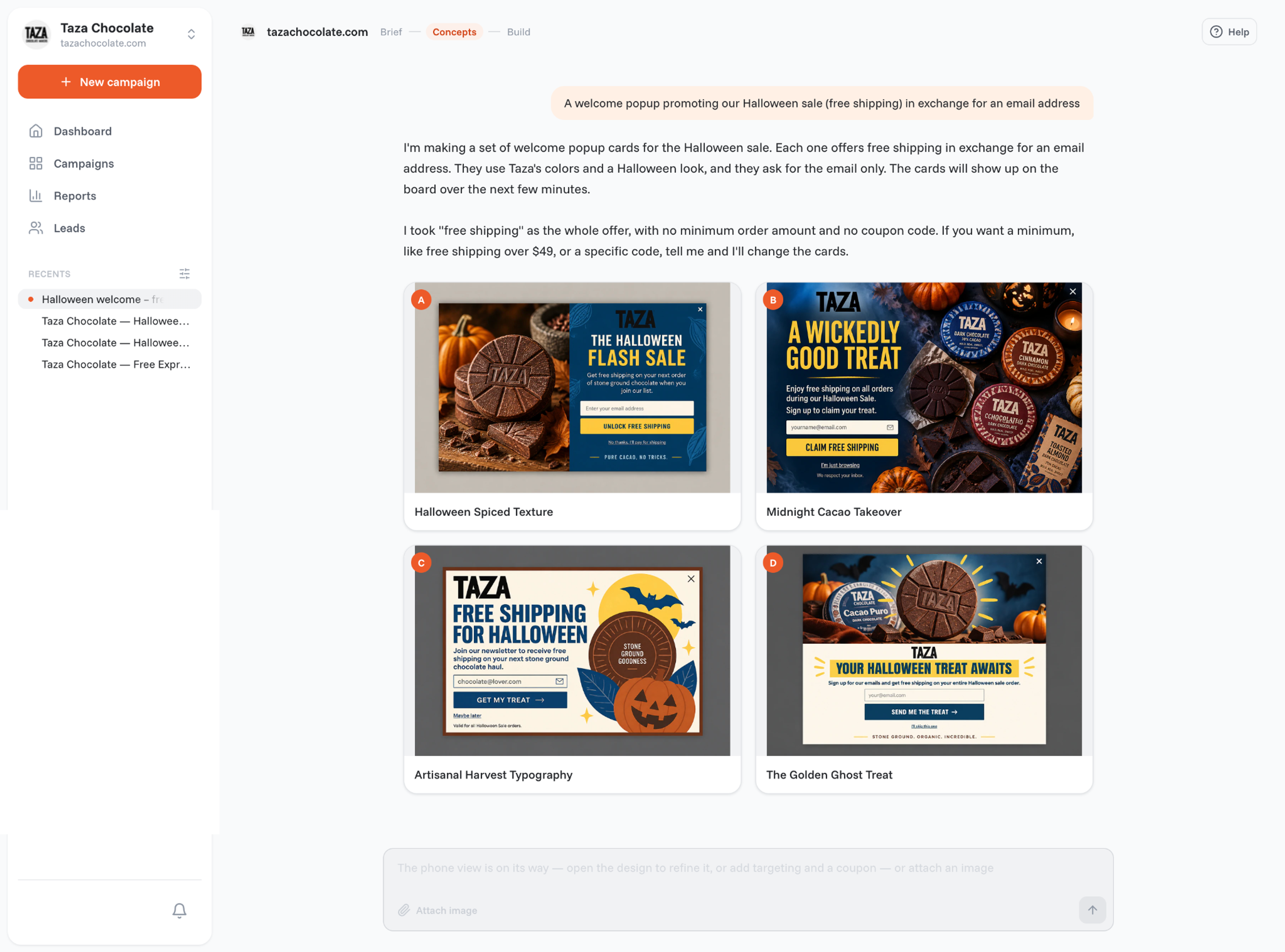
OptiMonk agent chat with four Halloween welcome popup concepts designed for Taza Chocolate, each offering free shipping for an email address

When to show Halloween popups

The season has three phases, and each one needs a different popup:

  • The weeks before: grow your list. A welcome offer, a giveaway or a free seasonal guide turns early browsers into subscribers you can sell to later.
  • Your Halloween sale: sell. Themed bundles, product picks and a mystery discount help shoppers decide.
  • The last days up to October 31: create urgency. A countdown to the real end of your sale, plus an exit-intent offer for visitors who are about to leave. In OptiMonk's own data, cart abandonment popups (exit-intent popups shown to visitors with items in the cart) convert at 17.12% on average, against 11.09% for all popups (popup statistics).

When Halloween is over, swap the popup for your Black Friday campaign.

10 Halloween popup examples

These examples come from the OptiMonk Popup Library. The OptiMonk agent designed each one for a real store's brand, and you can open any of them in the library and build your own version.
Welcome offers

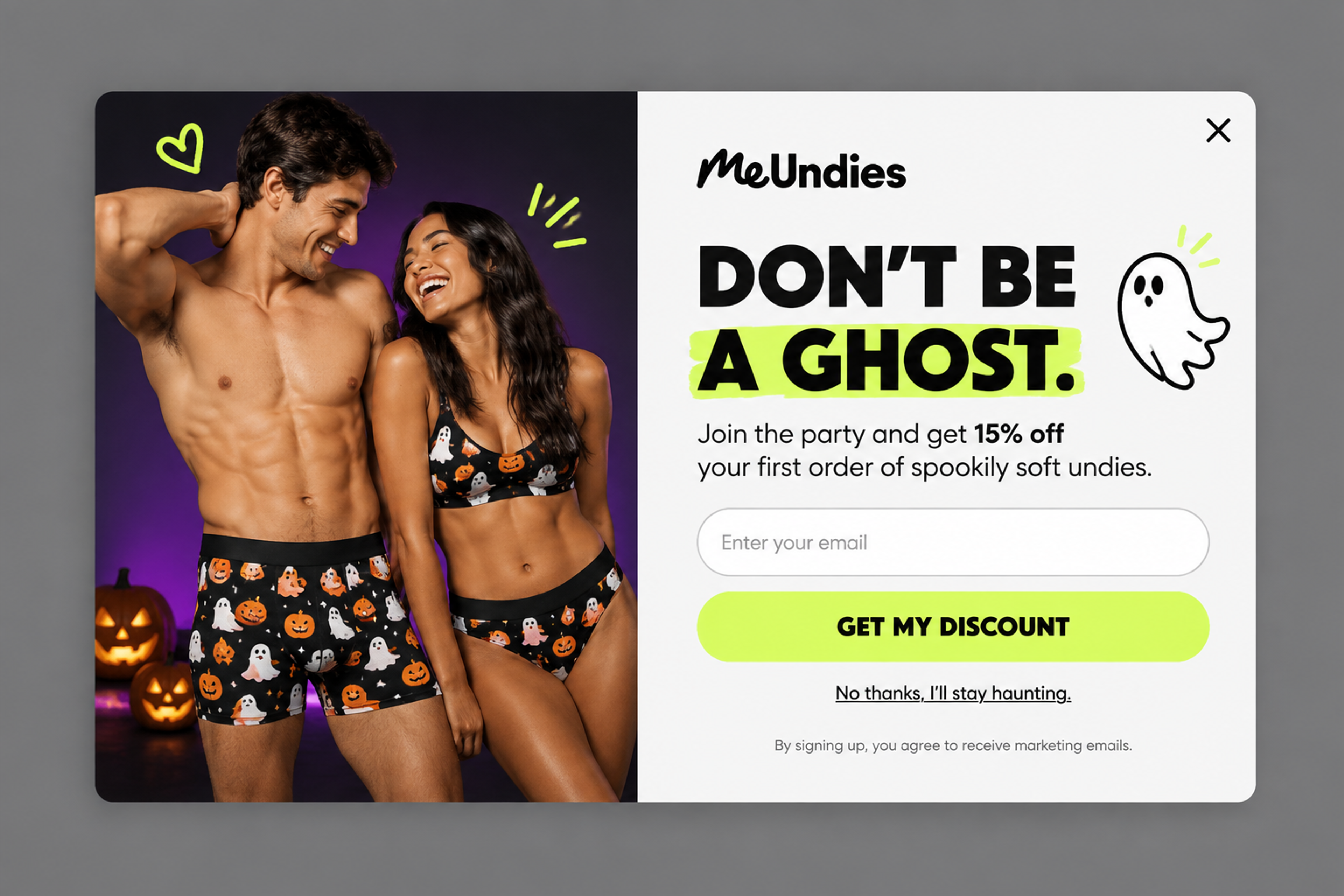
1. Spooky Softness (designed for MeUndies)

Halloween welcome popup designed for MeUndies with "Don't be a ghost" headline and 15% off the first order

"Don't be a ghost" asks for the email, and 15% off the first order is the reward. Even the decline link stays in the brand's voice: "No thanks, I'll stay haunting." Joining the list is the price of the discount, so every redemption is also a new subscriber.
See this popup

2. Graphic Hersheyween (designed for Hershey's)

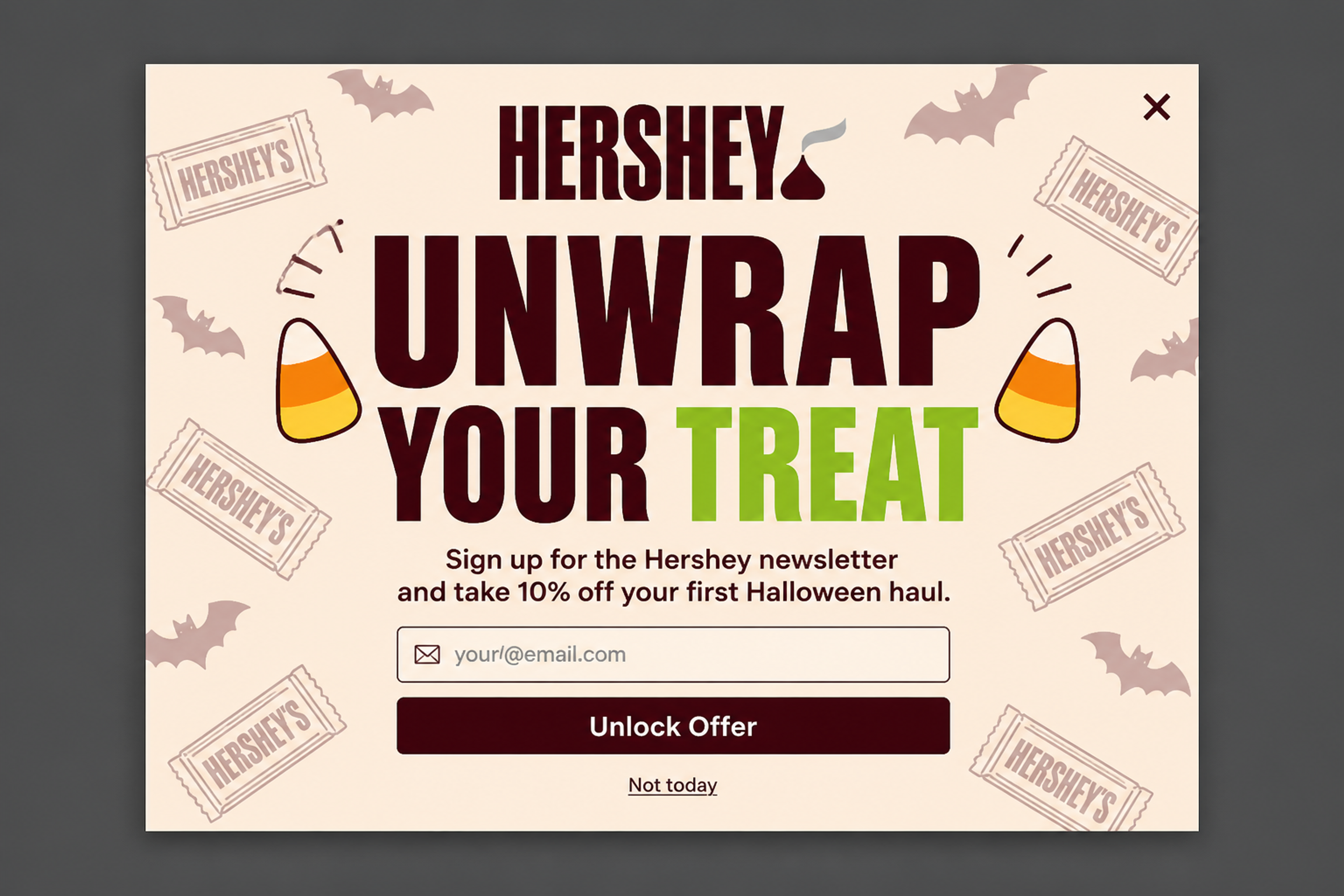
Type-led Halloween popup designed for Hershey's with "Unwrap your treat" headline and 10% off the first Halloween order

Big type does the work here, with very little imagery. Calling the discount a "treat" turns a plain coupon into part of the holiday.
See this popup

3. Coastal Gothic Hero (designed for Fair Harbor)

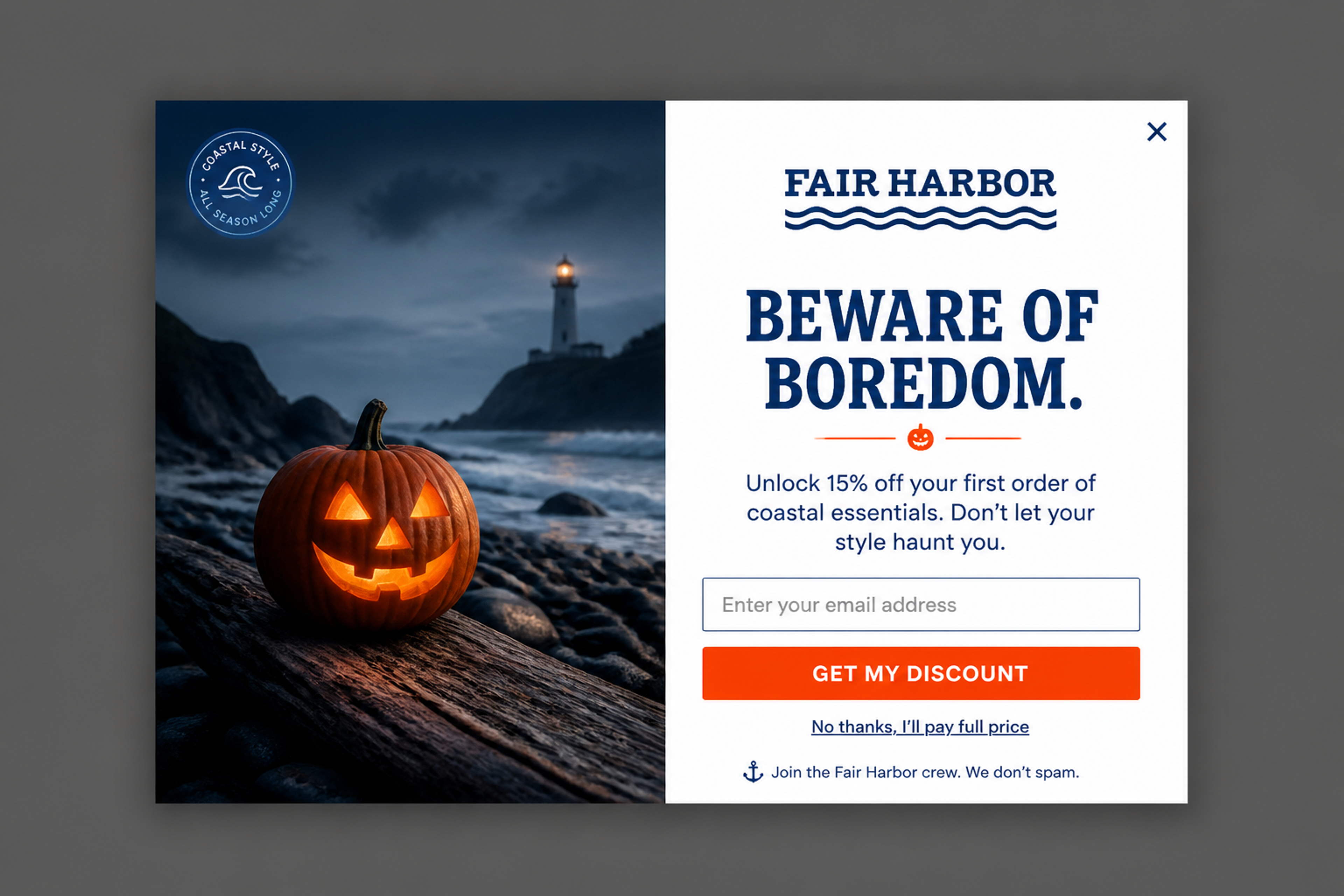
Halloween welcome popup designed for Fair Harbor, a beachwear brand, with "Beware of boredom" headline and 15% off

A beachwear brand has nothing spooky to sell, and it doesn't need to. A seasonal frame ("Beware of boredom") around a standard welcome offer is enough to make the popup feel timely.
See this popup

Giveaways and free guides

4. Midnight Manifest (designed for Maybelline)

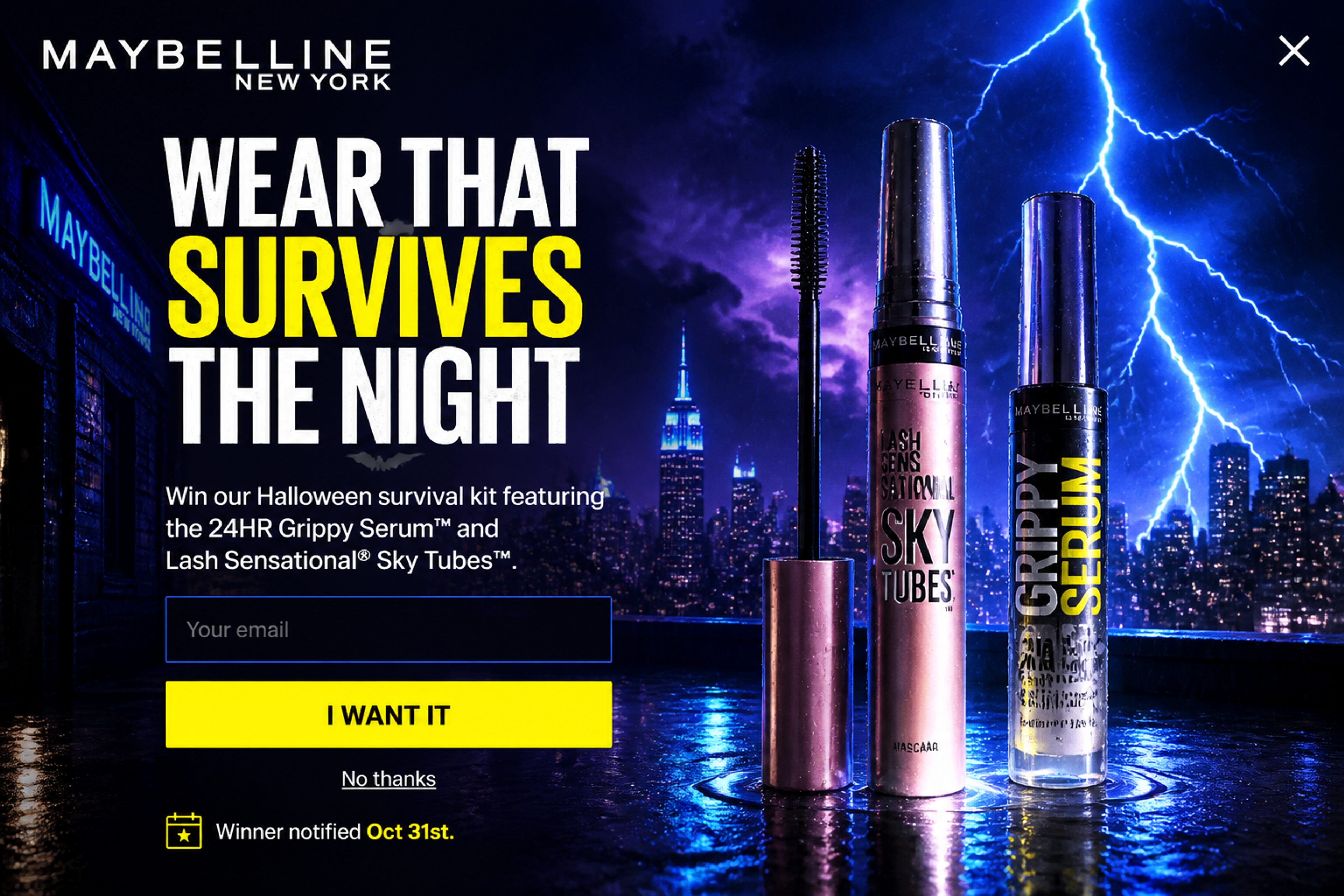
Fullscreen Halloween giveaway popup designed for Maybelline to win a makeup survival kit

A fullscreen giveaway: enter your email for a chance to win a Halloween makeup kit. It brings in subscribers without a discount, so your margin stays intact.
See this popup

5. The Safe Bet (designed for IKEA)

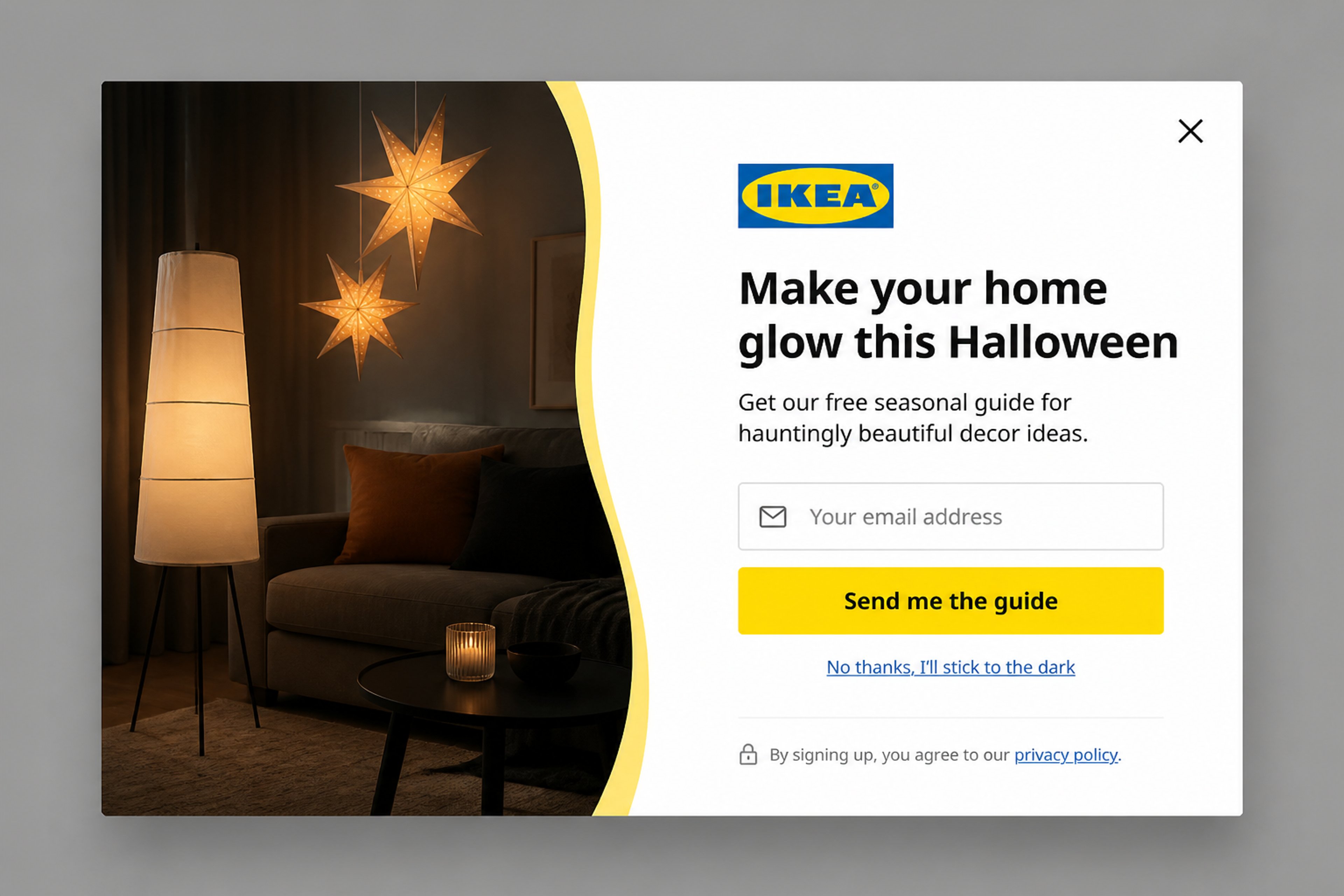
Halloween popup designed for IKEA offering a free seasonal home decor guide in exchange for an email

A free decor guide in exchange for an email. Content like this speaks to visitors who are planning, not buying yet, and keeps them on your list until they are.
See this popup

Spin-to-win wheels and scratch cards

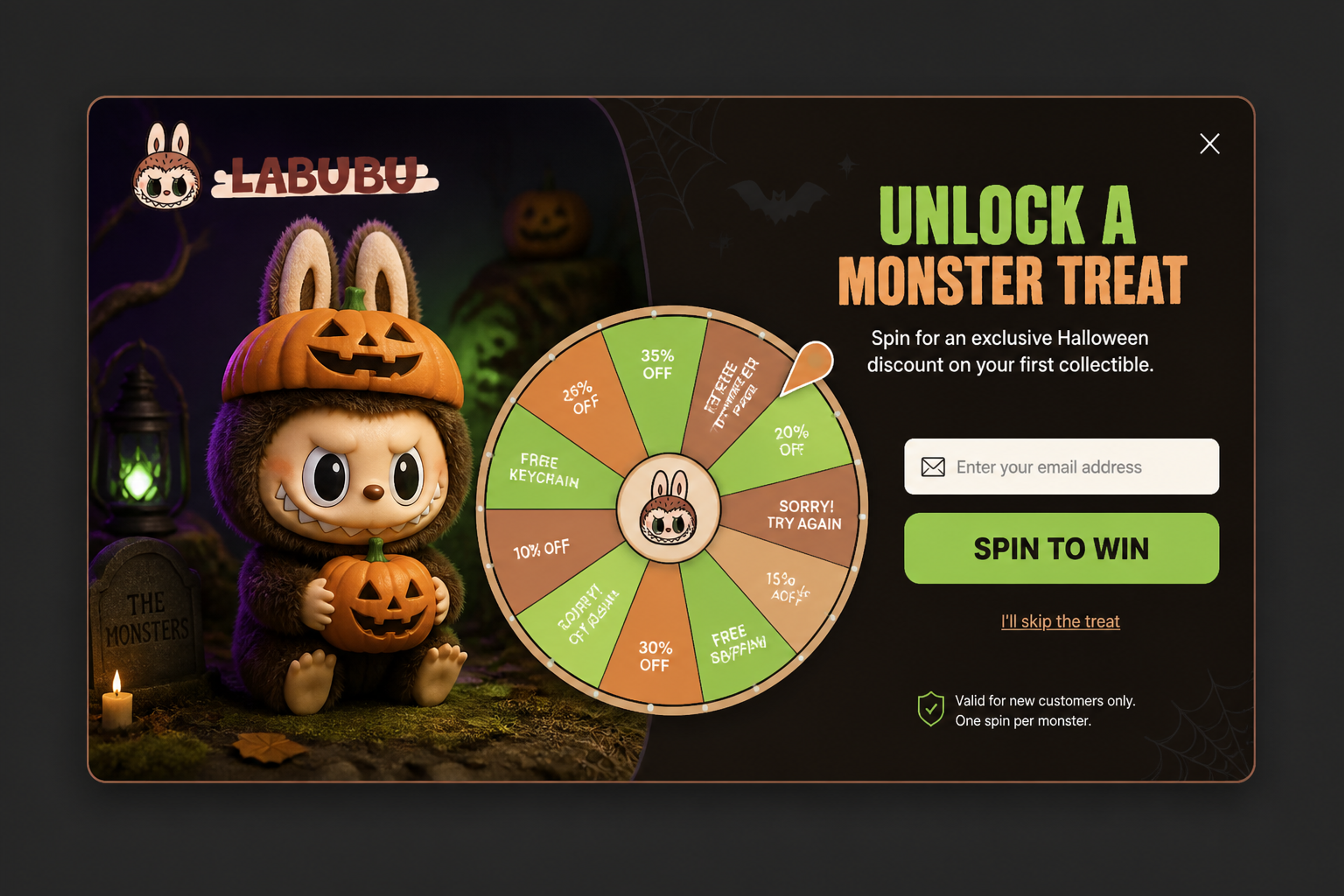
6. Spooky Forest Wheel (designed for Labubu)

Halloween spin-to-win wheel popup designed for Labubu in a spooky forest scene

A lucky wheel set in a dark forest. For a collectibles brand, where "what will I get?" is half the fun, a wheel turns the signup into the same kind of game. More ideas: gamified popups.
See this popup

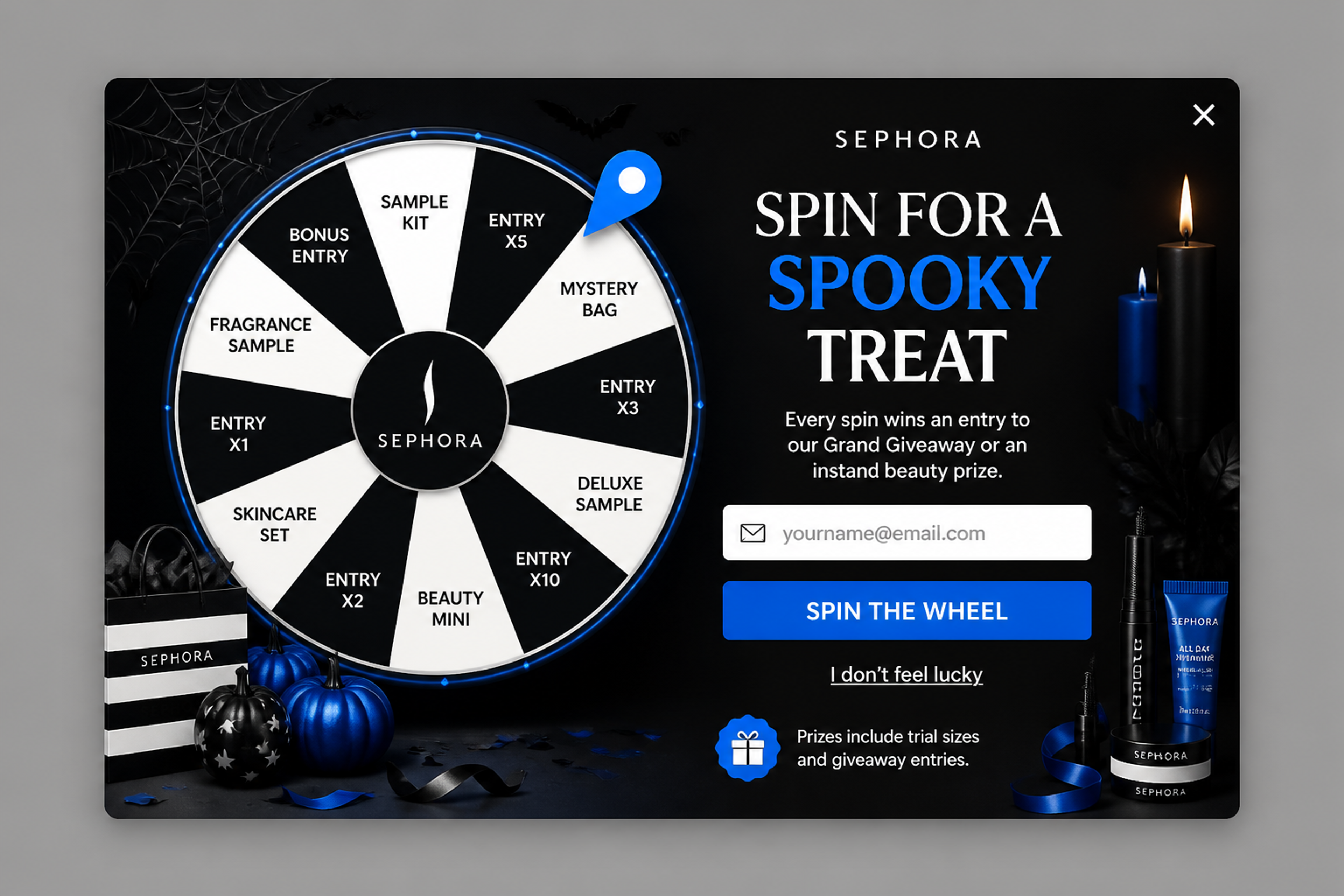
7. Spooky Spin (designed for Sephora)

Halloween spin-to-win popup designed for Sephora where every spin wins a giveaway entry or a beauty prize

Every spin wins: either a beauty prize or an entry into the giveaway. Nobody walks away empty-handed, which keeps the game friendly.
See this popup

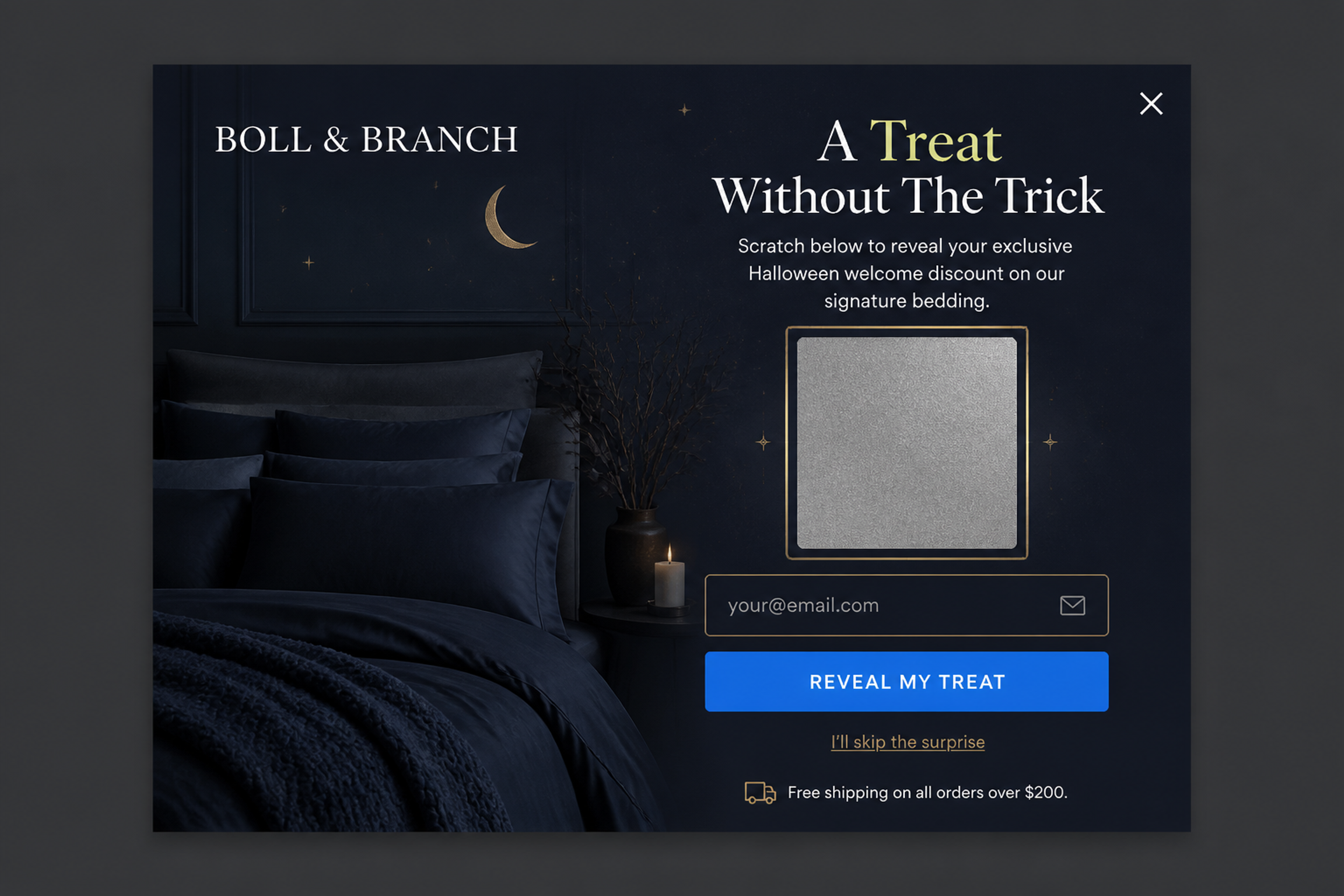
8. Midnight Midnight Reveal (designed for Boll & Branch)

Halloween scratch card popup designed for Boll & Branch with "A treat without the trick" headline revealing a welcome discount

"Trick or treat" turned into a scratch card: the visitor scratches to reveal the welcome discount. The surprise is the hook, and the headline promises there's no catch.
See this popup

Product picks and flash sales

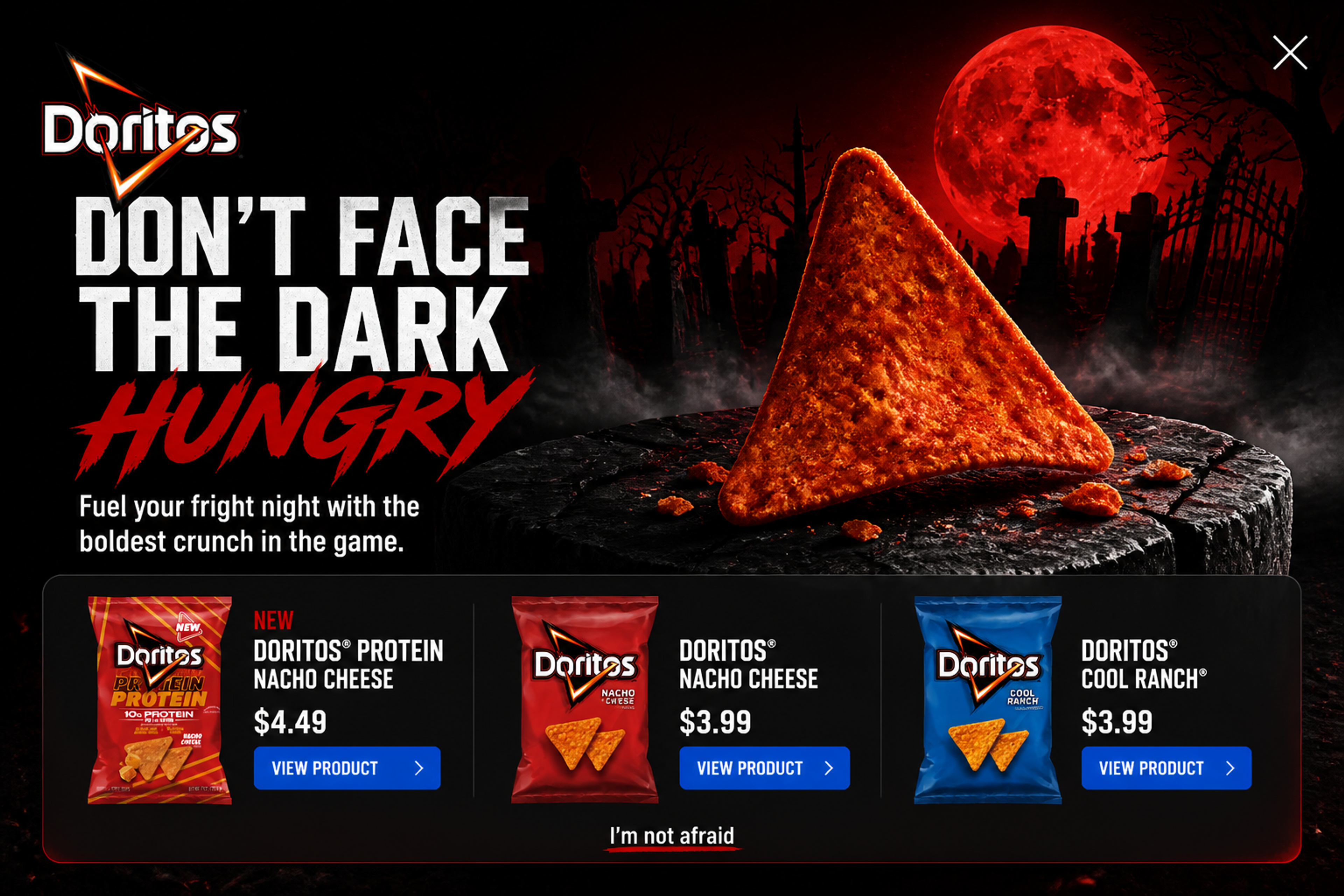
9. Haunted Cinematic (designed for Doritos)

Fullscreen Halloween product popup designed for Doritos with "Don't face the dark hungry" headline and a View Product button

No email field and no discount: one product, one button, tied to a scary-movie night. It works for visitors who are already shopping and just need a nudge toward the right item.
See this popup

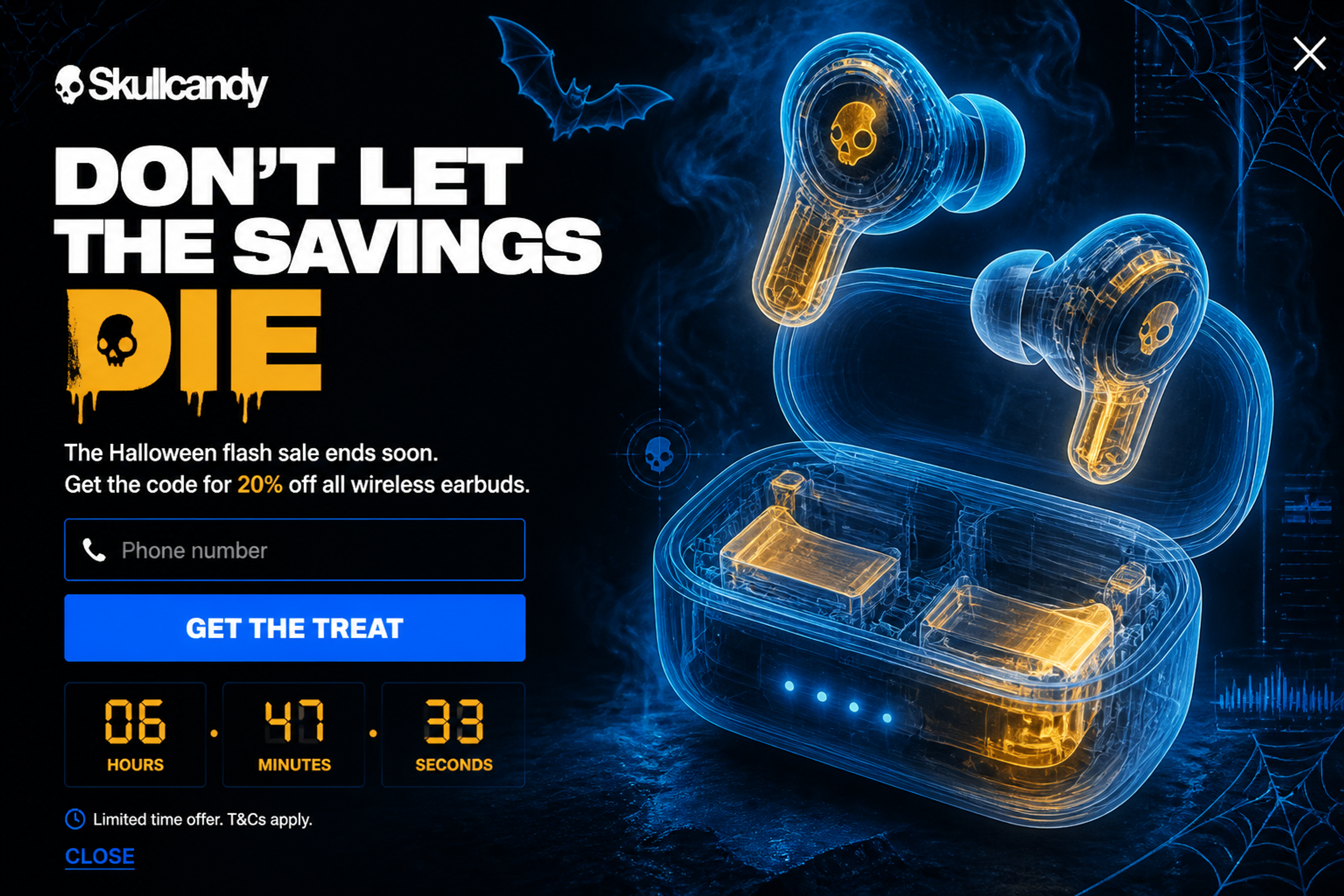
10. Midnight X-Ray (designed for Skullcandy)

Fullscreen Halloween flash sale popup designed for Skullcandy with "Don't let the savings die" headline and 20% off

A flash sale announcement with 20% off and a dark, X-ray look. Add a countdown only if the sale really ends then, and pair it with an exit-intent popup for visitors on their way out.

See this popup

Browse all 41 Halloween popups in the Popup Library.

Halloween marketing ideas for online stores

The best Halloween marketing ideas for an online store are simple offers with a seasonal twist. Each idea below comes with the popup that carries it:

  • A limited Halloween collection or drop. Announce it with a popup on the collection pages, so the visitors already browsing see it first.
  • Themed bundles. Costume, party or movie-night sets, shown in a product recommendation popup on the category pages.
  • A mystery discount. "Trick or treat" works naturally as a lucky wheel or a scratch card.
  • A Halloween giveaway. A fullscreen popup that collects entries, with the draw date stated in the popup.
  • A free seasonal guide. Decor, recipes or costume ideas in exchange for an email, with no discount needed.
  • A flash sale that ends on October 31. A countdown to the real end, plus exit intent for leaving visitors.
  • Early access for subscribers. Returning visitors and subscribers get the sale news, not another signup form.
  • A handover to Black Friday. The list you build now carries your Black Friday and Christmas popups the day after Halloween.

For more seasonal campaigns, see seasonal offers.

Halloween slogans for popups and emails

Good Halloween slogans are short, play on "trick or treat" and still sound like your brand. Here are the headlines and decline links from the popups above, ready to adapt:

  • "Don't be a ghost."
  • "Unwrap your treat"
  • "Beware of boredom."
  • "A treat without the trick"
  • "Spin for a spooky treat"
  • "Sound so good it's scary"
  • "Don't let the savings die"
  • "Feeling lucky, pumpkin?"
  • "Sweet treats, no tricks"
  • "Make your home glow this Halloween"
  • Decline links: "No thanks, I'll stay haunting." · "I'll skip the surprise"

A slogan works best in your own brand's voice. The agent reads your website and writes the copy to match it.

Halloween emails to send your new subscribers

OptiMonk does not send emails. The popup grows your list and passes each new subscriber to your email platform, such as Klaviyo, Omnisend or Mailchimp (see all integrations), and that tool sends the emails.

Four Halloween emails cover the season:

  • The welcome email with the code, right after signup.
  • A reminder before the code expires.
  • The sale or new drop announcement, with the same offer as the popup.
  • A last-chance email on October 31, then move the list on to your Black Friday emails.

More email ideas: holiday email marketing and email campaign ideas.

How to make your own Halloween popup

  • Pick one job and one offer. For example, "15% off for first-time visitors" or "a giveaway entry for an email".
  • Describe it to OptiMonk in one sentence, or open a popup from the library and build your own version. The agent designs it in your brand's colors, fonts and logo, with a separate mobile version.
  • Choose who sees it and when. New visitors after a few seconds, returning visitors with the sale, everyone on exit intent. The agent sets the targeting.
  • Put it live, then A/B test the offer or the headline while Halloween traffic is high.

Halloween popup FAQ

When should I start showing Halloween popups?

A few weeks before October 31, with list-building popups. Switch to sale popups when your Halloween sale starts, and use countdowns in the last days.

What should a Halloween popup offer?

One reason to act: a first-order discount, a giveaway entry, a free guide, a prize on a wheel or scratch card, or early access to the sale.

What Halloween emails should I send?

A welcome email with the code, a reminder before it expires, the sale announcement and a last-chance email on October 31. OptiMonk collects the subscribers; your email platform sends the emails.

How do I make a Halloween popup work on mobile?

Keep the copy short, the button large and the close button easy to find. OptiMonk's agent builds a separate mobile version of every popup, so you don't have to resize anything yourself.

Do I need a designer to make a Halloween popup?

No. You describe the popup in one sentence, and the agent designs it for your brand, with a mobile version.

Can I use the examples from this article?

Yes. Open any example in the Popup Library and build your own version: the agent redraws it for your brand.

Get your Halloween popups live before the 31st

Start with the popup that grows your list: a welcome offer or a giveaway. The sooner it's live, the more people get your Halloween emails.

OptiMonk is the agentic popup builder: describe your Halloween popup in one sentence, and the agent designs it, builds the mobile version and sets the targeting.

Free to start. No credit card.
Written byNikolett LorinczMore from Nikolett

Keep reading

All articles
OptiMonk monk meditating in lotus pose

Your first popup is
one sentence away.

Free to start. No credit card.