




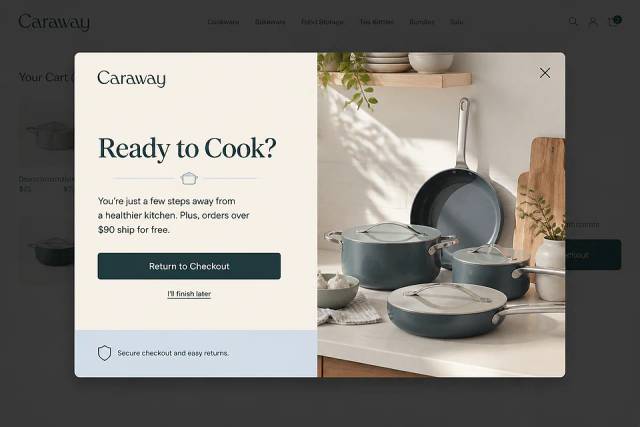




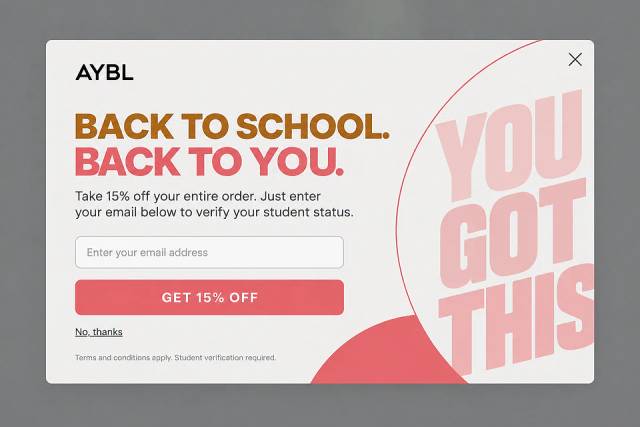
50 CTA Button Examples for Online Stores and Popups
50 CTA button texts for online stores and popups, grouped by the shopper's moment, plus what makes a button worth clicking.
There’s a staggering amount of free and paid exit-intent plugins for WordPress, we've collected the twelve best choices.
In short
Discover the top 11 exit-intent plugins for WordPress in 2026 to boost conversions and reduce cart abandonment. These plugins, like OptiMonk and Popupsmart, offer advanced targeting and customization options, helping you engage visitors before they leave your site. Ideal for businesses looking to enhance their WordPress site's performance with effective exit-intent popups.
WordPress is an exceedingly popular choice for creating websites, blogs, and, yes, online stores. In fact, about 37% of all websites—and 28% of ecommerce stores—use WordPress.
The platform’s flexibility is a big reason for its popularity. Since WordPress is free and open-source, everyone can use (and adapt) their basic code for their own purposes.
That flexibility extends to the exit-intent popup plugins that WordPress stores can choose from. Since there’s a staggering amount of free and paid options, we’ve collected the eleven best choices.
Let’s get started by taking a look at the reasons why you need an exit popup plugin for WordPress yesterday.
Businesses use exit-intent popups to engage website visitors just before they leave. These popups detect exit behavior—like moving the mouse to the top-right corner on a computer or quickly scrolling up on mobile.
By targeting these users, you can re-engage them with discounts, free shipping, email signups, or cart reminders.
And the stats prove their effectiveness: the ecommerce cart abandonment rate is around 70%, but 17.12% of abandoning visitors take action when shown an exit-intent popup.
For WordPress store owners, the easiest way to implement exit popups is with a plugin—no coding required. Now, let’s check out the best options available.
All exit-intent popup plugins display popups to exiting visitors, but there are important differences between them. For example, one exit intent popup plugin might allow greater design customization, while another has more targeting options.
So, let’s find out which of these popup plugins fit your needs and budget.
| Plugin | Key features | Pricing |
|---|---|---|
| OptiMonk | AI agent that designs popups, advanced targeting, A/B testing, mobile versions | Free or from $19/month |
| Popupsmart | Drag & drop editorMultiple exit-intentTriggersAnalyticsEasy integration | Free or from $39/month |
| HubSpot | CRM integrationEmail captureMarketing automation | Free or from $45/month |
| Hello Bar | Easy setupCopy review serviceAdvanced targetingA/B testing | Free or from $45/month |
| Elementor | Drag & drop builderEmail marketing &CRM IntegrationCustomizable popups | From $99/year |
| Thrive Suite | Email subscriber &high-conversion popupsAnalyticsDrag & drop builderA/B testing | From $30/month |
| BDOW (formerly Sumo) | Email subscriber &high-conversion popupsAnalyticsDrag & drop builderA/B testing | From $30/month |
| OptinMonster | Highly-customizable popupsVarious popup styles,Advanced targetingA/B testing | From $20/month |
| Claspo | Drag & drop builder, Ready-made templates, Advanced targeting, A/B testing | Free or from $39/month |
| Poptin | Bright, colorful popupsPerformance reportsEmail marketing integration | Free or from $25/month |
| Popup Maker | Lightweight toolVideo popupsCookie-based frequency controlDevice targeting | Free or from $87/year* |
Free, or from $19 a month billed yearly
OptiMonk is an agentic popup builder with an official WordPress plugin. You describe the exit-intent popup you want, and the AI agent designs it on brand, writes the copy and sets it to show when visitors are about to leave.
It's easy to use, but it doesn't hold back on advanced features.
There are no templates to edit: the agent draws four concepts in your brand for every brief. For ideas, browse the Popup Library.
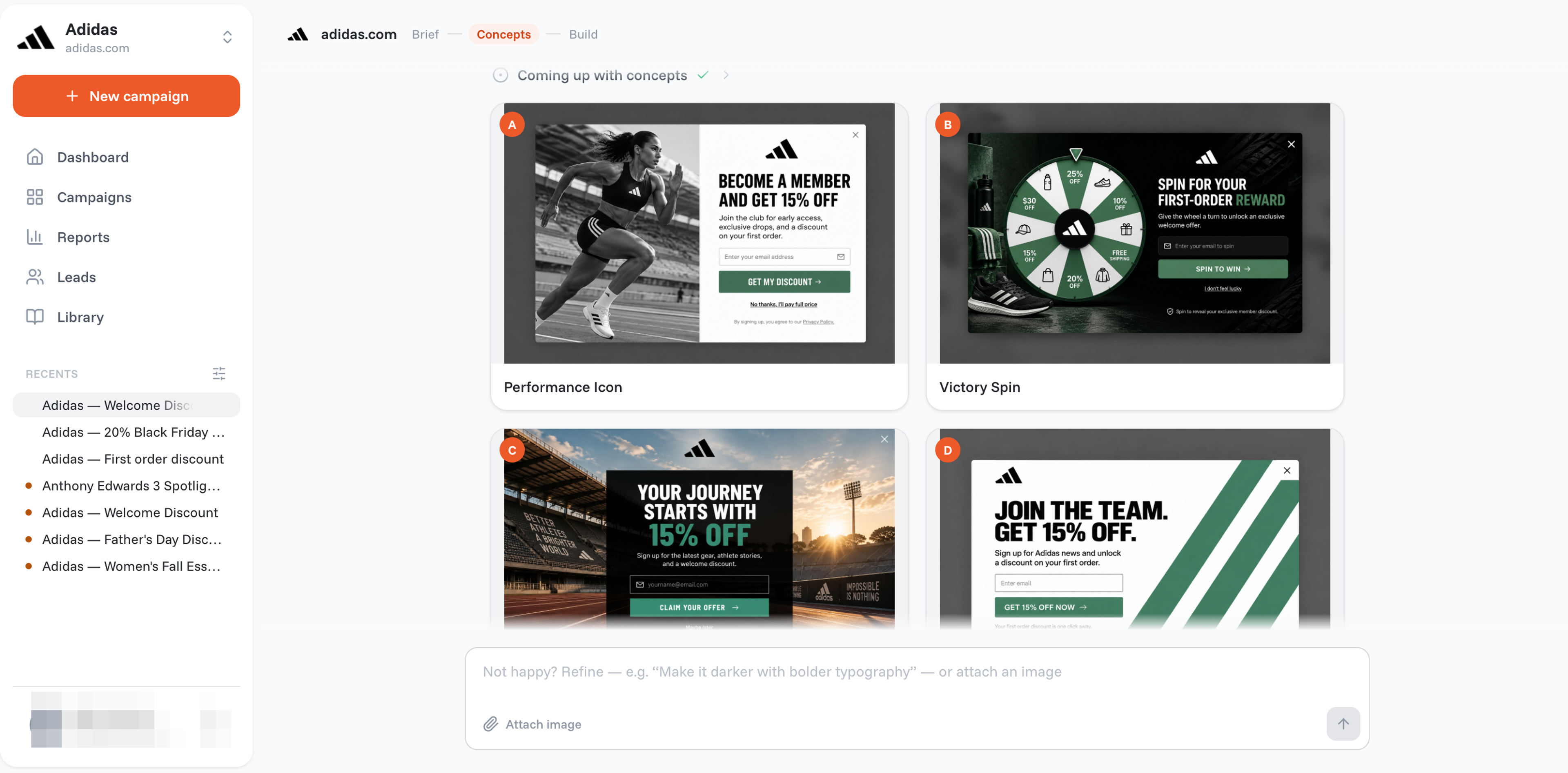
Ask for any use case, from shopping cart abandonment to collecting email addresses.

You can also ask for lucky wheel popups and quiz popups that draw users in by inviting them to take some action.
Let's take a look at some of the exit-intent popup ideas OptiMonk offers:
Additional benefits:
OptiMonk popups convert well because they're designed for your brand and shown only to the right visitors at the right moment.
Create a free OptiMonk account.
Free, or from $39 a month
You can create several types of exit-intent popups with Popupsmart. Their popup editor has a drag and drop user interface, that allows you to design popups on your own.
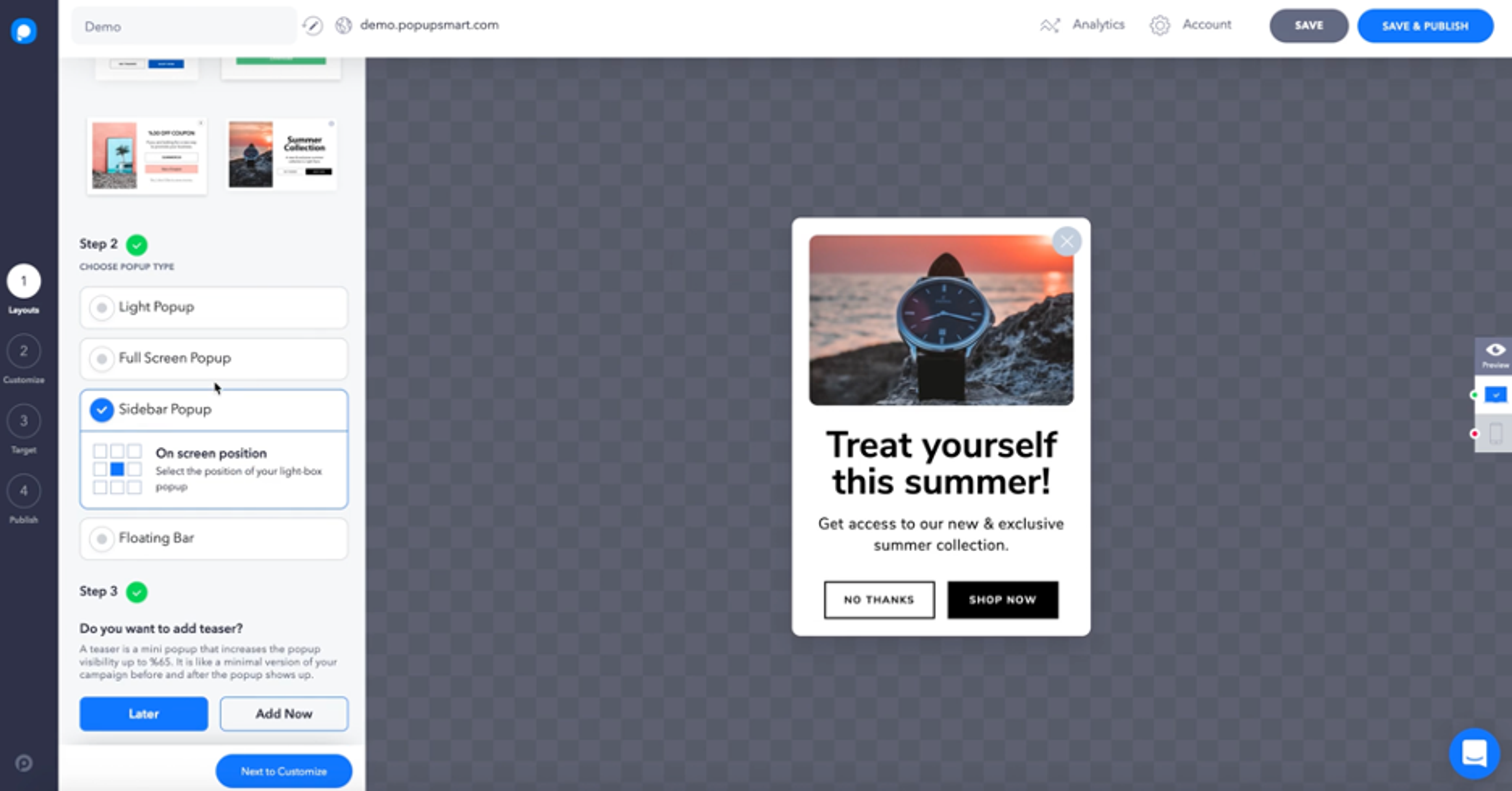
When you create popups with Popupsmart, they’re easy to integrate into your page. All you have to do is copy and paste a bit of Javascript code onto your website.
Additional benefits:
Free, or from $45 a month
HubSpot is more than a popup plugin. Rather, it’s a platform that integrates a range of marketing tools—from Customer Relationship Management (CRM) to live chat and feedback systems. This has both benefits and drawbacks when looking at HubSpot as a WordPress plugin for exit-intent popups.
On one hand, the CRM features in HubSpot can be great marketing tools for creating popups that target specific user segments.
However, there are some gaps when it comes to its exit-intent technology since the platform isn’t totally devoted to popups. For instance, HubSpot’s own popup form builder doesn’t offer as many customization options as other popular form plugins on this list.
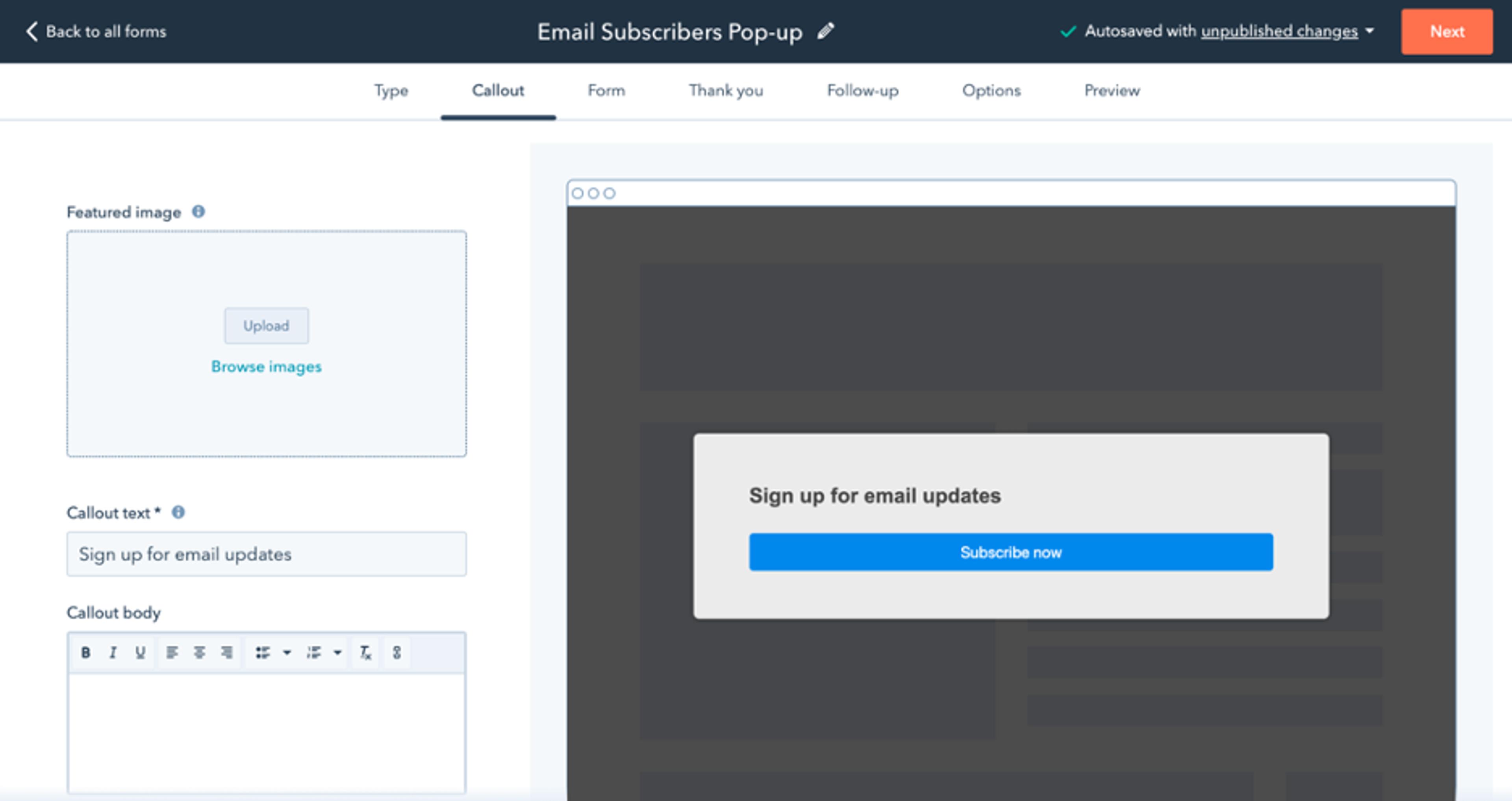
Additional benefits:
From $39 a month
Hello Bar’s popup plugin made for WordPress is easy to get up and running on your site. In fact, they advertise that you’ll be able to have custom popups “in five minutes.”
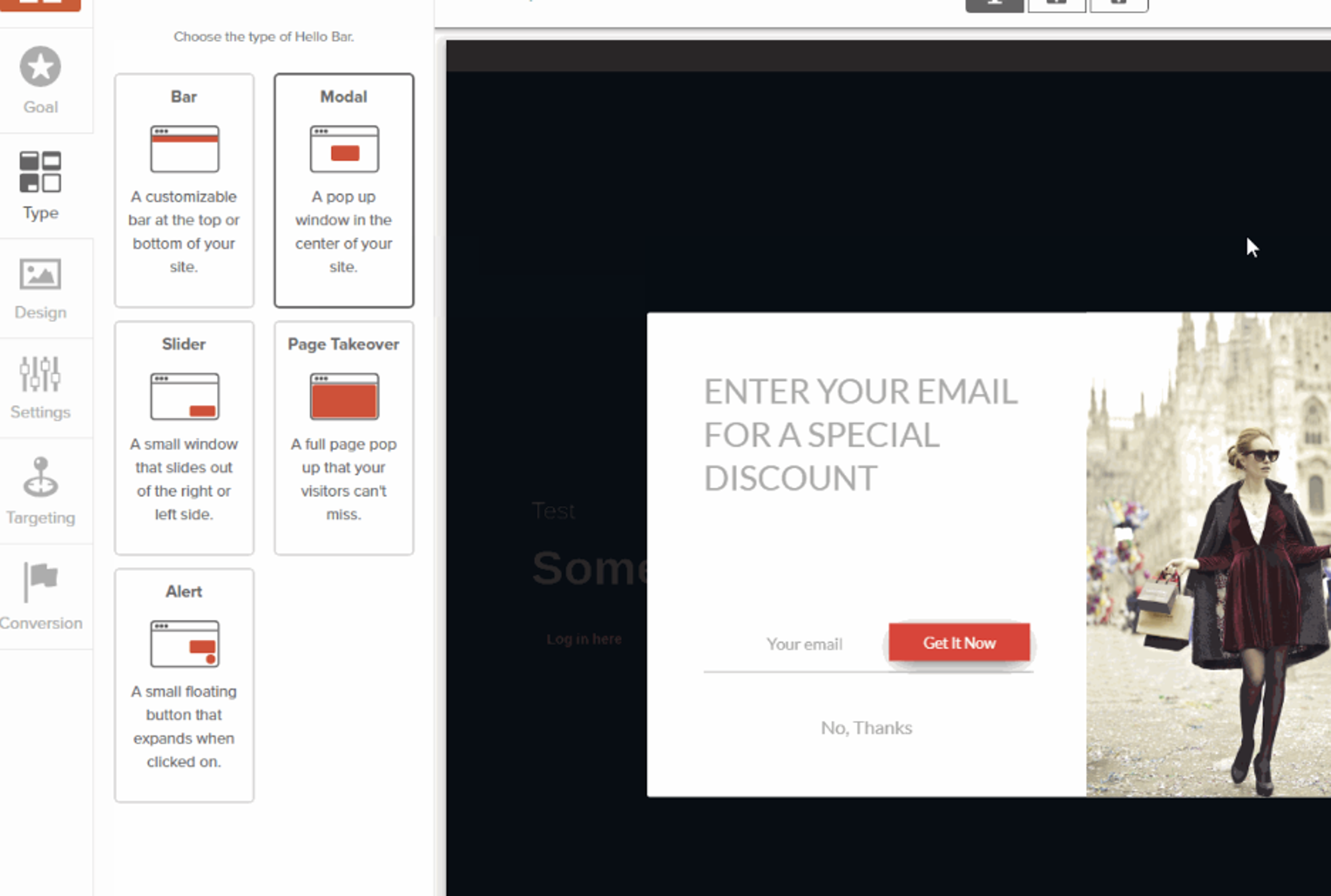
One unique service that Hello Bar offers is the chance to review the copy for your popups with their team of copywriters. It’s a great service for those who aren’t sure about what to write on their exit popups, but it is one you’ll have to pay for.
Additional benefits:
From $99/year
Elementor is primarily known for their advanced website builder, but they also offer an exit-intent popup plugin for WordPress.
Their drag and drop interface for building popups allows you to customize your popups. They also have many templates to choose from.

Elementor offers targeting features for their exit-intent popups, but they aren’t as advanced as those more advanced features you can access from OptiMonk or HubSpot.
Additional benefits:
$149 per quarter
Like Elementor, Thrive Suite is an online website builder that also allows you to build exit-intent popups for WordPress.
They have two popup builders that create different types of popups. Their Thrive Leads product helps you design popups for generating email subscribers, while Thrive Ultimatum is for creating high-conversion exit popups.
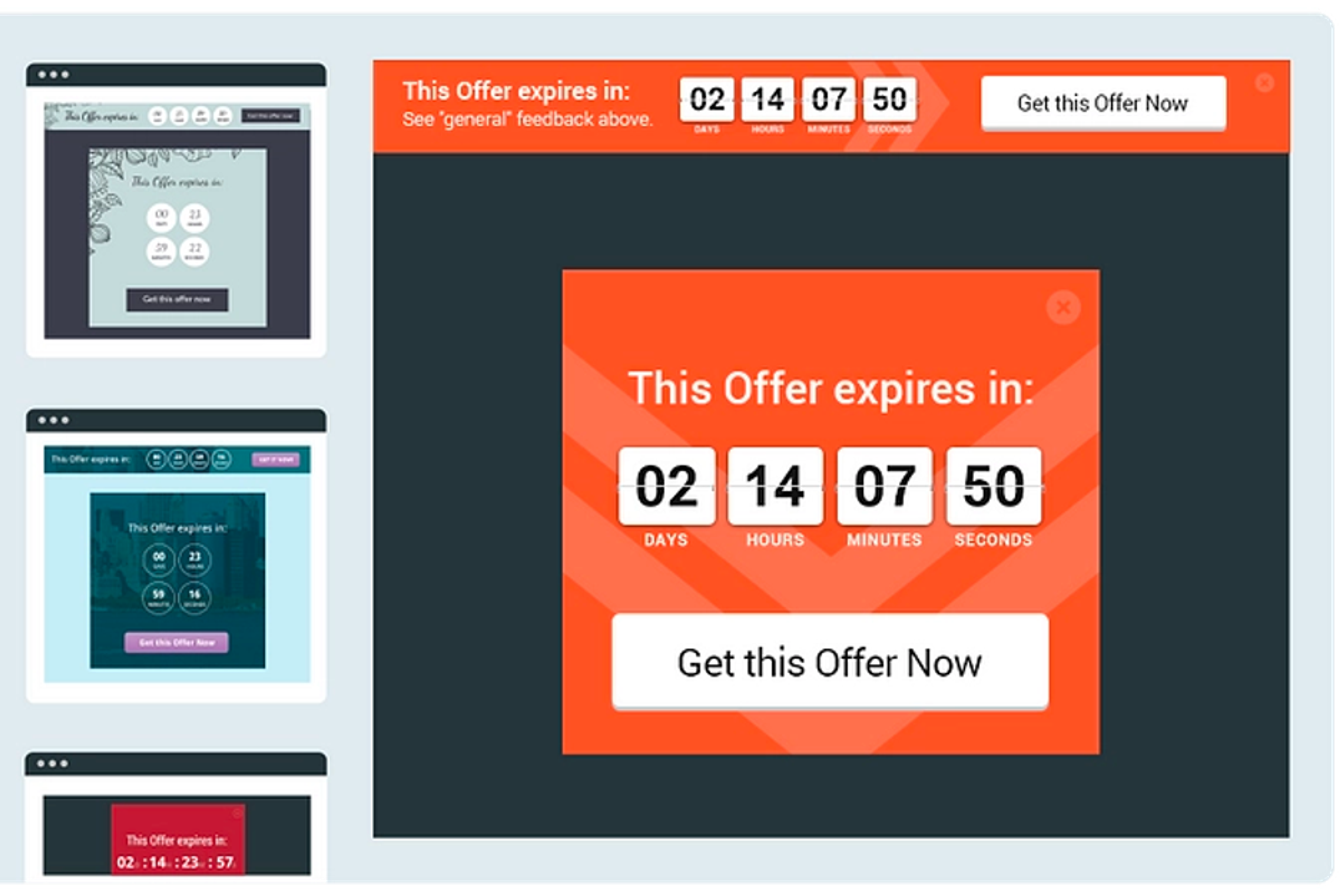
Additional benefits:
There's a free version, or from $15 a month
Sumo is great for creating exit popups that nudge visitors to join your email marketing list.
They have a variety of contact form templates that allow you to create exit-intent popups without putting much work in.
Since this exit popup plugin is devoted to building exit popups with email opt-in popup forms only, there aren’t many options for those who want to use cart abandonment popups.
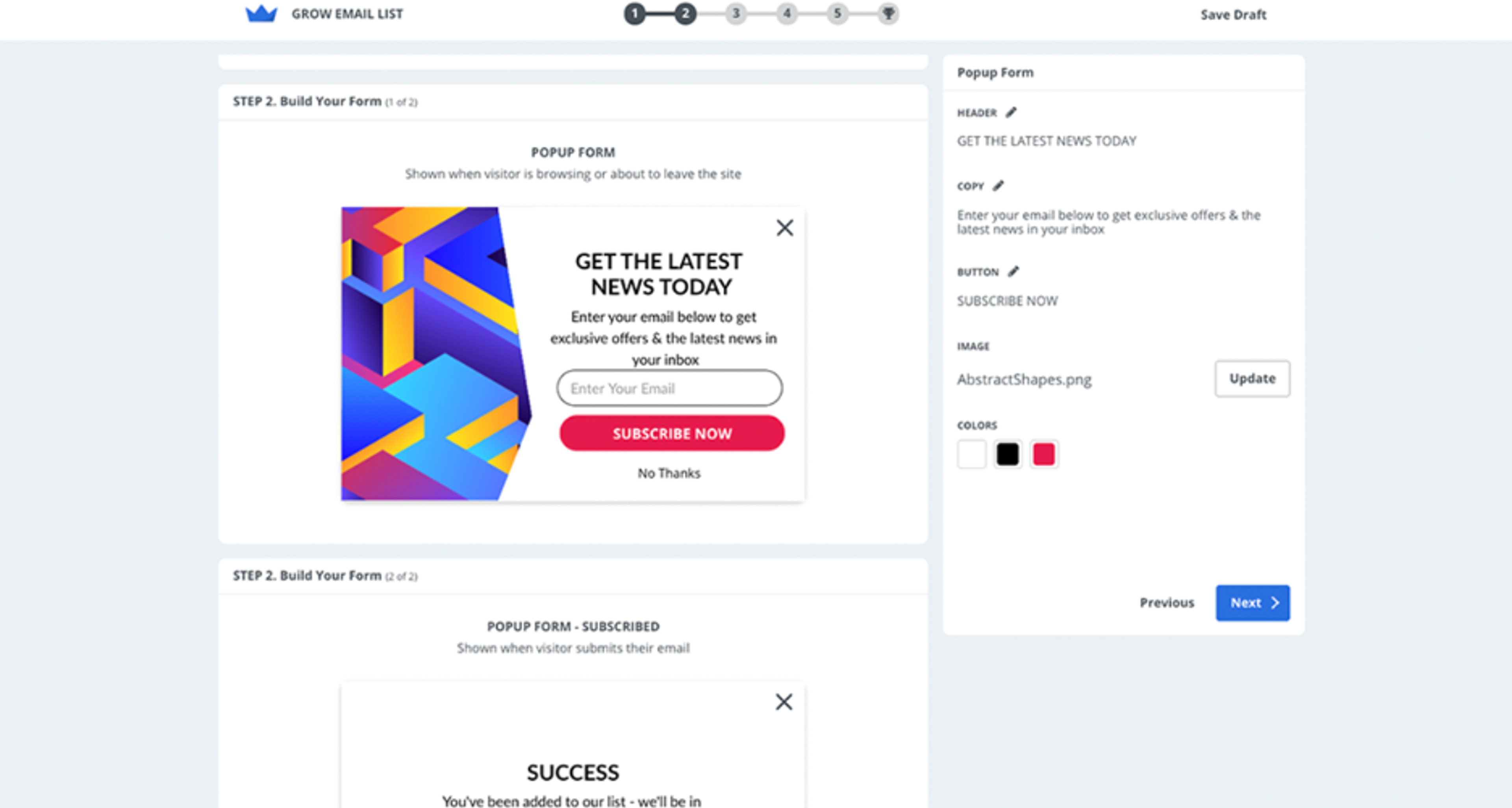
Additional benefits:
From $20 a month
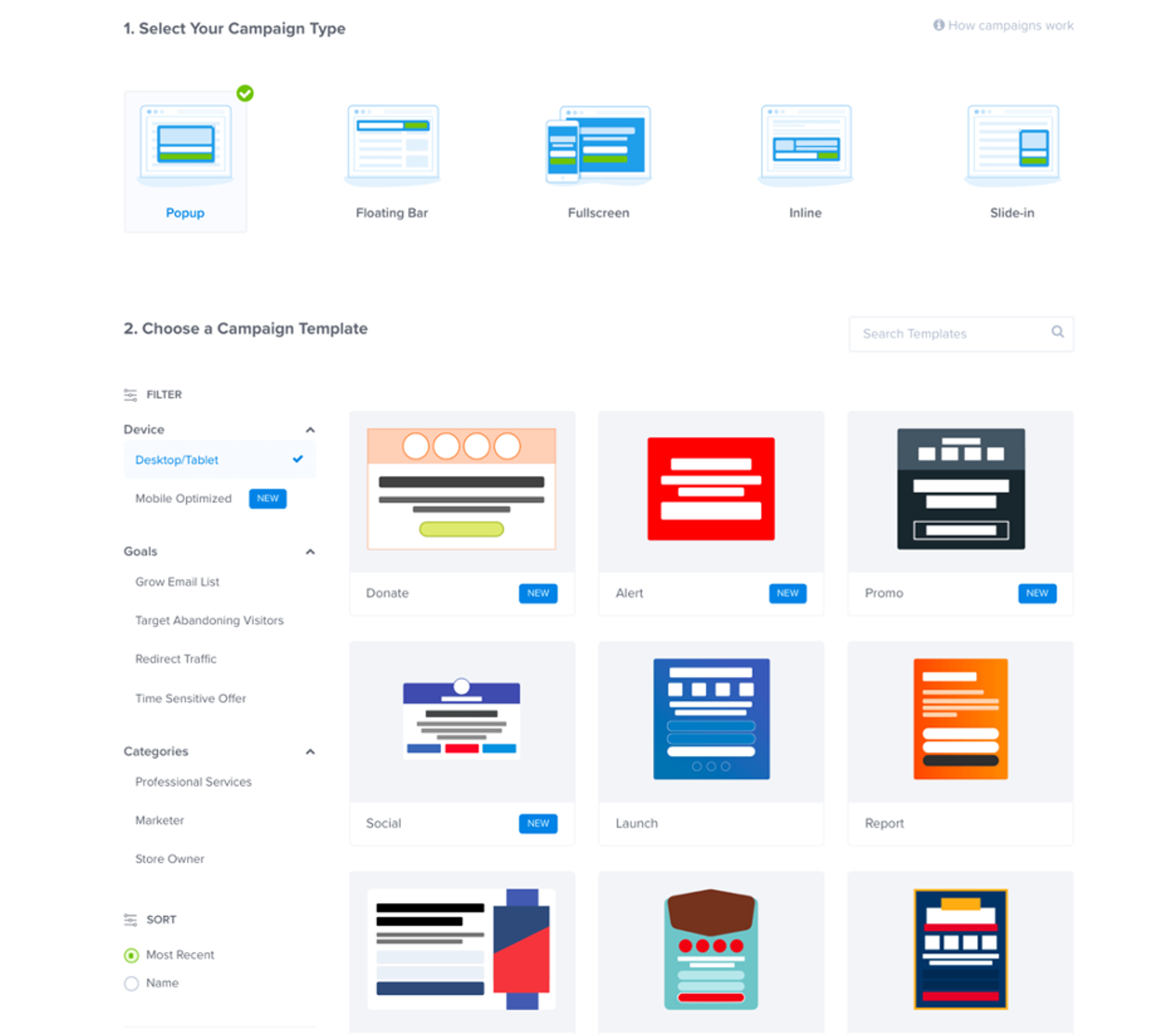
OptinMonster’s popup maker allows you to create diverse and highly-customized exit-intent popups. There are lots of design elements available in the drag and drop editor—such as countdown clocks and spinning wheels.
They also give you the option to optimize the look and style of your popups for mobile, which might be valuable for online stores that receive tons of mobile traffic.
Additional benefits:
Free plan available, paid plans from $29 a month
Claspo is a no-code popup builder that helps you create targeted exit-intent popups without relying on developers. Its drag-and-drop editor makes it easy to build popups from scratch or customize ready-made templates for lead generation, cart recovery, and promotional campaigns.

Claspo offers flexible targeting options, allowing you to show exit-intent popups based on visitor behavior, traffic source, device, location, and other conditions. You can also test different popup variations with built-in A/B testing to find the highest-converting design and messaging.
Additional benefits:
Free, or from $25 a month
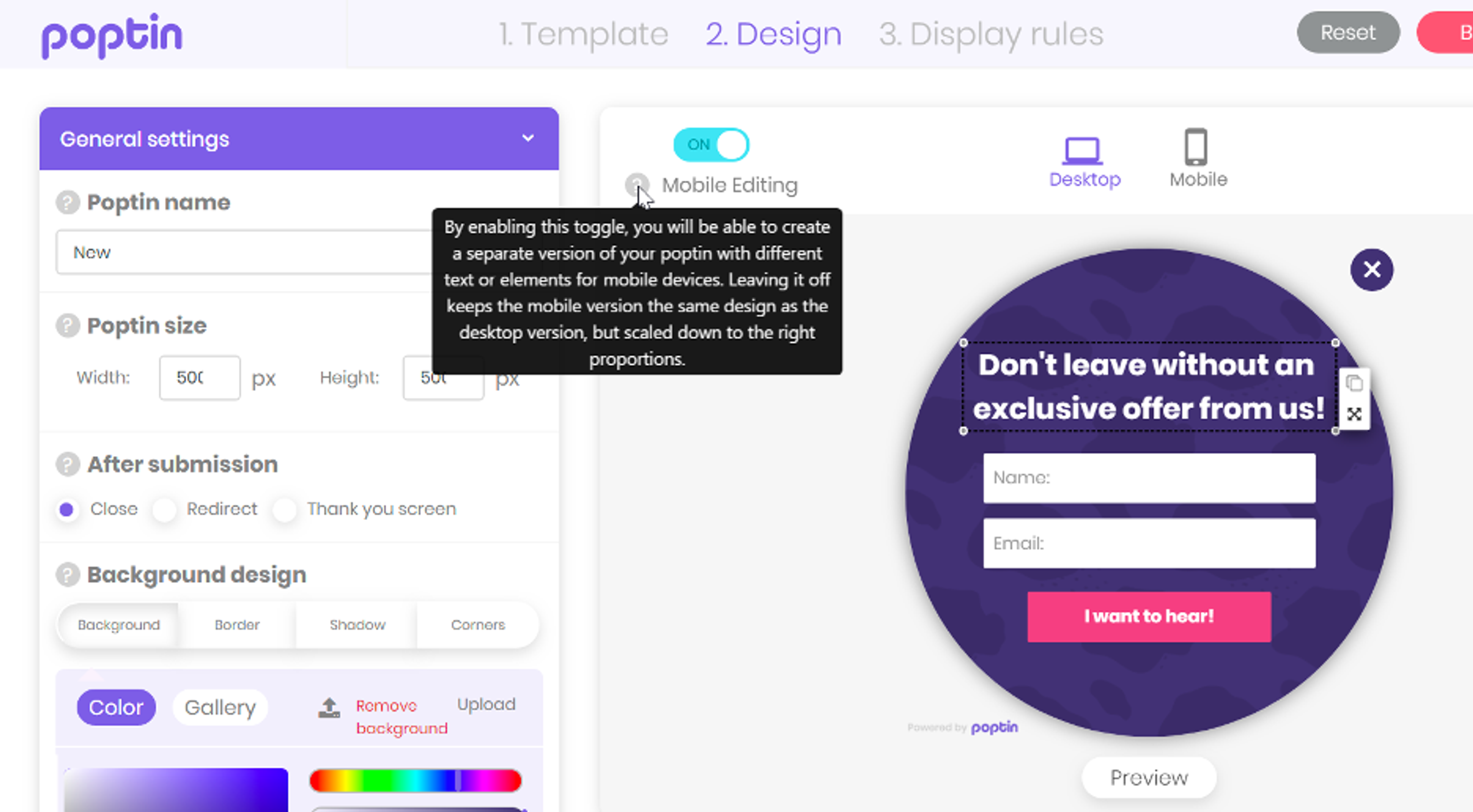
An exit-intent popup from Poptin has a specific look. It’s bright, colorful, and kinda cartoony. If this aesthetic fits with your brand, you might want to consider this WordPress plugin.
Poptin has a large library of popup templates that allow you to create responsive popups, lightbox popups, and fullscreen popups.
Additional benefits:
Free, or from $87 a year*
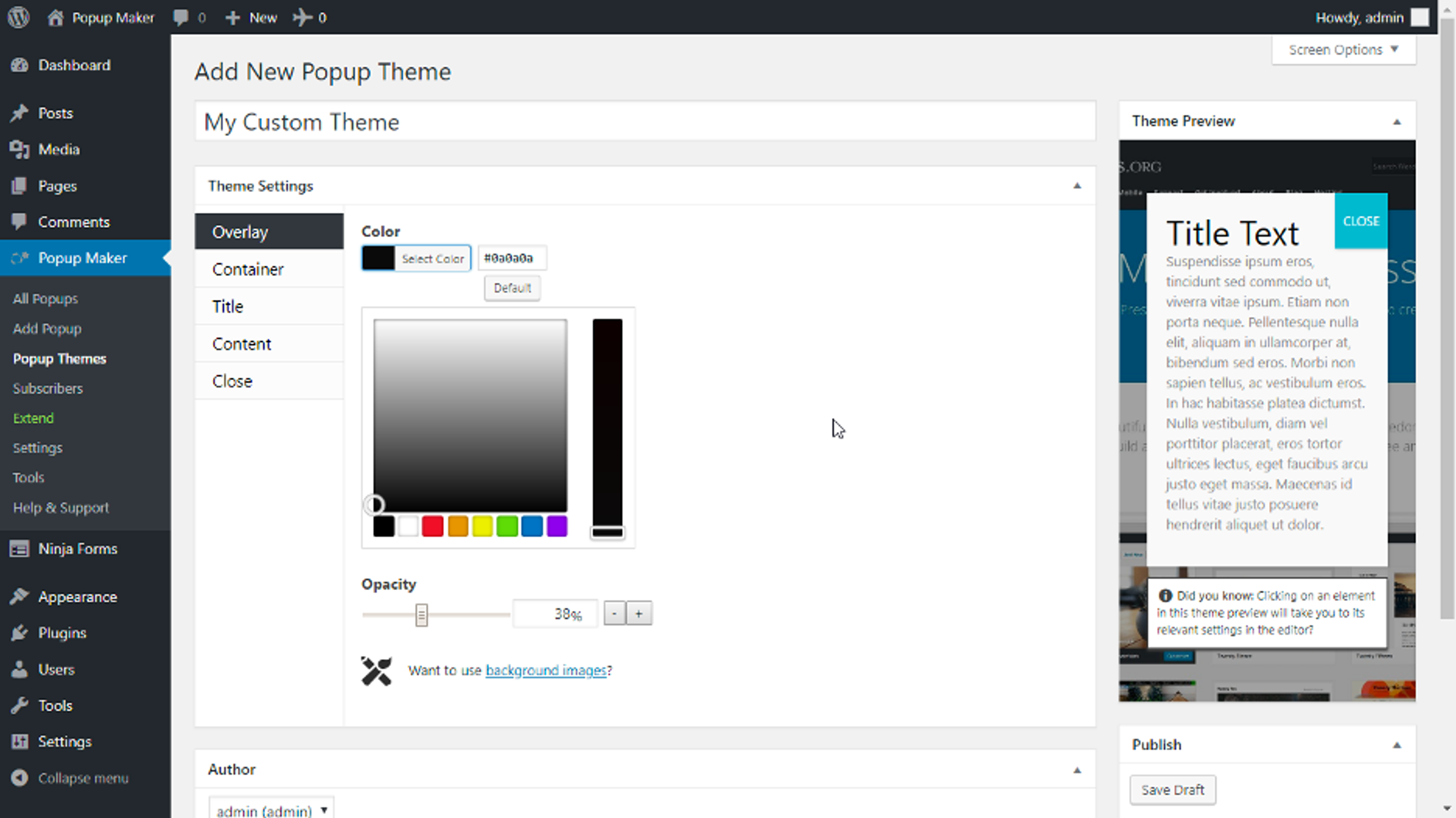
The last popup plugin we’ll cover is a lightweight yet powerful tool for creating popup campaigns.
One unique feature of Popup Maker is that you can create video popups in addition to those with custom images. It’s a great option for brands that have video content they want to show off.
Additional benefits:
*Although it's a free popup software, you won’t be able to create any exit-intent popups without upgrading to a paid plan.
With a plethora of exit-intent popup plugins available for WordPress, selecting the right one can be a daunting task.
Here are some key factors to consider when choosing an exit-intent popup plugin:
Popular exit-intent popup plugins for WordPress, such as OptiMonk, Popupsmart, and Thrive Suite, offer a variety of features and customization options.
These plugins are designed to be easy to use, making them suitable for both beginners and experienced marketers.
Here's a step-by-step guide on how to create an exit-intent popup forms in WordPress:
Start by selecting a popup builder plugin for WordPress from the list above. OptiMonk is one of the best popup plugins out there and it offers a free plan.
Go to your WordPress dashboard, navigate to "Plugins," and click on "Add New." Search for the chosen popup plugin (i.e. OptiMonk), install it, and then activate it.
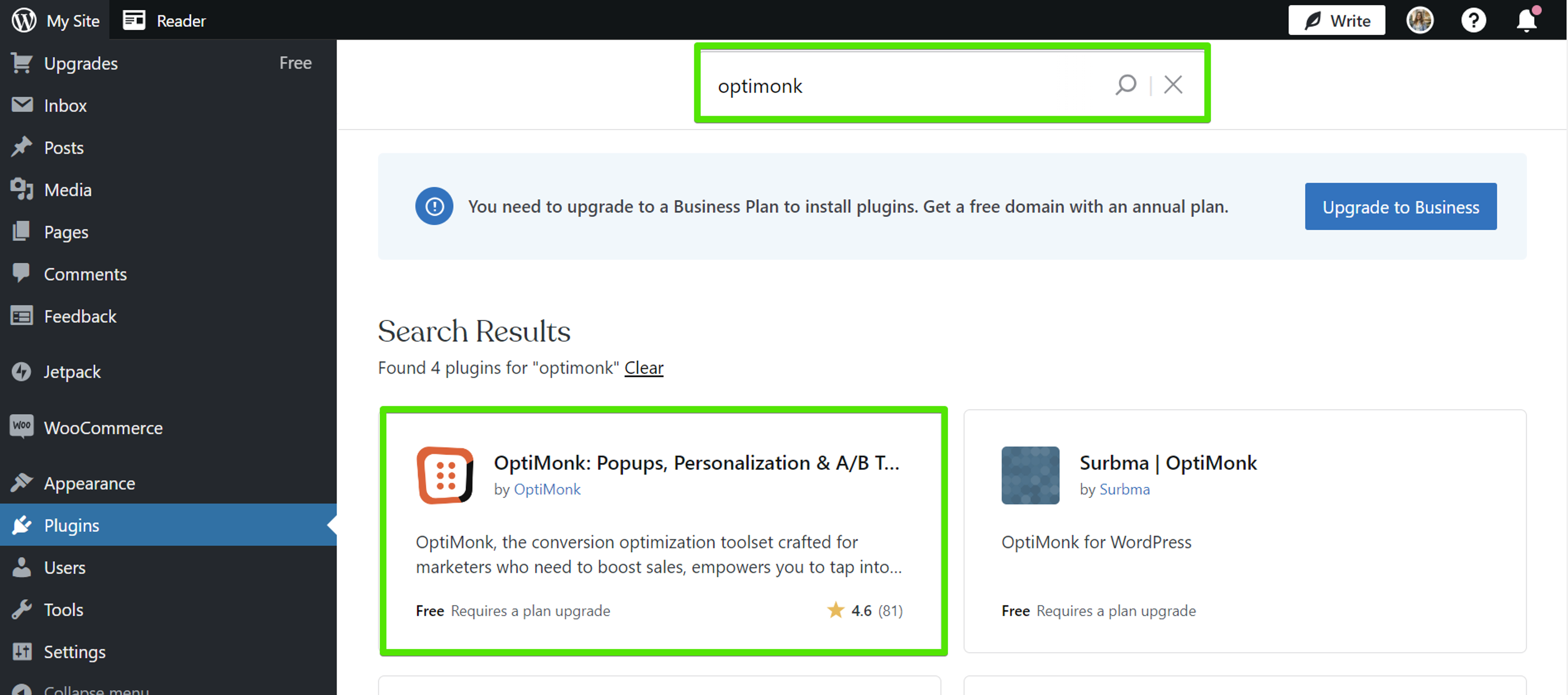
After activation has been completed successfully, you’ll find the OptiMonk plugin in the list of Installed Plugins.
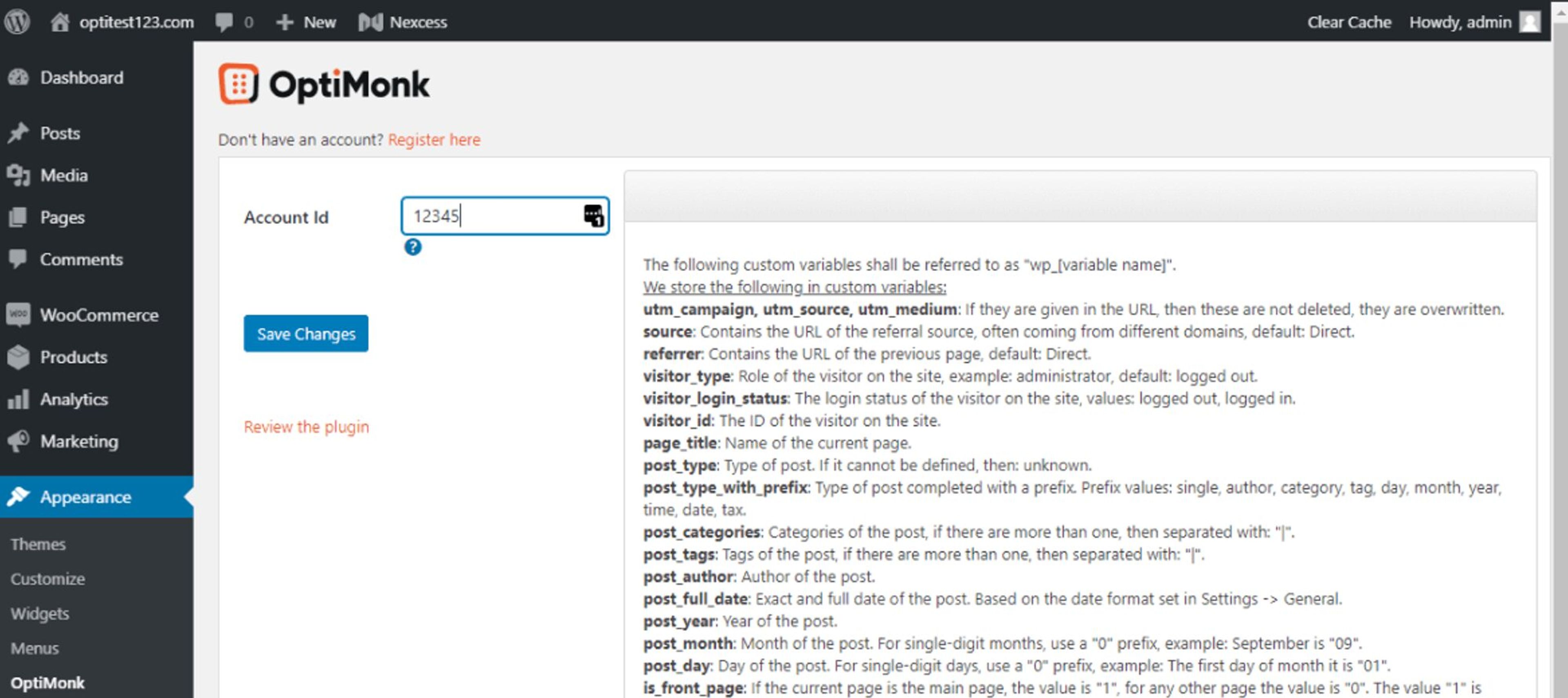
The next step is to copy your OptiMonk ID. Log in to your OptiMonk account (or create one), add your domain, and open its installation guide: the step called "Insert your OptiMonk ID number" shows the ID.
Now go back to the WordPress admin page, navigate to Appearance on the left and select OptiMonk. Paste your OptiMonk ID into the plugin and click Save Changes.
Once the plugin is set up, open OptiMonk, click "New campaign" and describe the popup, for example "an exit-intent popup with 10% off for first-time visitors".
The agent draws four concepts in your brand's colors and fonts. Pick one and refine it by asking, or by hand in the visual editor. For ideas, browse the Popup Library.
In the targeting step, check that the popup shows on exit intent. This is the crucial step to ensure the popup appears when a visitor is about to leave your site.

Then you can adjust the display settings to determine where and when the exit-intent popup will appear. You may choose to display it on specific pages, categories, or site-wide.
Once your exit-intent popup is live, monitor its performance and optimize it for better results.
Interested in learning more about exit-intent popups? This video has you covered:
So that’s our list of the 11 best WordPress exit-intent popup plugins. Hopefully, you’ve found a plugin that suits your needs.
The ideal WordPress exit-intent popup will bring visitors on the edge of leaving your site back into the fold. That’s because people respond when you send the right message at the exact moment they need to see it.


50 CTA button texts for online stores and popups, grouped by the shopper's moment, plus what makes a button worth clicking.

40 website welcome message examples for online stores, grouped by situation and industry, ready to copy into a welcome popup.

12 Christmas popup examples for online stores, from welcome offers and spin-to-win wheels to gift quizzes and last-chance countdowns.


