






Top Sleeknote Alternatives to Get More Leads in 2026
In this article, we'll share the best alternatives to Sleeknote that help you to get more leads in 2026.
Let's discuss the importance of collecting customer feedback, methods for collection, different types of feedback, and how to analyze it.
In short
Discover effective strategies for collecting and analyzing user feedback in 2026 to enhance customer experience and drive business growth. Learn about various feedback types, including Net Promoter Score (NPS) and Customer Satisfaction Score (CSAT), and explore methods like online surveys and social media engagement. Boost conversions and customer loyalty by leveraging actionable insights from customer feedback.
Did you know that 96% of unhappy customers don’t complain, and 91% of customers will leave without even informing you?
How can you ensure that you hear about the complaints of these customers and make changes to improve the customer experience?
A simple and effective solution is to obtain, collect, and continuously analyze user feedback, and then act upon it.
In this article, we’ll discuss the importance of collecting customer feedback, methods for collection, different types of feedback, and how to analyze it effectively.
Let’s get started!
User feedback (or customer feedback) is any opinion, review, critique, or even a “pat on the back” that you receive from your customers. It can be both positive and negative.
Customer feedback serves as a valuable source of insight for businesses and organizations, offering direct and unfiltered perspectives on what customers like, dislike, and wish to see improved.
According to Bill Gates, “Your most unhappy customers are your greatest of learning.”
Similarly, positive feedback can enable you to receive more case studies, reviews, testimonials, or even referrals.
User feedback is useful for your company in many ways:
Collecting and analyzing user feedback also helps you with direct tangible benefits:
According to SurveyMonkey’s research, 85% of small and mid-sized companies say that online feedback has been useful for their businesses.
The research also showed that 91% of people believe that innovation should be fueled by listening to buyers and customers, rather than hiring experts.
As you can see, there are numerous benefits of collecting user feedback.
There are a variety of methods for collecting user feedback. Let's take a look at the most popular ways.
Asking your users to fill out a survey is practical and easily scalable. Many CRMs and MAPs also allow you to automate this process based on specific triggers.
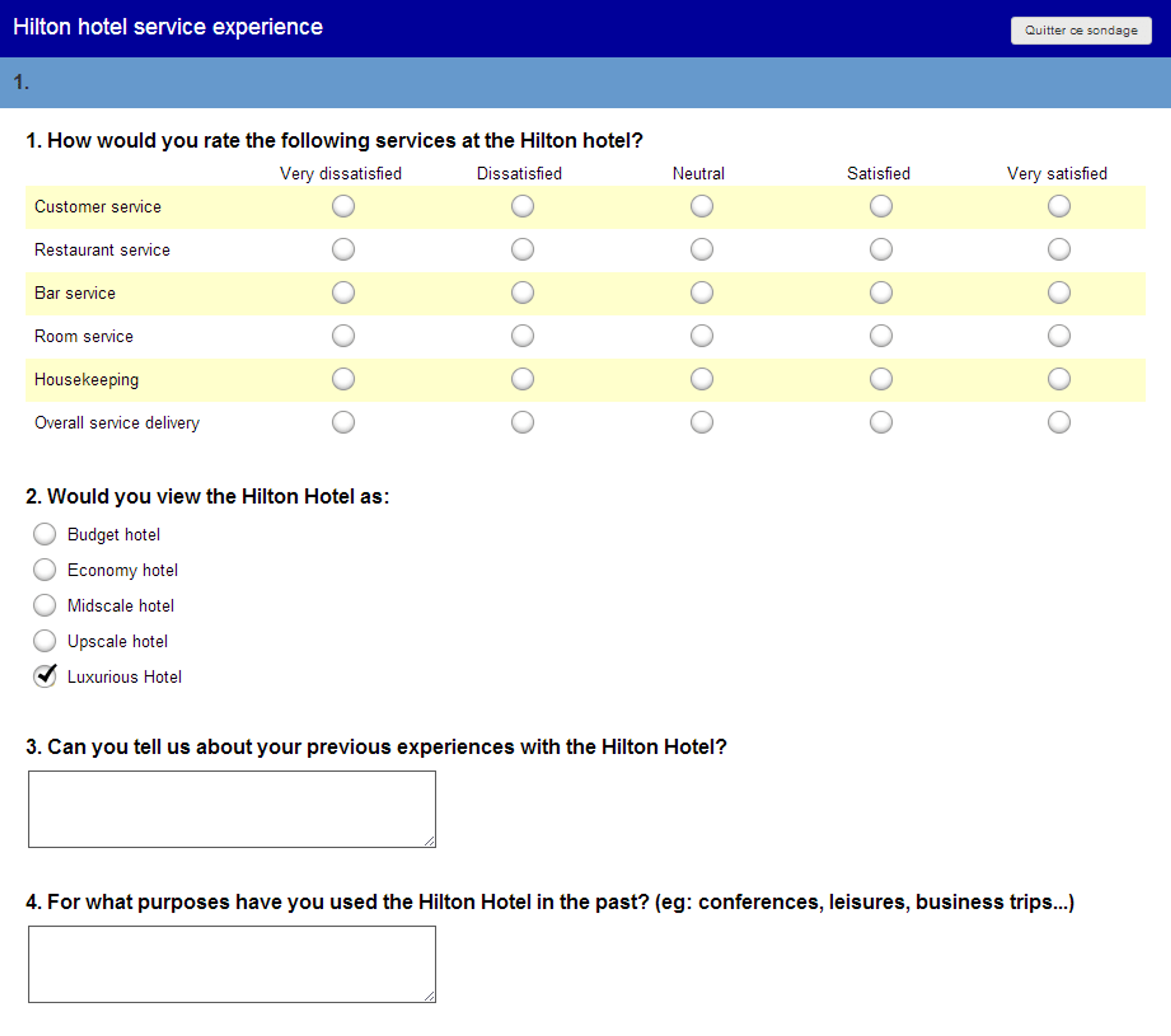
Image source: Pinterest.com
Phone calls or in-person meetings are perhaps one of the best and most effective ways of getting direct feedback from your users.
However, it’s not scalable as it becomes impossible to speak with every customer.

Popups and website forms can be used to collect feedback from a large number of website visitors or product users. It’s an excellent option for users who want to provide input yet also maintain anonymity.
Popups are also great because you can trigger them when the user has taken a specific action.
See how an OptiMonk user collects user feedback on popups:
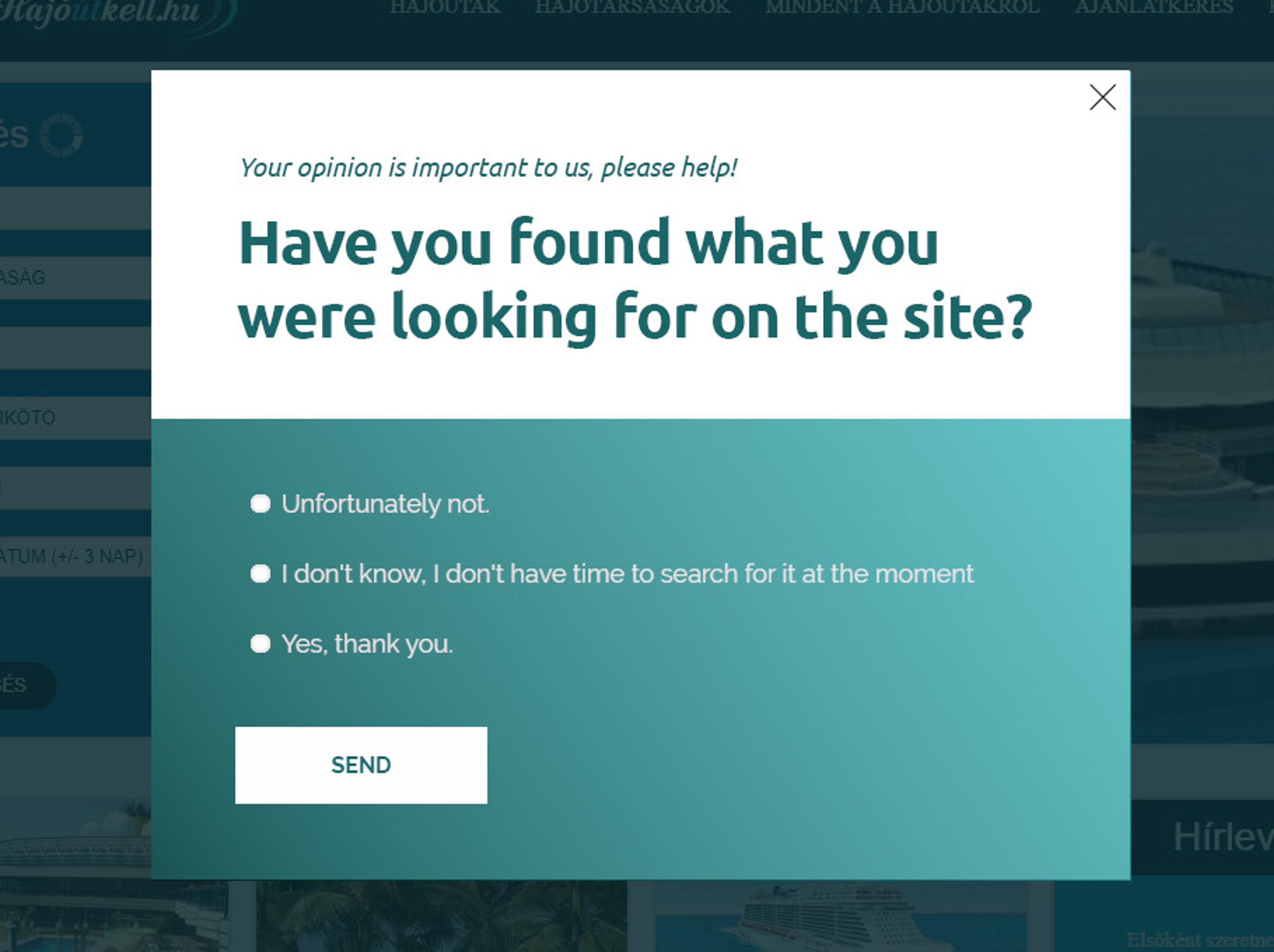
If you'd like to get instant feedback form website visitors, you can get started with these popup ideas:
Facebook, Twitter, Reddit, and LinkedIn are also excellent avenues for users to leave feedback publicly.
Some brands maintain private Facebook groups that allow users to communicate directly with their brand and other customers.
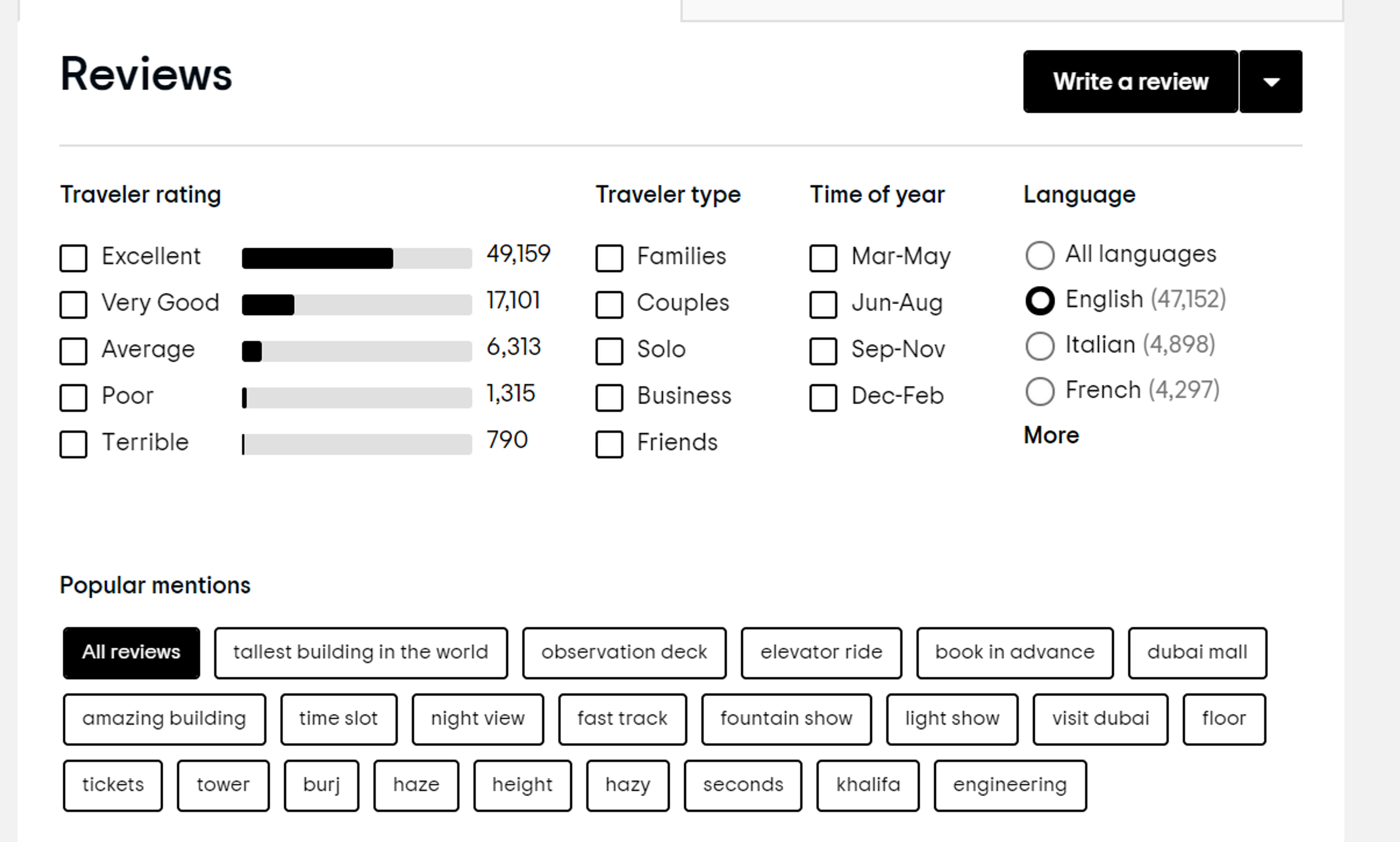
Sites like G2, Capterra, Gartner, provide users with a single source of verified public reviews. It helps them review and compare a company before they are ready to make a purchasing decision.
Each ecommerce product category has specific review sites that are a public collection of online reviews.
Now let's delve into the five feedback types that can provide invaluable insights into enhancing your products, services, and overall customer experience.
Net Promoter Score (NPS) is a widely used metric to measure satisfaction, engagement, and loyalty.
The system was created in 2003 by New York Times best-selling author Fred Reichheld in partnership with Bain & Company and Satmetrix.
Today, more than two-thirds of Fortune 1000 companies use NPS to measure user satisfaction.
The NPS is calculated based on the response to a key question:
"On a scale of 1-10, how likely are you to recommend (brand) to your friend or colleague?"
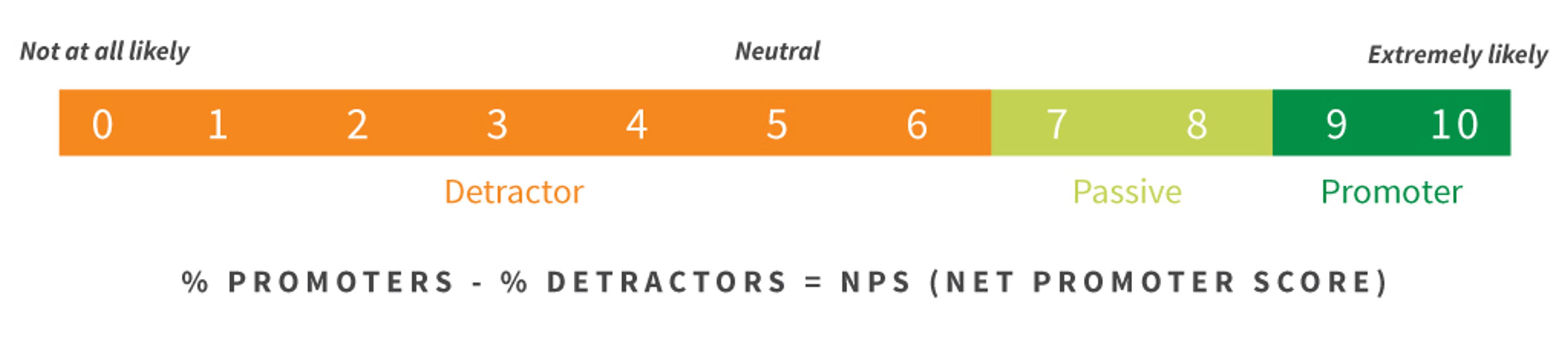
Based on the survey responses, the customers are then split into three distinct groups:
Companies usually arrive at the NPS by subtracting the percentage of Detractors from the percentage of Promoters.
The scores can range from -100 to +100.
A positive NPS score is generally considered good, and an overall NPS score of over +70 is considered excellent.
NPS is a useful KPI in measuring user satisfaction with your product and your company. It also provides you with a high-level indication of how satisfied/not satisfied your current user base is with your product.
If you notice an overall negative/downward trend, your team can immediately rectify the problem.
If you notice an overall positive trend — then you can capitalize on this by collecting case studies, testimonials, and reviews.
A higher NPS is an indication of potential future revenue growth. Hence, it’s very effective and widely used across many industries.
There are many ways to collect and measure NPS and feedback. Companies can use simple survey tools such as Google Form, SurveyMonkey, or Typeform to send periodic surveys to their customer base.
As an OptiMonk user, you can use a sticky bar to automate user feedback collection. Here’s how our team collects feedback from users using an OptiMonk NPS sticky bar:

You can use the NPS sticky bar templates below to enable your customers to easily rate your service or product on a scale of 1-10.
Measuring the responses will provide you with an overall understanding of your customer satisfaction.
CSAT is commonly used by technical support and customer success teams to gauge the quality of customer interactions.
It can also be used to study and evaluate the customer’s satisfaction with the business or the product.
CSAT scores can be used at various touchpoints throughout the customer journey:
The benefit of using CSAT is its simplicity. It’s a fast and easy way to measure customer satisfaction and engagement.
Customers and users are more likely to respond because there are a few questions. It also helps you understand how effective your customer experience is at each stage and each interaction.
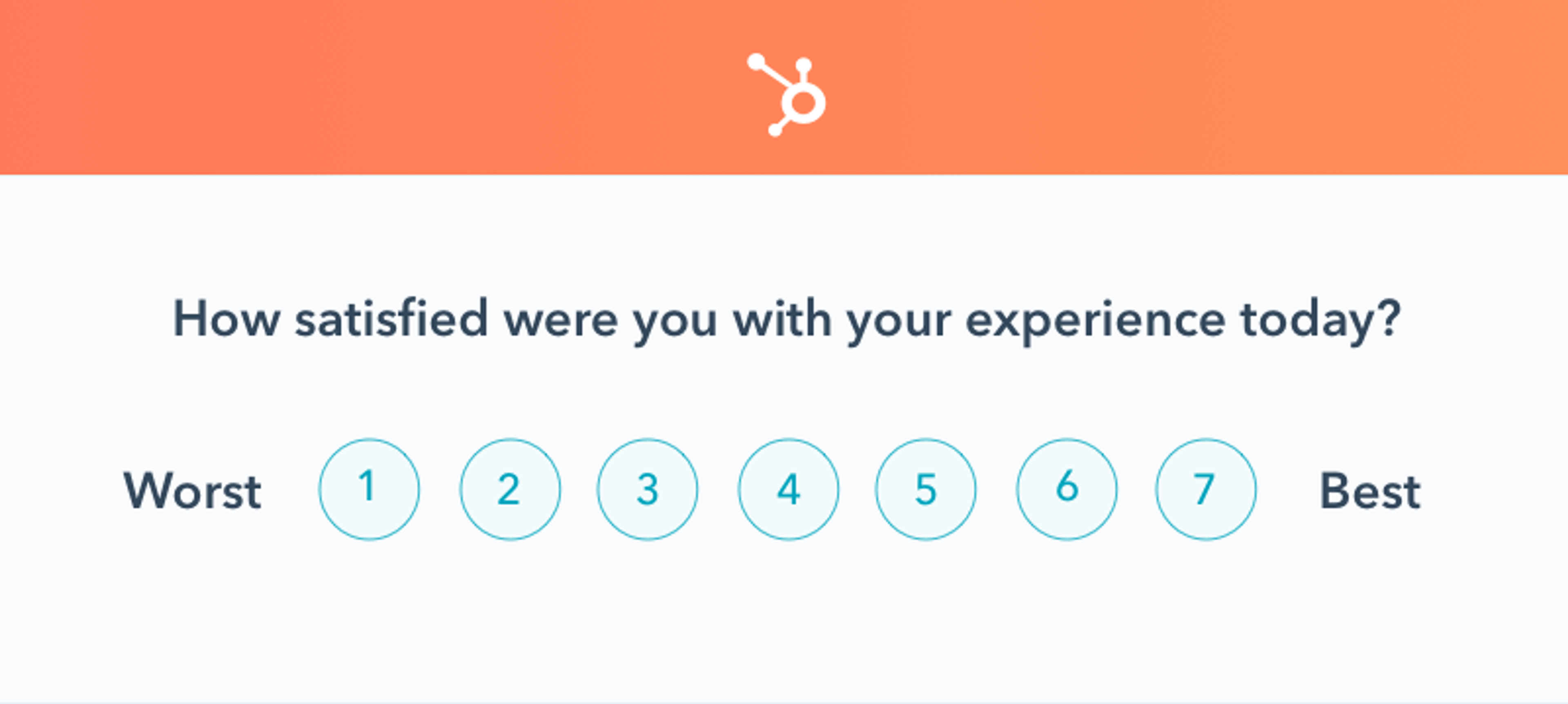
Image Source: HubSpot
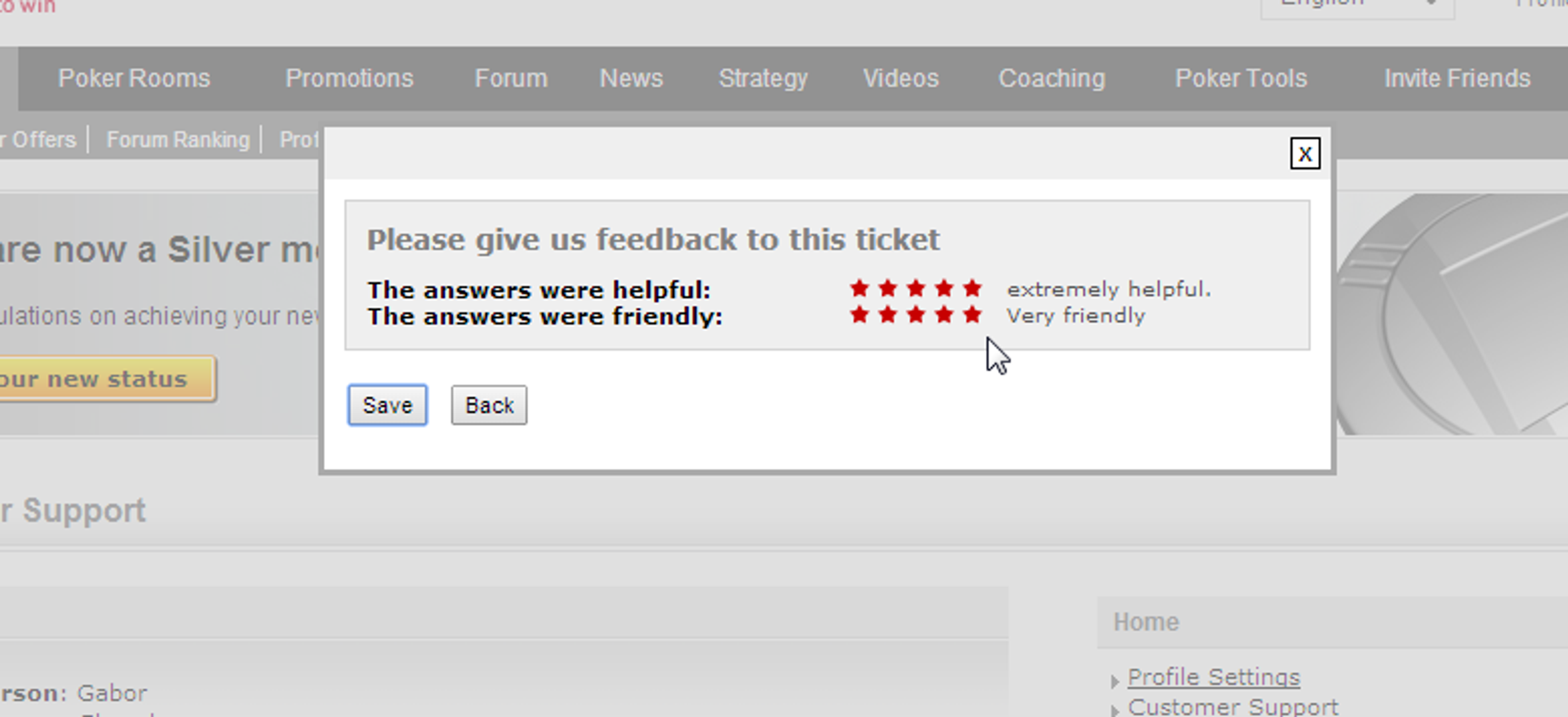
Here’s an example of a popup from PokerStrategy.
As soon as a user finishes their interaction with a customer support rep, this popup is shown to the customer.
Customer Effort Score (CES), originally pioneered by the Corporate Executive Board (CEB) is a type of customer satisfaction metric that helps measure the overall service experience with your company.
In other words, it measures how effortless an individual customer’s interaction with your service/customer success team is.
The less effort and time it takes them to solve a problem — the more happy and loyal to your brand they are.
On the other hand, if it takes them multiple attempts, more time, and a lot of effort to get their problem solved — then they are more likely to be unhappy, dissatisfied, and disloyal to your brand.
Higher CES scores usually relate to a happier and more engaged customer service team. Since they are not spending a lot of their time troubleshooting, dealing with angry customers, and being burnt out — it ensures that they continue to work for your company.

Image Source: QuestionPro
CES scores range from 0-100.
The CES is the total number of customers who agree that the interaction was easy (score of 4 or 5), divided by the total number of survey responses.
However, a higher CES alone doesn’t necessarily mean that your customers and loyal and will continue to renew.
The CES only measures their satisfaction rating with their interactions with your customer service team. Other metrics such as NPS and CSAT are still valuable. The CES should be used in conjunction with the other surveys to ensure that you are properly measuring the customer experience.
As an online business of any kind, there will be times when customers will downgrade, not renew, or worse cancel altogether.
It’s normal for any business to experience this, no matter how great your product or service is.
But wouldn’t you want to know why that customer made that particular decision to downgrade or cancel?
This is where retention surveys prove to be valuable.
You can use a retention survey in many scenarios:
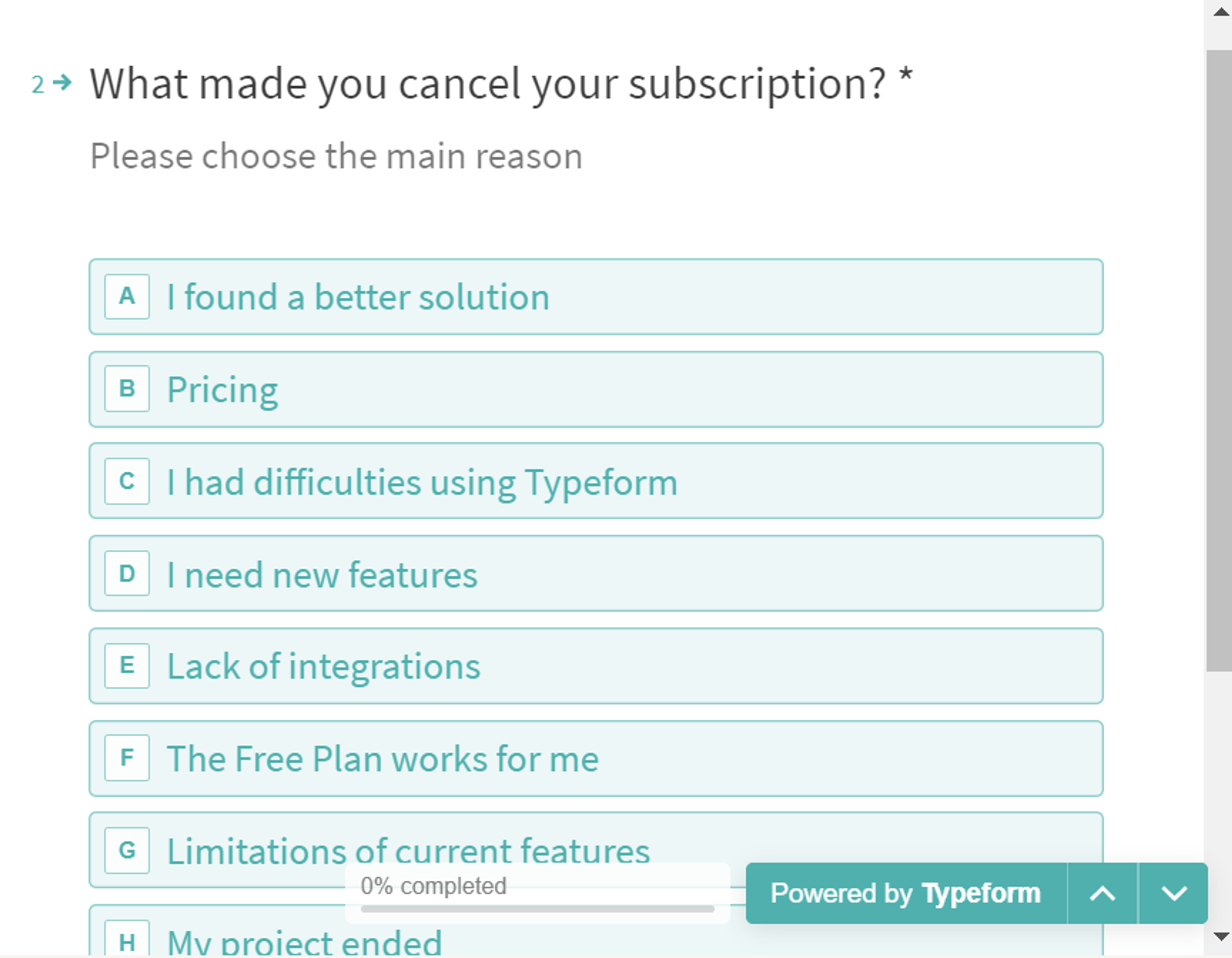
Image source: Typeform
According to Customer Experience Magazine, only 1 in 26 customers are likely to bring up their complaints. The other 25 usually cancel their service or leave without ever letting you know.
That’s definitely a scary statistic!
It’s a rude awakening for online businesses and ecommerce stores to be proactive, and not wait till the last minute to save a customer relationship.
Hence, it’s important to collect ongoing user feedback throughout the customer journey — website visits, conversion triggers, product purchase, onboarding, product usage, customer interactions, etc.
The more user feedback your team collects, the more you can ensure that customers are happy and satisfied.
All of this has a direct bearing on your revenues and customer loyalty.
Here’s an excellent example of using social media to collect user feedback.
In Dec 2016, Brian Chesky, CEO of AirBnB sent out a tweet asking AirBnB customers which features they would like to see in the near future.
AirBnB received suggestions from over 2,200 people — which the team was able to prioritize and add to their future product roadmap. The best thing about this was it cost AirBnB 0 dollars to collect all this valuable feedback.

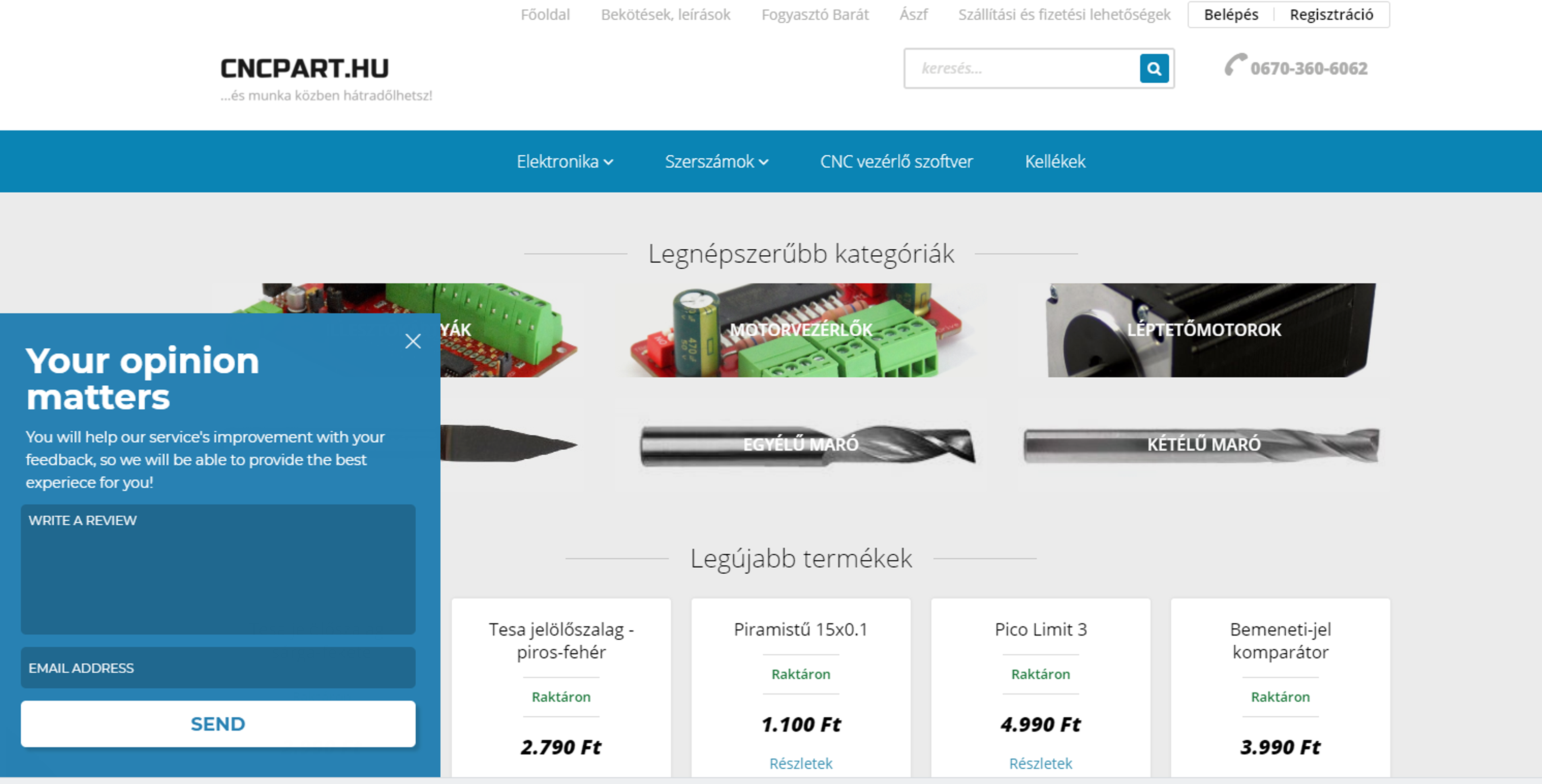
Here’s an example of an OptiMonk customer CNCPart on how they gather feedback from their website visitors.
You now have an understanding of the value of user feedback, and you have seen the different methods for collecting feedback. What’s next?
In this section, we'll cover the steps required to analyze customer feedback and put the lessons into action.
Obtaining and collecting user feedback is only one-half of the battle. The feedback data only becomes useful when you can put it together in an understandable format.
For this, you have to organize all the customer feedback data from various sources into a spreadsheet (Google Sheets or Microsoft Excel).
However, if you really want to use the collected data properly, consider using ThinkBigAnalytics. A good data science company can unlock wonders from your data set.
In addition to the survey responses, it will also be helpful to add more information about the customer to this new spreadsheet — their average spend, their inception date, a specific product, etc.
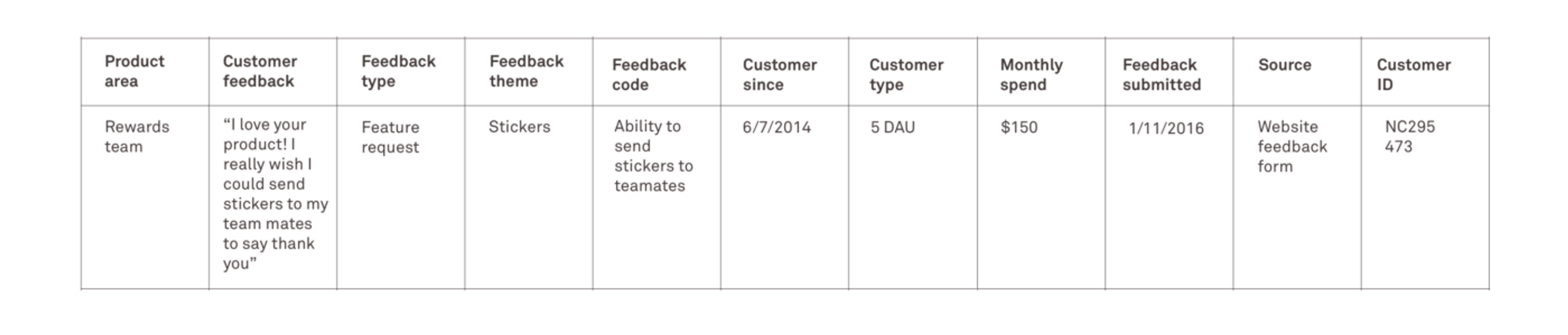
Image Source: Intercom
It’s important to provide further context to all the user feedback you have collected.
The next step is to categorize the feedback into various buckets. Grouping or categorizing your feedback will help forward it to the right person or team when they are ready to be actioned.
Let’s say you're an ecommerce store owner. Here are just a few types of user feedback you might get:
As you can notice from the list, some of the above user feedback is related and can be grouped into a specific area such as website, shopping cart, purchasing, shipping, products, etc.
These are unique feedback themes.
By grouping all your user feedback under the respective feedback themes — you are then able to understand where to prioritize.
Sometimes, feedback themes are team-specific (merchandising, finance, sales, marketing, product, etc.). All the feedback under a particular theme can then be shared with the respective teams.
It is not enough just to create feedback themes and group the user feedback.
To make the analysis more complete, it’s essential to narrow them down further.
You might find that there are also other factors that need to be taken into consideration:
Understanding this will help you further narrow down and simplify your feedback collection. Hence, feedback codes are useful and effective.
The purpose of the feedback code is to elaborate on the user feedback and make it more understandable for someone looking at it for the first time. It helps to make sure that everyone is on the same page when reviewing all the user feedback.
Here’s an example of what a Feedback code will look like for an ecommerce store:
Another benefit of creating a feedback code is that it removes any lack of clarity.
For example, you might see a lot of feedback under “payment issues”.
However, that’s very generic, and it could mean a lot of things.
It could mean “issues with a particular credit card”, or “issues setting up a shopping cart”, or “issues applying discount codes”.
The more specific you can get with feedback codes, the easier it is to fix those problems in the future.
Once you have organized all the user feedback based on codes, the next step is to check for patterns.
Do you notice that some user feedbacks are more prominent and are repeated over and over again? Then these must take priority because a large number of your customers are requesting it.
The same goes for positive feedback as well. If you notice that most of your positive reviews are about the vast selection of merchandise on your ecommerce store, then perhaps there are more similar shoppers who are also looking for a large selection rather than just shopping for the lowest price. You can then use this data to target similar customers using paid social ads or email marketing.
Another example is if you have just launched a new software feature, and you notice that the majority of the user feedback is about issues or bugs. This then becomes your immediate product priority rather than focusing on the next feature launch.
The next step is to compile all this data in the right format. Summarize the feedback in a presentation or document (with links to the feedback spreadsheet).
Prioritize user feedback based on the following factors:
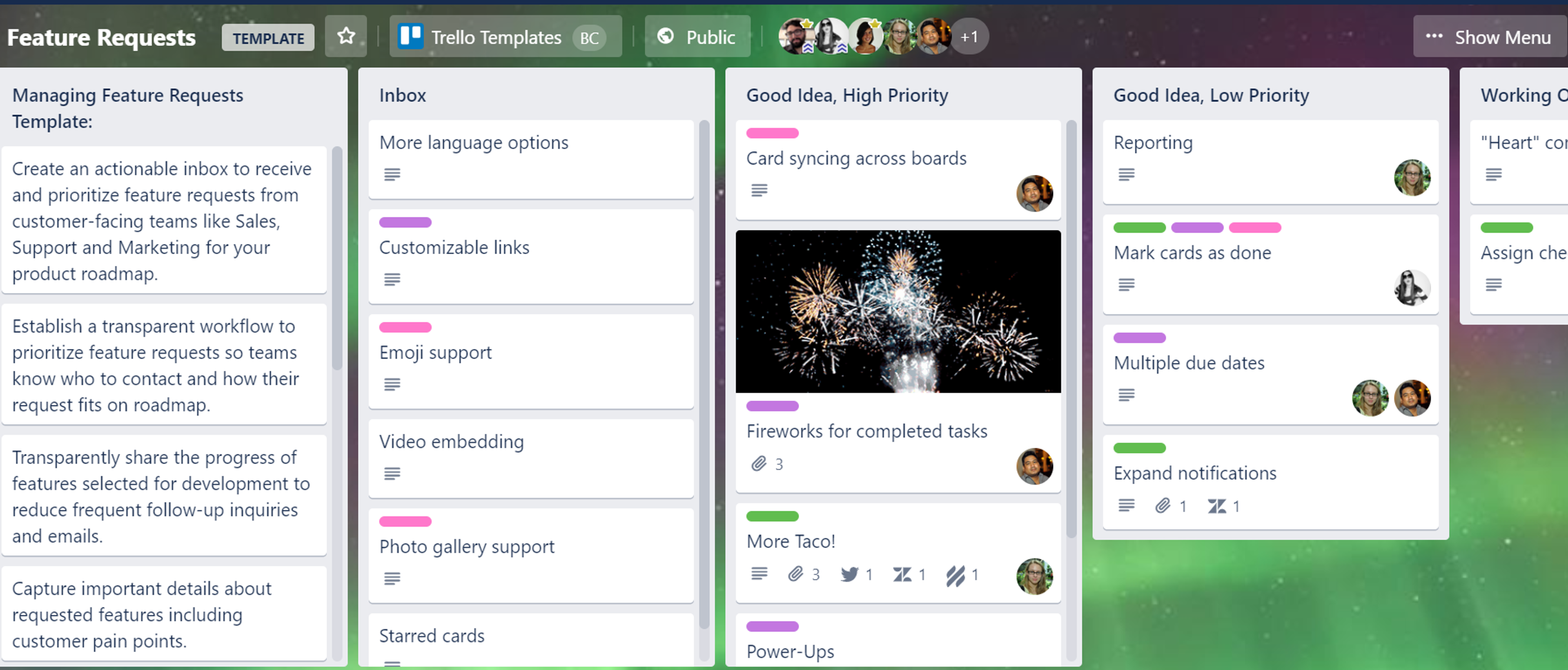
Image Source: Trello Template
Direct feedback methods are ways to collect user feedback by explicitly asking users for their opinions. Common examples include surveys, interviews, feedback forms, and in-app polls. These methods help you understand why users behave a certain way by capturing their thoughts, expectations, and frustrations directly.
The most effective direct feedback methods include:
These methods work best when triggered at key moments in the user journey, such as after a purchase or feature interaction.
Indirect and passive feedback methods collect insights without asking users directly. Instead, they rely on behavioral data and observations to reveal how users interact with your website or product. These methods show what users do, not just what they say.
Common indirect feedback methods include:
These insights help identify usability issues and friction points users may not explicitly report.
The best approach is to combine direct and indirect feedback methods. Direct feedback explains user intent and sentiment, while indirect feedback validates it through real behavior. Together, they provide a more complete and reliable understanding of user needs.
To collect actionable user feedback, you should:
Actionable feedback leads to decisions, not just reports.
Best practices for successful user feedback collection include:
These practices improve response rates and feedback quality.
User feedback should be collected continuously, not just once. Ongoing feedback during onboarding, product usage, and post-purchase stages helps you identify issues early and adapt to changing user expectations.
We hope this article has provided you with a better understanding of where and how to collect user feedback.
We covered the most common user feedback metrics and methods, as well as how to convert this data into actionable insights that can help you improve your product, sales, and brand loyalty.
Now it's time to get started with collecting customer feedback.


In this article, we'll share the best alternatives to Sleeknote that help you to get more leads in 2026.

Wisepops' 2026 pricing changes explained, plus six alternatives matched to the exact problem each one solves: pricing, free plans, platform access, and AI.

Discover the top 5 AI popup tools for 2026 that boost website conversions. Learn how AI-driven popups personalize offers, optimize timing, and increase engagement.