


Shopify Discount Codes: How to Create, Share and Auto-Apply Them
How to create a Shopify discount code, share it as a link, and show the right code to the right visitor.
Where to see abandoned carts in Shopify, how to set up recovery emails, how to catch shoppers before they leave, and the best apps for each channel.
In short
Every abandoned cart in Shopify is a sale a shopper almost made. Shopify lists abandoned checkouts and can send recovery emails or SMS automatically. Add an exit-intent popup to stop shoppers before they leave, and pick apps by channel: email, SMS or onsite.
A shopper fills a cart in your Shopify store, gets as far as checkout and closes the tab. Shopify notices, but only afterwards, and only if that shopper typed in an email first.
That leaves you two chances to win the sale back: while the shopper is still on your store, and later, in their inbox. You don't need a developer for either, and part of it is already built into Shopify.
In Shopify, an abandoned cart is any visit where a shopper shows buying intent and leaves without an order. Shopify splits it into three stages, and only the last one, the abandoned checkout, shows up in your admin.
| Type | When it counts | What Shopify shows you | How to recover it |
|---|---|---|---|
| Abandoned product browse | The shopper views at least one product but doesn't add it to the cart | Nothing in the admin | "Convert abandoned product browse" automation (email or SMS, marketing subscribers only) |
| Abandoned cart | The shopper adds products to the cart but doesn't start checkout | Nothing in the admin | An exit-intent popup on your store; "Recover abandoned cart" automation (email or SMS, marketing subscribers only) |
| Abandoned checkout | The shopper starts checkout, gives an email and doesn't finish for more than ten minutes | Orders → Abandoned checkouts | "Recover abandoned checkout" automation (email or SMS); an exit-intent popup while they're still on the site |
Source: Shopify Help Center.
For the wider definition, see cart vs. checkout abandonment.
To see abandoned checkouts in Shopify, go to Orders → Abandoned checkouts in your admin. Each checkout has a timeline of payment attempts, and the Email status and Recovery status columns show whether a recovery email went out and whether the shopper came back. Checkouts that Shopify Payments blocked as high risk sit in a separate Blocked view.
A few limits to know:
Shopify's recovery emails and SMS now live in the Shopify Messaging app. The Help Center describes these steps:
On timing: your first new abandoned checkout automation keeps your previous settings, and a second one defaults to a 10-hour wait. Track results on the Automations page and in the Abandoned checkouts emails report by Shopify.
If you still use the older "Abandoned checkout emails by Shopify" setup (with Send to and Send after settings), know that moving to the new automation is permanent. You can't switch back.
Cost: Shopify Messaging is free to install, and the first 10,000 emails each month are free; after that, pricing starts at $1 per 1,000 emails (Shopify App Store). Abandoned checkout automation emails don't count toward that allowance, but cart and browse automations do.
For what to write, see our abandoned cart subject lines, or build a Klaviyo abandoned cart flow instead.
Shoppers mostly leave because of cost, speed and trust. The average cart abandonment rate is 70.32%, based on OptiMonk's own data from 18,000 ecommerce websites; Baymard Institute, which averages 50 studies, puts it at a similar 70.22%. There's no separate Shopify average; for more numbers, see our cart abandonment statistics.
Baymard's top five reasons among US online shoppers (leaving out the 42% who were just browsing), and what to do about each on Shopify:
| Reason (Baymard) | Share | What to do on Shopify |
|---|---|---|
| Extra costs too high (shipping, tax, fees) | 40% | Show shipping early; set a free shipping threshold |
| Delivery was too slow | 20% | Show delivery dates on product and cart pages |
| Didn't trust the site with card details | 19% | Show payment badges, reviews and your returns policy near the cart |
| The site wanted an account | 18% | Let shoppers check out as guests |
| Too long or complicated checkout | 17% | Offer accelerated checkout buttons such as Shop Pay |
More detail in our guide on how to reduce cart abandonment.
Show shipping on product and cart pages. In Shopify you can create an automatic free shipping discount with a minimum purchase amount (Discounts → Create discount → Free shipping). Then tell shoppers how close they are. More in free shipping on Shopify.
Let shoppers buy without creating an account: in Settings → Checkout, leave "Require customers to sign in to their account before checkout" switched off. Keep accelerated checkout buttons on as well; when sign-in is required, Shopify hides buttons like Apple Pay in the cart. Customers signed in with Shop reach checkout with their details already filled in.
An exit-intent popup catches the shopper while they're still on your store, and it works on every visitor, not only on subscribers. The setup is in the next section.
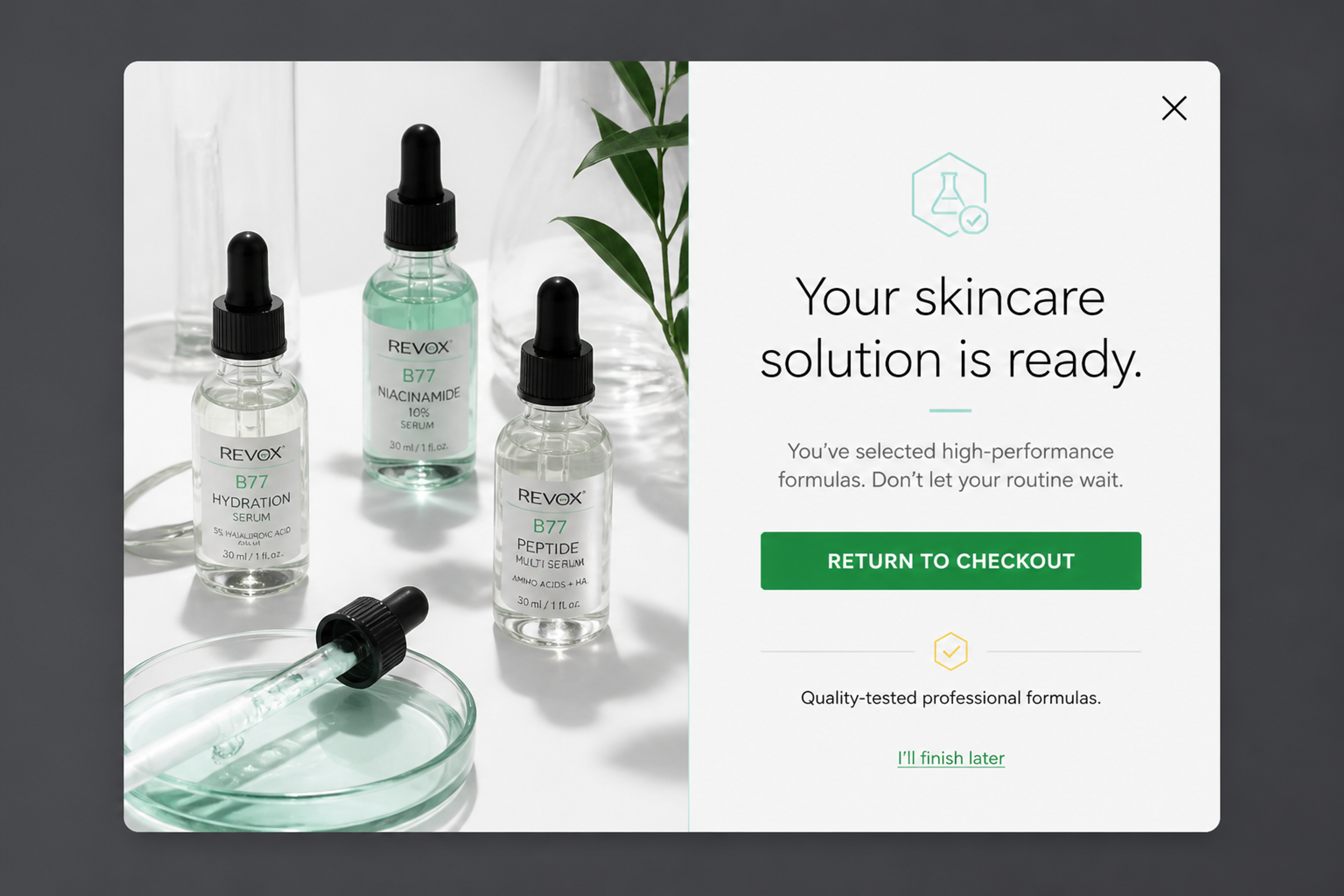
The Editorial Authority (designed for Revox B77): a plain reminder with a Return to checkout button and an "I'll finish later" link, no discount.
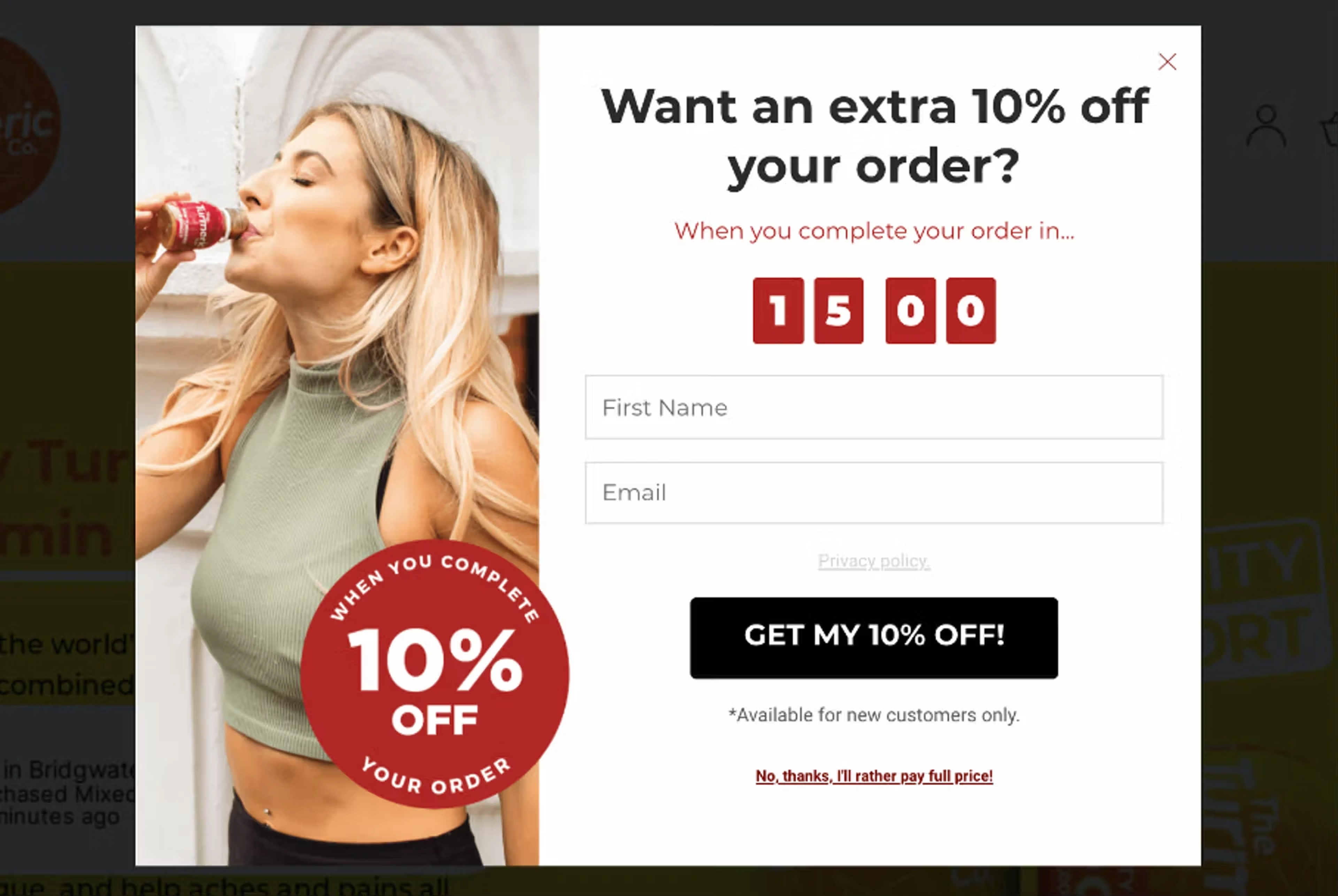
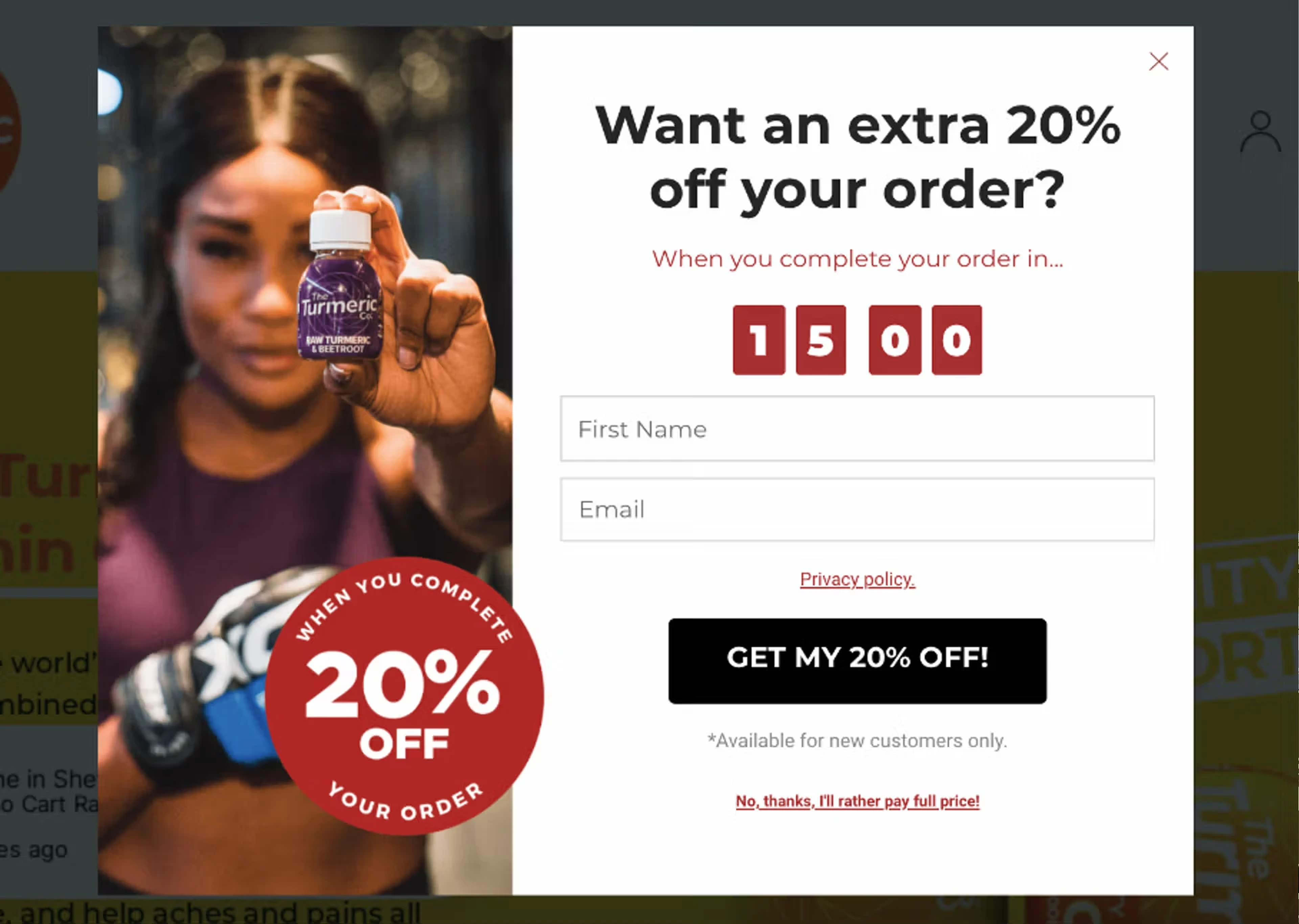
Not every cart needs a discount. Show small carts a reminder and save the bigger offer for high-value carts, with cart value targeting.
The Turmeric Co. did this with two exit-intent popups for new visitors, each with a 15-minute countdown: 10% off for carts between £25 and £79, and 20% off above £79. The two versions converted at 21.40% and 28.76%.
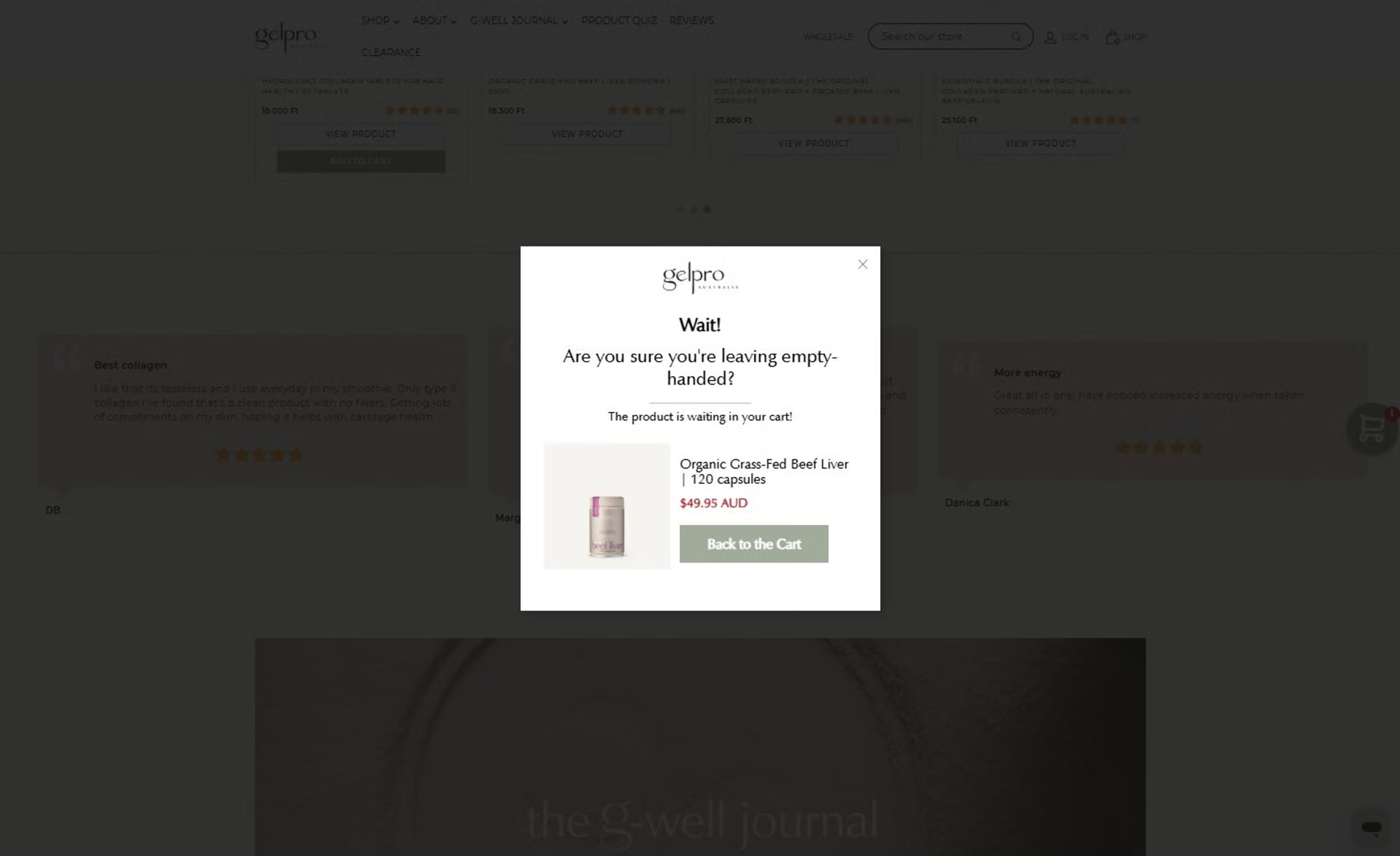
Show the products in the cart, recently viewed items or your most viewed products in the exit popup, with dynamic product recommendations.
Gelpro Australia showed shoppers the products already in their cart in an exit-intent popup ("Are you sure you're leaving empty-handed?") with a Back to the Cart button. The campaign lifted their ecommerce conversion rate by 6%.
Follow up with Shopify Messaging, Klaviyo or Omnisend once the shopper is gone. Retargeting ads on Google or Meta can bring back visitors you have no email for. Shopify Messaging also lists WhatsApp campaigns next to email and SMS.
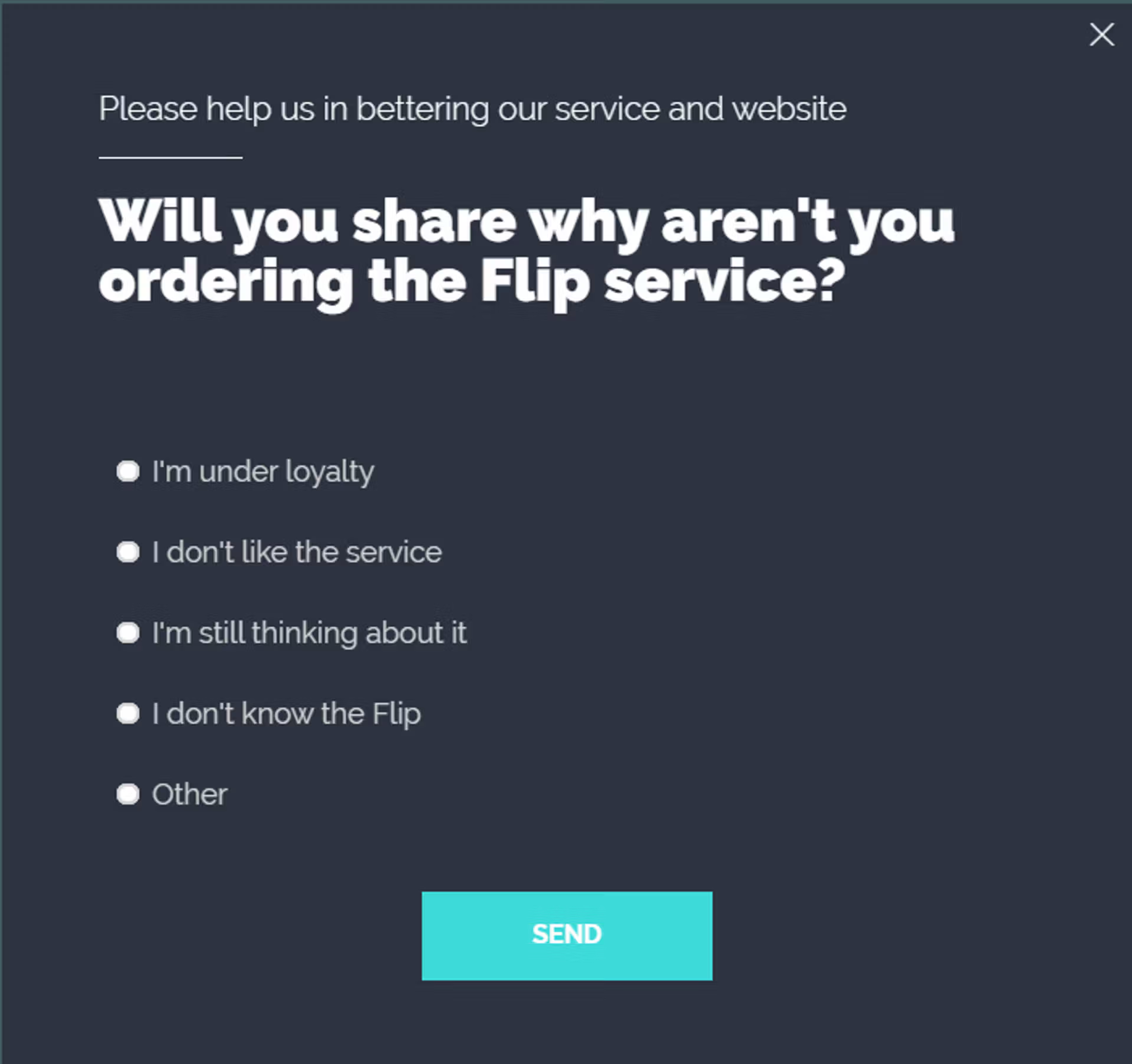
A one-question exit-intent survey on the cart page tells you whether shipping, price or checkout is the problem.
These tactics apply to Shopify Plus stores too, and Plus adds one option. Only on Shopify Plus can you add eligible apps to the information, shipping and payment steps of checkout in the checkout and accounts editor, for example to show delivery dates or trust badges right where shoppers pay. On other plans, checkout apps can change only the thank you and order status pages.
For tactics that work on any platform, see our guide on how to reduce cart abandonment.
Shopify's emails arrive after the shopper has left, and only for shoppers who gave an email and agreed to marketing. An exit-intent popup works before they leave, on every visitor with a full cart. The two work best together.
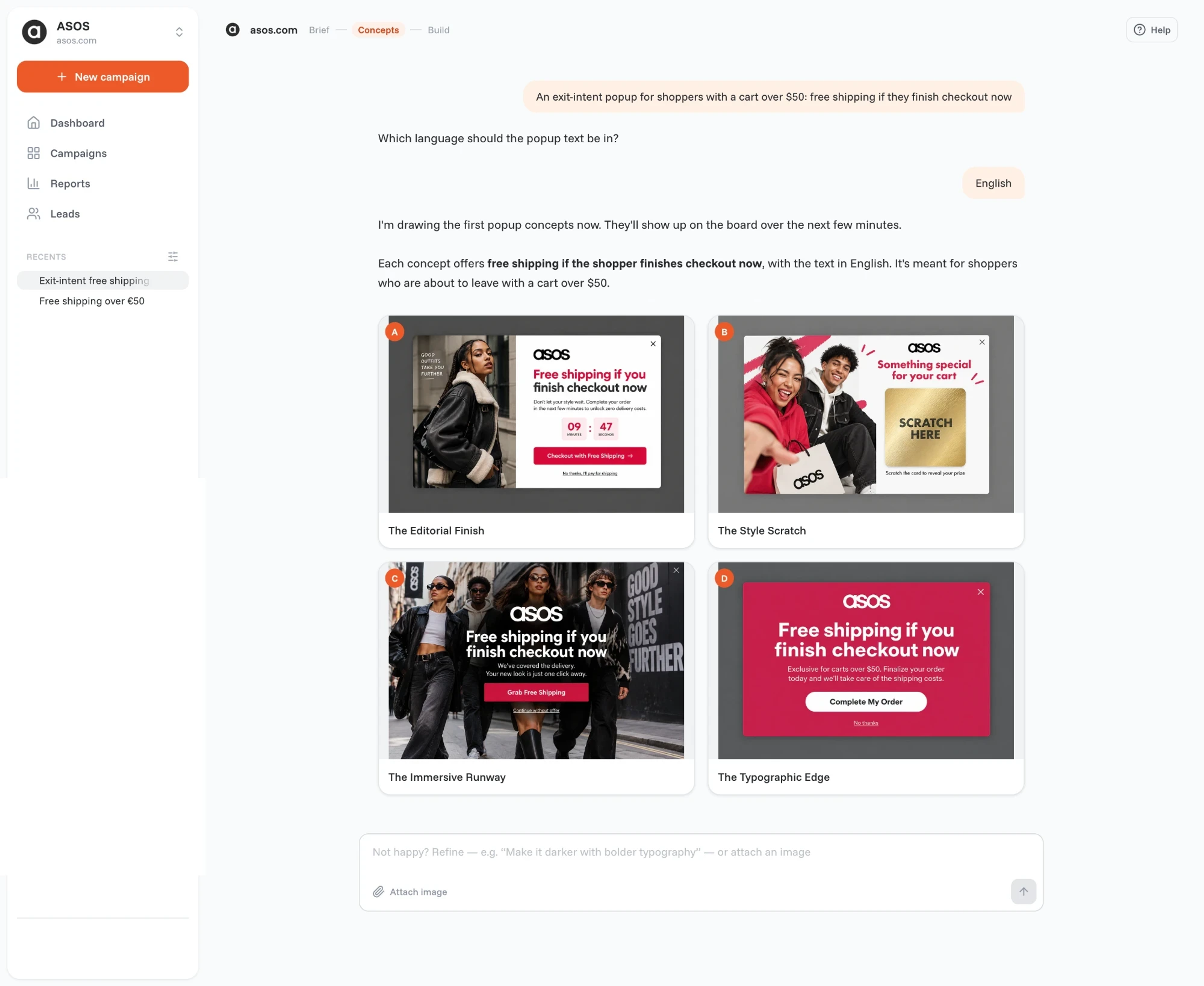
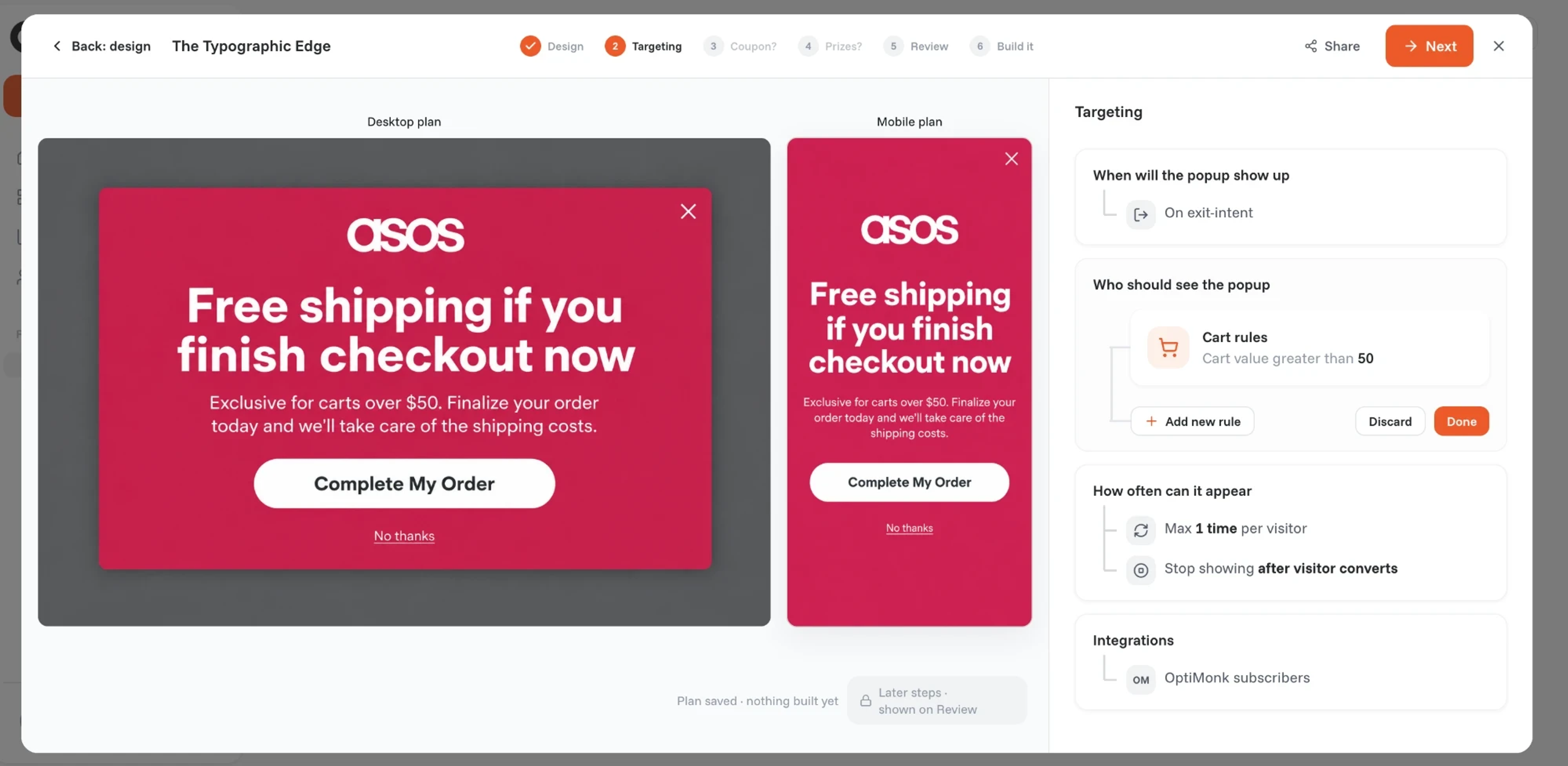
If the popup asks for an email, the address goes to Klaviyo or your other email tool, and the recovery emails run there. OptiMonk doesn't send emails or SMS itself. You can also build the popup from Claude or ChatGPT through the OptiMonk MCP server.
Cart abandonment popups convert well. In OptiMonk's popup statistics, they had the highest average conversion rate of any popup type, 17.12%, compared with 11.09% for all popups. The best results came from popups with an incentive, such as free shipping or 10% off, offered for a limited time.
For the full exit-intent walkthrough, see how to create an exit-intent popup.
These examples come from the OptiMonk Popup Library. The agent designed each one for a real store's brand.
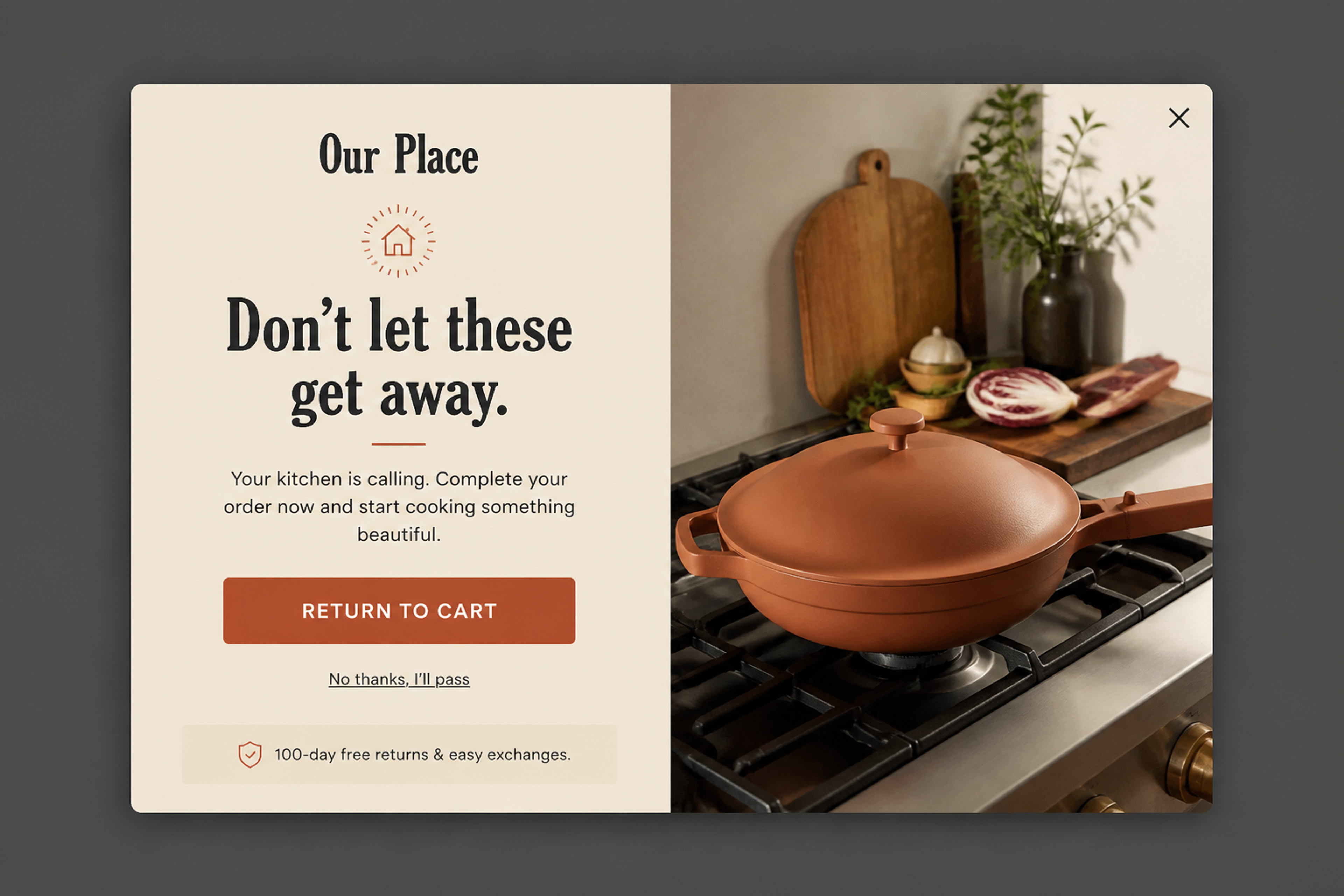
A pure cart reminder with no discount: "Don't let these get away.", one Return to cart button and a 100-day free returns line underneath. It suits brands that don't want to train shoppers to wait for a code.
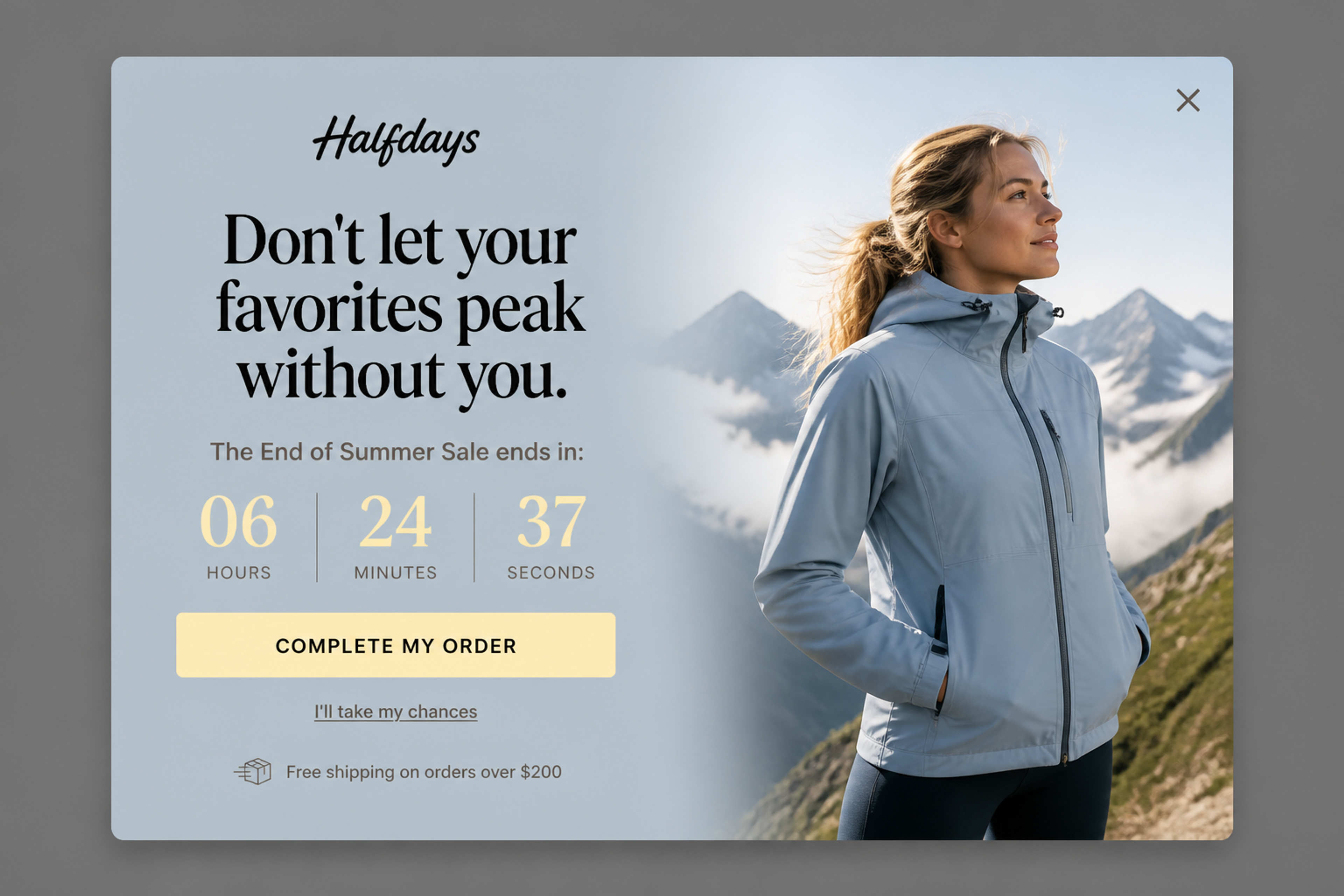
A cart reminder tied to a real sale deadline, with a countdown and a "Complete my order" button. The free shipping threshold sits in the trust line, so shoppers near it have one more reason to finish.
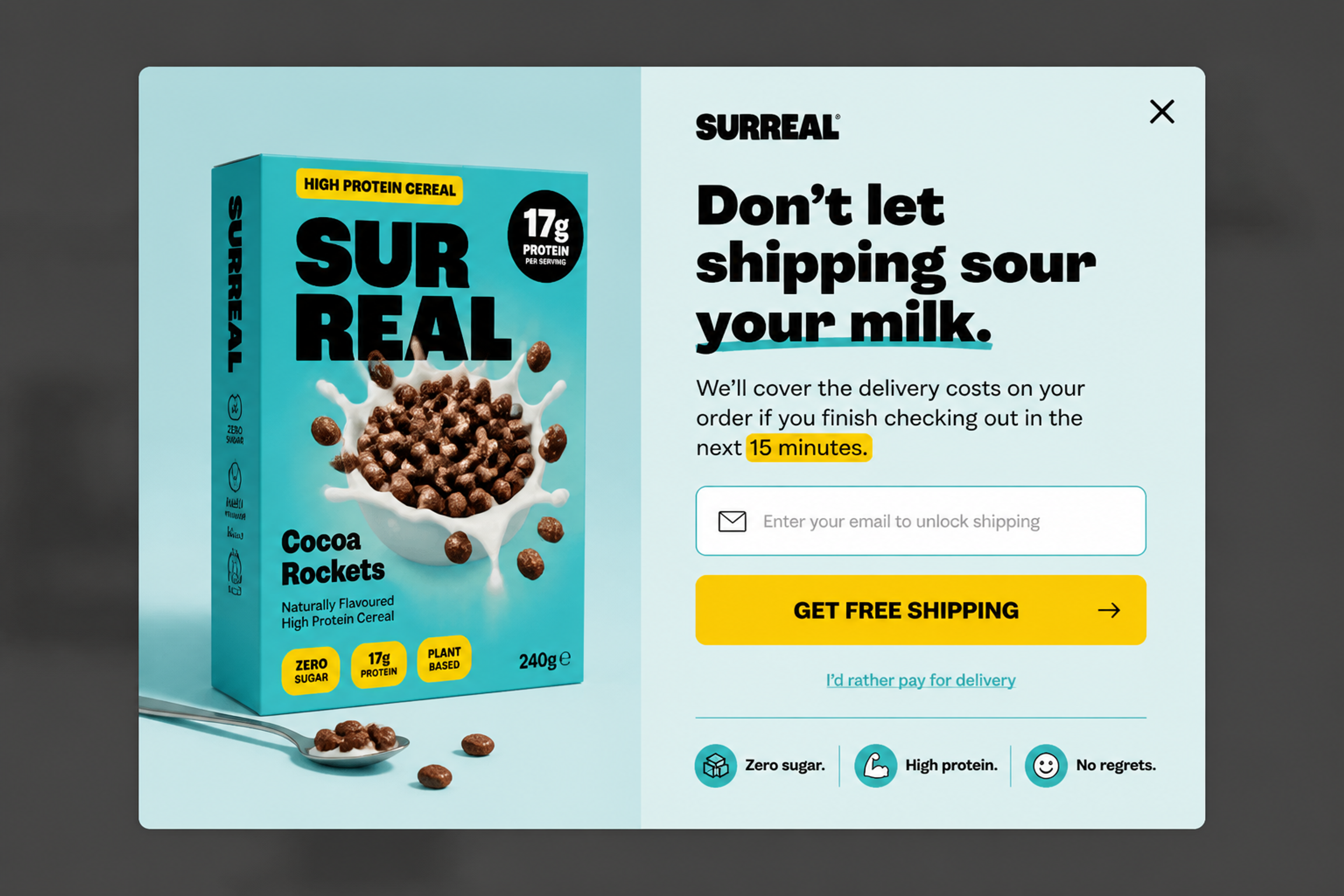
Free shipping for an email address, if the shopper checks out in the next 15 minutes. It goes straight at the top reason people leave, and every redemption adds a subscriber your email flows can follow up.
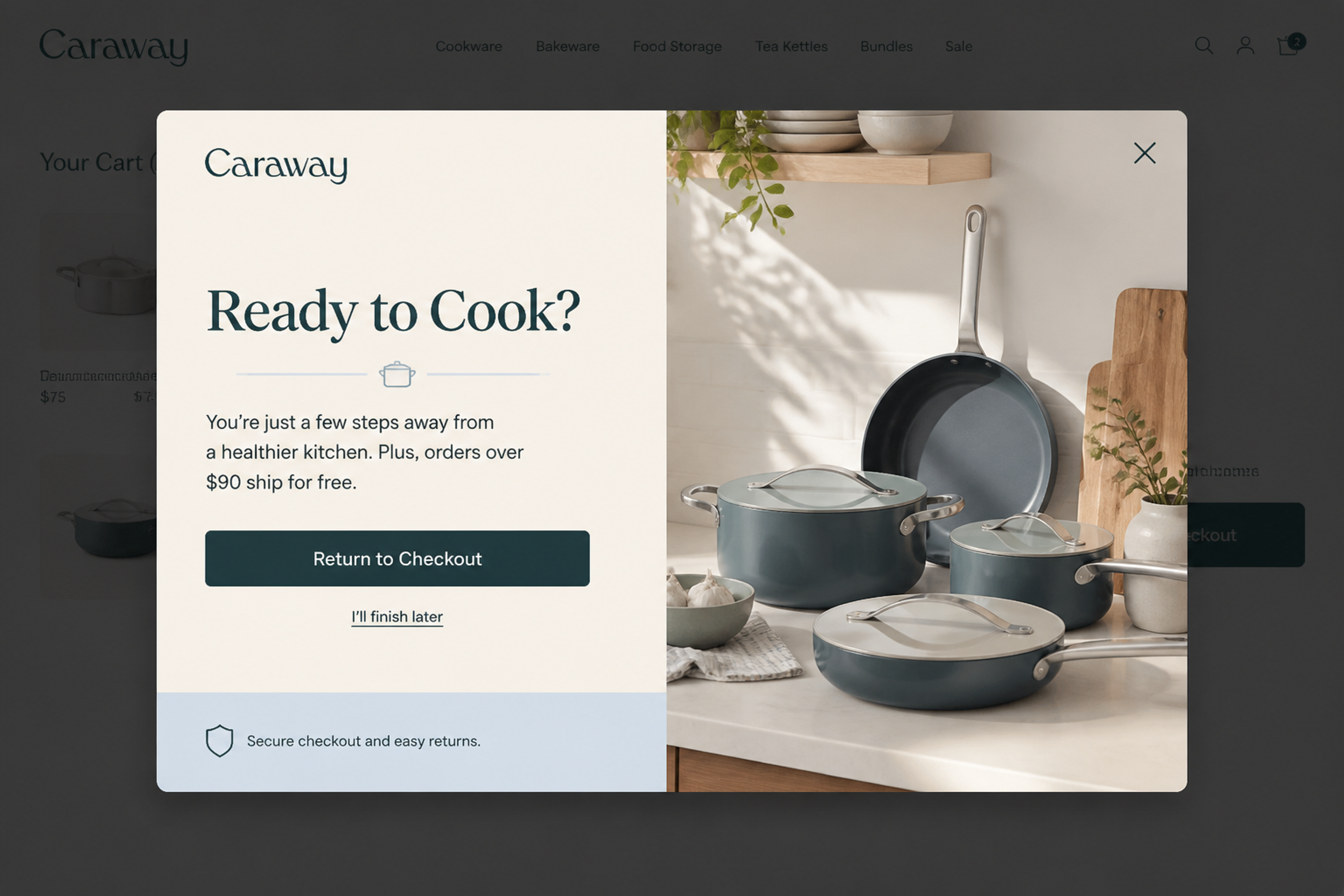
"Ready to Cook?" over the cart page, with a reminder that orders over $90 ship free and a Return to checkout button. Calm copy and a clear "I'll finish later" link keep it friendly.
For more, see our cart abandonment popup examples.
Choose by channel. Most stores need one email and SMS app for after the shopper leaves, and one onsite app for before.
| App | Channel | What it does for abandoned carts | Pricing (Shopify App Store) | Rating |
|---|---|---|---|---|
| Shopify Messaging (built in) | Email, SMS | Abandoned checkout, cart and product browse automations | Free to install; first 10,000 emails/month free, then from $1 per 1,000 | 4.8 (4,706) |
| OptiMonk | Onsite popups | Exit-intent popups before the shopper leaves, with Shopify discount codes | Free plan (1 domain, 10,000 pageviews/month); Essential $29/month or $228/year | 4.8 (455) |
| Klaviyo | Email, SMS | Abandoned checkout and cart flows | Free (email up to 250 contacts, 150 SMS/MMS credits); SMS from $15/month; Email from $20/month | 4.7 (3,403) |
| Omnisend | Email, SMS, web push | Abandoned cart and welcome emails | Free (250 contacts, 500 emails/month); Standard from $16/month; Pro from $59/month | 4.7 (3,193) |
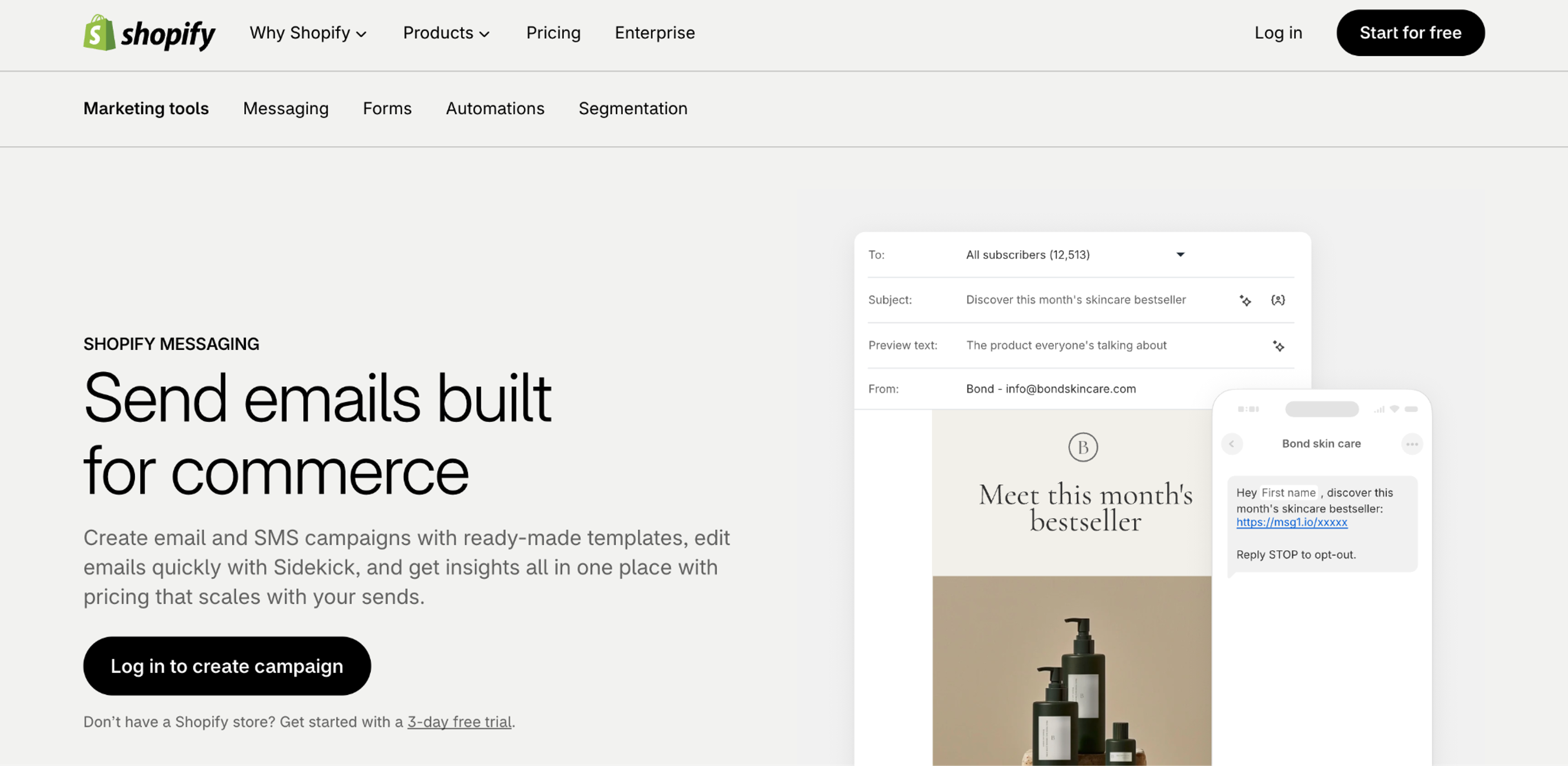
Best for: stores that want recovery emails without another app.
It's built into Shopify and covers checkouts, carts and product browses by email or SMS. Cart and browse messages reach only marketing subscribers.
Best for: stopping shoppers before they leave the store.
Pros
Cons
Pricing: Free plan for one domain and 10,000 pageviews a month. Essential from $19/month billed yearly ($29 monthly). See pricing
Best for: stores that want detailed email and SMS flows.
New stores get a guided setup with a sign-up form, a welcome email and an abandoned checkout flow inside the Shopify admin. Pricing grows with your contact list.
Best for: smaller stores that want email, SMS and web push in one place.
The free plan includes automated abandoned cart and welcome emails. On Pro, SMS can be added from $0.007 per message (Shopify App Store).
For tools beyond Shopify, see our list of cart abandonment software, and for onsite tools, the best Shopify popup apps.
Yes. The Shopify Messaging app has three recovery automations (abandoned checkout, abandoned cart and product browse), each by email or SMS, under Apps → Messaging → Automations.
An abandoned cart has products in it, but the shopper never started checkout. An abandoned checkout means the shopper started checkout, gave an email and didn't finish for more than ten minutes. Only abandoned checkouts appear under Orders → Abandoned checkouts.
Three months, then Shopify deletes them automatically. To keep one, create a draft order with the same details and leave it open.
When you tell it to. You set the wait time in the automation's workflow, also in Shopify Flow. Your first new automation keeps your previous settings, a second one defaults to 10 hours, and by default it goes only to customers subscribed to email marketing.
Yes. In the abandoned checkout automation you can add a discount the shopper can use when they return to checkout. For offer ideas, see our abandoned cart coupon code ideas.
Yes. Phones have no cursor, so exit intent reads a tab switch, a quick scroll back to the top, or the Back button on the landing page. Keep the mobile popup small and easy to close.
Turn on Shopify's abandoned checkout automation first: it's free and takes a few minutes. Then think about the shoppers it never reaches, the ones who leave before they give you an email.
For them, your first cart abandonment popup is one sentence away: describe it, and the OptiMonk agent designs it for your brand, with a separate mobile version.
Free to start. No credit card.

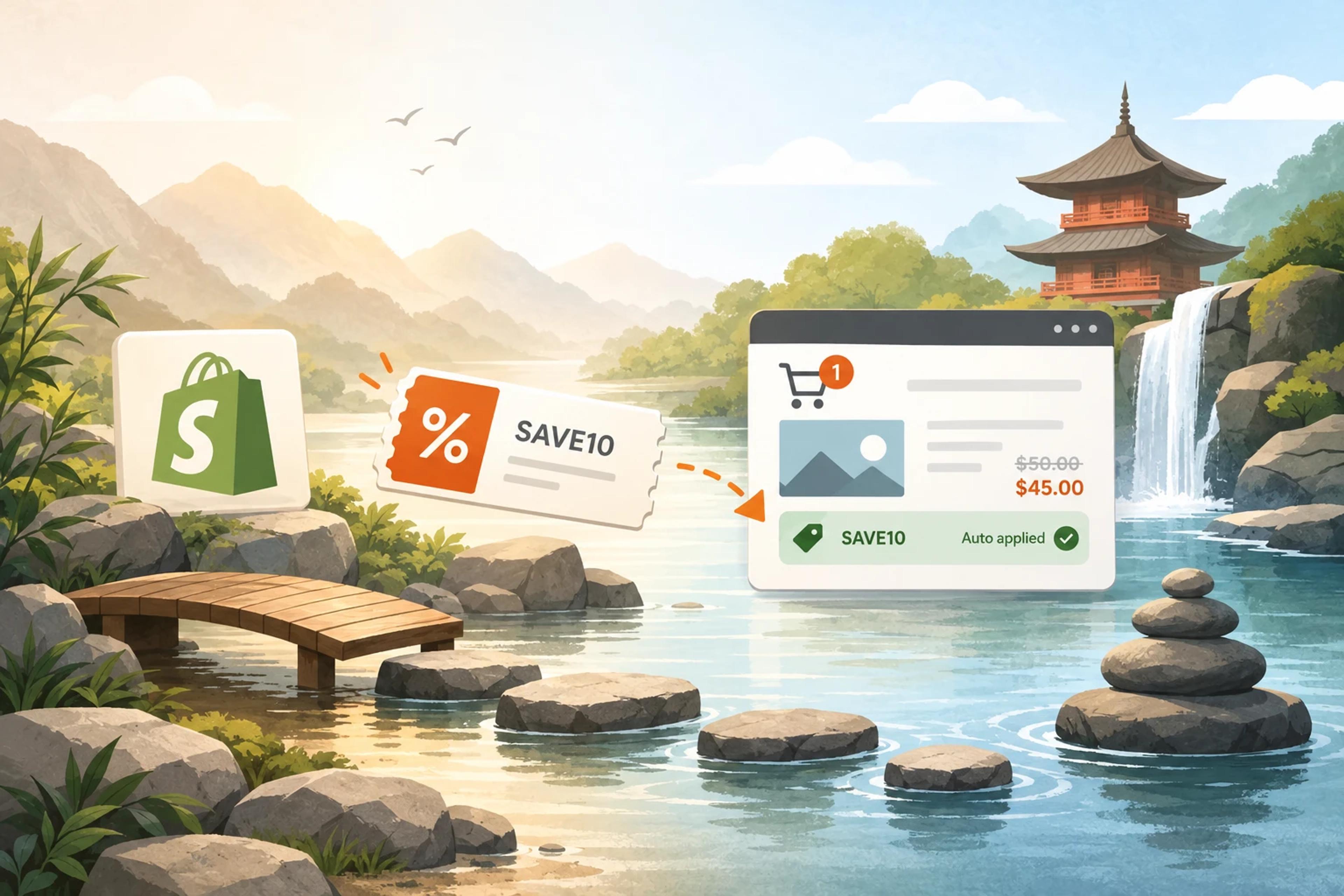
How to create a Shopify discount code, share it as a link, and show the right code to the right visitor.
Discover creative Thanksgiving marketing ideas to engage customers, build buzz, and drive sales before Black Friday and Cyber Monday.
Learn 5 ways ecommerce brands can turn new subscribers into recurring revenue using welcome flows, personalization, loyalty programs, re-engagement, and referrals.