


Shopify Discount Codes: How to Create, Share and Auto-Apply Them
How to create a Shopify discount code, share it as a link, and show the right code to the right visitor.
Flash sales explained: what a flash sale is, when it is worth running, 10 ideas, 8 popup examples and the mistakes that cost margin.
In short
A flash sale works because shoppers see a real deadline. Pick one goal, such as moving old stock or launching a product, and keep it to a day or two. Announce the end time by email, on social and on site, where a popup shows it to the right visitors.
A sale that runs all month is easy to ignore. A sale that ends at midnight tonight gets a decision.
That short window cuts both ways. Run too many, discount too deep or let the stock run dry halfway, and the store pays for it in margin and in customers who learn to wait for the next one.
A flash sale is a discount that runs for a short, fixed window, usually a few hours and rarely more than three days. The end time is part of the offer, so shoppers decide now instead of later. Stores use flash sales to clear stock, launch products and bring back quiet customers.
Sources disagree on the exact length: some say a few hours, some stretch it to a week. Most online stores keep it to a day or two. A flash sale can cover the whole store or a few products, and it can be open to everyone or only to one group, such as subscribers, loyal customers or first-time visitors.
Here’s how a flash sale compares with the other kinds of discounts:
| Flash sale | Regular sale | Limited-time offer | Daily deal | |
|---|---|---|---|---|
| Length | Hours to a couple of days | Days to weeks | Any fixed period | One day, then a new deal |
| Discount depth | Often deep | Moderate | Varies | Often deep, on one product |
| Announced in advance? | Often not, or only to a segment | Usually yes | Usually yes | Part of a daily routine |
| Typical goal | Fast sales, clearing stock, a launch | Seasonal revenue | Any push with a deadline | Daily visits and habit |
A flash sale is one kind of limited-time offer: the shortest and usually the sharpest.
A flash sale gives undecided shoppers a reason to buy today. Most stores run one for one of four reasons:
A deadline also gives people a reason to share the sale on social.
Yes, when they are rare and have a clear purpose. The downsides are real:
Run them rarely, give each one a reason, and keep the deadline real. For the bigger picture, see our guides to discount strategy and discount pricing.
Run one when a deadline helps a decision you already want shoppers to make:
It can also answer a competitor's promotion or test a new price point.
The goal decides the products and the audience: clearing stock, launching a product and winning new customers each need a different sale.
For new customers, discount your bestsellers: they already sell, and they make a good first order. For existing customers, pick products that go well with what they bought before. Make the discount big enough to matter and small enough for your margin to carry, and show the saving in plain numbers ("was" and "now", or the amount saved).
Write down the start and end with a date, a time and a time zone. When the sale ends, the price goes back up, with no quiet extension the next morning. In OptiMonk, the Countdown in your popup counts down to that same end time.
Not every visitor needs the same message. Subscribers and returning customers can get early access, a few hours or a day before everyone else. First-time visitors can see the public sale, together with a reason to join your list for the next one.
Email and social bring people to the store; what they see there decides the sale. OptiMonk is an agentic popup builder for ecommerce stores: describe the sale in one sentence, and the AI agent designs the popup on brand, builds a separate mobile version and sets the targeting.
A flash sale setup usually has these parts:
Exit intent is where a flash sale offer often earns the most. During its Black Friday sale, Obvi showed a popup to visitors who had an empty cart, had spent at least 30 seconds on the site and were about to leave, with 25% off and a free gift. It reached a 7.23% ecommerce conversion rate: 7.23% of the visitors who saw it bought instead of leaving (read the Obvi case study).
Email, SMS and social are your store's own channels; OptiMonk doesn't send emails or texts. The popup collects subscribers before the sale and passes them to your email or SMS tool, for example through Klaviyo lists & segments. The messages to send are below.
Order buffer stock for the products you expect to sell out. Check that your site can handle a traffic spike, plan extra support and test the mobile checkout yourself.
Each idea comes with the popup that carries it on your store:
These examples come from the Popup Library. The OptiMonk agent designed each one for a real store's brand, and you can open any of them in the library and build your own version.
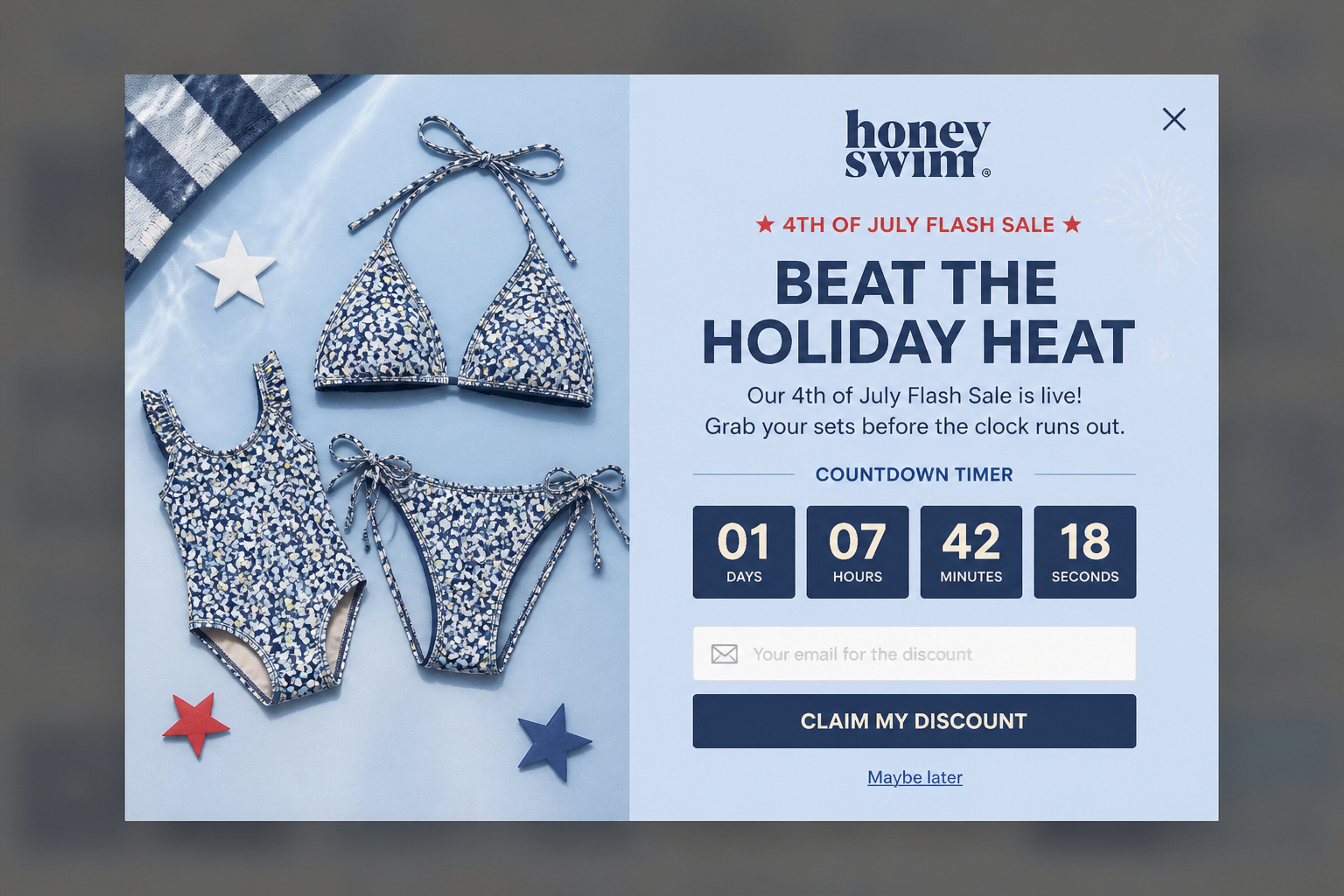
A 4th of July flash sale in one line: "Grab your sets before the clock runs out." The countdown sits right above the email field, so the sale and list building happen in the same popup.
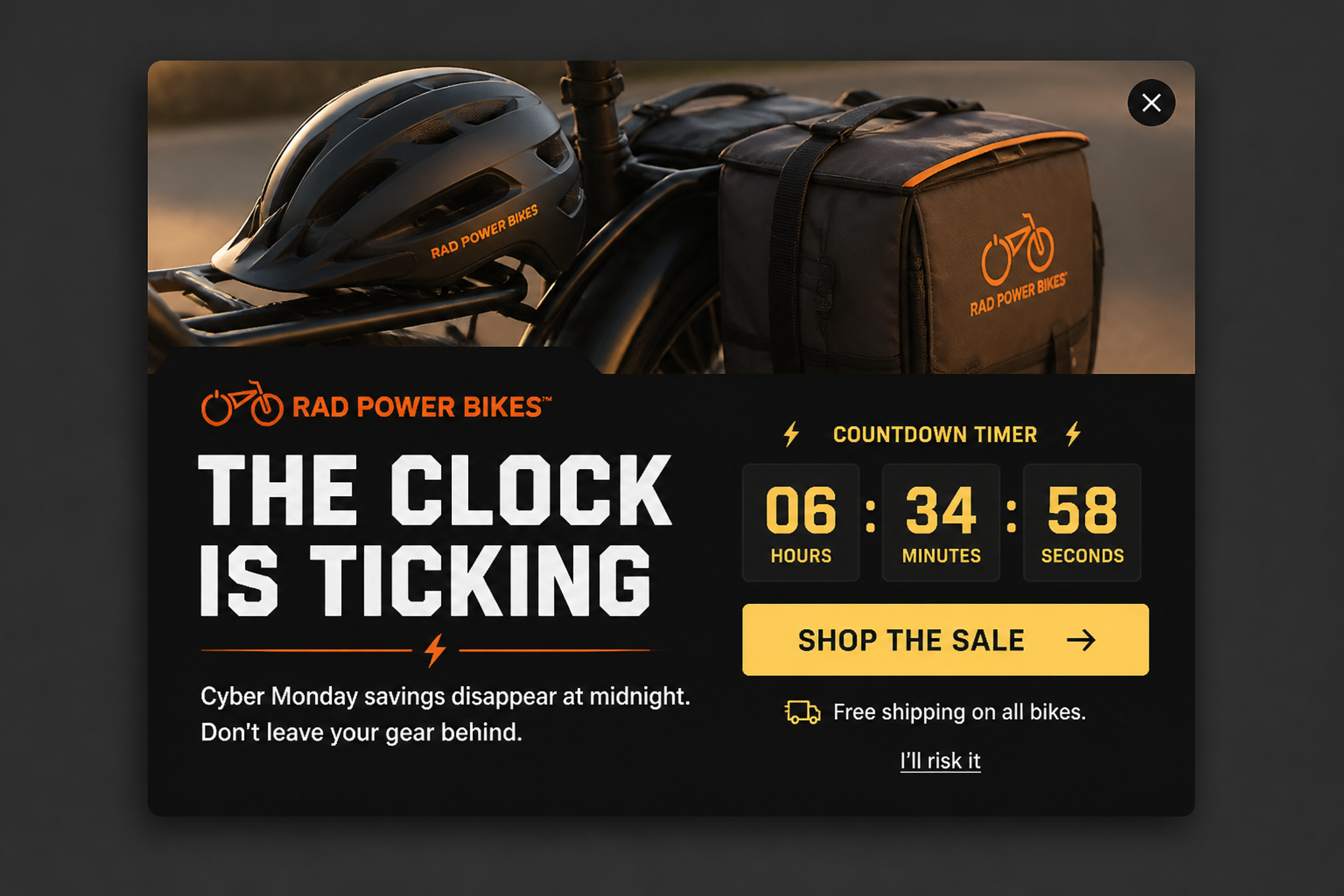
No email field, just one button to the sale: "Cyber Monday savings disappear at midnight." During a sale you want buyers, not only subscribers, and the decline link ("I'll risk it") keeps the tone light.
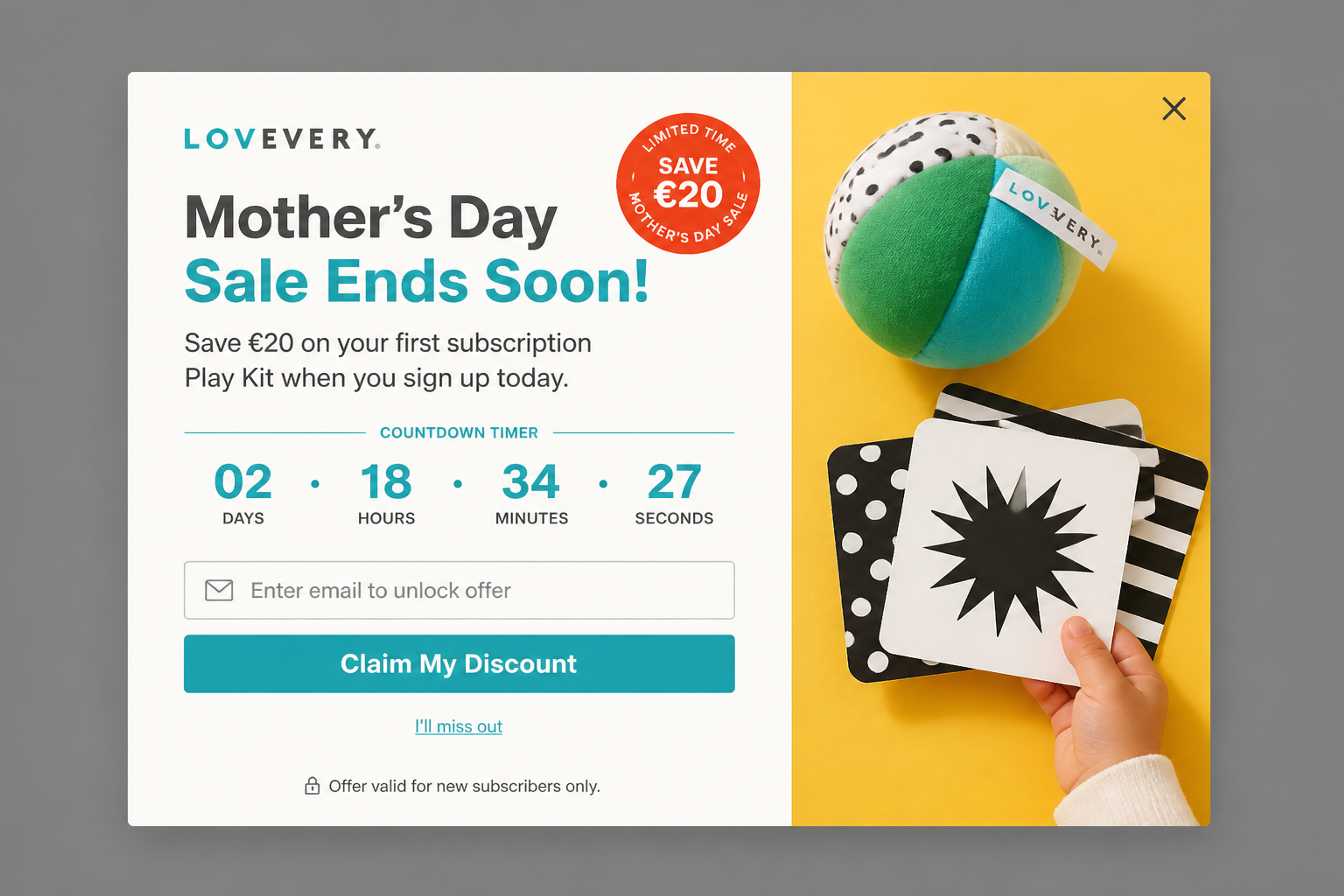
A Mother's Day sale with a saving on the first subscription kit. The condition is in the popup, not in small print: "Offer valid for new subscribers only."
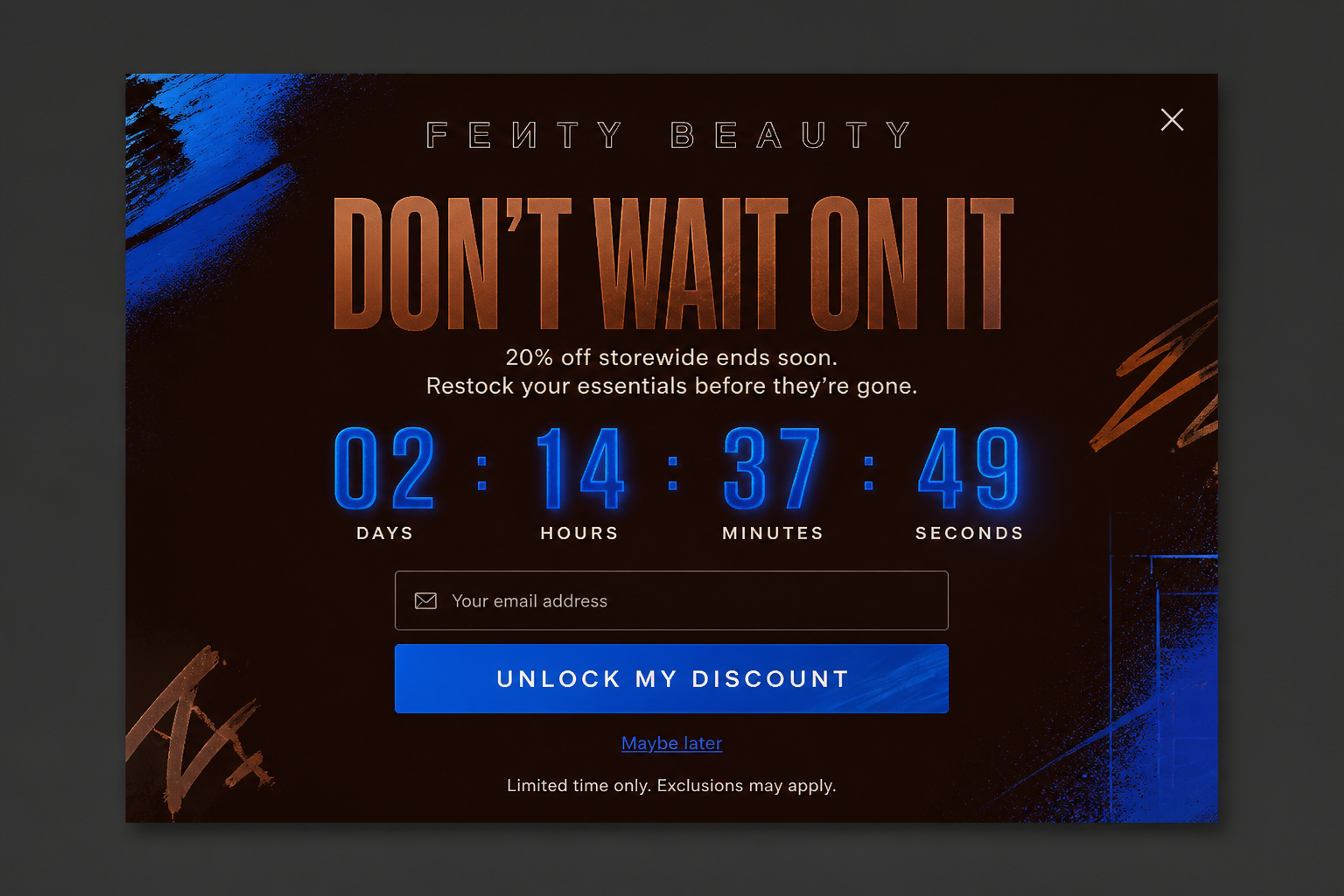
No product photo: the big glowing countdown and the type carry it. "20% off storewide ends soon" is enough, because the deadline is the visual.
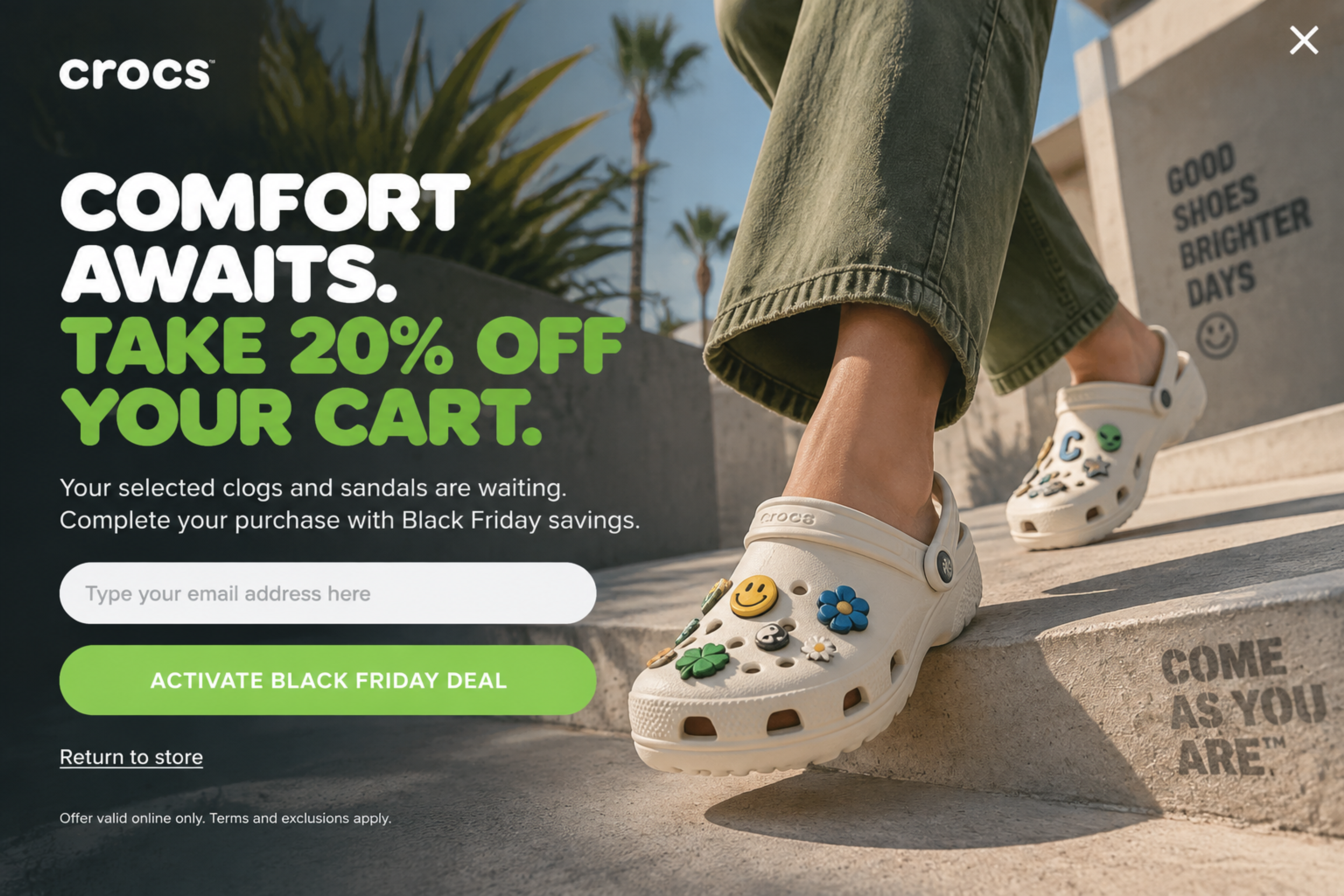
A fullscreen exit-intent popup for shoppers leaving with a full cart: "Your selected clogs and sandals are waiting." The sale offer comes as a last chance on the way out, not on arrival.
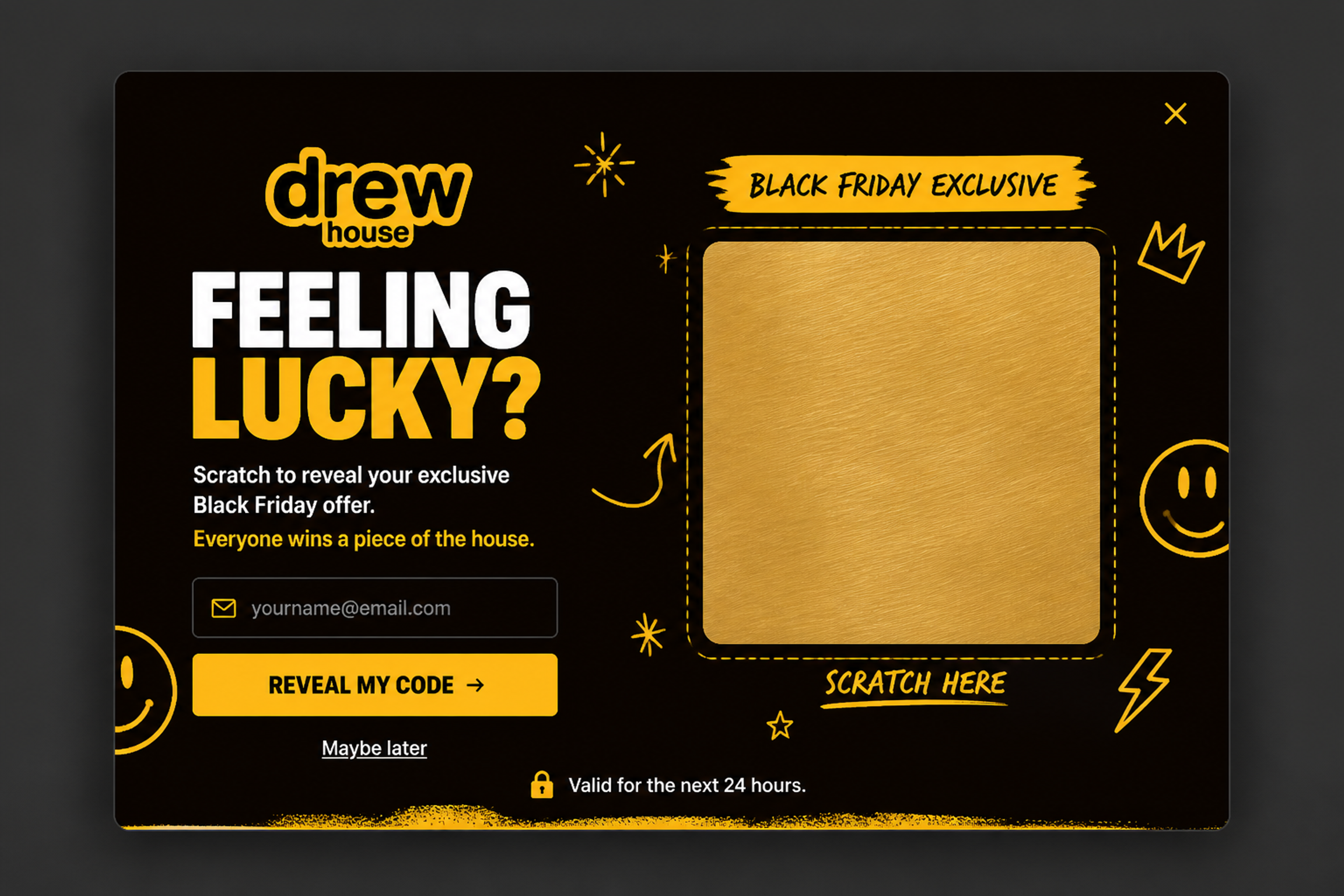
A mystery discount as a scratch card: "Everyone wins a piece of the house." The "valid for the next 24 hours" line only works if the code really expires, which Unique codes can handle.
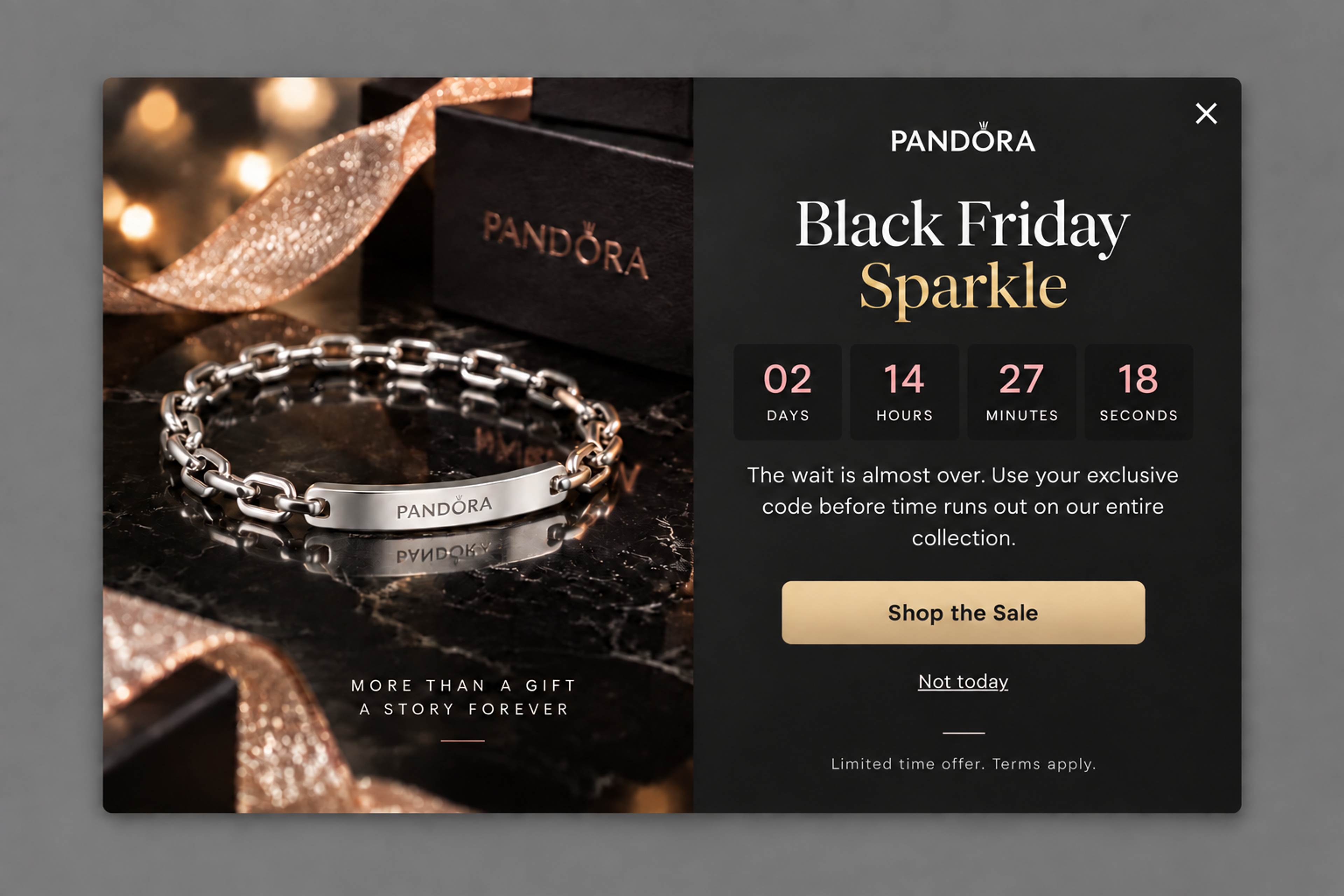
A countdown to the real end of a Black Friday sale, in a dark, premium layout. "Shop the Sale" is the only button, and "Not today" lets visitors close it without guilt. The timer carries the urgency, so the copy can stay short.
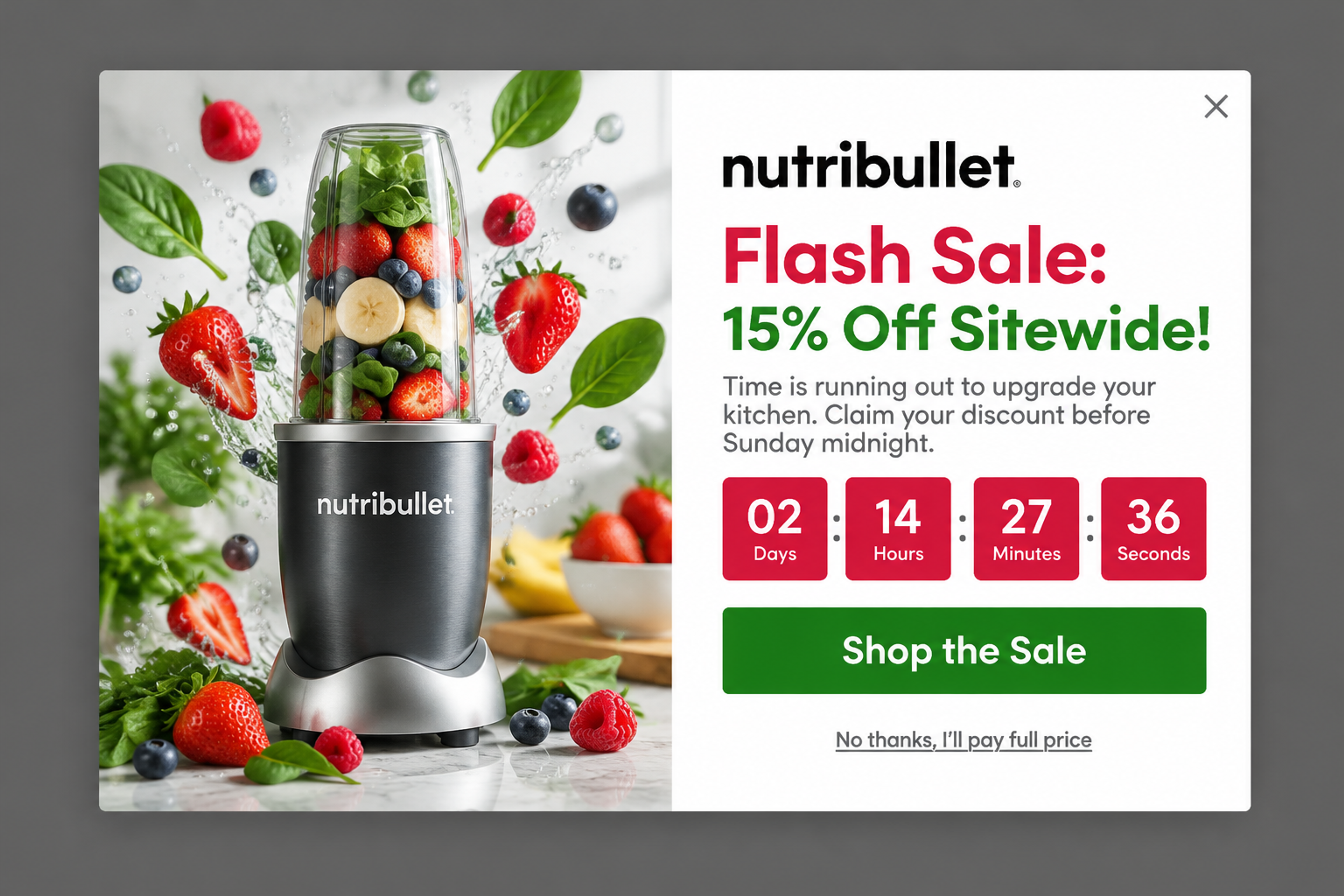
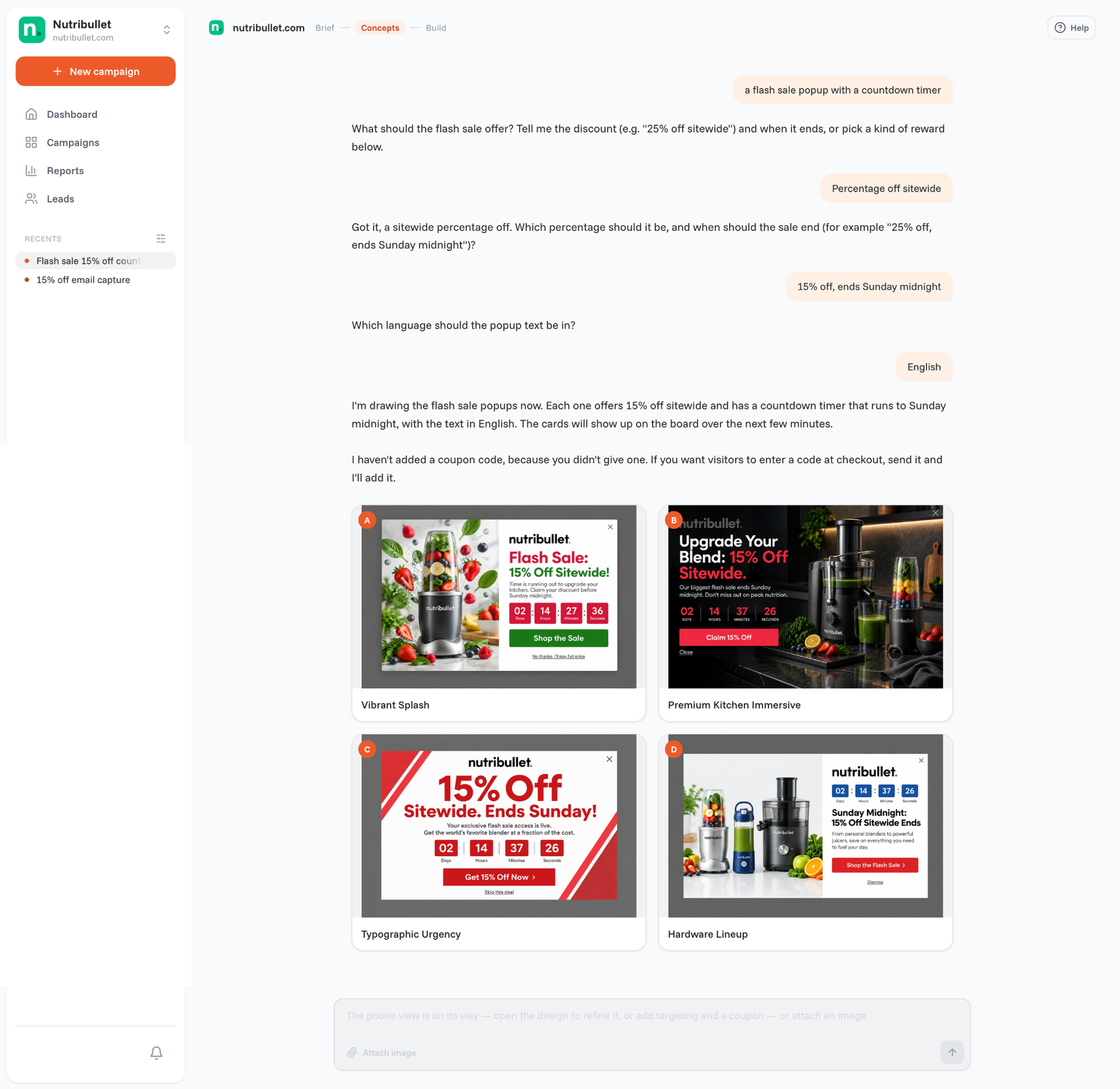
"Flash Sale: 15% Off Sitewide!" with a countdown to Sunday midnight and one clear button. The decline line, "No thanks, I'll pay full price", reminds shoppers what they give up. It's the first concept the agent drew in the chat shown at the top of this article.
Browse more in the Popup Library: Black Friday popups, Cyber Monday popups and announcement popups. For more countdowns, see countdown timer popup examples.
Your email and SMS tool sends these messages; the OptiMonk popup collects the subscribers and passes them on. Four messages cover most flash sales:
Put the saving and the deadline in the subject line, for example "Your discount ends at midnight". For more ideas, see email campaign ideas, email subject lines and holiday email marketing.
A few hours to two days for most stores. It should be long enough for your email and social posts to reach people, and short enough to feel urgent.
A flash sale is shorter and often deeper, and it is often announced only to one group, such as subscribers. A regular sale runs for days or weeks and is promoted in advance.
Yes, when they are rare, have one goal and protect your margin. Constant flash sales train customers to wait for the next discount.
The price goes back up when the sale ends, and stock is often limited. Popular sizes and colors usually sell out first, so waiting can mean missing the product, not only the discount.
Show a popup for the length of the sale, with a countdown to the real end time, and an exit-intent popup for visitors who are about to leave. Give subscribers early access. With OptiMonk, you describe the popup in one sentence and the agent designs it.
Only when they are constant or the discounts aren't real. A few planned sales with honest prices and real deadlines don't.
Write down the offer, the deadline and who should see it. The OptiMonk agent designs the popup in your brand, builds a separate mobile version and sets the targeting.
Free to start. No credit card.

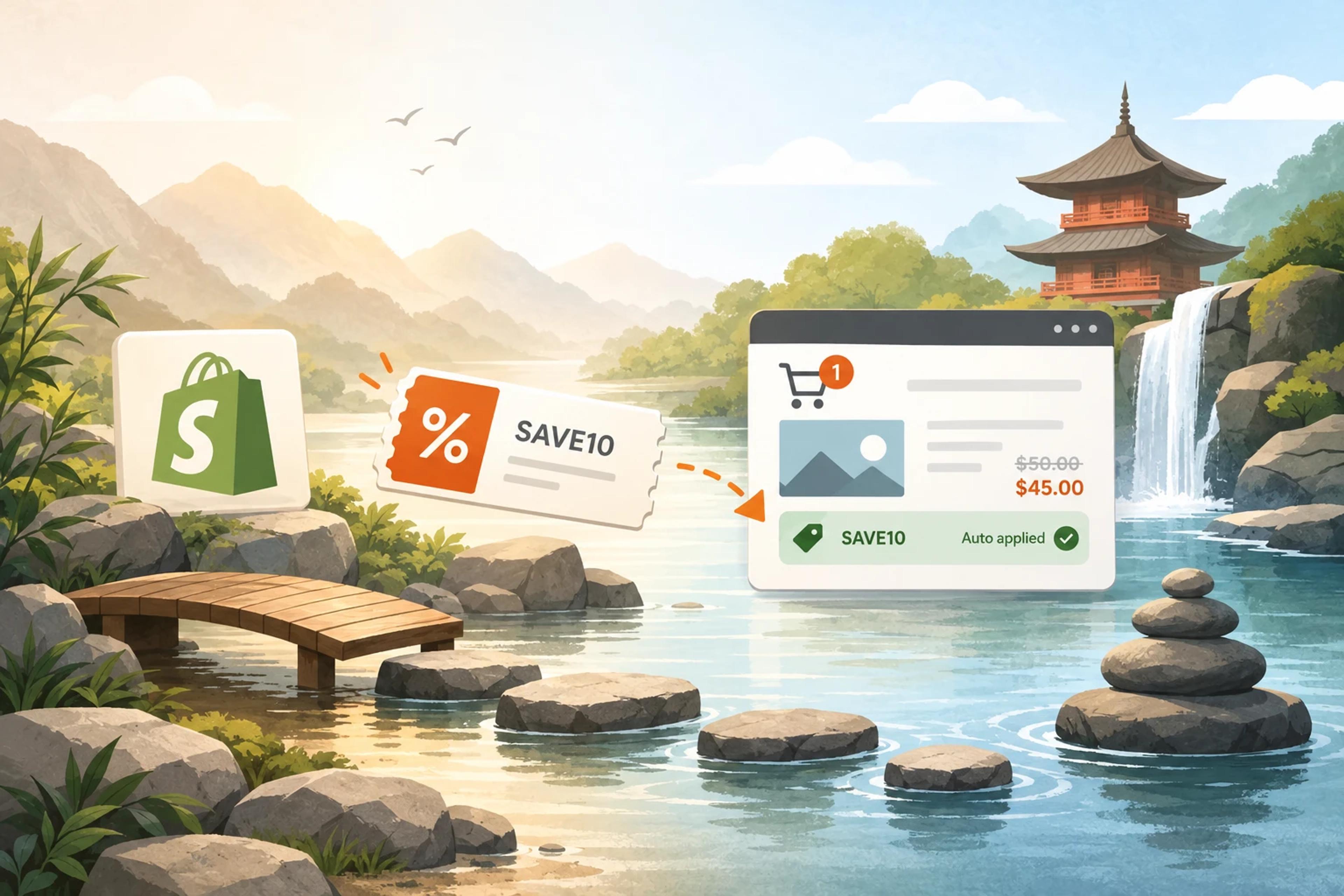
How to create a Shopify discount code, share it as a link, and show the right code to the right visitor.
Discover creative Thanksgiving marketing ideas to engage customers, build buzz, and drive sales before Black Friday and Cyber Monday.
Learn 5 ways ecommerce brands can turn new subscribers into recurring revenue using welcome flows, personalization, loyalty programs, re-engagement, and referrals.