


50 CTA Button Examples for Online Stores and Popups
50 CTA button texts for online stores and popups, grouped by the shopper's moment, plus what makes a button worth clicking.
The best time to show a popup depends on who is visiting. See the delay, scroll and exit-intent settings real stores use, and how to A/B test your own.
In short
Popup timing is the moment a popup appears on the page. Get it right and visitors see your offer when they are ready to act. Pick the moment by visitor and goal: a short delay for newcomers, time on page for browsers, exit intent for leavers. Then A/B test it.
A popup that opens in the first second asks for an email before the visitor knows what you sell. One that waits too long misses everyone who browsed for a minute and left.
Same design, same offer. When it opens decides whether anyone says yes.
Popup timing is when a popup (or popup window) opens during a visit, and what makes it open: seconds passed, how far the visitor has scrolled, time spent on one page, a pause in activity, or a sign that they are about to leave.
The short answer: There is no single best second. Give new visitors a few seconds first (three OptiMonk case studies used 5), show product picks after 15 to 20 seconds on a product page, and save cart offers for exit intent. Then A/B test the timing on your own traffic.
The same popup can win or lose depending on when it opens. Timing goes wrong in three ways:
So timing is really two questions: when the popup appears (the trigger) and who can see it (the conditions).
Start with the visitor and what you want from them, then pick the moment. This table matches the most common goals with a trigger and the conditions that keep the popup away from the wrong people:
| Visitor and goal | Moment (trigger) | Who sees it (conditions) | Example popup |
|---|---|---|---|
| New visitor, welcome offer | Time delay, a few seconds | First-time visitors, not subscribers | Welcome discount or free sample |
| Blog reader, lead magnet | Scroll depth, around halfway | Blog pages only | Free guide |
| Product browser, product picks | Time on page, 15–20 seconds | Product pages, 2+ pages per visit | Product recommendations or upsell |
| Shopper with a cart | Exit intent | Cart value above a threshold | Cart reminder or discount |
| Visitor who stalls | Inactivity | Any page | Help or a small offer |
| Returning visitor | Short delay | Returning visitors | Recently viewed products |
Triggers decide when a popup appears and work with OR (whichever happens first). Conditions decide who can see it and work with AND (all of them must match).
A first-time visitor needs a few seconds to see what you sell before an email popup makes sense. Use a time delay, which you can set from 0 to 60 seconds; 0 seconds means the popup opens right away and interrupts. Add the Subscribers condition so people already on your list don't see it, and frequency limits so it doesn't come back on every page.
Real stores keep this delay short. Alef Bet showed a three-step popup to first-time visitors after 5 seconds and reached a 17.01% signup rate. CraftMystic showed a fullscreen popup on its homepage to non-subscribers who had spent at least 5 seconds on the page, at most twice, and its subscription rate rose from 1.36% to 16.67%.
For more ideas, see these email popup examples and the email popup use case.
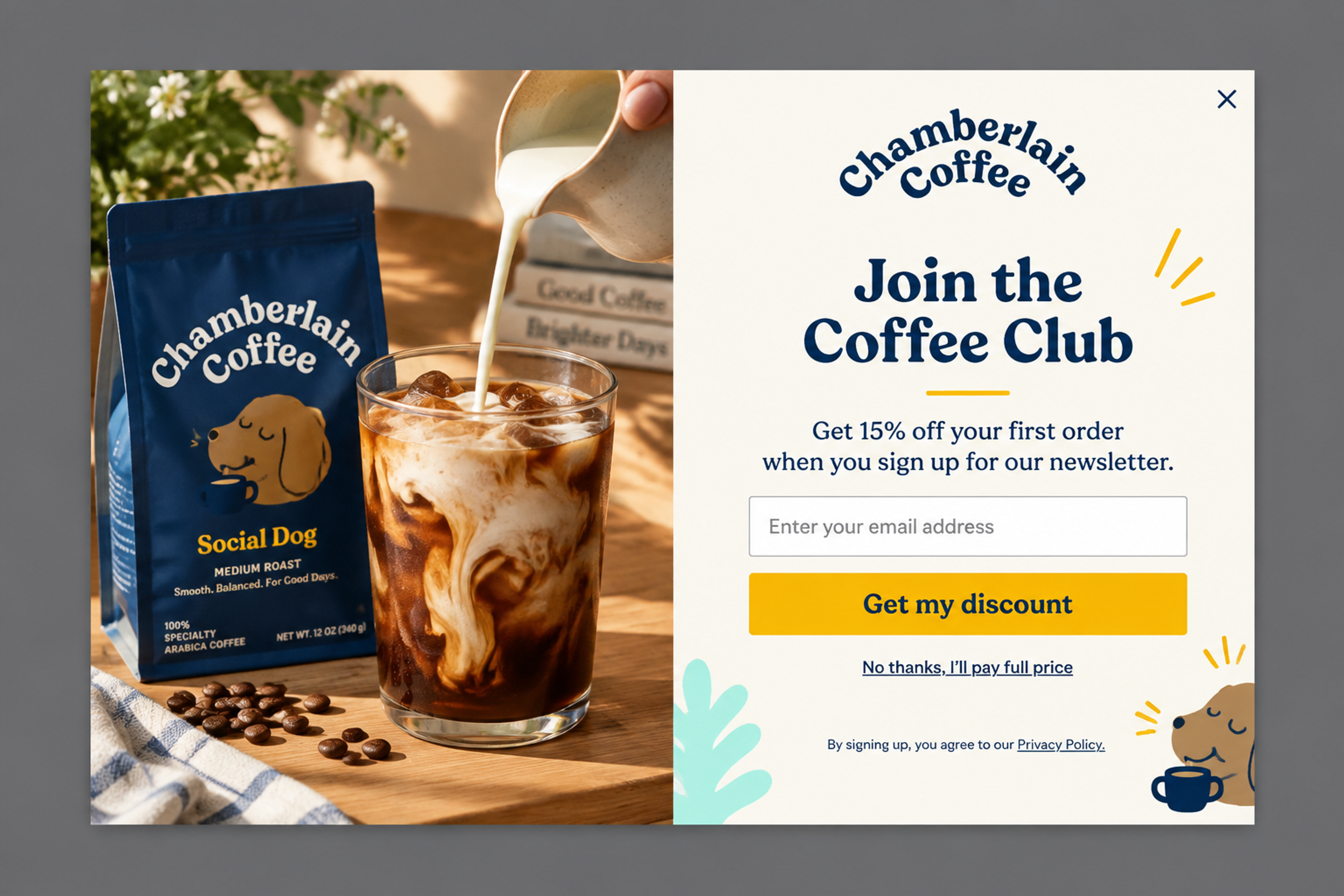
A classic welcome offer: one email field, one button, 15% off the first order. It works best after a few seconds of browsing, once the visitor has seen the coffee and wants a reason to order.
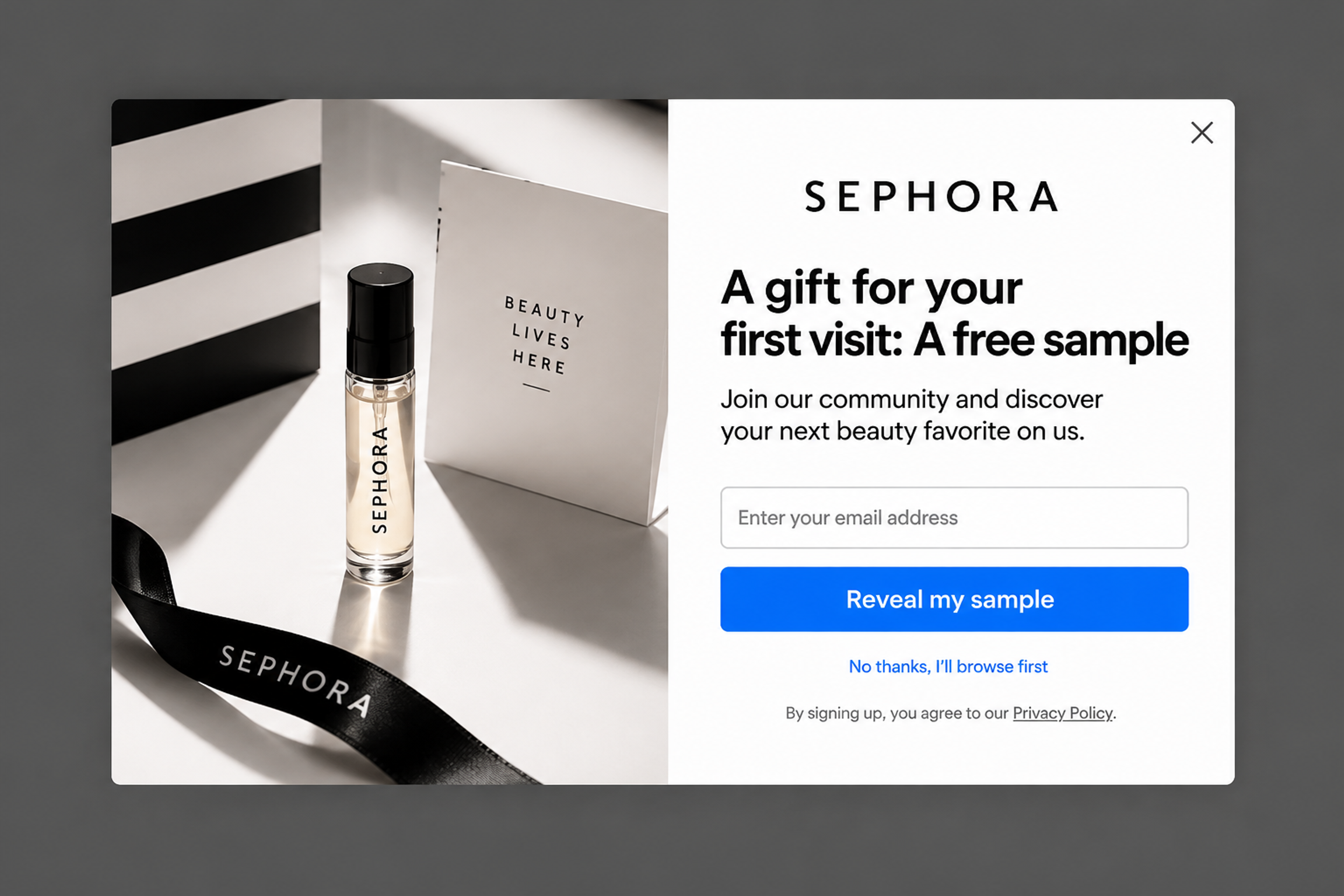
A free sample instead of a discount, with a thank-you page after the signup. The decline link says the timing idea out loud: "No thanks, I'll browse first."
On a blog, how far someone reads tells you more than how long they've been there. With scroll depth you set a share of the page from 1 to 100%. A reader who has scrolled past half an article is a far better subscriber prospect than someone who just arrived.
Use page targeting to keep the popup on blog pages, and offer content rather than a discount. More on this in how to use popups in your blog.
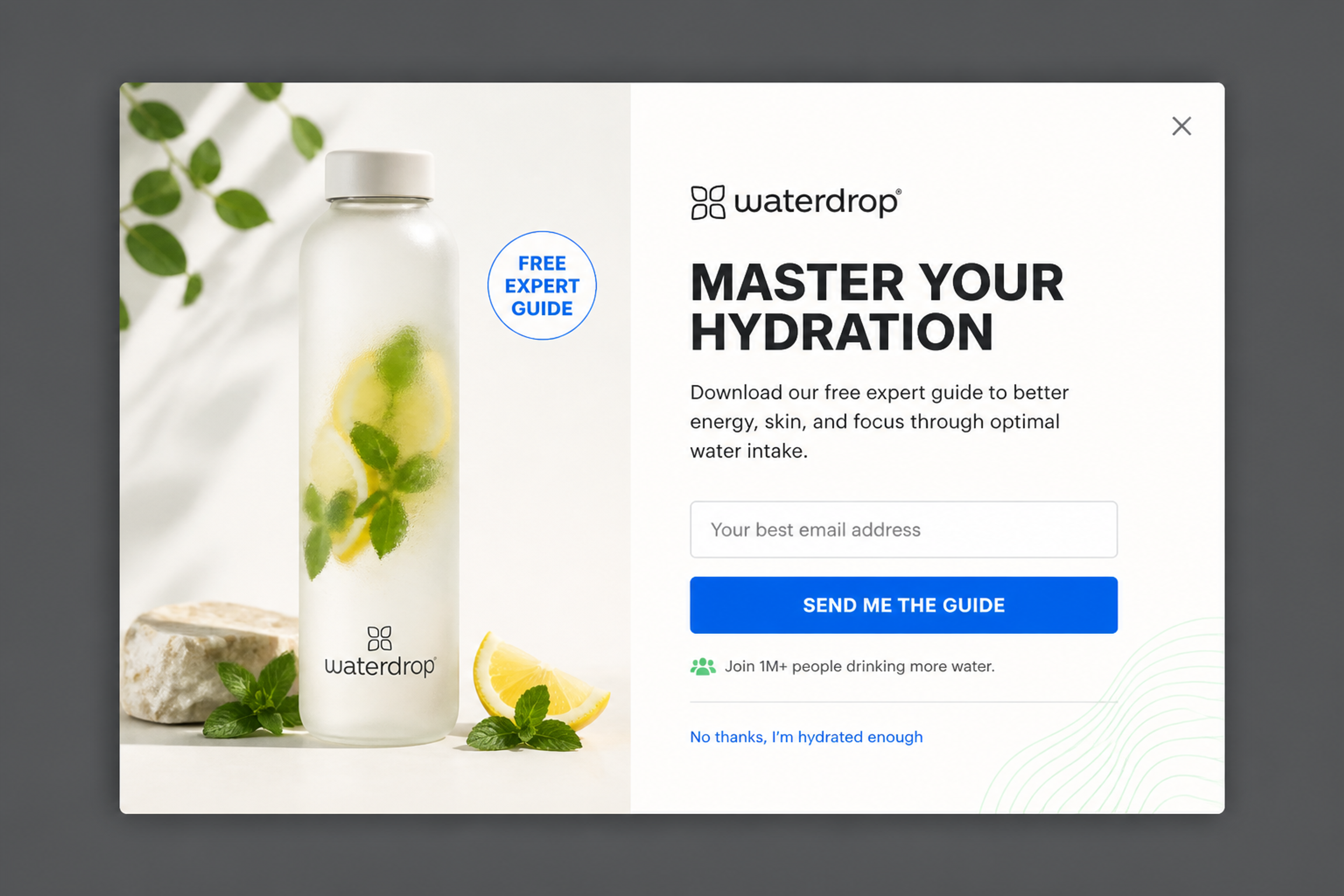
A free guide for readers, not a coupon. It fits halfway down an article, or as a last offer when a reader is about to leave.
Someone who has spent a while on a product page, or opened several, is shopping. Combine time on page (it restarts on every page), pages per visit and page targeting for your product pages.
Millie n Me showed a product recommendation popup after 20 seconds on a product page, only to visitors who had opened at least two product pages. 10.25% of the people who saw it clicked a product, and revenue grew 5.65%. Gelpro showed its product recommendations after 15 seconds of browsing. See more in the upsell popup use case.
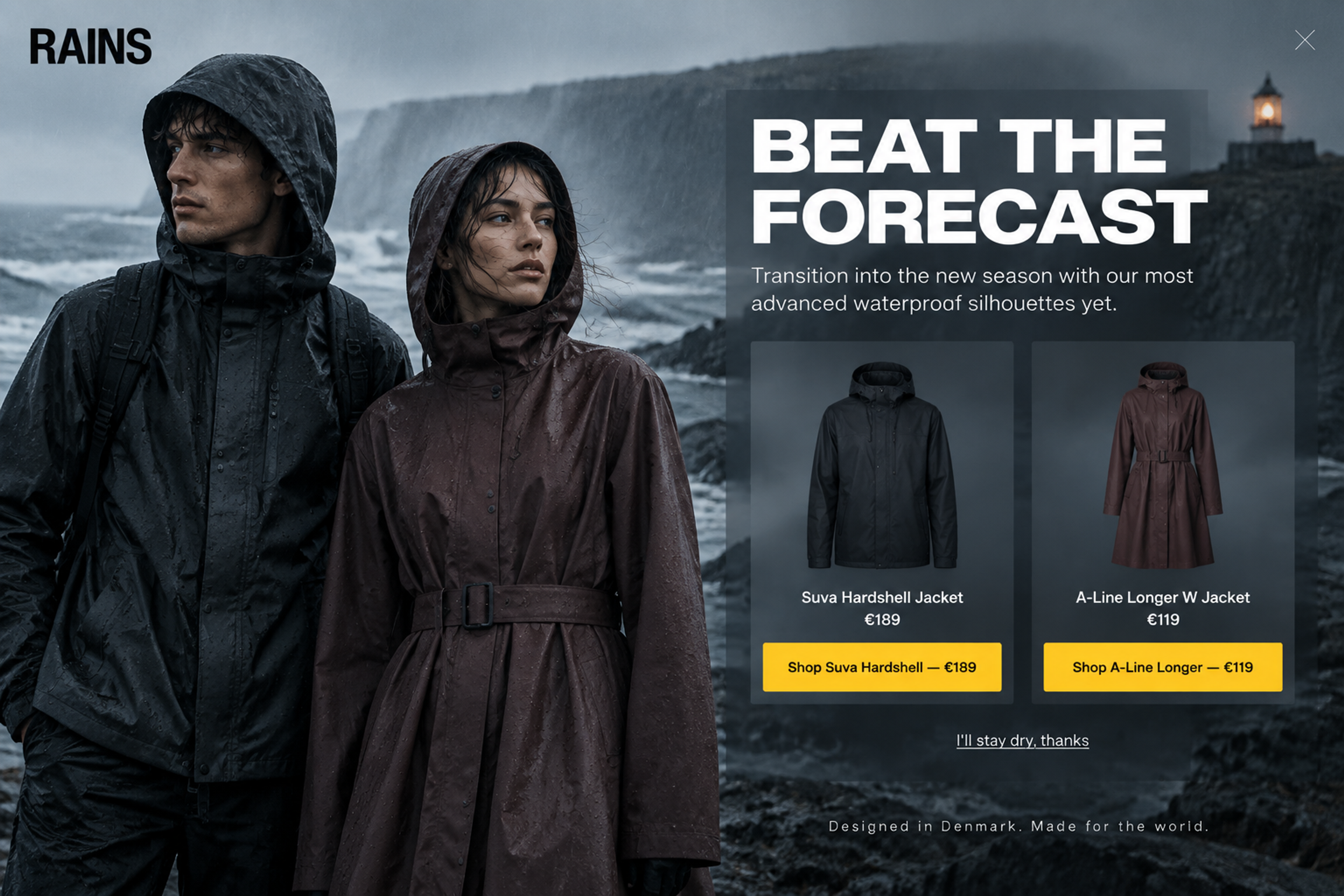
No email field: two jackets with prices and a shop button for each. That only makes sense for a visitor who is already browsing, so it belongs on product pages after some time on the page.
Exit intent catches the moment a visitor is about to go. On desktop, OptiMonk watches the top 10 pixels of the browser window (exit intent on desktop); on phones it reads other signals: switching tabs, a quick scroll to the top, or the Back button on the entry page (mobile triggers). Add a cart value condition to reach shoppers who are leaving a full cart.
In OptiMonk's data, cart abandonment popups (exit-intent popups for visitors with items in the cart) convert at 17.12% on average (popup statistics). Craft Spirit Shop showed product recommendations on exit intent on desktop; compared with the control group, visitors who saw them bought 38.5% more often and spent 77.9% more. Desert Does It showed a quiz popup to new visitors on exit intent or after 5 seconds, whichever came first, and 5.77% of them completed it.
For the full setup, see how to create an exit-intent popup, the exit-intent use case and our guide to cart abandonment.
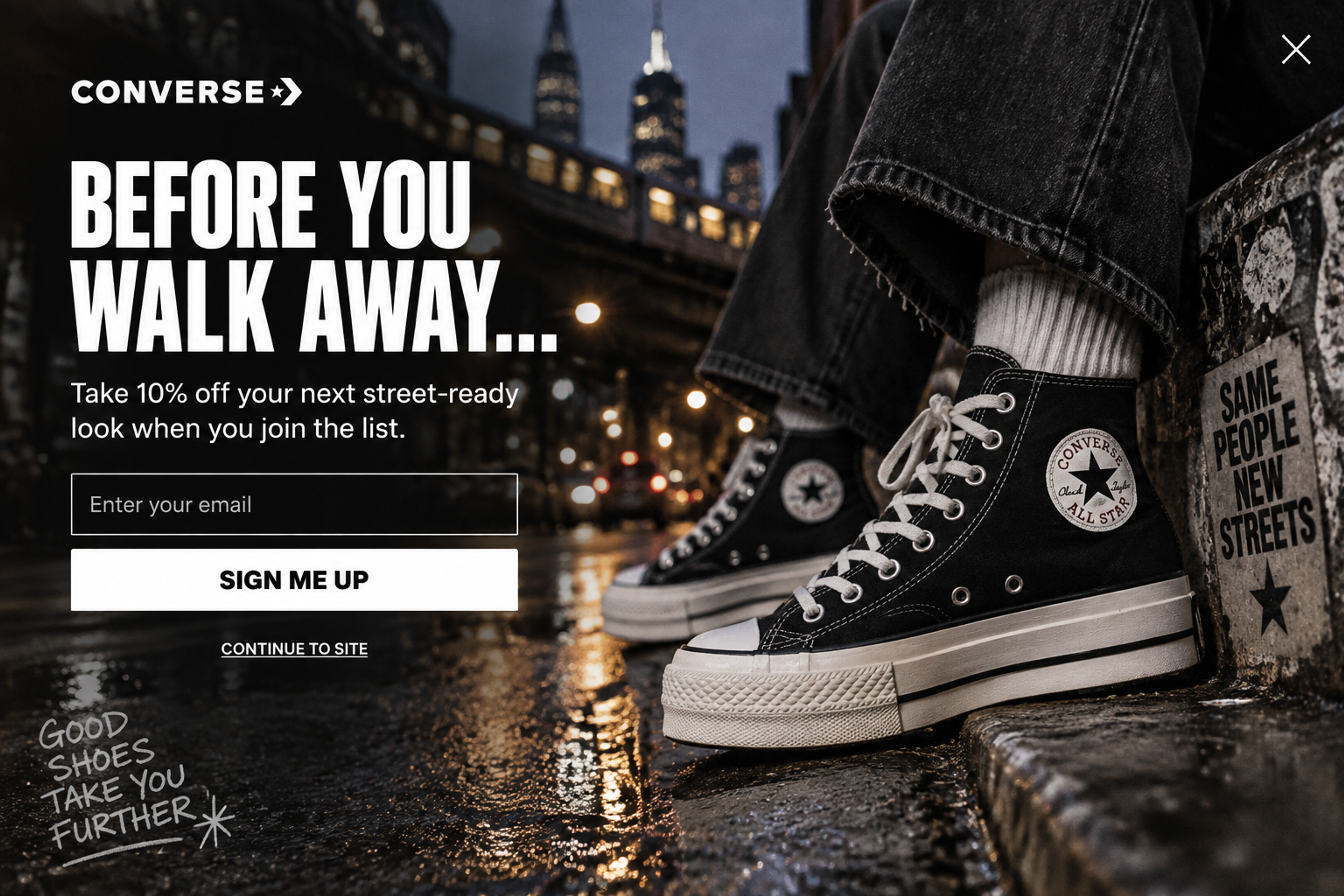
The headline names the moment: "Before you walk away..." It's a last chance to join the list, shown only to people who are already on their way out.
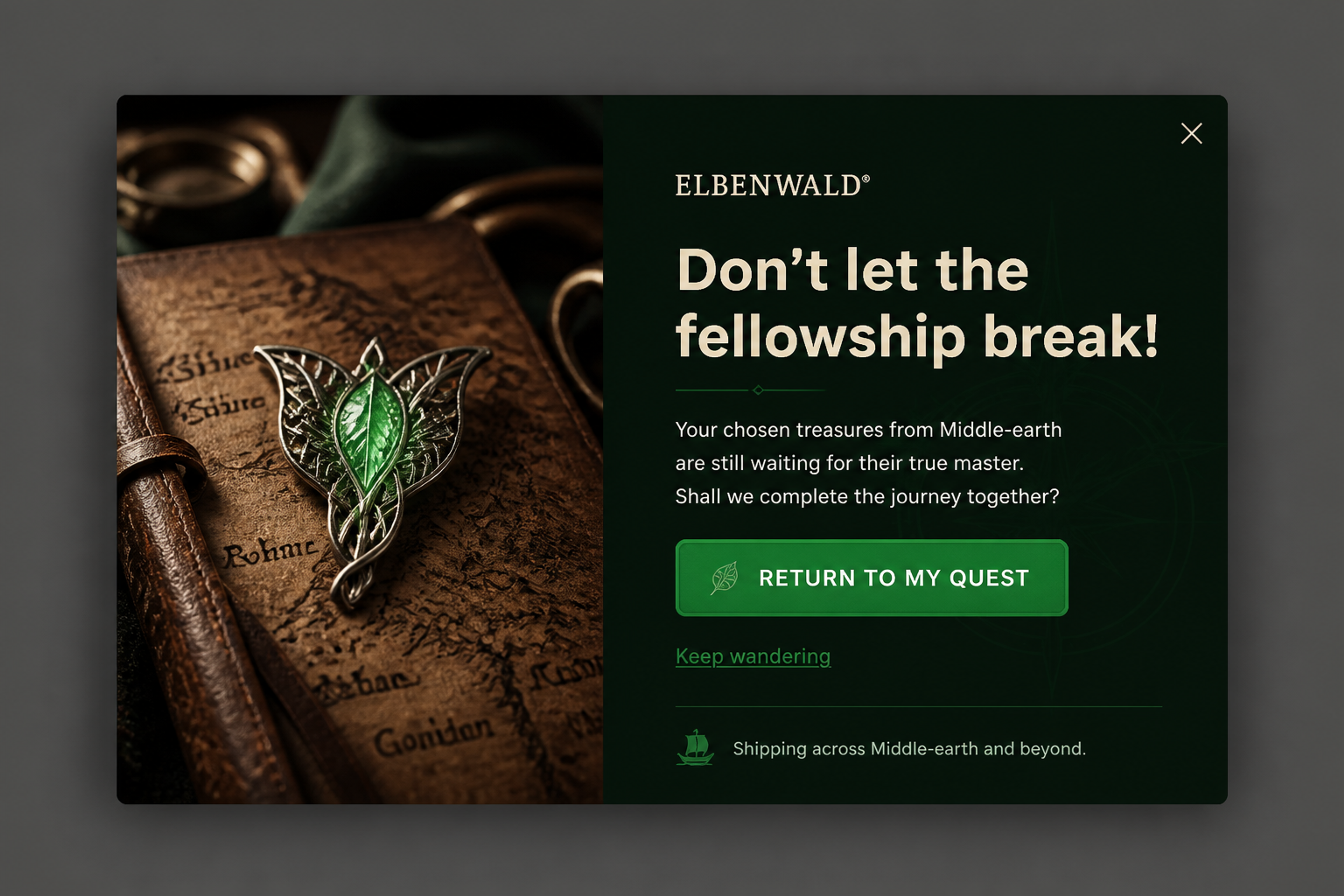
A cart reminder in the brand's own voice, with no discount. Remind first; add a discount only if a test shows you need one.
Inactivity fires after a set number of seconds with no movement, clicks or scrolling. It never fires while the visitor is active. Use it on pages where your analytics show long idle time, such as a size guide or a long product page.
A returning visitor has seen your welcome offer, and a subscriber has already signed up. Use the Returning visitors and Subscribers conditions to show them something else, such as their recently viewed products a few seconds after they arrive.
Gelpro showed returning visitors a browsing reminder popup seconds after re-entry, which brought a 4% lift in ecommerce conversion rate.
All six triggers (exit intent, time delay, scroll depth, on click, inactivity and JavaScript event) run on mobile too, and you switch each one on per device. Because triggers combine with OR, one campaign can use different moments on each device.
Craft Spirit Shop used exactly that: exit intent on desktop and 20 seconds of browsing on mobile. Every OptiMonk popup also has its own mobile version, so the design fits the phone as well as the timing. More in mobile popups.
Check how long visitors actually stay on your key pages, and show the popup a little before that. In GA4, look at the average engagement time for each page. If visitors spend about 35 seconds on a landing page, set the popup to 25 or 30 seconds, so they've read the page but haven't left yet.
OptiMonk is an agentic popup builder. Describe the popup in one sentence and include the moment, for example: "Show it to first-time visitors after 5 seconds, code WELCOME10." The AI agent designs it for your brand, builds a separate mobile version and sets the trigger and targeting.
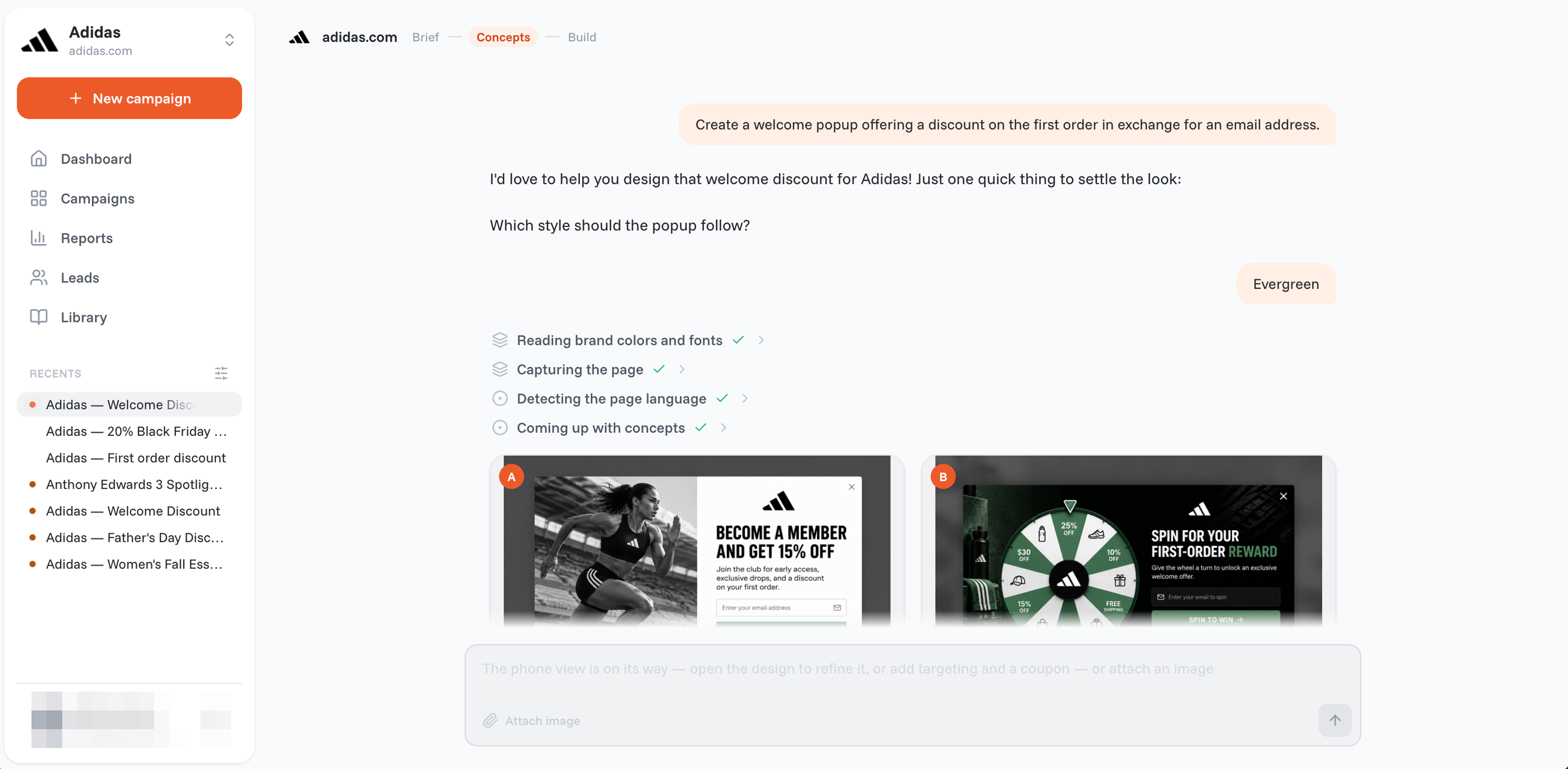
You can change the timing later in plain words: "Change trigger to exit intent." "Only show it after 20 seconds on the page." "Show it at most twice a day."
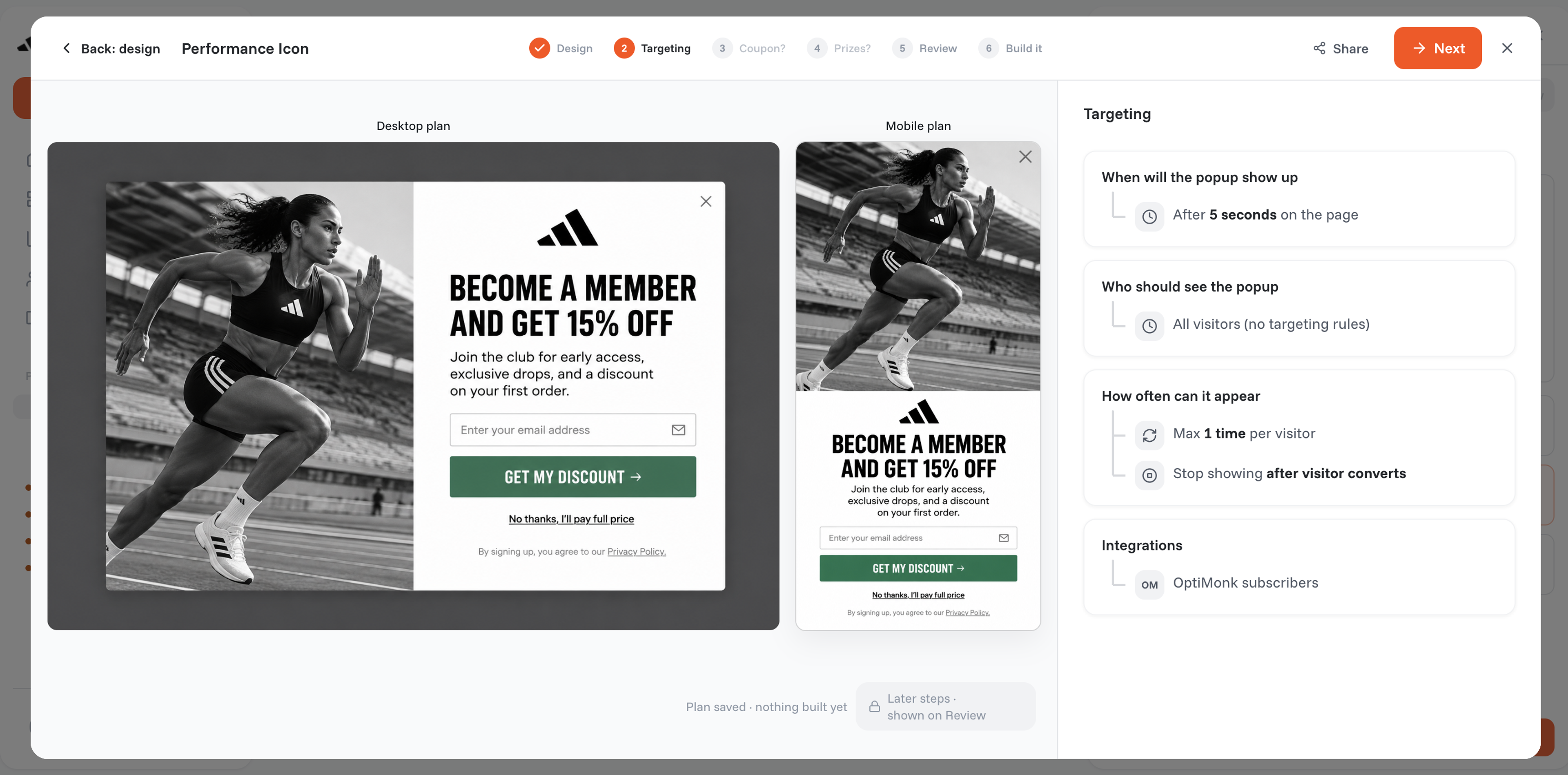
Two settings keep popups from turning into a nuisance:
Timing by calendar is a separate setting: Scheduling sets a start and end date, for example to schedule a popup for a sale. For ideas to start from, browse the Popup Library.
Test one thing at a time: run the same popup and offer as two campaigns with two different moments, for example 5 seconds against exit intent. Compare the two campaigns' submit rate and the revenue influenced in Reports, and add a holdout group ("Control (no popup)") to see the real uplift against showing nothing. Read more about A/B testing, the holdout test, how to test popup triggers and A/B testing in general.
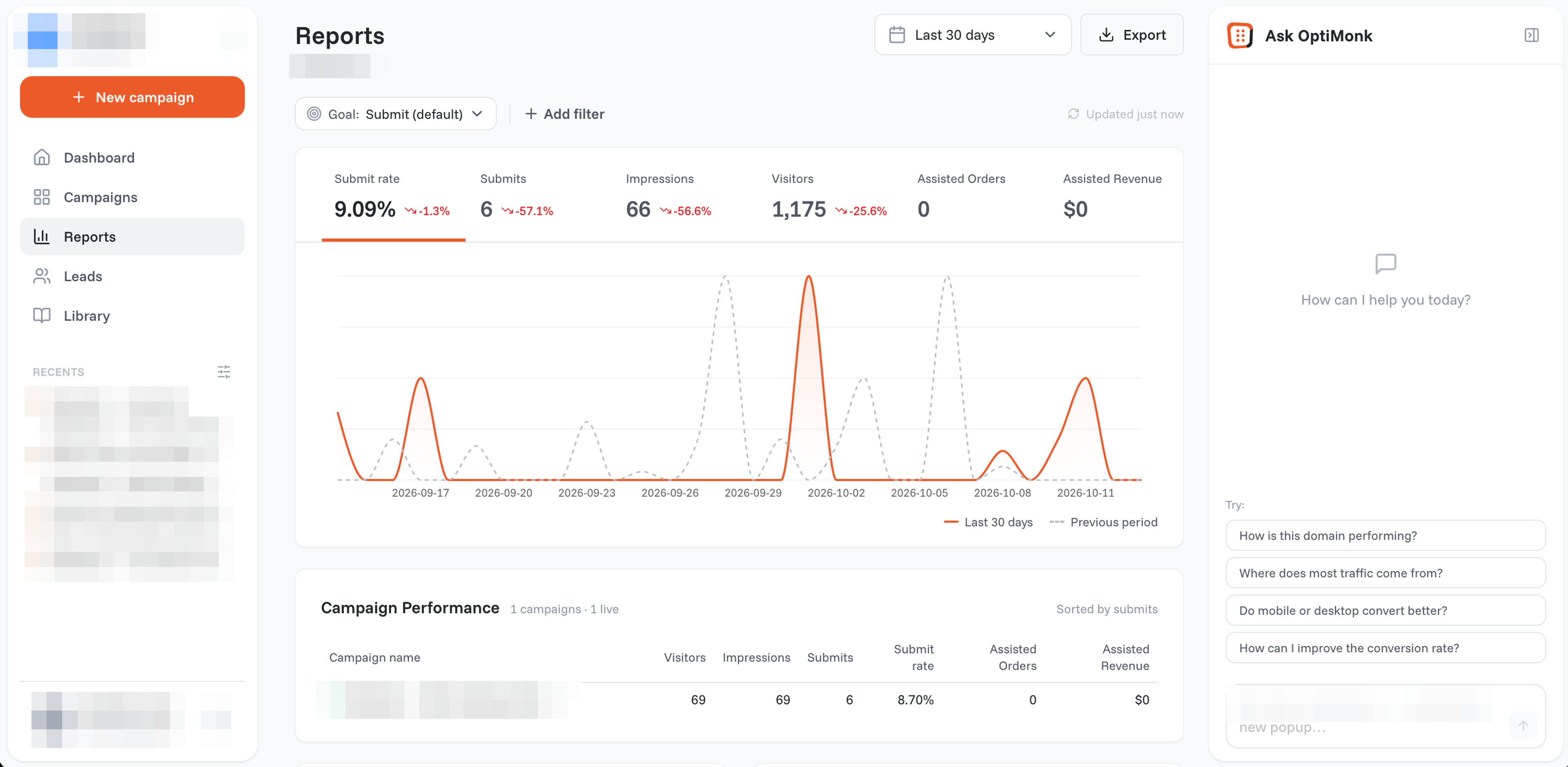
Give the test enough traffic before you pick a winner. By default, OptiMonk declares a winner at a 95% chance to win, with at least 200 conversions and at least 3 days of data.
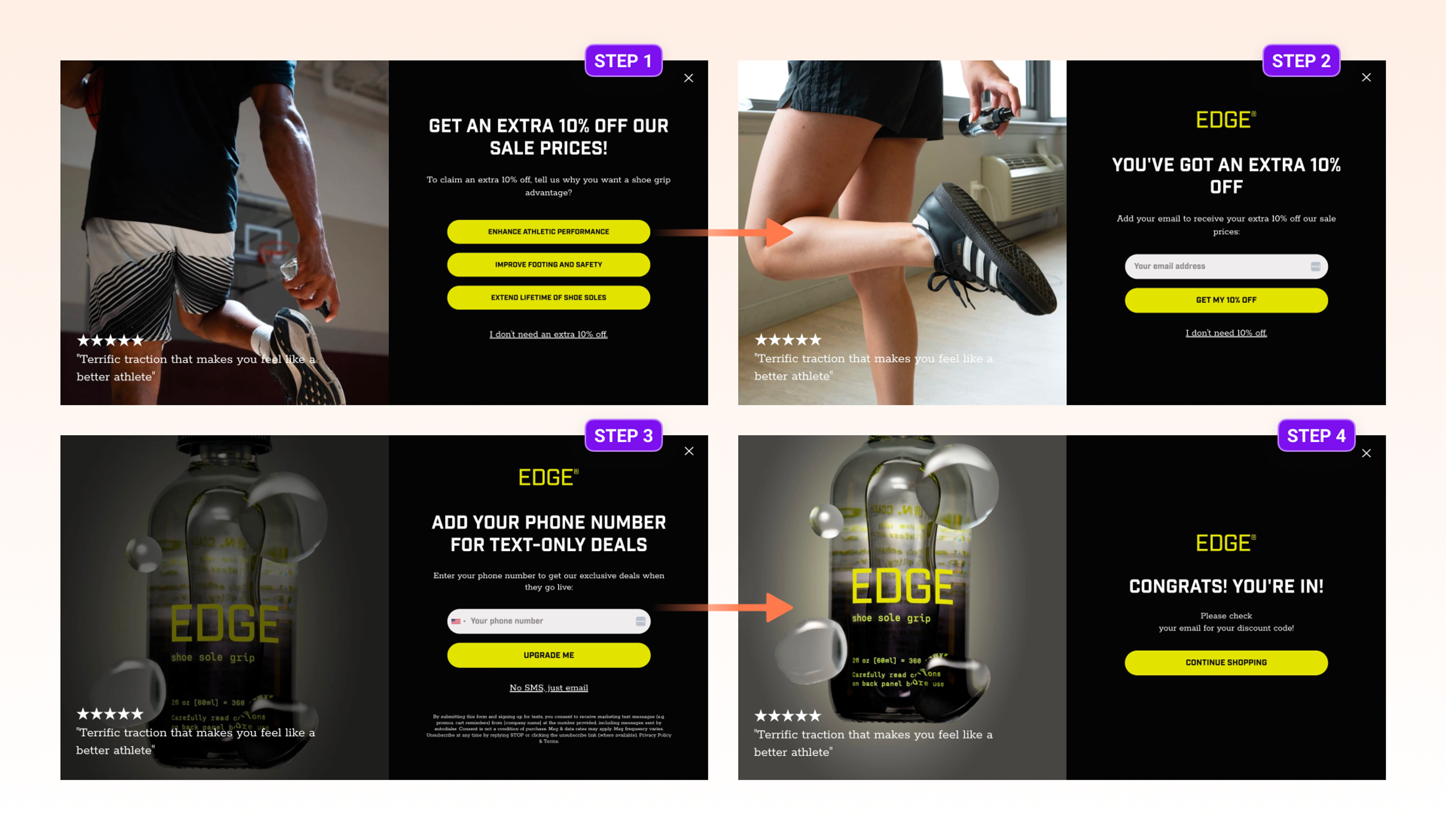
The result can surprise you. EDGE®, a brand that sells grip spray for shoe soles, tested the same popup and offer as a welcome popup after 5 seconds against an exit-intent popup, collecting email and SMS subscribers. The signup rates were similar, but the exit-intent version brought 7.84% more revenue, 4.24% more orders and a 3.26% higher average order value.
It depends on the visitor and the goal. New visitors should get a few seconds to look around before a welcome offer. Product browsers respond to picks after 15 to 20 seconds on a product page. Shoppers with a cart are best caught on exit intent. Test your choice on your own traffic.
For new visitors, a few seconds. Alef Bet, CraftMystic and Desert Does It all used 5 seconds. Avoid 0 seconds, which opens the popup before the page has made its point. In OptiMonk the time delay goes from 0 to 60 seconds, so you can A/B test a shorter delay against a longer one.
Both can work. Desert Does It used both at once: its quiz popup appeared to new visitors on exit intent or after 5 seconds, whichever came first. If you're unsure, run the same popup with each trigger as an A/B test and compare signups and revenue, the way EDGE® did.
A welcome discount works a few seconds into a first visit, shown only to new visitors and non-subscribers. Save cart discounts for exit intent, with a cart value condition, so you don't give money off to shoppers who were going to buy anyway.
Yes. Phones have no cursor, so exit intent reads other signals: switching tabs, a quick scroll to the top or the Back button. A time delay is the other common choice. Craft Spirit Shop used exit intent on desktop and a 20-second delay on mobile.
Once is a good default. OptiMonk's frequency limits start at once per visitor, at least one hour apart, and stop after the visitor converts. If you run several campaigns, the User Experience Protector caps how many each visitor sees per minute.
Choose one visitor and one moment from the table, and describe the popup in one sentence. The agent designs it with a mobile version and sets the timing; your A/B test tells you if the moment was right.
Free to start. No credit card.


50 CTA button texts for online stores and popups, grouped by the shopper's moment, plus what makes a button worth clicking.

40 website welcome message examples for online stores, grouped by situation and industry, ready to copy into a welcome popup.
12 Christmas popup examples for online stores, from welcome offers and spin-to-win wheels to gift quizzes and last-chance countdowns.


