


Black Friday Marketing Strategy: 30 Ideas for 2026
In this article, we'll share 30 actionable Black Friday marketing ideas for ecommerce businesses to make 2026 your most successful yet.
Get inspired to build new email list signup forms from these 13 must-see templates, and grow your email list effortlessly!
In short
Discover 13 inspiring email list signup forms designed to boost your email marketing efforts and grow your subscriber base. Learn the key elements of high-converting forms, including timing, targeting, messaging, and personalization, with examples from top brands. Enhance your email list strategy with effective signup forms that engage and convert your audience.
Building an email list is essential for successful email marketing campaigns. And as you probably know, successful email marketing is super important for ecommerce businesses. Unfortunately, getting new subscribers can be a challenge… which is why we've compiled a list of 13 must-see email list signup forms to help you take your email list to the next level.
So take a few minutes to read through these inspiring examples and get ready to start growing your list!
But first...
When creating high-converting newsletter signup forms, there are several important factors to take into consideration. You can significantly increase your chances of success by implementing the right timing, targeting, message, incentive, expectations, and personalization.
Let’s go into those in a bit more detail:
By implementing these techniques, you can create a highly effective newsletter signup form that attracts, engages, and converts your target audience. Remember to track and analyze your results so you can keep improving and achieving even greater success.
Here are some email signup forms that work. By knowing what makes them so effective, you can easily replicate the same in your marketing approach. Let's take a look!
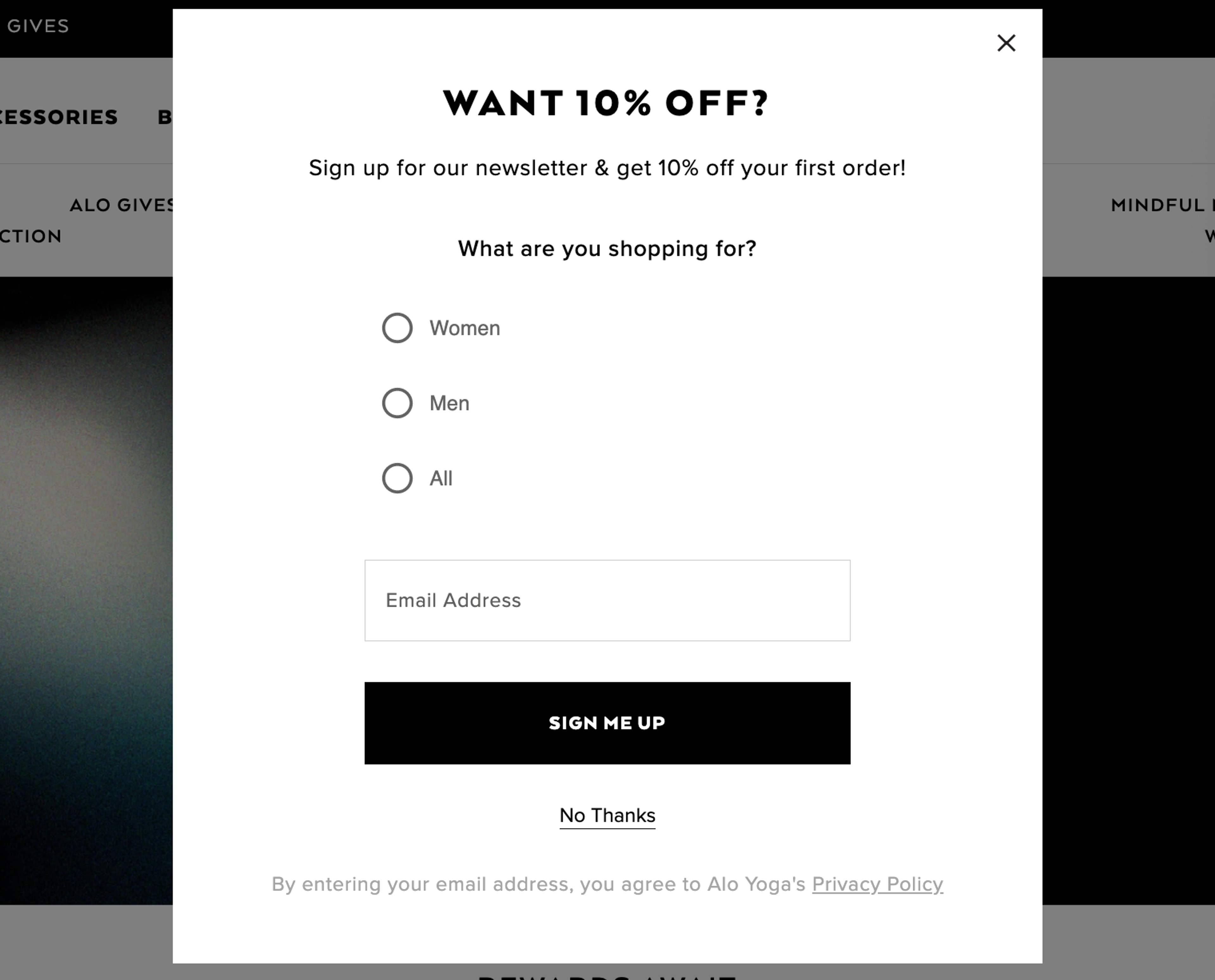
Alo Yoga offers a cleverly designed popup form that offers a 10% discount in exchange for signing up for the newsletter. It also collects additional data to personalize emails.
Here's why this newsletter signup form works:
Room for improvement: The form could be further optimized by breaking it into two steps for a better user experience.
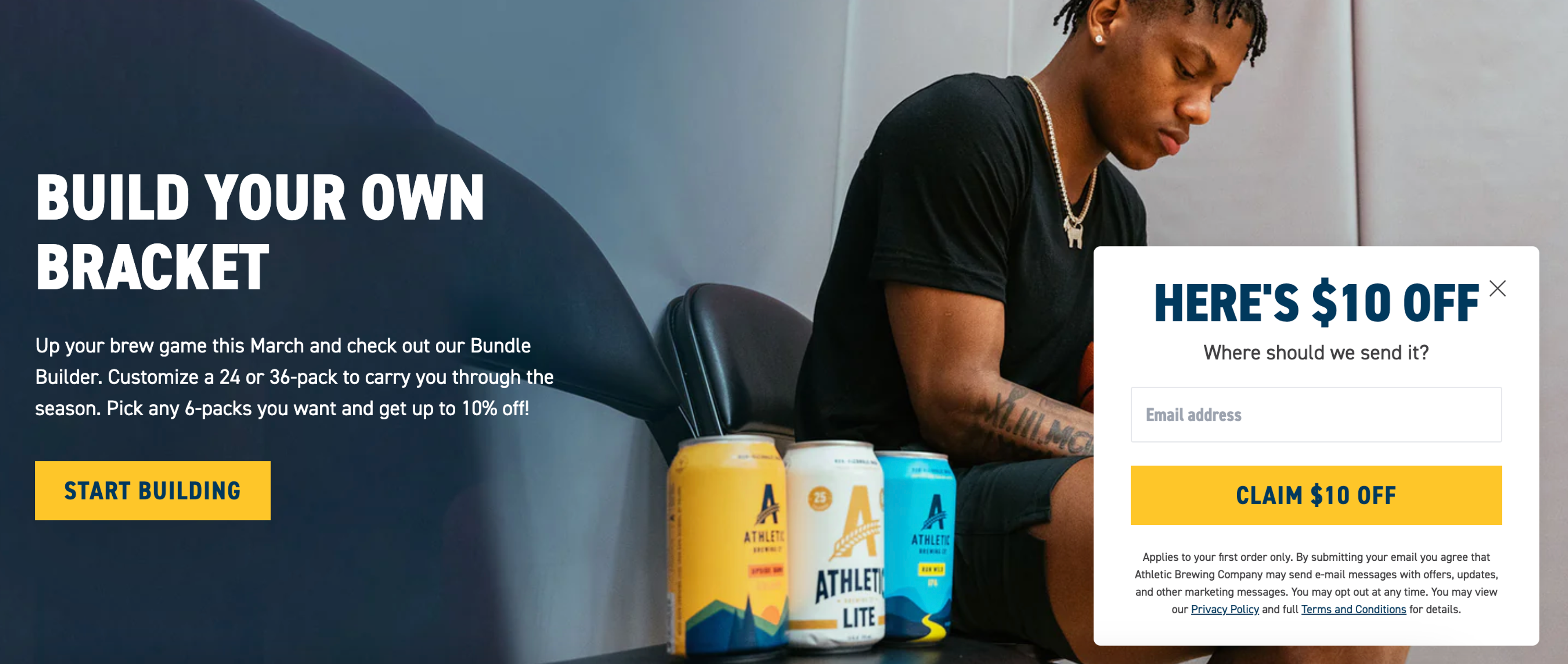
Athletic Brewing utilizes a subtle sidemessage for new visitors that doesn't interrupt browsing, and offers a $10 discount as an incentive for signing up for the newsletter. The minimalist design of the form ensures that it doesn't detract from the user experience.
Here's why this newsletter signup form works:
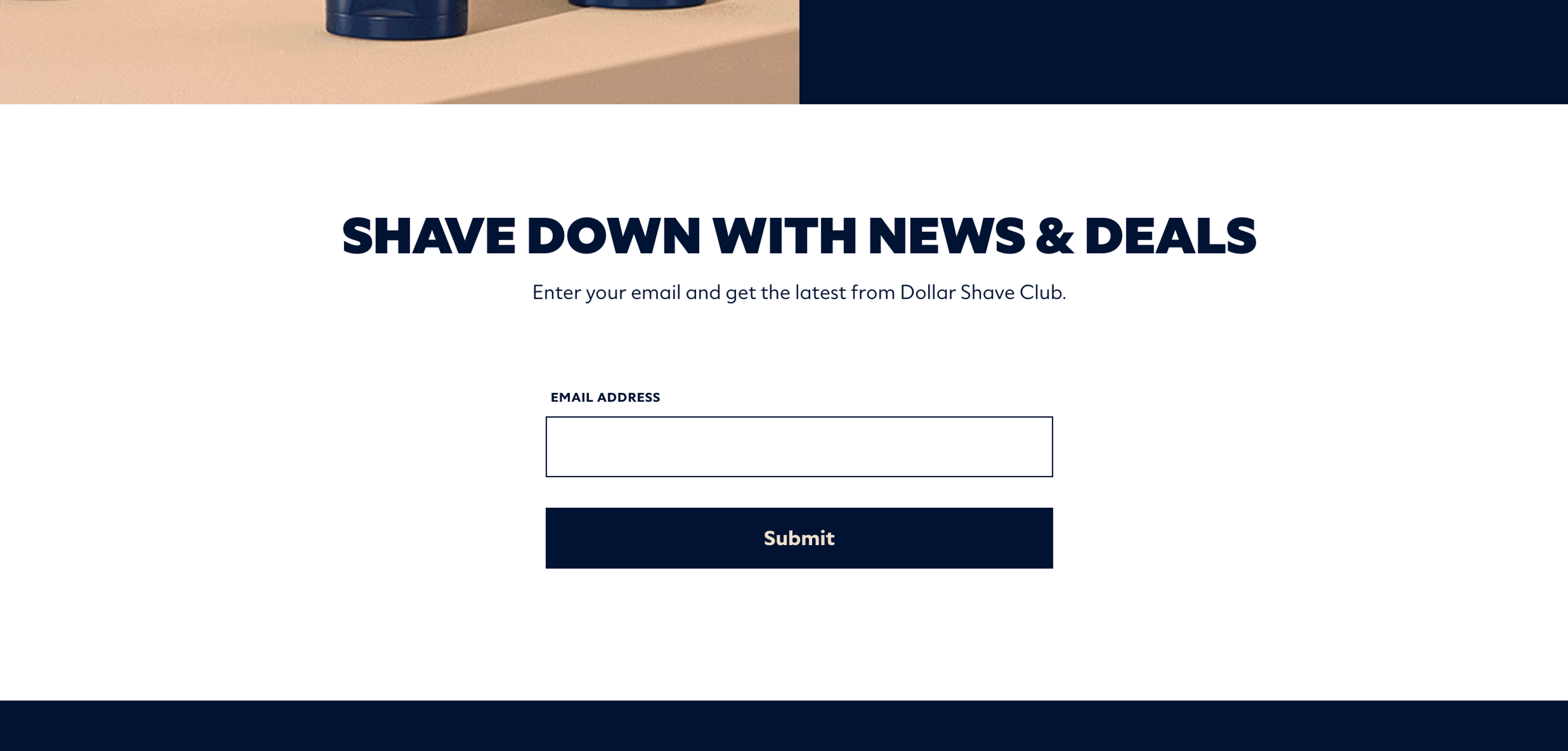
Dollar Shave Club features a simple embedded form at the end of the homepage. The company makes reference to the value subscribers can expect (“News & Deals”).
Here's why this newsletter signup form works:
Room for improvement: An incentive could increase the number of newsletter subscribers.
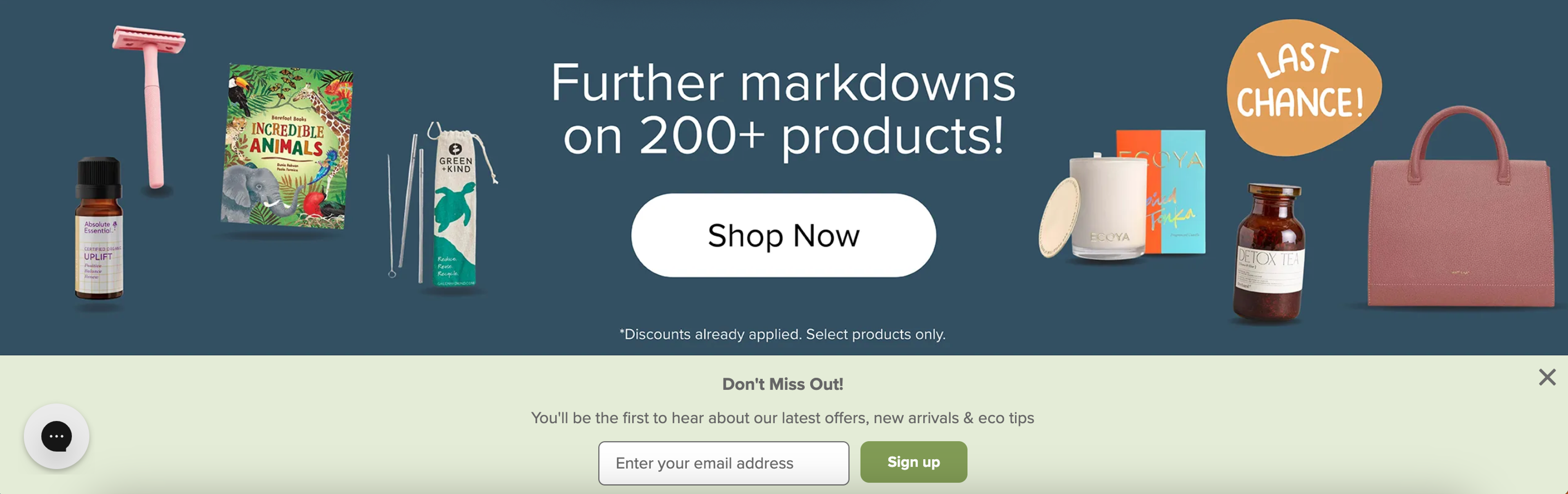
Flora and Fauna uses a sticky bar for new visitors that highlights the benefits of signing up (namely, being the first to hear about offers). The form is designed to be unobtrusive and doesn't interrupt users while browsing.
Here's why this newsletter signup form works:
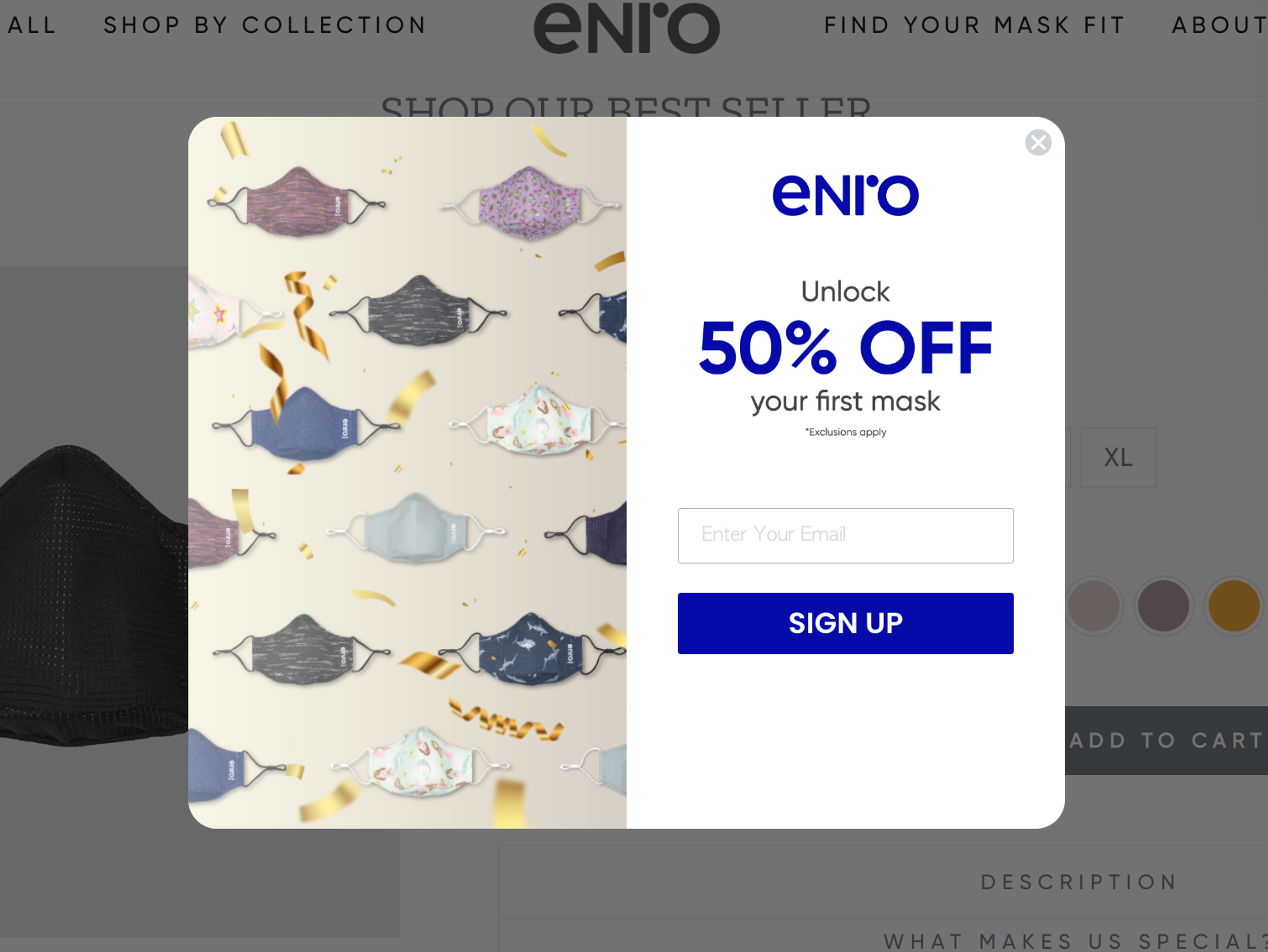
Enro uses a popup form that offers a 50% discount in exchange for signing up for the newsletter. The form is well designed and attractive, which can help grab people’s attention and increase the likelihood of conversions.
Here's why this newsletter signup form works:
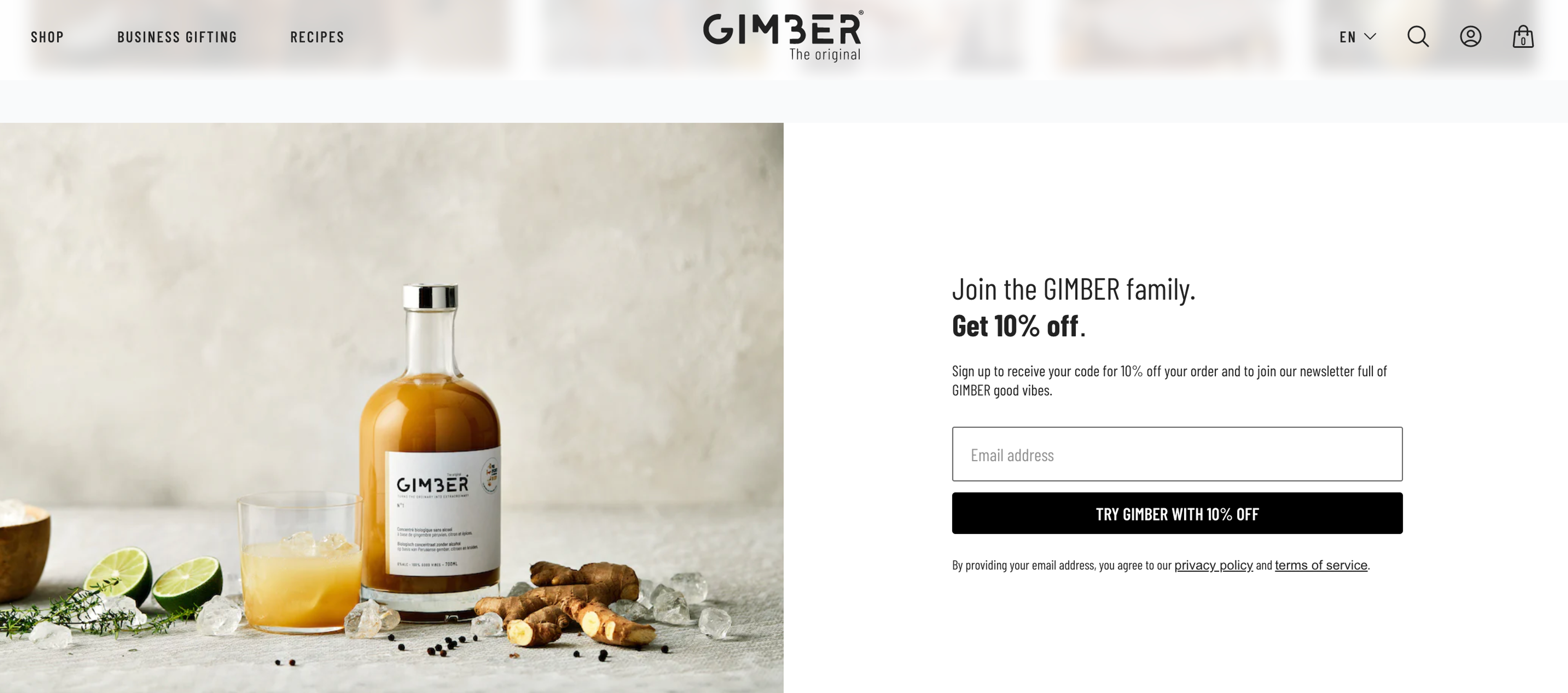
Gimber's embedded newsletter signup form appears on their homepage and features a nice design that showcases their product. The form offers a 10% discount incentive and invites visitors to "Join the GIMBER family," creating a personal touch that makes visitors feel valued.
Here's why this newsletter signup form works:
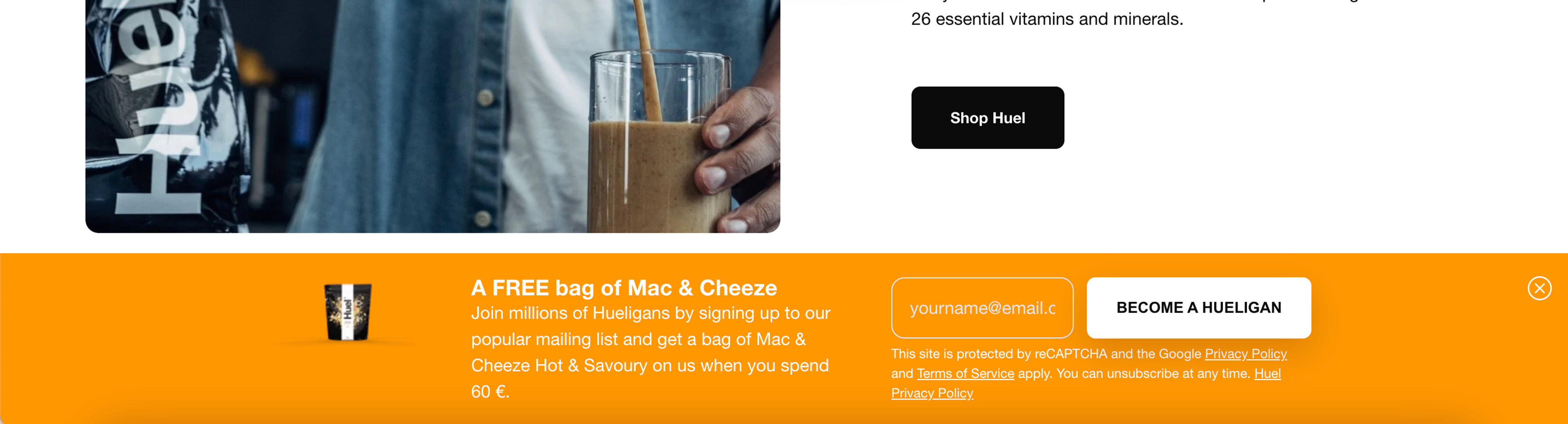
Huel uses a sticky bar for their newsletter signup form that appears at the top of the website. It offers a free product as an incentive and invites visitors to "join millions of Hueligans."
Here's why this newsletter signup form works:
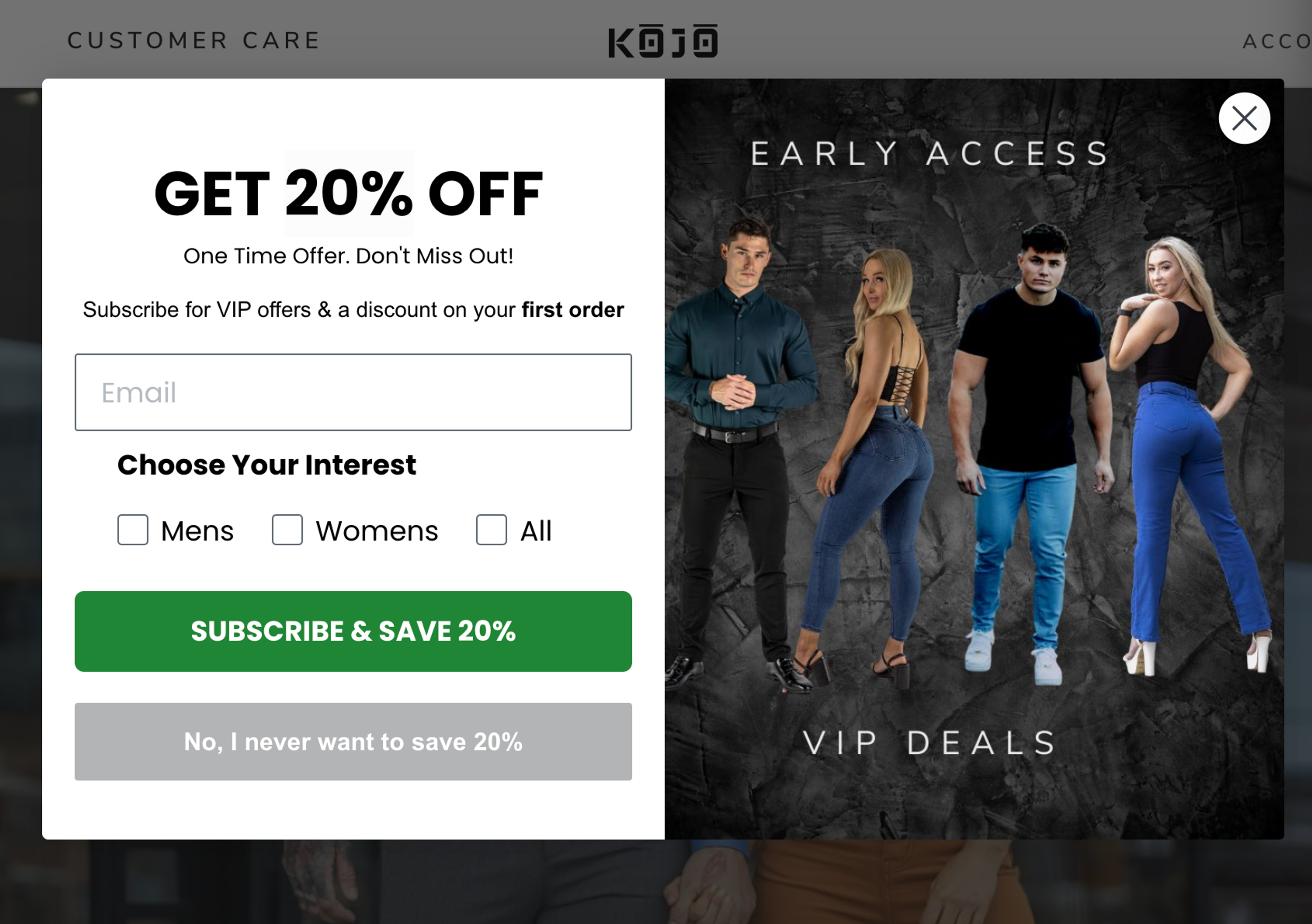
Kojo's newsletter signup form is presented on a popup that appears immediately upon visiting the website. The form also collects additional data to personalize emails and increases urgency with a subheadline: "One time offer. Don't miss out!"
Here's why this newsletter signup form works:
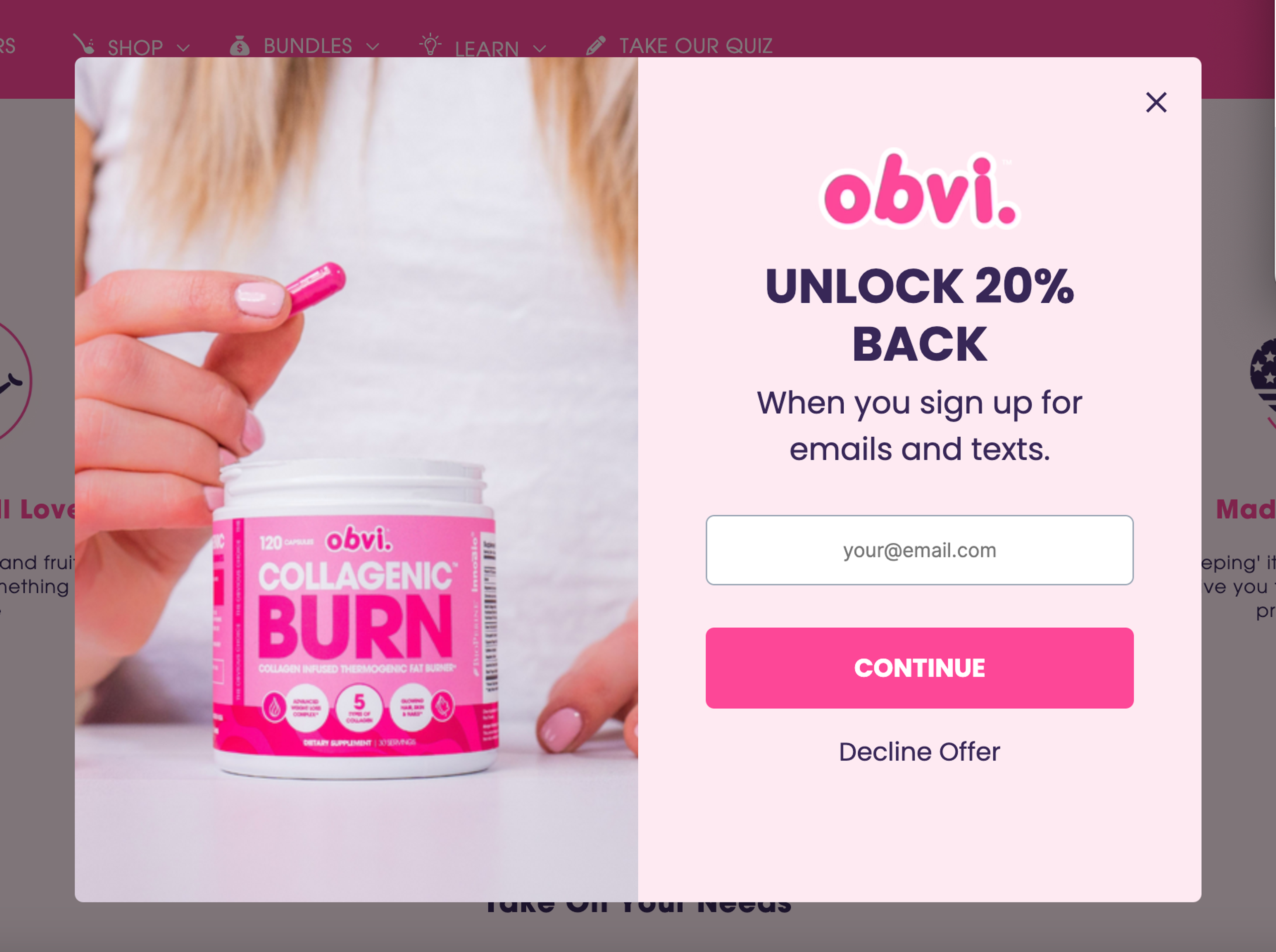
Obvi uses a popup form that offers a 20% discount on the first purchase in exchange for signing up for the newsletter.
Here's what makes this newsletter signup form work:
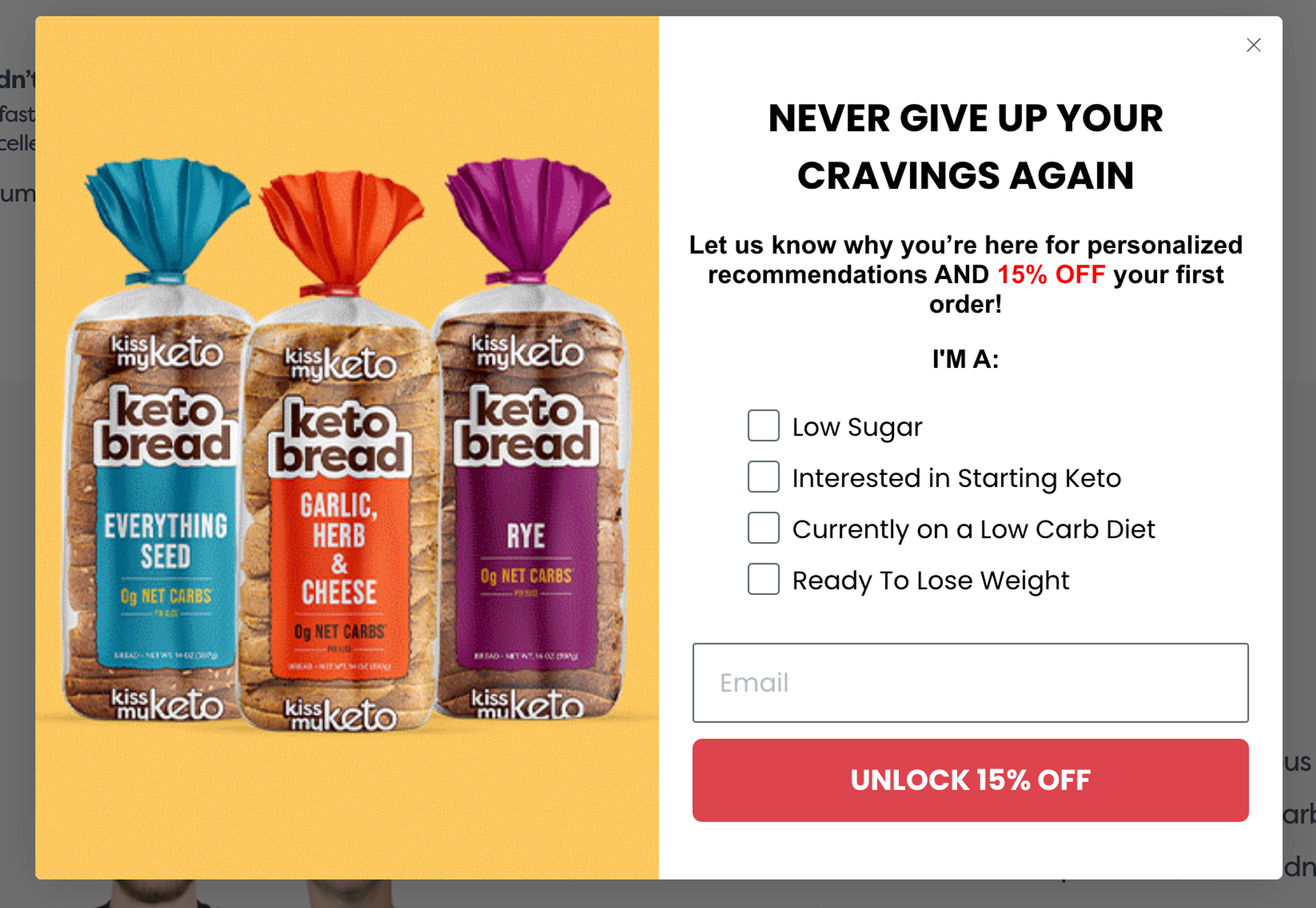
Kiss My Keto uses a popup form that offers a 15% discount on the first purchase in exchange for signing up for the newsletter. The form also collects additional data to offer personalized recommendations.
Here's what makes this newsletter signup form work:
Room for improvement: Breaking the popup into two steps could make it more manageable for visitors and increase the likelihood that they sign up.
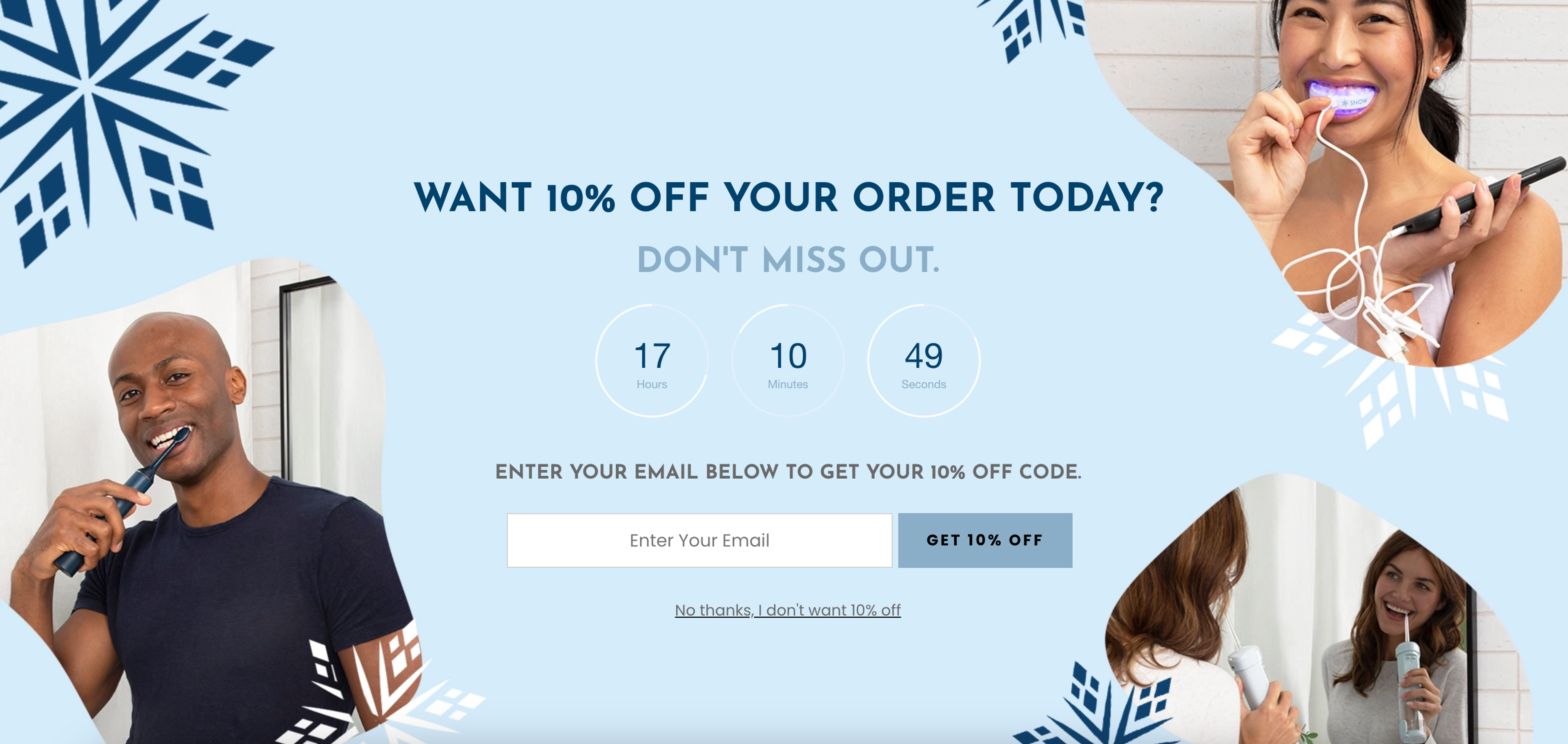
Snow® uses a fullscreen popup that acts like a mini landing page and offers a 10% discount on the first purchase in exchange for signing up for the newsletter. The form also includes a countdown timer to increase urgency.
Here's what makes this newsletter signup form work:
Urban Outfitters uses an embedded banner that, when clicked, opens a popup form that offers a 15% discount on the first purchase in exchange for signing up for the newsletter.
Here's what makes this newsletter signup form work:
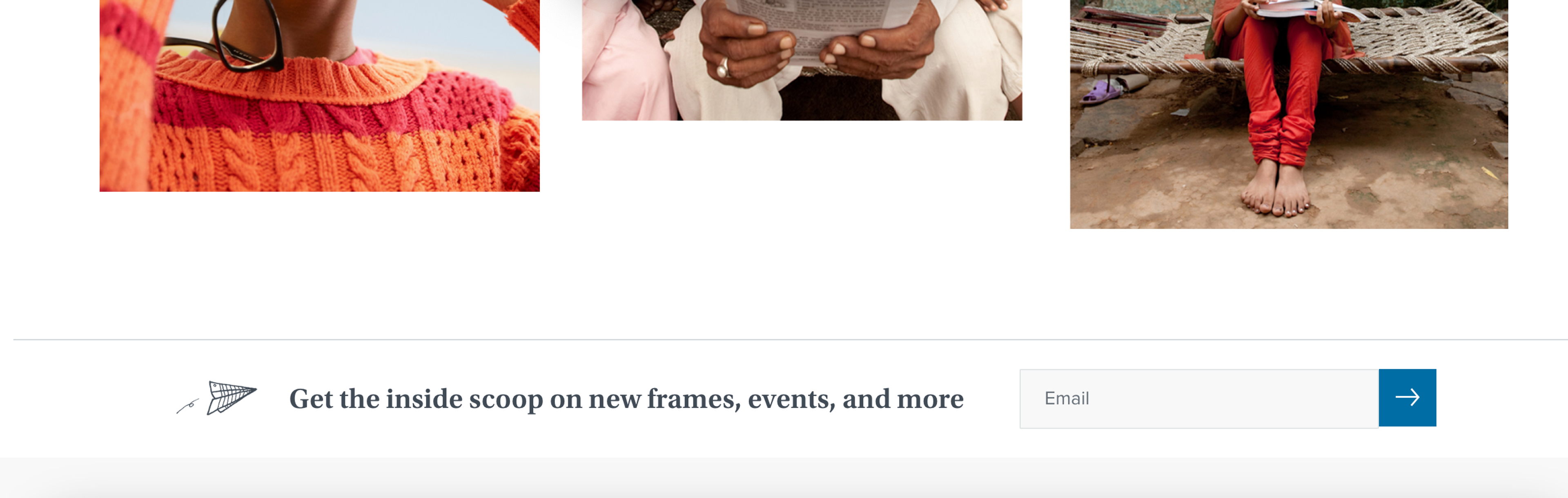
Warby Parker features an embedded form at the end of their homepage, which allows visitors to sign up for their newsletter.
Here's what makes this newsletter signup form work:
Here’s a step-by-step guide to creating an email signup form using OptiMonk's form builder tool:
Before you start creating your email signup form, you’ll want to decide what type of form you want to create.
There are many types of forms, including popups, slide-ins, sticky bars, and embedded forms. Each type of form has its advantages and disadvantages, so it's important to choose the right one for your business and your goals. (OptiMonk focuses on popups: card popups and fullscreen popups.)
In OptiMonk, you don't need a template. Describe the signup popup you want, and the AI agent draws four on-brand concepts in about a minute, each with a separate mobile version.
Need some inspiration first? Check out some of our most popular popup ideas below!
After picking a concept, it's time to fine-tune your email signup form.
You want your form to match the style of your website and campaign, so be sure to customize the colors, fonts, and images to match your brand. You can also add your own copy and an incentive, such as a discount or free resource, to encourage visitors to sign up.
In OptiMonk, the popup already uses your brand's colors, fonts and logo. Ask the agent for changes in plain words, or fine-tune it in the visual editor. You can also add custom form fields beyond name and email.
Once you’ve designed your form, it’s time to set up who you’re going to show it to and when. OptiMonk offers a variety of triggering and targeting options to ensure that your form is seen by the right people at the right time.
You can set up triggers based on visitor behavior, such as exit intent, scroll depth, and time spent on page.
You can also target specific pages or audiences, such as returning visitors or visitors from a specific location. By targeting your form to the right audience and at the right time, you can increase your chances of converting visitors into subscribers.
To make the most of your email signup form, you'll want to integrate it with your email marketing tool. OptiMonk integrates with many popular email marketing tools, including Klaviyo, Mailchimp, Omnisend, and HubSpot.
By integrating your form with your email marketing tool, you can automate your email list building process and ensure that your new subscribers receive your welcome email and your future marketing messages.
Once you’ve completed all the steps above, it’s time to publish your form and start collecting email addresses.
With your form activated, you can start collecting email addresses and growing your email list. OptiMonk provides detailed analytics and reporting so you can see how your form is performing and make adjustments as needed.
Hopefully this article has given you plenty of inspiration!
While email signup forms can be tricky to get right, with the right email capture tool and a few ideas, you can create an outstanding one that gathers tons of subscribers for your business in just a few clicks.
To start, choose one of the 13 email signup form examples that we shared in this article to emulate and go start revamping your email signup form. Good luck!

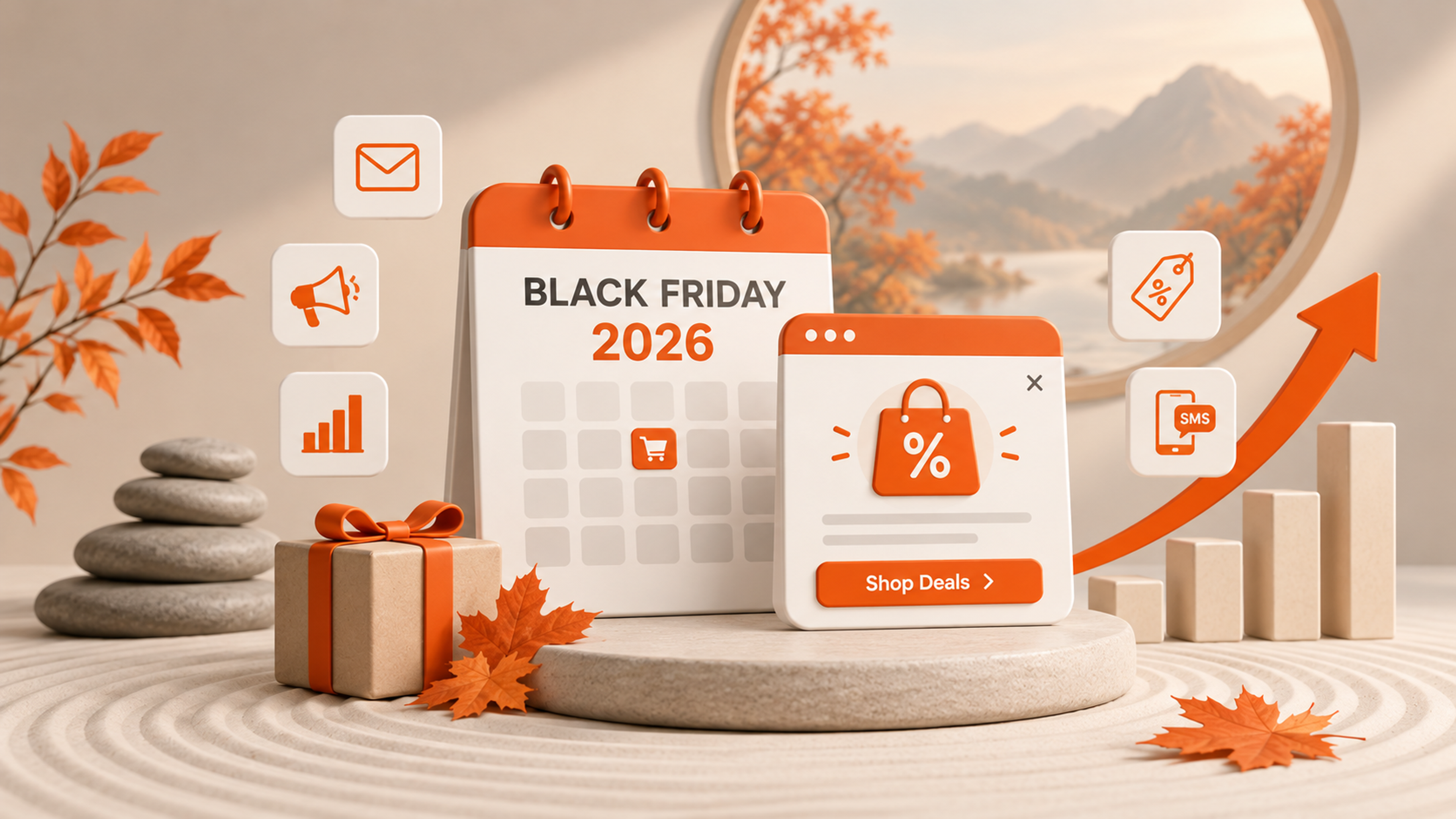
In this article, we'll share 30 actionable Black Friday marketing ideas for ecommerce businesses to make 2026 your most successful yet.

Learn about email marketing frequency for ecommerce stores. Most send 1-3 emails per week, with frequency adjusted by subscriber engagement and store type.

Let's take a look at the 21 best lead generation software for 2026 and discuss the features that any lead generation tool should have.