

14 Effective Thanksgiving Marketing Ideas to Boost Your Sales in 2026
Discover creative Thanksgiving marketing ideas to engage customers, build buzz, and drive sales before Black Friday and Cyber Monday.
Free popup tools get you started — but cost you conversions. Discover the 6 features you're giving up, a side-by-side comparison, and 3 affordable paid tools worth upgrading to.
In short
The price difference between a free and paid popup tool isn't really about features — it's about whether your popup is just showing up, or actually working for you. Free tools collect emails. Paid tools tell you what's working, who to show what, and how much it's actually making you. For most stores past the early stage, the conversion gap between the two means the tool more than pays its own way.
Many ecommerce store owners make the same mental shortcut: why pay $50–$100 a month for a popup tool when the free version works?
What they don’t factor in is the revenue quietly walking out the door: unsubscribed visitors, abandoned carts never recovered, and campaigns that hit their free plan limit on day 18 of the month.
Here’s the thing: free popup makers (including the built-in popup builder that comes with your email marketing software like Klaviyo, Mailchimp, or Omnisend) aren’t bad. They’re just limited. And limited is fine when you’re just getting started.
This free vs paid popup tools breakdown is for marketers who are past the beginner stage and want to understand exactly what they’re missing out on by sticking with a free or cheap tool. You’ll get concrete feature gaps, a head-to-head free vs paid popup tools comparison, and 3 affordable paid tools that won’t break the bank.
The price gap between a free popup maker and a paid one isn’t arbitrary—it reflects real engineering investment. Advanced features like A/B testing infrastructure, precise behavioral targeting, revenue attribution analytics, deep platform integrations, and dedicated customer support all cost money to build and maintain.
Free popup makers are built to get you started. They handle the basics: a simple popup appears, someone signs up, their email lands in your list. That’s about where it ends. They’re not designed to support you through every stage of your business—they’re designed to get you started on the journey.
The more useful way to think about popup cost isn’t the monthly fee. It’s the revenue the popup generates—or doesn’t. Here’s a quick illustration:
That’s not a spending question. That’s a math question.
When you look at free popup tool limitations against what paid plans actually unlock, six gaps stand out above everything else. Here’s what you’re missing out on with a free tool:
How do you know if the popup you’re running is converting as well as it could?
Without a popup tool with A/B testing, you’re just guessing. You can’t tell whether the headline, the offer, the button color, or the timing is what’s driving—or killing—conversions, because there’s no control group to compare against.
Paid tools give you full A/B testing: test variants side by side, measure statistical significance, and make decisions based on real data. Free popup makers either exclude it entirely or offer such a stripped-down version that it’s barely functional.
Free tools typically show the same popup—same text, same image, same CTA—to every single visitor, regardless of where they came from, what’s in their cart, or how many times they’ve visited before.
Paid tools can target by cart value, UTM source, referral channel, browsing behavior, organic search keywords, geolocation, Klaviyo segments, and more—including page-specific opt-ins that display entirely different messages across different pages of your site, from your homepage to a product page to a blog post.
Showing returning users something different than what first-time visitors see isn’t just good UX—it meaningfully improves conversions. Personalization features boost sales and carry strong ROI once your store has enough traffic to use them.
Exit-intent is one of the most valuable triggers in ecommerce. It’s the last chance to convert a visitor who’s about to leave—and it works because the timing is precise.
Some popup makers include exit-intent on their free plan (OptiMonk and Poptin both do). Many lock it behind a paid tier.
But here’s the nuance: exit-intent on a free plan gives you the trigger and the template. The offer quality, the audience targeting, and the A/B testing that actually determines what converts—those are all paid features.
Free plans give you basic analytics: pageviews and signups. You know a popup appeared and someone clicked. That’s the extent of it.
Paid tools give you the full picture—exact revenue your campaigns generated, conversion trends over time, real-time performance data, and traffic source breakdowns.
A good analytics setup also feeds your broader marketing strategy: knowing where your highest-converting traffic is coming from helps you sharpen both your organic and paid acquisition.
Basic integrations mean your signups are collected and you’ll need to import them manually somewhere. Automations—the kind that pass Klaviyo segments back into targeting logic, auto-apply discount codes on Shopify, or route new subscribers into CRM workflows—cost money to build and maintain.
Better integrations mean better synced data, fewer manual steps, and less falling through the cracks. For any Shopify store operating at meaningful scale, native integrations are non-negotiable.
Free plans typically offer a knowledge base, a community forum, and a ticket queue. Paid tiers give you live chat, onboarding calls, 1-on-1 video sessions, and in some cases a dedicated customer success manager.
Better support means faster implementation, fewer setup mistakes, and quicker problem resolution. For tools like OptiMonk, paid users also get early access to new and advanced features before they’re publicly released—a real advantage in a tool category that evolves quickly.
Ecommerce moves fast: customer expectations shift, market conditions change, and the tools you rely on need to keep pace. A good paid popup tool doesn’t just support where you are today—it follows where the market is going.
📋 Side note: Impact of free vs paid popups on SEO and site speed
One thing that rarely gets discussed in free vs paid popup tools comparisons: some free tools—and even some cheap tools—load additional JavaScript on your website that wasn’t optimized for performance. This can delay your Largest Contentful Paint (LCP), hurt your Core Web Vitals scores, and quietly suppress your Google Analytics and search rankings. If your popup builder isn’t loading its script after LCP, it may be costing you SEO ground without you ever knowing why.
| Feature | ❌ Free tools | ✅ Paid tools |
|---|---|---|
| A/B Testing | Not available or very limited | Full A/B testing + control groups |
| Exit-Intent Targeting | Often locked behind paid plan | Included in all paid tiers |
| Advanced Audience Targeting | Basic (all visitors) | Cart value, UTM, Klaviyo segments, behavior |
| Analytics & Revenue Tracking | Page views & signups only | Revenue attribution, conversion tracking |
| Pageview / Session Caps | Campaigns stop mid-month when limit hit | Scales with traffic—no silent cutoffs |
| Integrations (e.g. Klaviyo, Shopify) | Limited | Deep native integrations |
| Page Speed Optimization | Can add script bloat | Lightweight, optimized loading |
| Customer Support | Self-serve only / community | Chat, email, onboarding, priority support |
| Pageview / Visitor Limits | Very low (1k–10k/mo) | Scales with business needs |
| AI / Personalization | Not available | AI product recommendations, smart tags |
The free popup tool conversion rate comparison is where the real argument lives. Here’s what the numbers look like across four dimensions:
A basic popup maker—built into your email tool, minimal targeting, no testing—typically converts around 1–2% of visitors.
A paid tool with personalization, behavioral targeting, and A/B testing can realistically reach 10–15%, and the real-world case studies below show even better results.
The gap isn’t marginal. It’s the difference between capturing 1 in 100 visitors vs. 1 in 7.
Every additional subscriber is someone you can now reach via email or SMS—and convert into a buyer through sequences, promotions, and retargeting.
Your email list is an owned channel, and every popup conversion is building it. Each subscriber has value far beyond their first visit.
Paid tools unlock use cases that free popup makers simply can’t execute:
These aren’t just nice-to-haves—they generate revenue that a basic popup maker could never touch.
If paying $29/month means your popup converts 8x more visitors into subscribers, and each subscriber generates even $1 in lifetime value, the tool pays for itself many times over. The number to optimize isn’t the tool’s monthly cost. It’s the conversion rate.
Here are three real brands that made the switch from a free built-in popup tool to a paid solution—and what it actually did for their numbers.

Starting point
illCurrency was running a Klaviyo built-in popup offering a standard 15% discount. It was doing its job at a baseline level—desktop conversion rate was 1.04%, mobile was 3.83%—but there was no way to know whether a different format or approach would perform better. No testing, no iteration, no visibility into what the popup was actually contributing to revenue.

The switch
They moved to OptiMonk and rebuilt the same 15% discount offer as a multi-step popup: a two-step engagement flow on the main popup, plus a product recommendation block on the thank-you page. The offer itself didn’t change. Only the format and the follow-through did.

The outcome
Email subscription rate increased by 76%. Desktop conversion jumped from 1.04% to 1.83%. Mobile went from 3.83% to 6.75%. The thank-you page product recommendation alone generated 200 additional orders—approximately $18,000 in sales.
The lesson: they didn’t change the offer. They changed how it was presented.
For the full case study, click here.

Starting point
CraftMystic was running a basic theMarketer popup with two fields and a zodiac sign dropdown. It was functional, but conversion sat at 1.36%—a number that’s hard to improve when you have no testing capability and no way to personalize the user experience based on what users are actually interested in.

The switch
They switched to an OptiMonk conversational multi-step popup featuring a mystery discount reveal and personalized product recommendations as the final step.

The outcome
Subscription rate increased by 1,125%.
The story isn’t just about the numbers—it’s about what a paid tool actually enables. A free popup builder does one thing: it shows up and asks. A paid tool lets you design an experience.
Each step of a well-built multi-step popup is small enough that visitors say yes, and the next step follows naturally. Multi-step isn’t more friction. When it’s done right, it’s less—because each micro-commitment is easy to make.
For the full case study, click here.

Starting point
Vegetology was running a Klaviyo popup offering a generic 10% discount. It was generating a 7% signup rate—not bad at all, but with no mechanism for testing or iteration, there was no obvious path to improving it. Every month looked roughly the same as the last.

The switch
They switched to OptiMonk and added three important elements:


The outcome
Signup rate nearly doubled to 13.8%. Ecommerce conversion rate improved by 21%.
None of the individual changes were dramatic in isolation—a different discount format, an auto-updating headline, a small reminder. But that's the point: these gains didn't come from one big idea; they came from iteration. Without analytics and A/B testing, none of them would have been identified or validated. A free tool gives you a popup. A paid tool gives you a feedback loop.
For the full case study, click here.
Upgrading from a free popup maker doesn’t mean committing to enterprise pricing. Here are three paid tools at different ends of the use-case spectrum—and none of them require a big budget to get started.
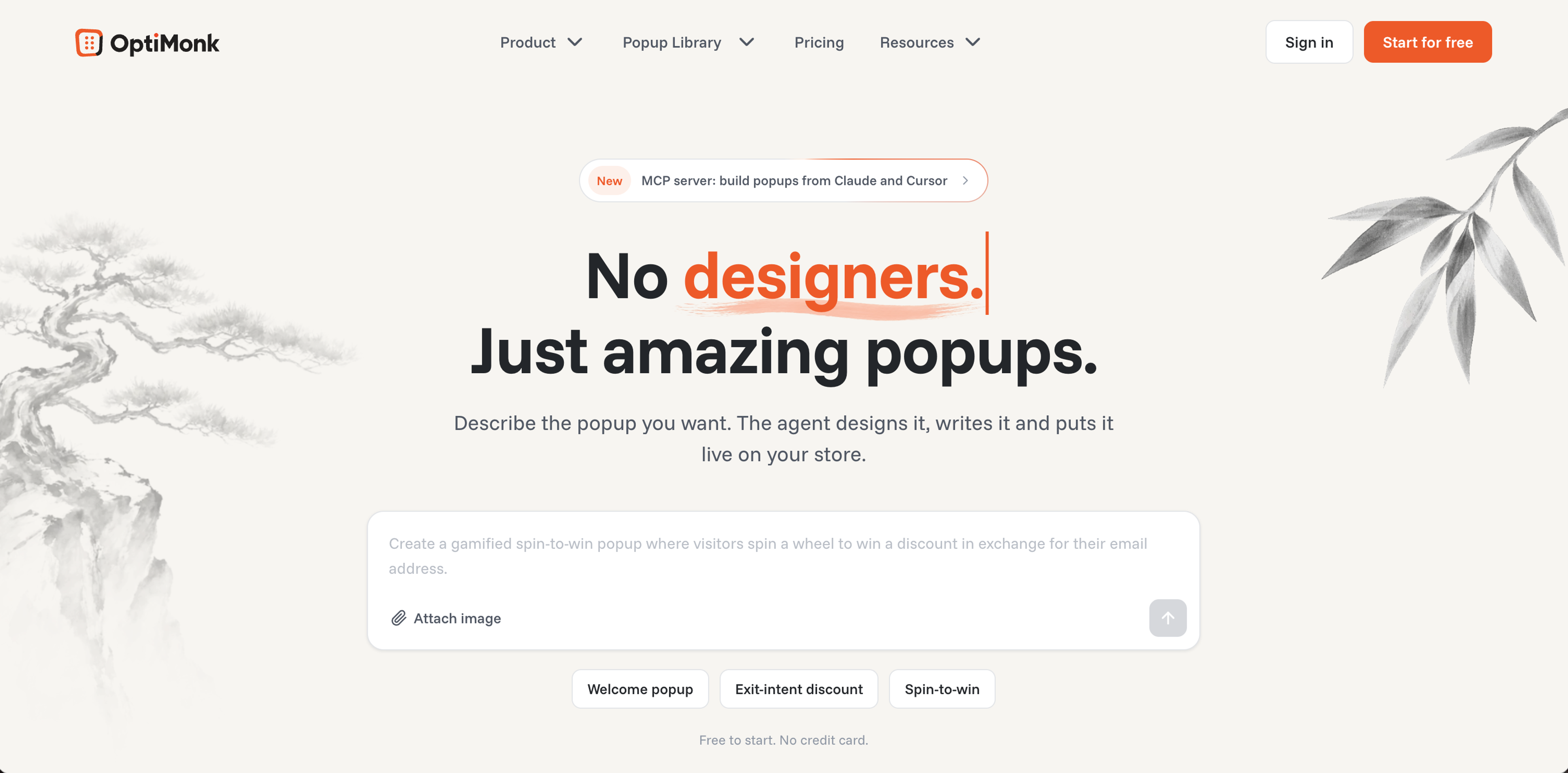
Pricing: Free plan up to 10,000 pageviews/month. Paid plans from $19/month billed yearly ($29 monthly).
Integrations: Klaviyo, Omnisend, Shopify, WooCommerce, HubSpot, Zapier, and more.
Why OptiMonk stands out:
OptiMonk is more than a popup maker: it's an agentic popup builder, built specifically for ecommerce. If you're looking for the best popup tool for Shopify or WooCommerce, it's the most well-rounded option at this price point. Here's what differentiates it:

Pricing: Free plan up to 1,000 visitors/month. Paid plans from $25/month (Basic).
Integrations: Mailchimp, ActiveCampaign, Klaviyo, HubSpot, Zapier, and more.
Why Poptin stands out:
Poptin’s primary advantage is platform breadth: it works across WordPress, Shopify, Wix, Joomla, Magento, and more.
Exit-intent is included on the free plan, which is genuinely useful. The UI and customer support are both consistently rated highly, even for free users—which is rare.
The 1,000 visitor/month free plan is limited, but makes Poptin a strong option for very small websites and shops, or for anyone who wants to test before spending anything. A/B testing unlocks at the paid tier.

Pricing: Free plan with all core features included. Paid plans from $29/month.
Integrations: Mailchimp, Klaviyo, HubSpot, ActiveCampaign, Shopify, WooCommerce, Zapier, and more.
Why Claspo stands out:
Unlike many popup builders that reserve advanced functionality for paid users, Claspo includes features such as behavioral targeting, A/B testing, gamified popups, and multi-step forms in its free plan. This makes it a practical choice for businesses that want to optimize conversions before committing to a subscription.
The platform is built with marketers in mind, offering an intuitive drag-and-drop editor, a large library of customizable templates, and flexible targeting based on visitor behavior, traffic source, device, and page activity.
While Claspo isn't a full marketing platform and requires integrations with your email marketing or CRM tools, it provides a strong balance of functionality, ease of use, and value for businesses focused on growing leads and sales.
| Tool | Starting price | Free plan | A/B test | Exit intent popups | G2 rating | Best for |
|---|---|---|---|---|---|---|
| OptiMonk | $19/mo (annual) | ✅ 10k PV | ✅ All plans | ✅ All plans | ⭐ 4.8/5 (157 reviews) | Shopify & WooCommerce; ecommerce personalization & AI targeting |
| Claspo | $39/mo (monthly) | ✅ All core features | ✅ Free plan | ✅ All plans | ⭐ 4.9/5 (29 reviews) | Marketers wanting advanced features on a generous free plan |
| Poptin | $25/mo (Basic) | ✅ 1k visitors | ✅ Paid plans | ✅ Free plan | ⭐ 4.8/5 (81 reviews) | Small businesses & beginners; multi-platform |
Knowing when to upgrade from a free popup tool isn’t always obvious, especially when the free plan is still technically working. Here’s a practical checklist to help you decide:
If you answered yes to more than two of these, it’s time to look at upgrading.
If you’re generating real traffic—even 5,000–10,000 visitors per month—a paid popup tool almost certainly pays for itself. The math is direct: a 1% improvement in conversion rate on 10,000 monthly visitors converting at a $40 average order value means $4,000/month in additional revenue. Spending $25–$39/month to enable that is a no-brainer.
If your store is just getting started, a free plan might be exactly right for now. There’s no point paying for features you won’t use yet.
Free popup makers and free tiers aren’t bad—they’re just built for a very early stage. When you’re ready to move beyond that stage, none of the three tools above require enterprise pricing to do it. All three cost less than a dinner out for two people—and unlike dinner, they pay you back.
Ready to see what a paid popup can do for your store? Try OptiMonk free, no credit card required.
A free popup maker is a solid choice when your store is early-stage: you’re still building traffic, testing your offer, and you don’t yet have the volume to make advanced targeting or A/B testing statistically meaningful. If you’re under 5,000 monthly visitors and you’re still figuring out whether your core offer resonates, free is fine. The moment you start regularly hitting pageview caps, or you want to test and improve results rather than just collect signups, it’s time to look at paid options.
They can, and it's one of the more underrated factors in the decision. The impact of free vs. paid popups on SEO and site speed comes down to how each tool loads its JavaScript. Some free tools—and some paid ones—add scripts that block rendering and delay your Largest Contentful Paint (LCP), a Core Web Vitals signal Google uses directly in its ranking algorithm. Poor LCP means worse website performance scores, which can suppress your search visibility and increase bounce rates—costs that never show up on your popup tool's invoice. Tools like OptiMonk are specifically built to load their script after LCP to protect your website performance. If your current popup tool isn't doing this, it may be quietly working against your SEO without you even realizing it.
Based on the free popup tool conversion rate comparison across real stores, a basic popup maker with minimal targeting typically converts 1–3% of visitors. High-converting popups—built with behavioral targeting, personalization, and A/B testing—can realistically reach 5–15%, and the case studies in this article show results well beyond that. The industry average sits around 3–5%, but average isn’t the benchmark worth chasing. Your own store’s previous performance is. If your popup is converting below 2%, there’s almost always a targeting or offer gap a paid tool can help close.
OptiMonk has one of the deepest native Klaviyo integrations available: it syncs your subscriber list in real time, passes Klaviyo lists and segments back into popup targeting rules, and triggers Klaviyo automations from popup signups. Poptin and Claspo both integrate with Klaviyo, but the connection is more basic. For Shopify stores running Klaviyo as their core email platform, OptiMonk's Klaviyo integration is one of its strongest practical advantages.

Discover creative Thanksgiving marketing ideas to engage customers, build buzz, and drive sales before Black Friday and Cyber Monday.
Learn 5 ways ecommerce brands can turn new subscribers into recurring revenue using welcome flows, personalization, loyalty programs, re-engagement, and referrals.
In this article, we’ve compiled a list of the 25 top ecommerce apps that will help you streamline your operations, boost sales, and grow your online business.