


Shopify Discount Codes: How to Create, Share and Auto-Apply Them
How to create a Shopify discount code, share it as a link, and show the right code to the right visitor.
What a limited-time offer is, 12 types and when to use each, how to word and run one, and 8 popup examples designed for real stores.
In short
A limited-time offer works when the deadline is real and the reward fits the shopper. Choose one offer type, such as free shipping, a gift or early access, set a fixed end date, and show it on site in a popup that counts down to that date.
"Ends Sunday at midnight" makes people check their cart. "Limited time only," with no date anywhere, makes them close the tab.
Shoppers have seen plenty of timers that start over on every reload. An offer is only as convincing as the cutoff behind it.
A limited-time offer is a deal that ends at a set time: a discount, free shipping, a free gift, a bundle price or early access that shoppers can only get until the deadline. The end date gives them a reason to decide now. It can run for a few hours or a few weeks.
In plain words: it's a deal you can only get for a short time.
Also called a time-limited offer, a time-sensitive offer or a limited-period offer.
The deadline can be a point in time ("ends Sunday at 11:59 pm ET"), a period ("this weekend", "through Father's Day") or an event, such as the last day to order for delivery before a holiday. It can come with a quantity limit ("while supplies last"), but only when the stock really is limited. More on that in sense of urgency.
A flash sale is one kind of limited-time offer: a short sale event, usually a few hours to a couple of days, often with a deep discount. A limited-time offer can be any reward with a deadline, such as a gift, free shipping or early access, and it can run for weeks. For the short, sitewide version, see what a flash sale is and how to run one.
A deadline turns "maybe later" into a decision. When the offer and the end date are real:
All of this depends on belief: scarcity only persuades when shoppers think it's real.
A limited-time offer is more than a discount. Pick the type from what you want the shopper to do, then give it a deadline. Eight of the types below come with a popup from the OptiMonk Popup Library, each designed by the AI agent for a real brand.
| Offer | Best for | Typical window | Who should see it |
|---|---|---|---|
| Limited-time discount | More orders in a set period | A weekend to a week | Everyone, or one segment |
| Free shipping for a set period | Removing the last objection | Until a holiday shipping cutoff | Shoppers below the free shipping threshold |
| Free gift with purchase | Protecting margin | A season or while stock lasts | New customers, or above a cart value |
| Buy one, get one (BOGO) | Moving more units | A short event | Everyone |
| Bundle price | Bigger orders | A week to a month | Product page visitors |
| Early access or VIP access | Rewarding your list | A day or two before the public | Subscribers and returning customers |
| First-order offer with an expiry date | Turning signups into buyers | Days after signup | First-time visitors |
| One-day offer | A quick push on a slow day | One day | Everyone |
| Seasonal or holiday offer | Riding existing demand | Until the holiday | Everyone, or by country |
| Last-chance offer for cart abandoners | Saving the order | Until the code expires | Shoppers leaving with a cart |
| Limited edition or limited quantity | Launches and small batches | Until it sells out | Collection and product page visitors |
| Flash sale | Clearing stock fast | Hours to a couple of days | Everyone, or subscribers first |
A percentage or an amount off, until a set time. It's the most familiar type, so the deadline has to be specific.
Sample wording: "15% off everything until Sunday at 11:59 pm ET. Code SUNDAY15." With OptiMonk you can create Discount codes for the popup, and our guide to discount pricing covers how deep to go. For a mystery discount, a lucky wheel or scratch card popup works; more in gamified popups.
A code that really expires helps. Kiss My Keto tested this on an exit-intent popup for shoppers leaving its product pages: a fixed code against automatically generated codes with a real deadline. The generated-code variant converted 16% higher, and the best version reached an 8.67% conversion rate (Kiss My Keto case study).
Shipping costs are a common reason to leave at checkout. The best deadlines here have a real cause, such as the last day to order for delivery before a holiday. Show it to shoppers whose cart is below your threshold with Cart value targeting. More in free shipping on Shopify.
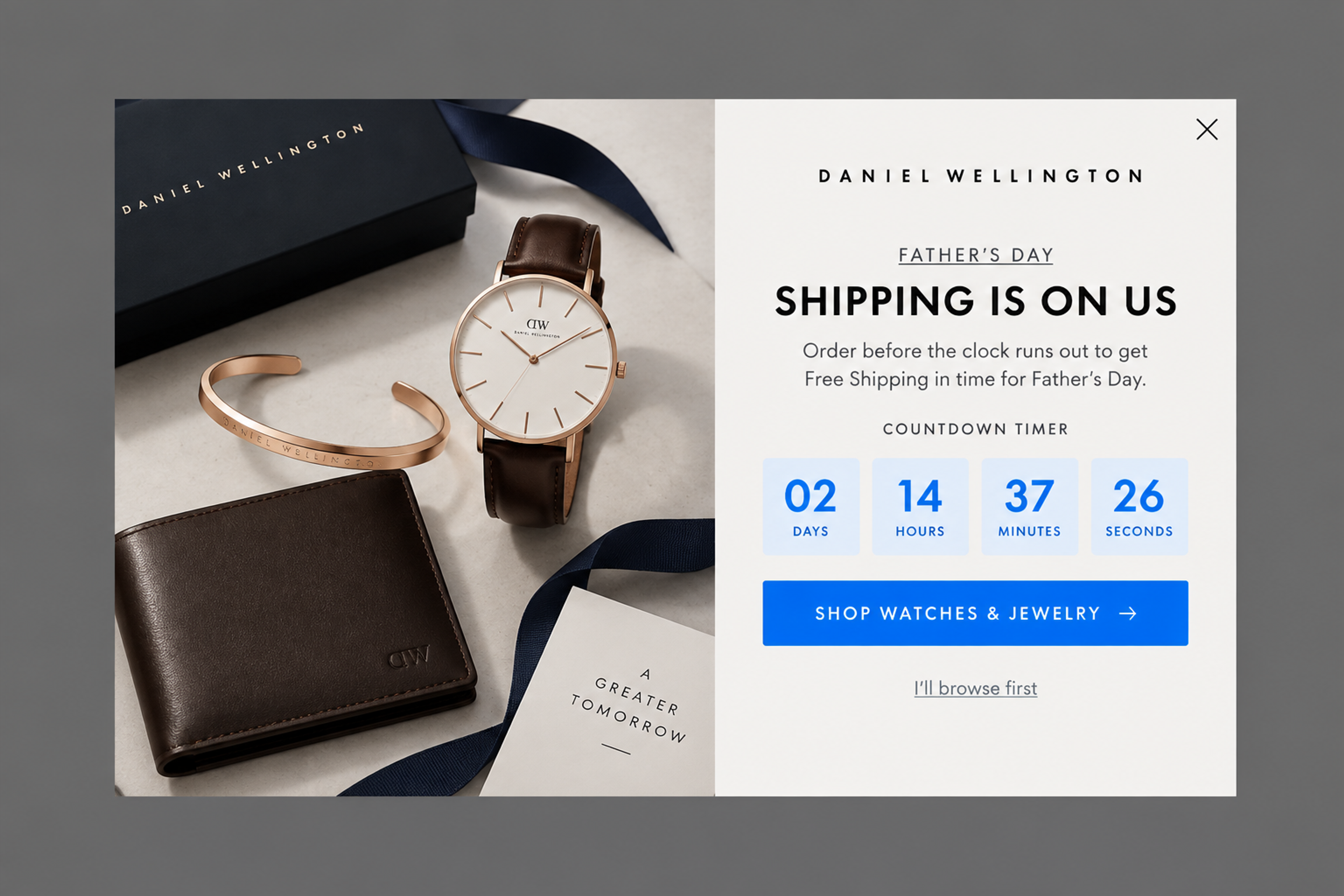
"Order before the clock runs out to get Free Shipping in time for Father's Day." The deadline isn't made up: it's the date the order still arrives in time. There is no email field, only one button to the shop.
A gift instead of a discount keeps your prices intact. Tie it to a period ("this season") or to stock ("while supplies last"), and say which product the gift is. For more ideas, see these coupon examples.
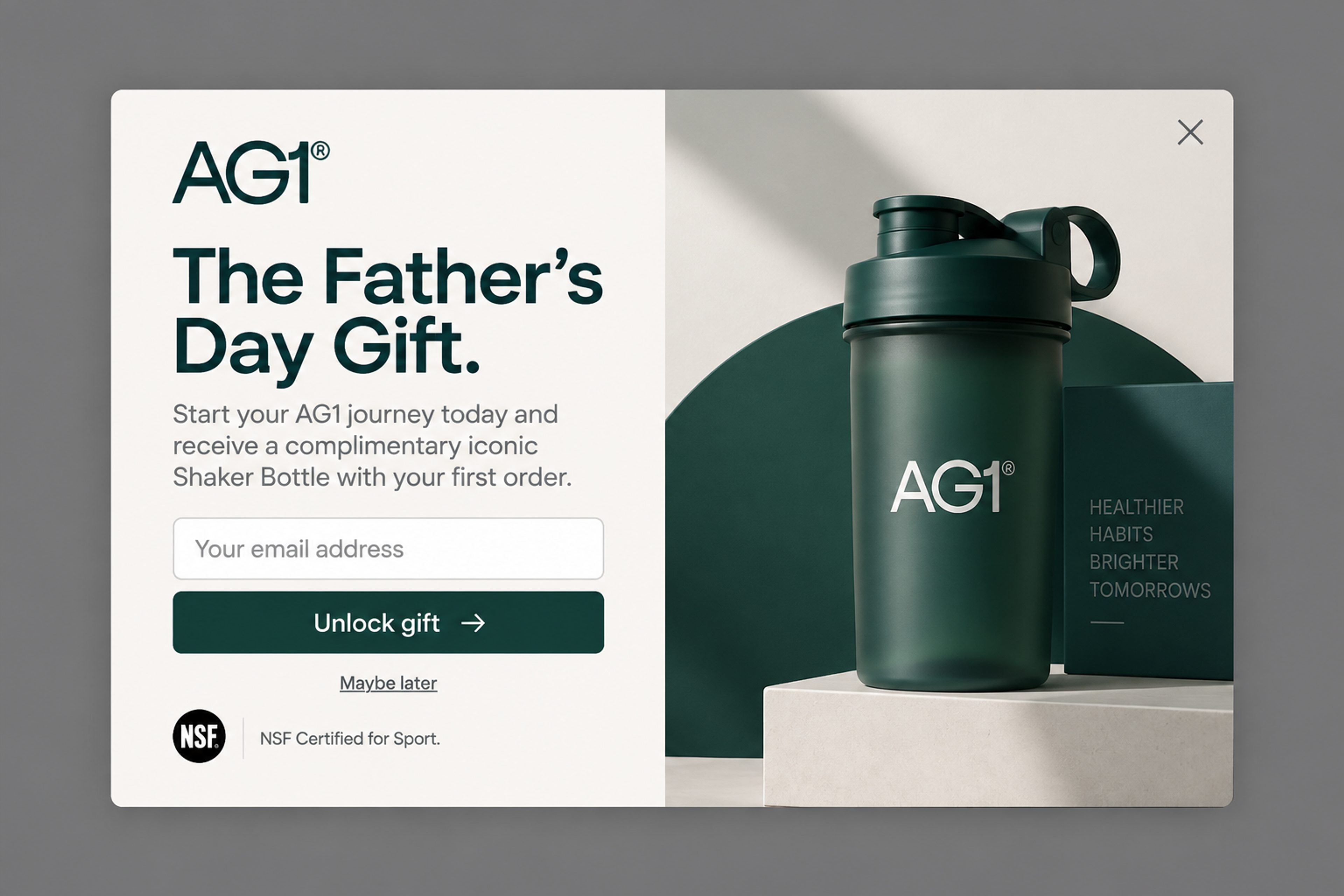
"The Father's Day Gift": a free shaker bottle with the first order, in exchange for an email address. The holiday is the deadline, and the gift is a product people can picture, not a percentage.
BOGO moves more units without a visible price cut. Put the "get one" and the deadline in the headline, and the details (which products, any minimum) in the small line below the button.
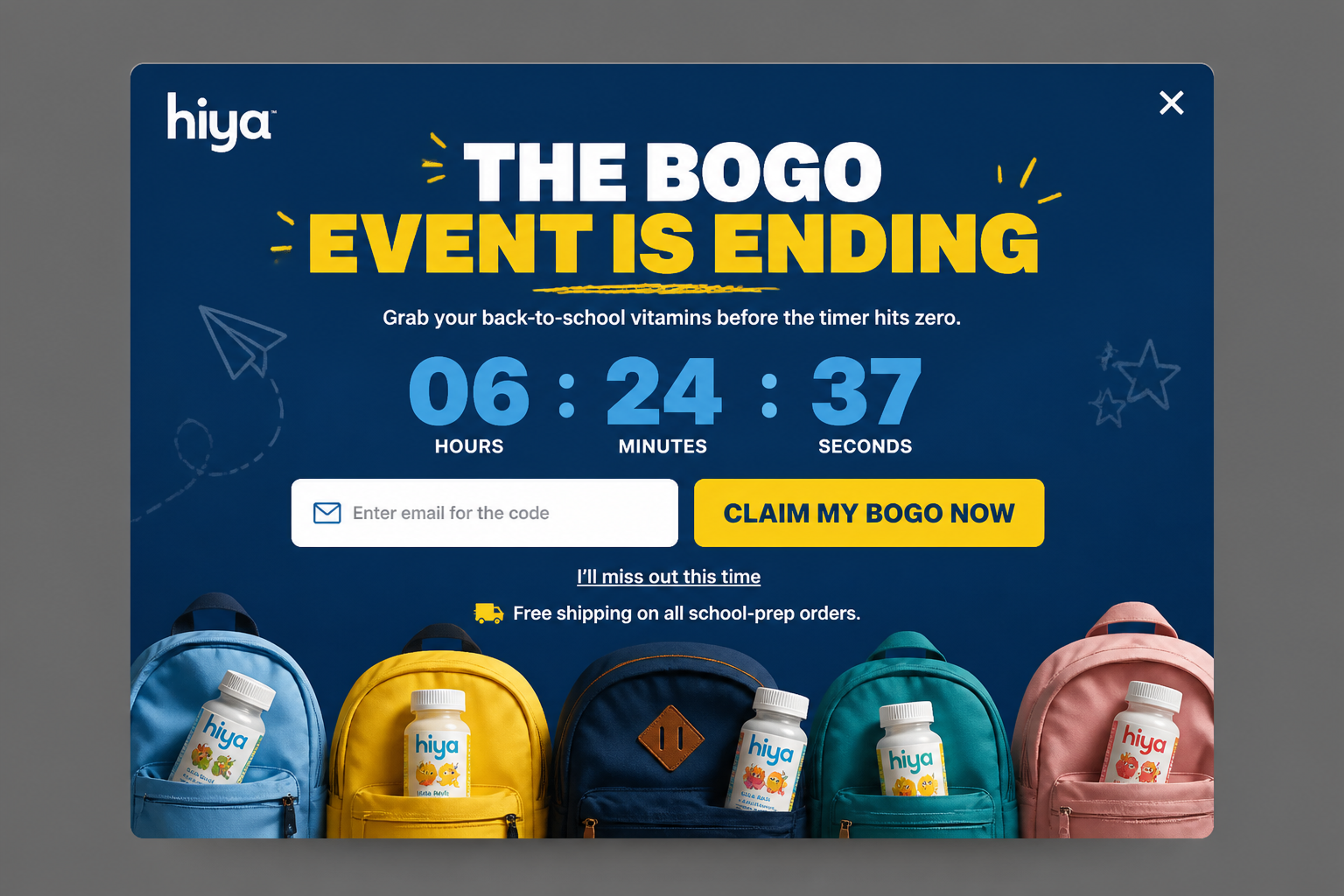
"The BOGO event is ending. Grab your back-to-school vitamins before the timer hits zero." The headline says what you get and that it ends; the email field delivers the code. The countdown is honest only if it runs to the real end of the BOGO event.
A bundle at a set price for a set time raises the order value and helps shoppers choose. Show the real products in the popup with Product recommendations, which pull them from your store. See product bundling examples and upsell popups.
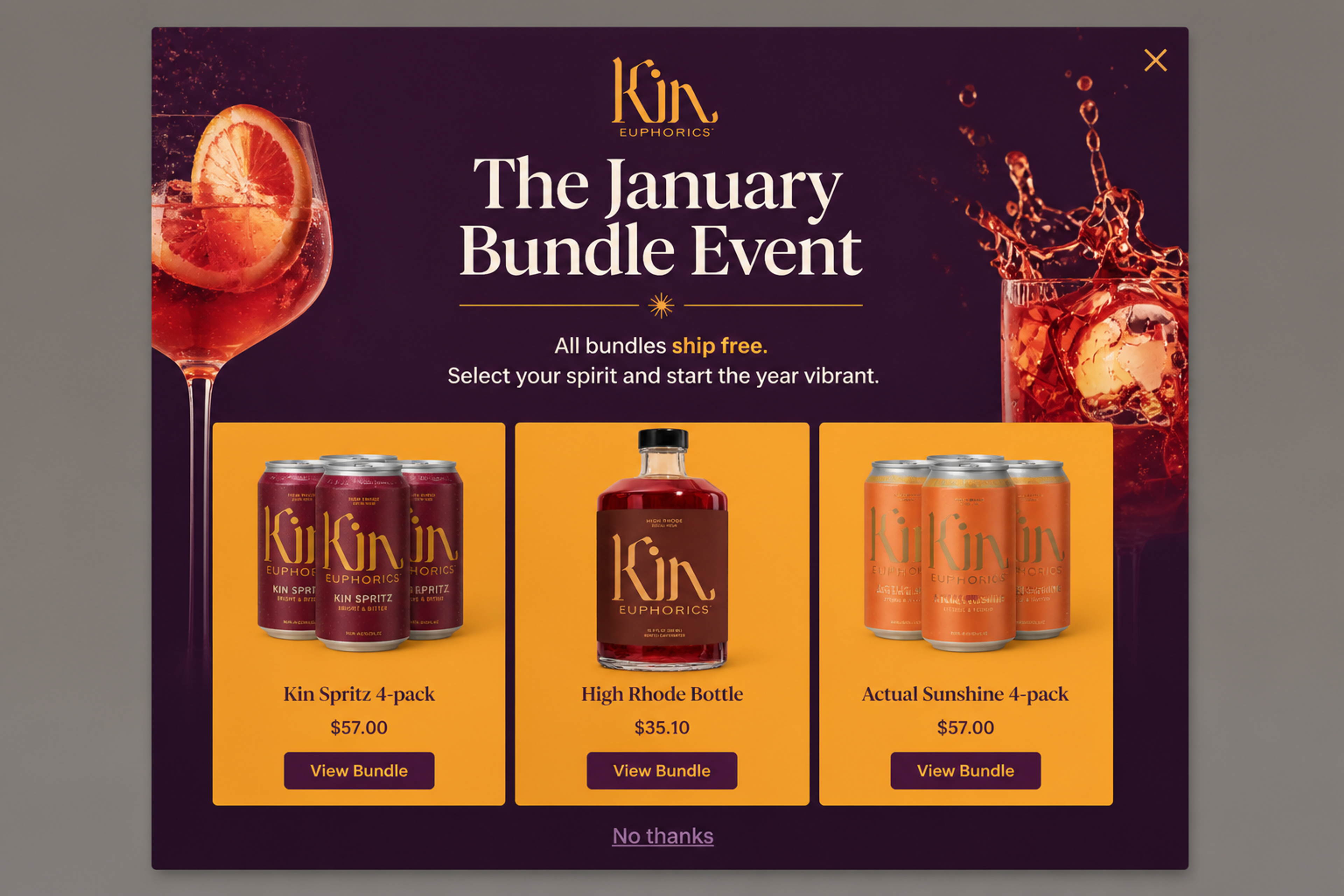
"The January Bundle Event. All bundles ship free." Three product cards, each with its own button, and a window of a month rather than a night.
Not every limited-time offer needs a discount. Early access to a launch or a sale is the reward, and it's limited by nature: once the public release starts, it's gone. Show it to people already on your list with Subscribers and Returning visitors, so they don't see another signup popup instead.
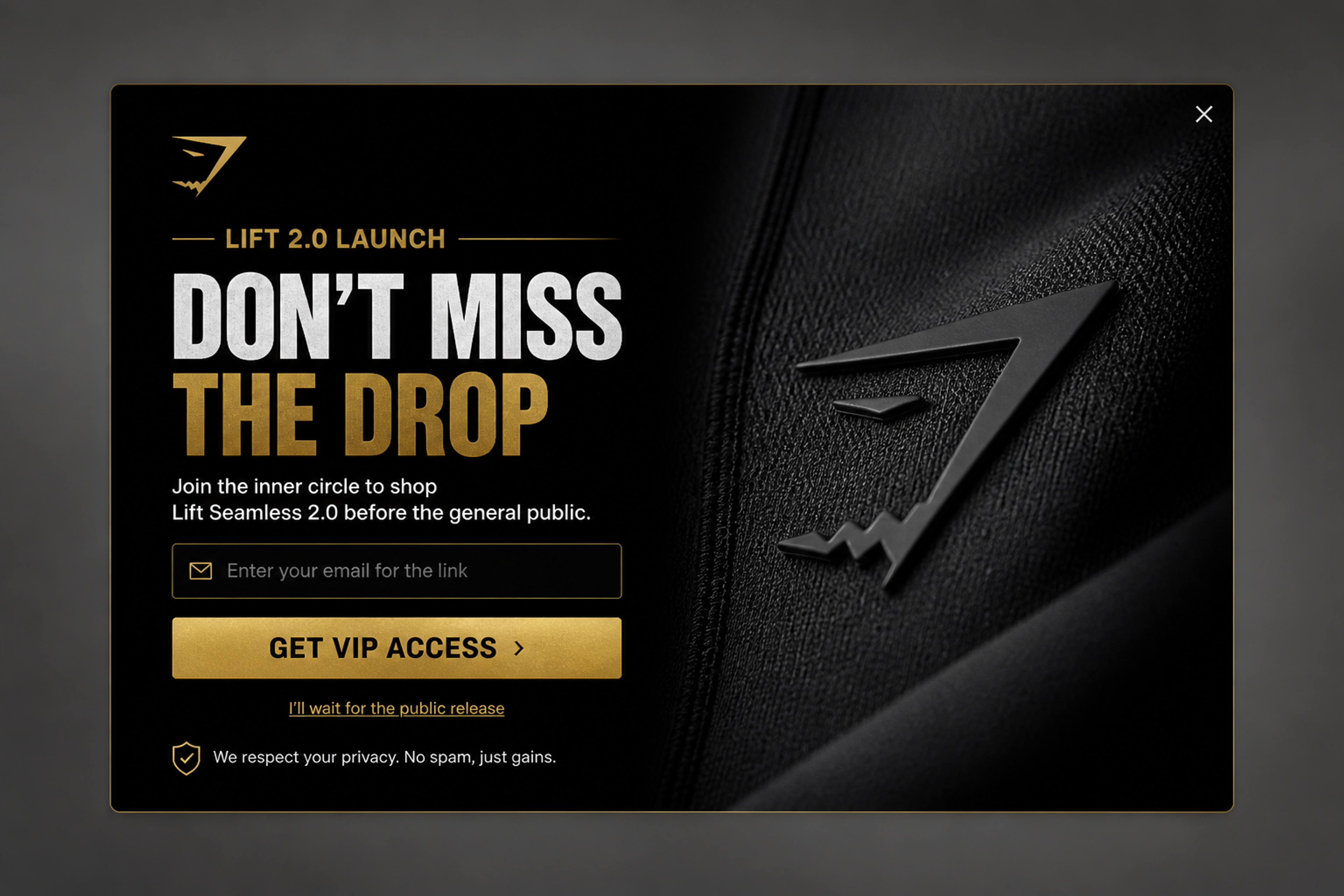
"Join the inner circle" to shop a new launch before the general public. No discount at all: the earlier date is the offer, and the decline link ("I'll wait for the public release") reminds the visitor what they give up.
Most welcome discounts never expire, so nobody hurries to use them. Give the code an end date.
Sample wording: "Here's 10% off your first order. Your code works until Sunday at midnight." Show it to first-time visitors only, and use Unique codes so each code works once. On Shopify, each generated code can also expire a set time after the visitor sees it. More ideas in welcome popups and email popups.
"Today only" is the simplest deadline, and easy to keep honest: Scheduling starts the campaign at the beginning of the day and stops it at the end, in the time zone you pick. Scheduling covers one continuous period per campaign, which fits a single day well.
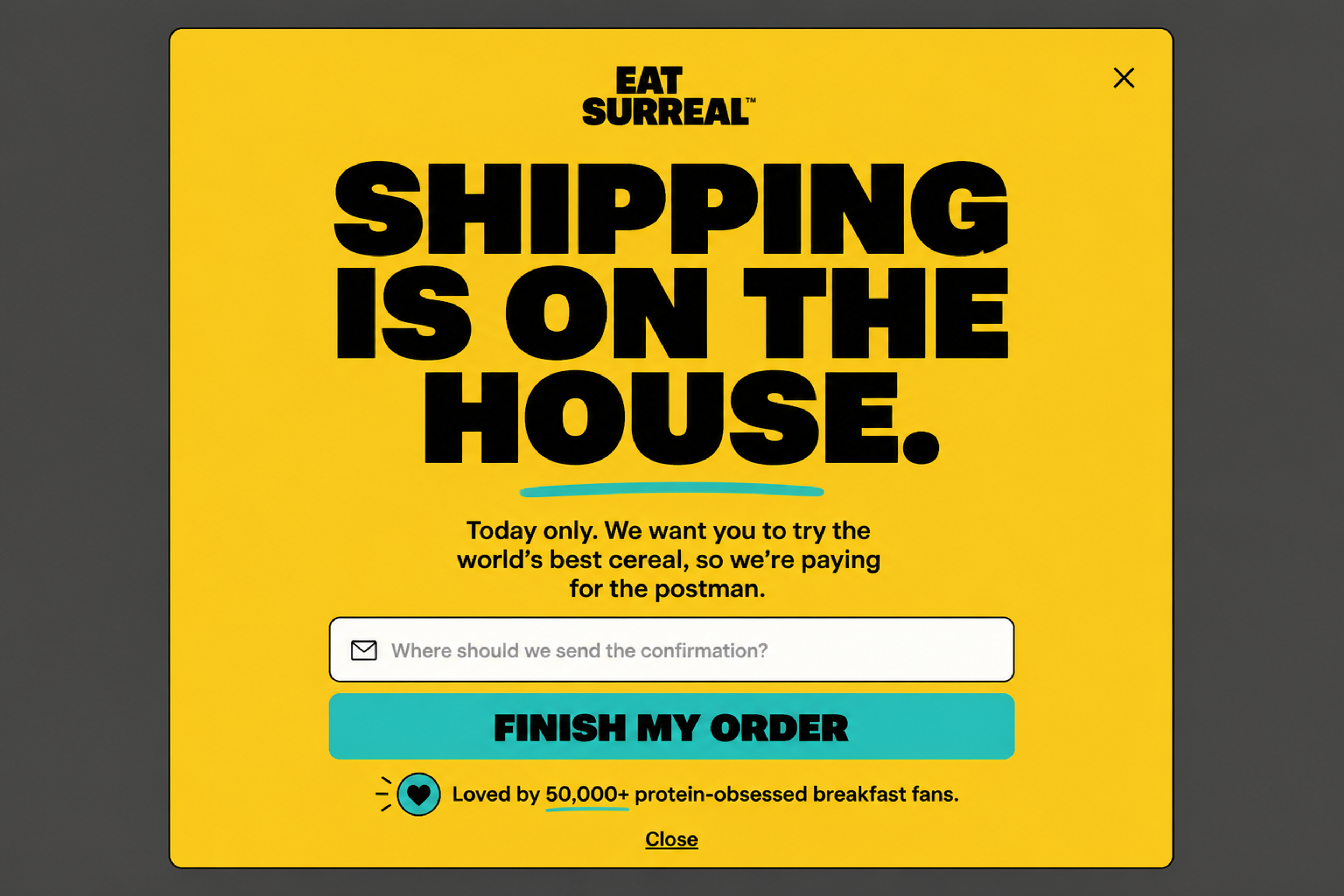
"Today only. We want you to try the world's best cereal, so we're paying for the postman." Only big type and one button, and "today only" is believable because the campaign really ends that night.
Holidays come with a deadline everyone already knows. Use the shipping cutoff or the day itself as the end.
Sample wording: "Order by [date] and it arrives before the holidays. Free gift wrap on every order." For more, see holiday sale ideas, our guide to seasonal campaigns and the seasonal offers use case.
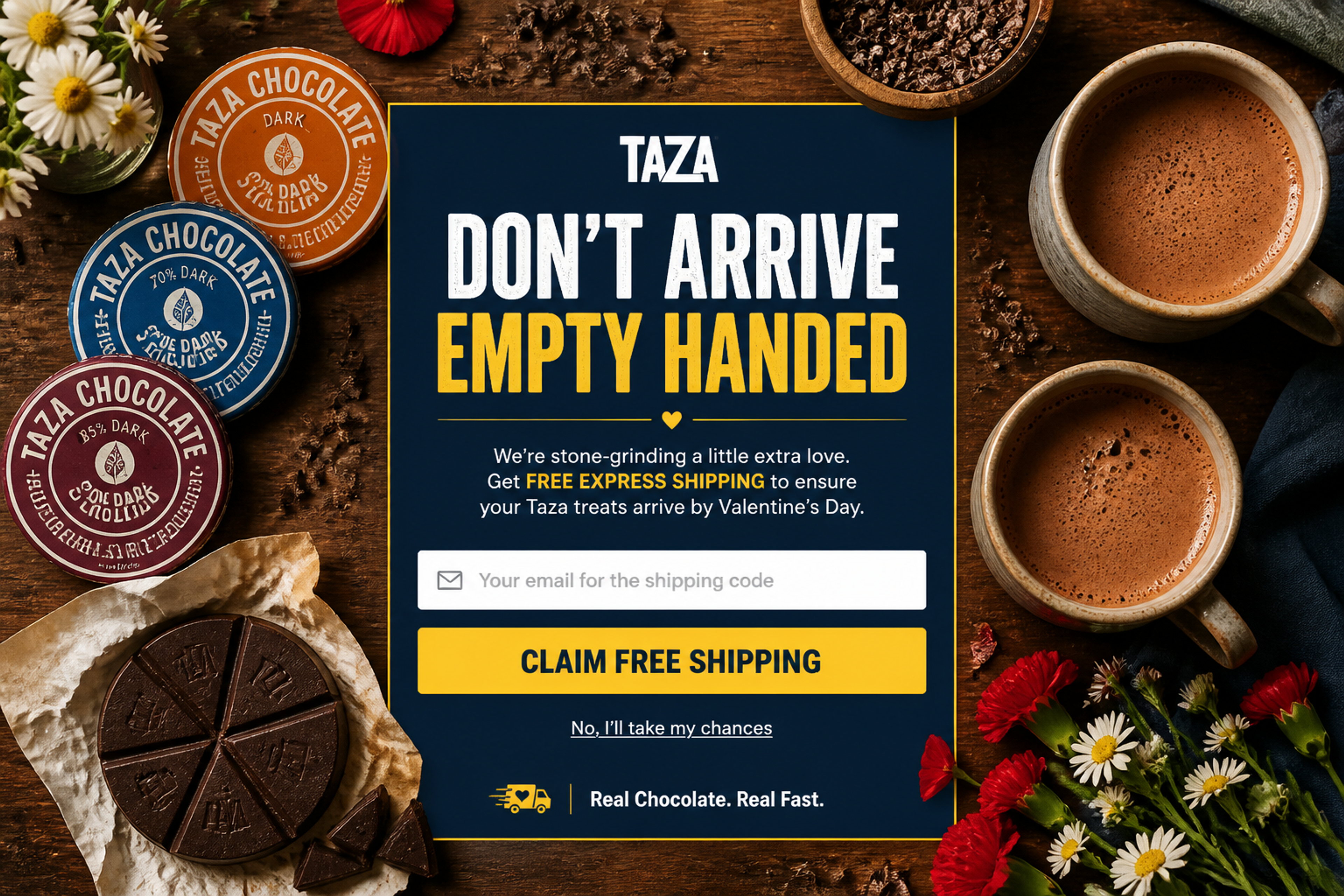
This Valentine's Day popup uses the holiday itself as the deadline: "Get FREE EXPRESS SHIPPING to ensure your Taza treats arrive by Valentine's Day." Shoppers enter an email to get the shipping code, and the "No, I'll take my chances" dismiss link reminds them that waiting means a late gift.
A shopper leaving with a full cart is close to buying. Show them a last offer with Exit intent on desktop and Mobile triggers on phones. On Shopify, Auto-apply codes add the code at checkout, so nobody has to copy it. See cart abandonment popup examples and how to create an exit-intent popup.
Two OptiMonk customers ran this as a per-visitor window: an offer valid for 15 minutes after the popup appears, not a shared sale deadline.
A per-visitor window is fair when the code stops working at the end and the timer doesn't start over for the same shopper. Otherwise it's a fake deadline.
A small batch or a color that won't come back is limited by stock, not by date. Say it only when it's true.
Sample wording: "Small batch: [number] made. When they're gone, they're gone." Show it on the collection and product pages where the item sits. See scarcity examples and sense of urgency.
A short, often deep discount on the whole store or a few products, usually for a few hours to a couple of days. It has its own guide: what a flash sale is and how to run one.
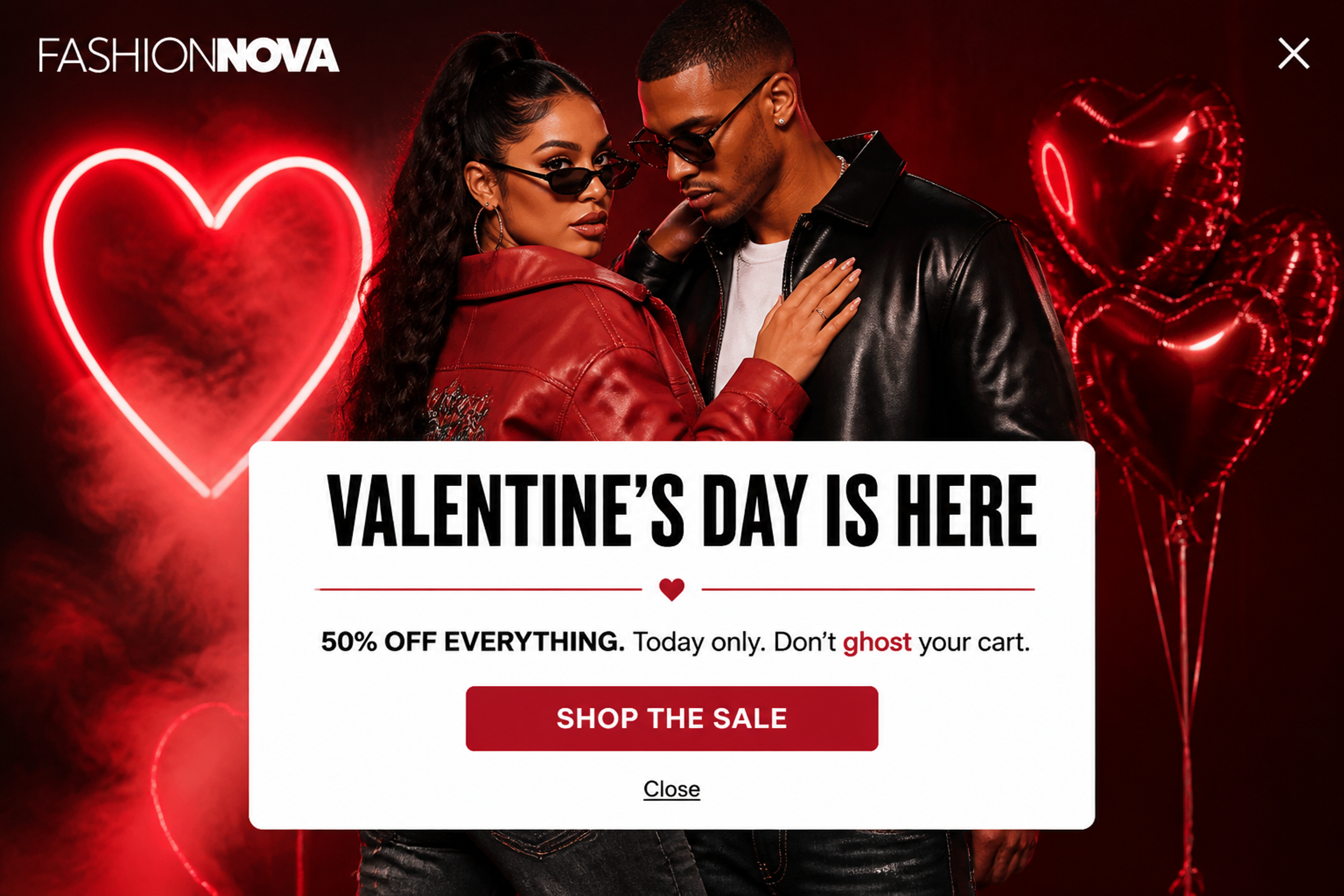
A textbook flash sale: one deep discount on the whole store with a one-day window, spelled out as "50% OFF EVERYTHING. Today only." The single "Shop the Sale" button sends visitors straight to the products, with no form in the way.
Browse more in the Popup Library: free shipping popups, announcement popups and upsell popups. For countdown ideas, see countdown timer popup examples.
Good deadline copy tells the shopper three things: what they get, until when, and what happens after. These phrases do that:
Two kinds of copy to avoid. "Limited time only" or "Ends soon" with no date gives the shopper nothing to plan around. And a timer that starts over for the same visitor tells them the deadline isn't real.
For a BOGO offer, put "get one" and the end date in the headline ("Buy one, get one free. Ends Sunday."). Which products count, and any minimum, go in the small print.
New customers, bigger orders, moving stock or a bigger list before your next offer. Pick one per campaign.
Match the type to the goal from the table above: a gift for first orders, a bundle for bigger carts, early access for your list.
Decide when the offer starts and ends, down to the time zone, and let it expire when it says it will. In OptiMonk, Scheduling switches the campaign on and off at those times, and the Countdown in the popup counts down to the same end date. If the offer uses a code, make sure it stops working after the deadline: set the end date on the discount in your store, or, for unique Shopify codes that OptiMonk generates, an expiry counted from the moment the visitor sees the code.
Each visitor gets the offer that fits them:
Email and social bring people in; the store is where they decide. OptiMonk is an agentic popup builder for ecommerce stores: describe the offer and the deadline in one sentence, and the AI agent designs the popup on brand, builds a separate mobile version and sets the targeting.
OptiMonk doesn't send emails or texts. Your email or SMS tool does that, and the popup collects the subscribers and passes them on, for example to Klaviyo lists & segments.
Run the offer, the wording or the length of the window against each other with A/B testing. Christopher Cloos tested an exit-intent popup for product page visitors with and without a countdown, and the countdown version converted 19% better (Christopher Cloos case study). More on setting up tests in our A/B testing guide.
It's a deal you can only get until a set time, such as a discount, free shipping, a gift or early access. After the deadline, it's gone, which gives shoppers a reason to buy now instead of later.
You can say "time-limited offer", "time-sensitive offer", "limited-period offer", "for a limited time only", "short-term promotion", "special offer" or "exclusive discount". A flash sale is not a synonym but one kind of limited-time offer: a short, often deep discount. See what a flash sale is.
It depends on the offer. A one-day offer lasts a day; most others run for a weekend, a week or a holiday period. Make it long enough for your announcement to reach people, and short enough that it still asks for a decision.
Use your own channels: email, SMS, social posts and, if you work with them, creators. On your store, show a popup with a countdown to the real end, scheduled for the length of the offer. With OptiMonk, you describe the popup in one sentence and the agent designs it.
A limited-time offer is any deal with a deadline, and it can last weeks. A flash sale is one type: a short sale, often a deep discount, that runs for hours or a couple of days. More in our flash sale guide.
Yes, when it counts down to the same end as the offer and doesn't start over for the same shopper. A per-visitor timer is fair only if the code really expires when it hits zero. For examples, see countdown timer popup examples.
Write down the offer, the deadline and who should see it. The OptiMonk agent designs the popup in your brand, builds a separate mobile version and sets the targeting.
Free to start. No credit card.

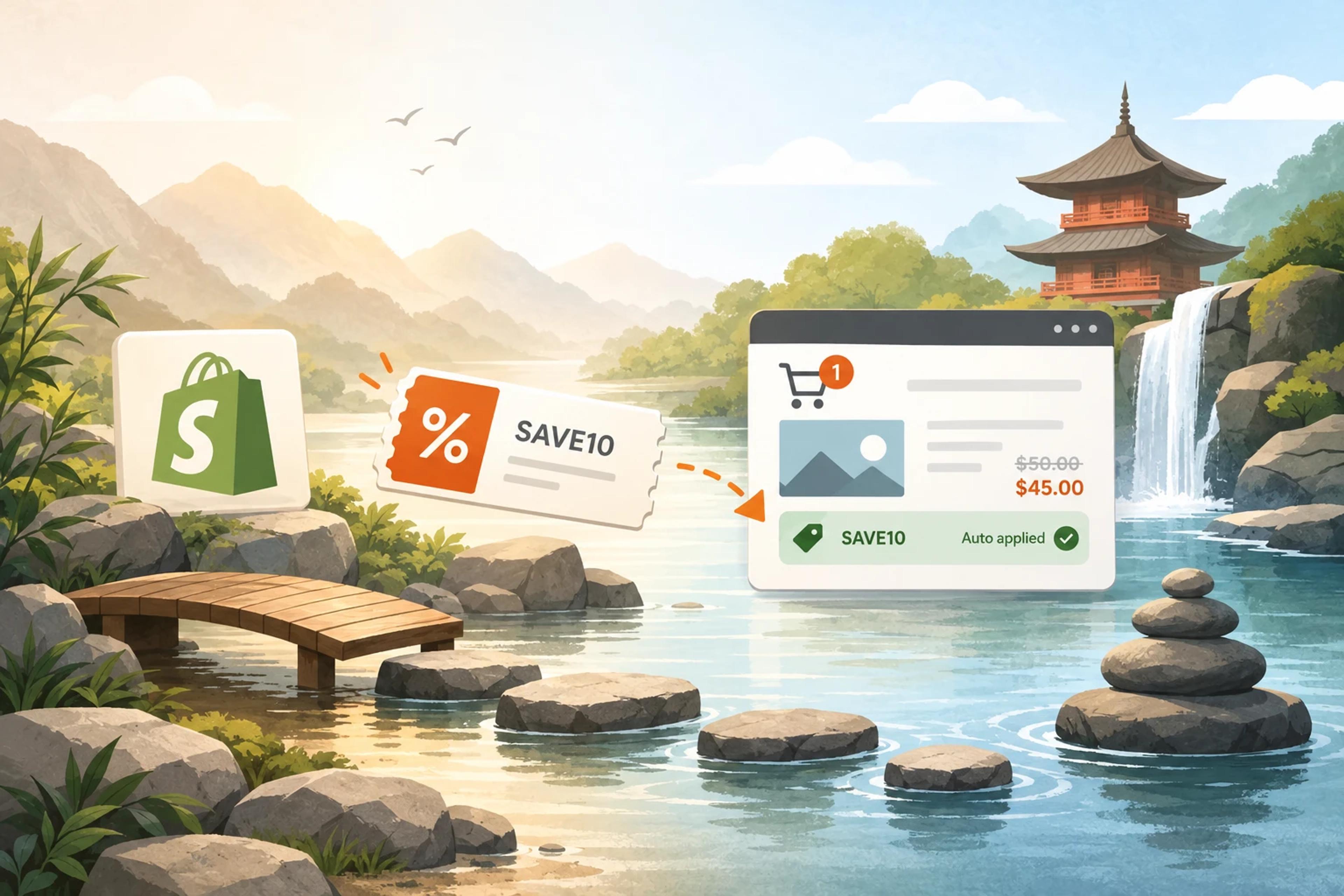
How to create a Shopify discount code, share it as a link, and show the right code to the right visitor.
Discover creative Thanksgiving marketing ideas to engage customers, build buzz, and drive sales before Black Friday and Cyber Monday.
Learn 5 ways ecommerce brands can turn new subscribers into recurring revenue using welcome flows, personalization, loyalty programs, re-engagement, and referrals.