


14 Effective Thanksgiving Marketing Ideas to Boost Your Sales in 2026
Discover creative Thanksgiving marketing ideas to engage customers, build buzz, and drive sales before Black Friday and Cyber Monday.
12 product recommendation examples, where to show recommended products, and how to put them in an exit-intent or cart popup.
In short
Product recommendations match each visitor with items picked for them, like best sellers or things they browsed. They lift order value and bring back shoppers who are leaving. Place them on your store's pages, then add a popup that shows them when someone leaves, fills a cart or returns.
Product recommendations are the products a store suggests to a shopper based on what they viewed, what is in their cart or what sells best. Most stores show them on product and cart pages. A popup adds a second place: recommended products at exit intent, near the cart, or for returning visitors.
This guide covers how recommendations are picked, the types worth using, and the spots on a store where they sell. Then 12 examples: eight popups from the OptiMonk Popup Library and four results from OptiMonk customers, plus how to build your own.
Product recommendations, also called product suggestions or recommended products, are items a store picks for one shopper at one moment. The pick can come from the shopper's own behavior, from what other shoppers do, or from a list you choose by hand. They are one of the most common forms of ecommerce personalization.
A good recommendation answers the shopper's next question: "what goes with this?" on a product page, "did I forget anything?" in the cart.
Personalized product recommendations draw on four signals:
Engines turn these signals into picks with three main methods:
Most recommendations fall into one of these types:
More on cross-sell and upsell: upselling and cross-selling examples.
Here is what fits where, with examples from well-known stores.
| Place | Product suggestions to show | Example |
|---|---|---|
| Homepage | Featured collections, new arrivals, daily deals | Bailly's "Featured Collections", Allbirds' new sneakers, Best Buy's "Deal of the Day" (daily deals suit the run-up to Black Friday) |
| Category page | Best sellers, best reviewed, discounted items | Urban Outfitters' popular products, AVON's best-reviewed products, Lululemon's deals |
| Product page | Similar items, frequently bought together, bundles, "buy the look" | Sephora's similar products, Best Buy's frequently bought together, Sur La Table's knife sets, ASOS's "Buy the look" |
| Cart and mini cart | Low-priced accessories and add-ons | Kylie Cosmetics' "before you go" pick in the mini cart |
| Personalized sections | Picks based on browsing and purchase history | Sephora's recommendations tailored to each customer, ColourPop's "what others bought" |
| Post-purchase follow-ups, refills | Order confirmation and win-back emails | |
| Popup | Recently viewed, cart items, best sellers at a chosen moment | See the next section |
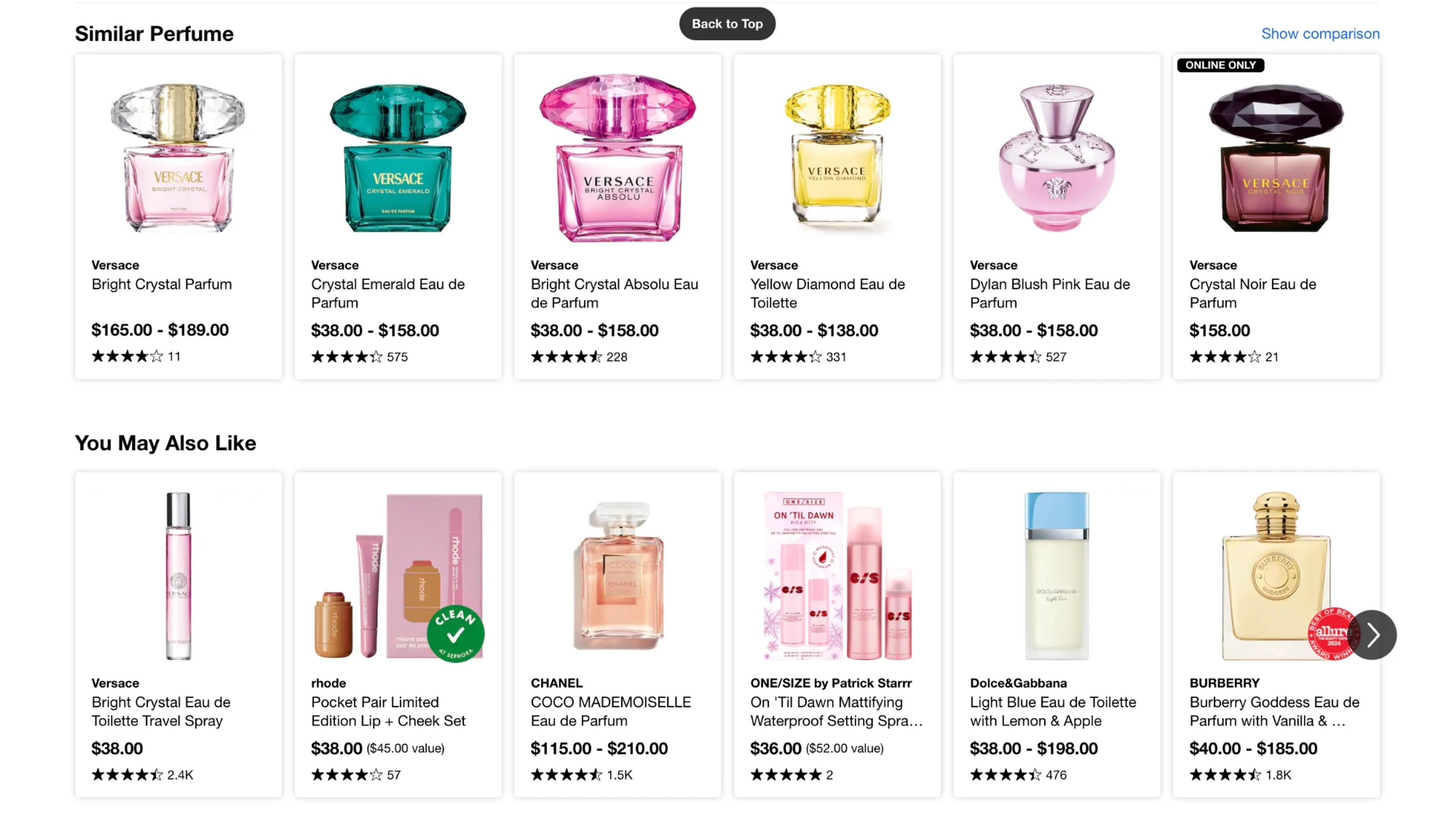
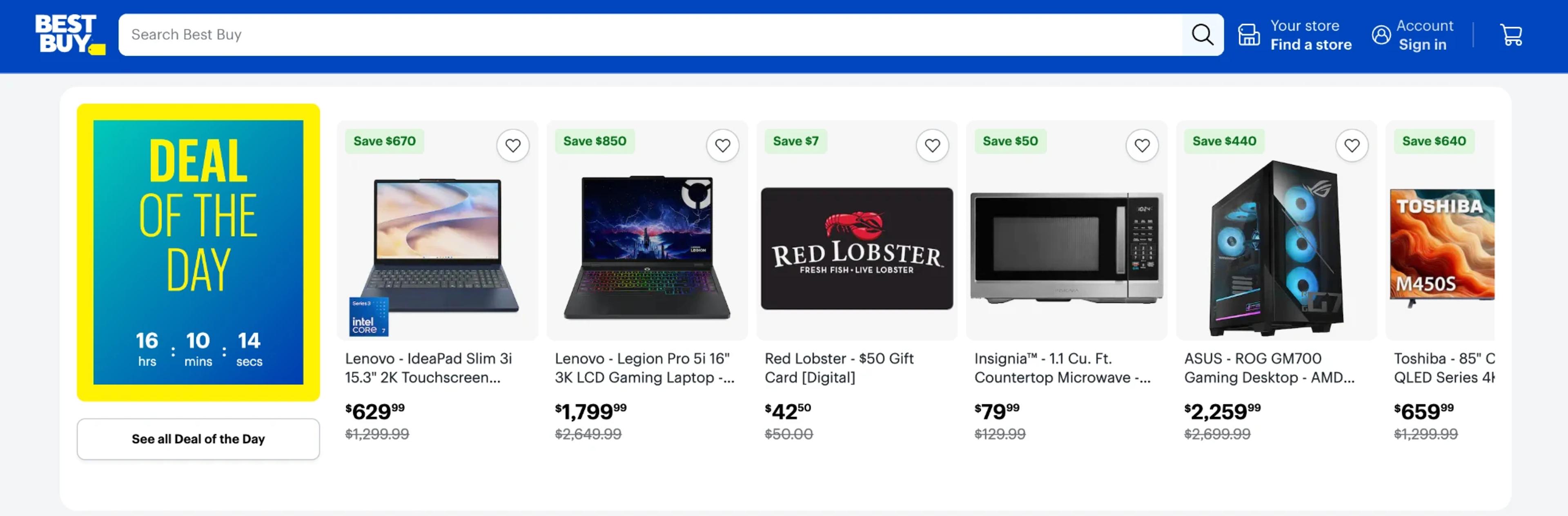
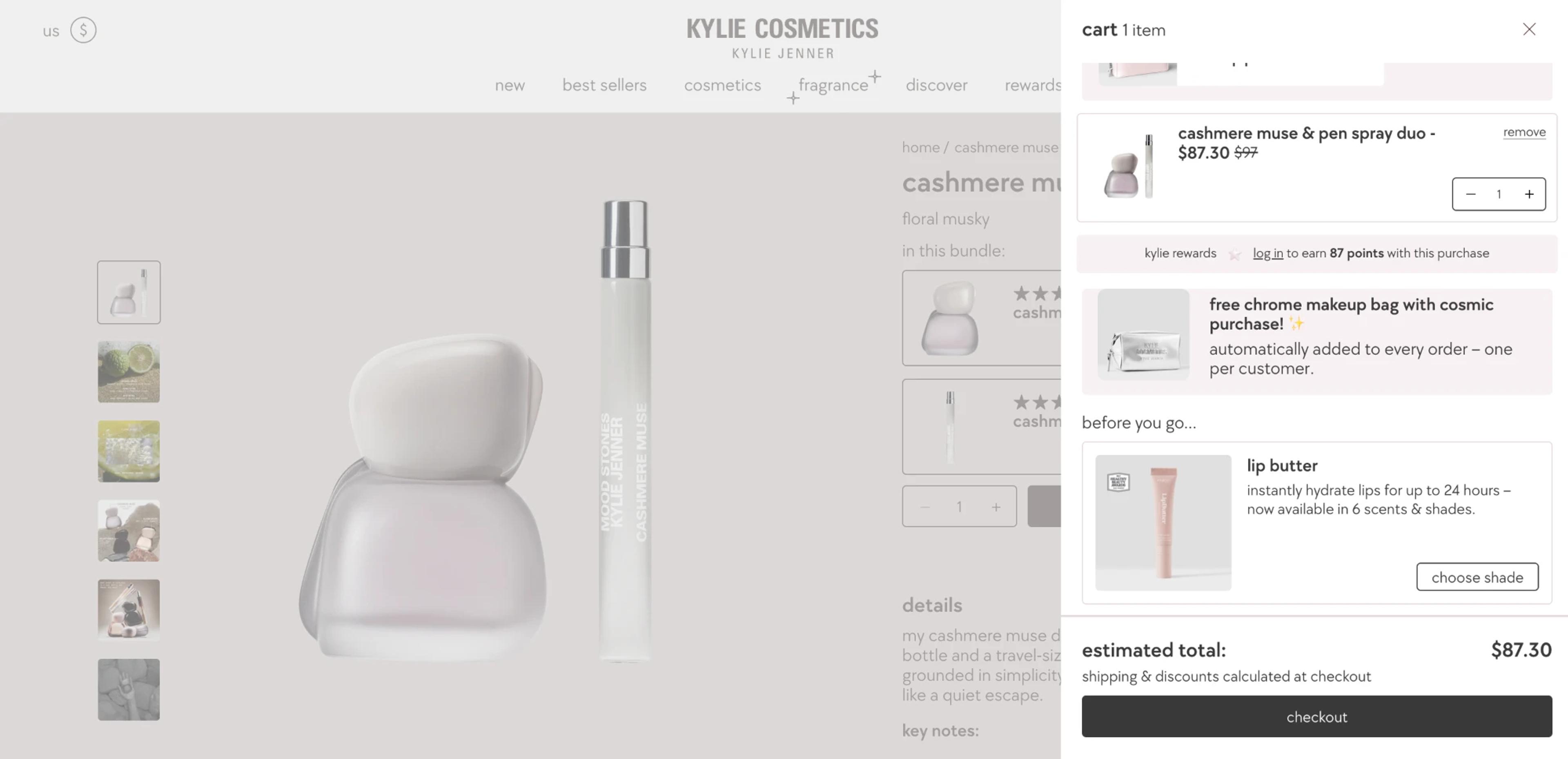
In the cart, skip similar expensive products: the shopper has already decided, but a cheap accessory is an easy yes. Homepage ideas: featured products.
These on-page blocks come from your store platform or a recommendation app, and they only work if the shopper scrolls to them. A popup reaches the shopper at the moment that matters.
Show recommendations in a popup when the visitor is about to leave, has a full cart, is short of free shipping, can't decide, or comes back. Each moment has its own trigger and its own kind of product pick.
| Moment | Trigger / targeting | What to show |
|---|---|---|
| Leaving a product page | Exit intent (desktop and mobile), page targeting | Recently viewed products |
| Leaving with a full cart | Exit intent + cart contents | The items in the cart |
| Below the free shipping threshold | Cart value | Low-priced add-ons you pick, or best sellers |
| New visitor browsing a category | Time on page, visited pages | Best sellers |
| Returning visitor | Returning visitors | Recently viewed products |
| Seasonal campaign | Scheduling | Products you pick |
Cross-sell shows something that goes with the product (a case with a laptop); upsell shows a better version (the next model up). Keep upsells close in price. More: upsell popups.
Show the products the visitor viewed, or the ones your platform's engine pairs with them. A discount is optional: three of the customer results below came without one. Step by step: how to create an exit-intent popup. Trigger it on exit intent on desktop and mobile.
Show what is in the cart, with photos and prices, and one button back to it. No new products: the job is to finish this order. More: reducing cart abandonment.
Show three low-priced add-ons that close the gap, chosen by hand so you control margin and fit. This raises average order value without a discount. Show it by cart value, so only carts under the threshold see it.
A first-time visitor who lingers on a category page is often stuck choosing. Show your most viewed products after a few seconds or a scroll.
A visitor who comes back days later rarely remembers what they looked at. Show their recently viewed products and save them the search. Show this popup only to returning visitors.
Pick the products yourself, schedule the popup for the campaign dates, and give it a themed headline ("Easter favorites").
The first eight come from the OptiMonk Popup Library: the OptiMonk agent designed each one for a real store's brand, and you can build your own version from it. The last four are OptiMonk customer results from published case studies.
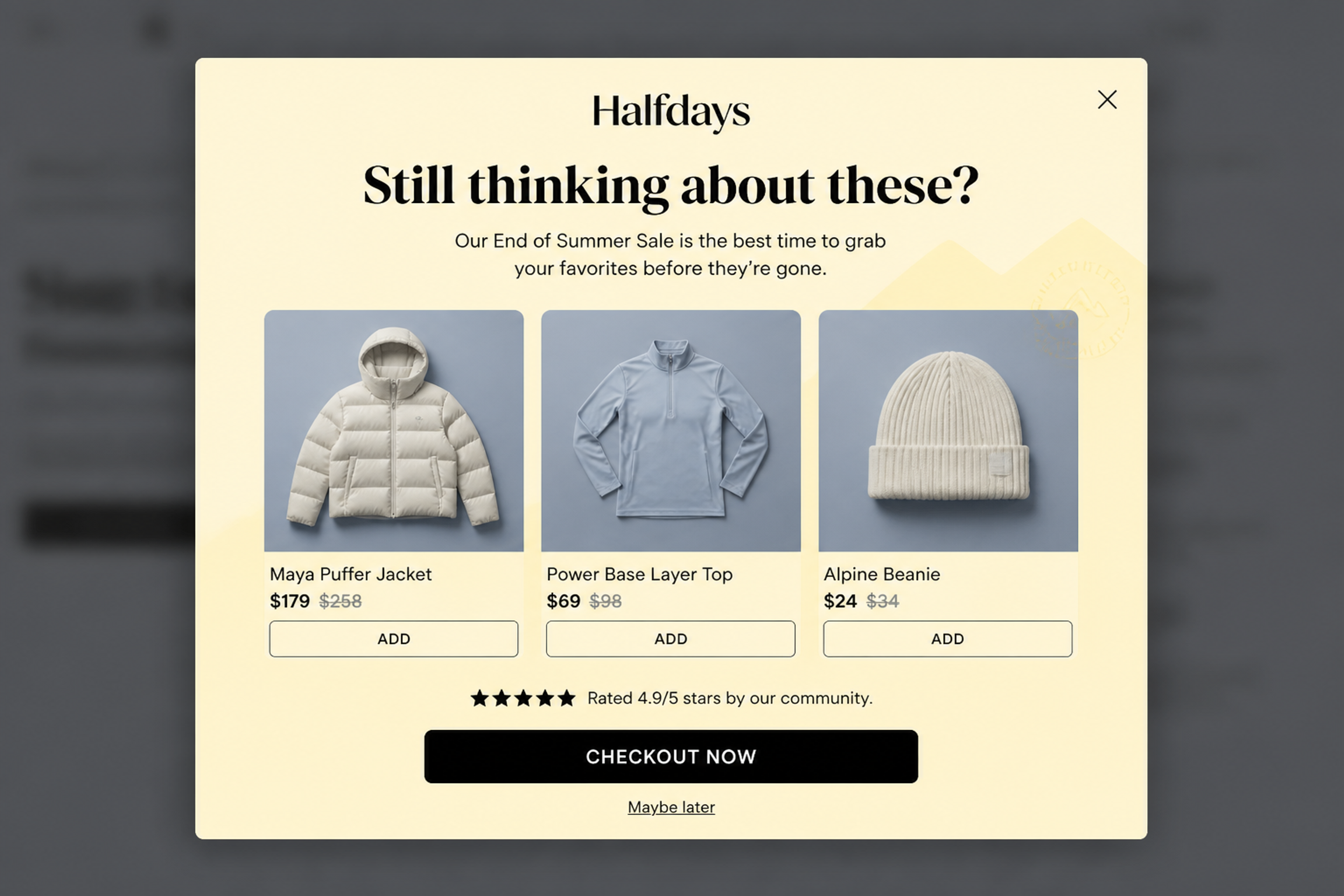
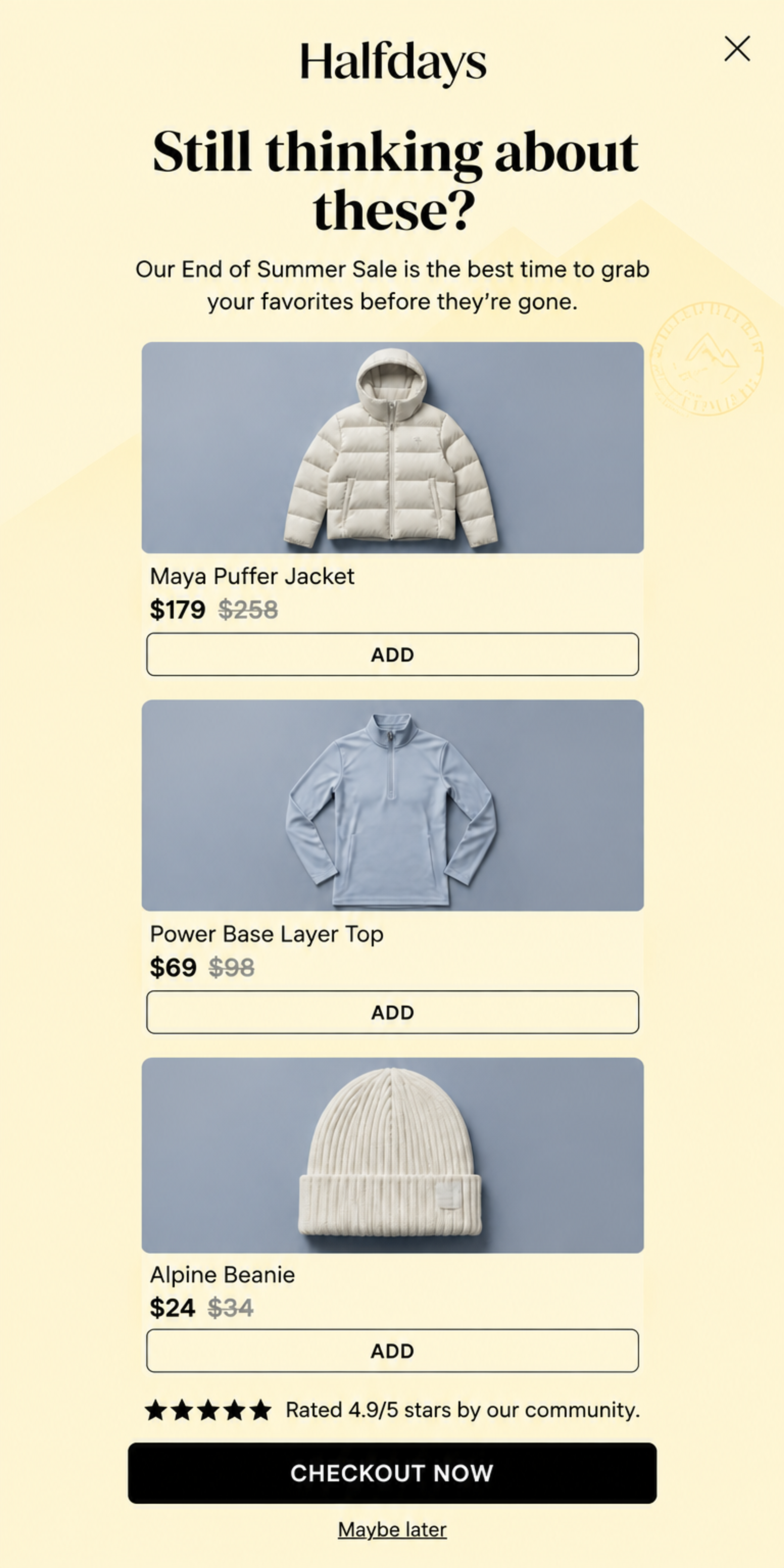
"Still thinking about these?" over three products with sale and original prices, and one "Checkout now" button. The 4.9/5 rating line adds social proof right where the shopper hesitates. Shows the items in the cart, on exit intent. See this popup
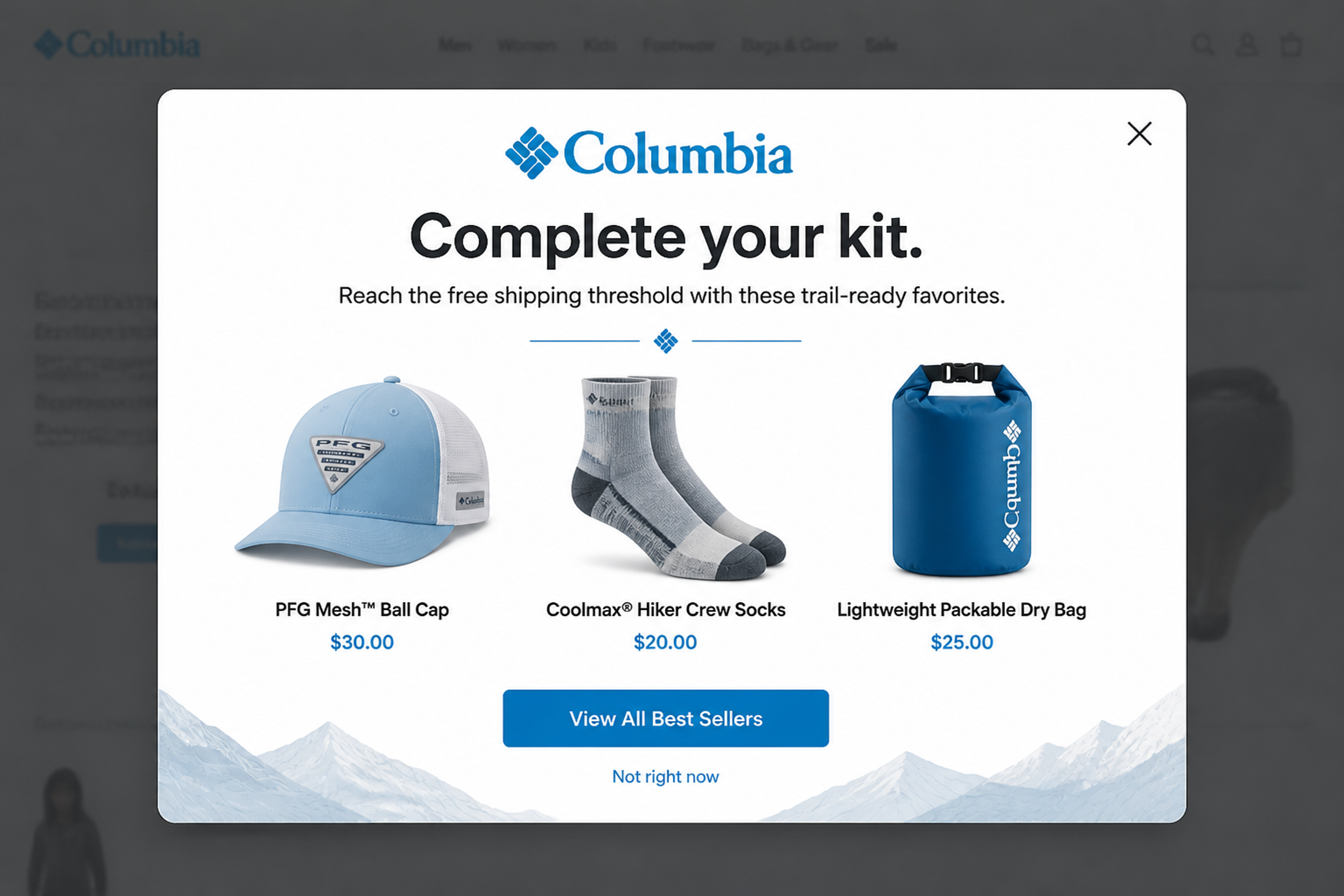
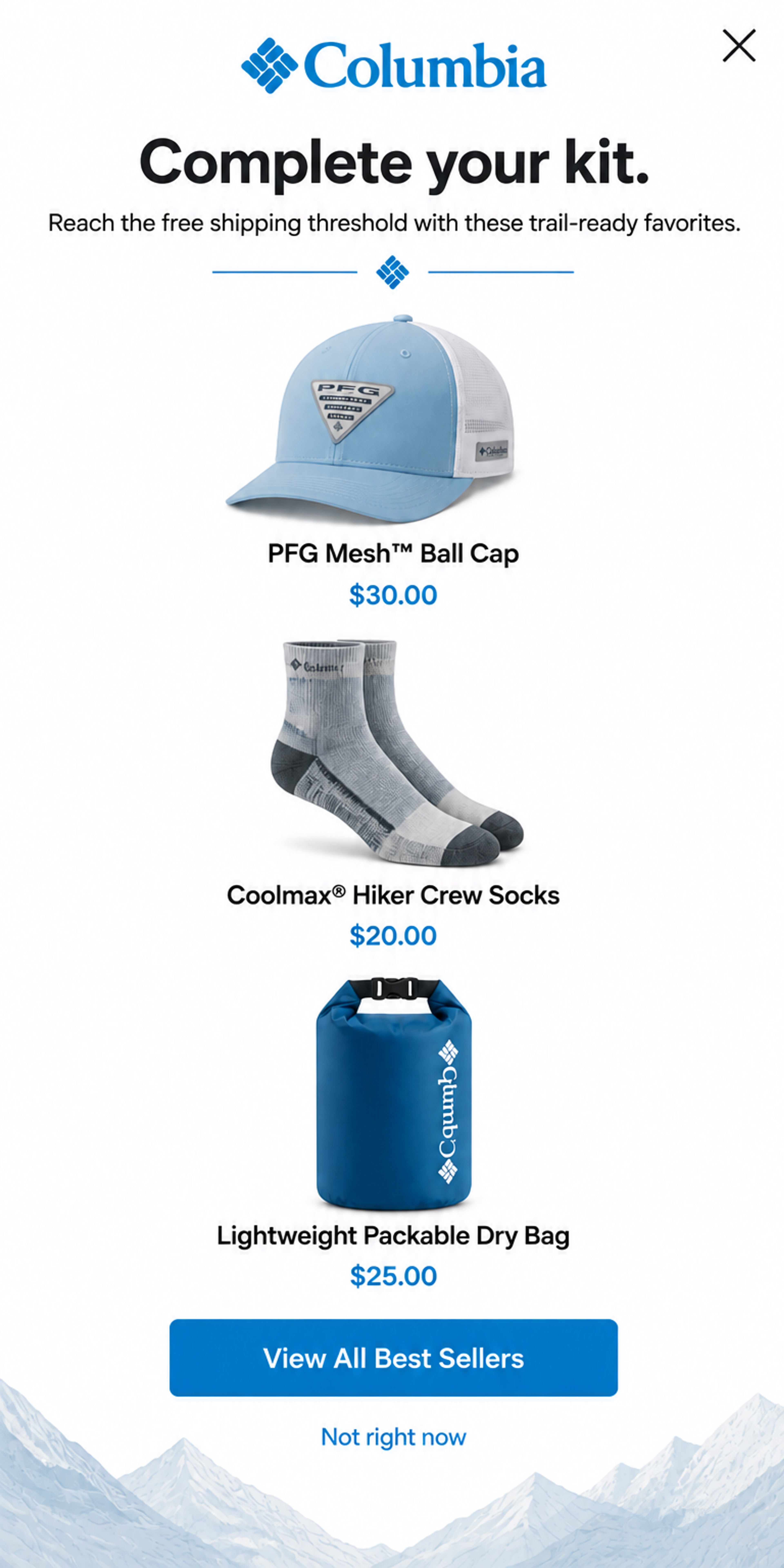
"Complete your kit." with three low-priced add-ons: a cap, hiking socks and a dry bag. The subhead ties them to the free shipping threshold, so each one feels like a saving. Products picked by hand, shown by cart value. See this popup
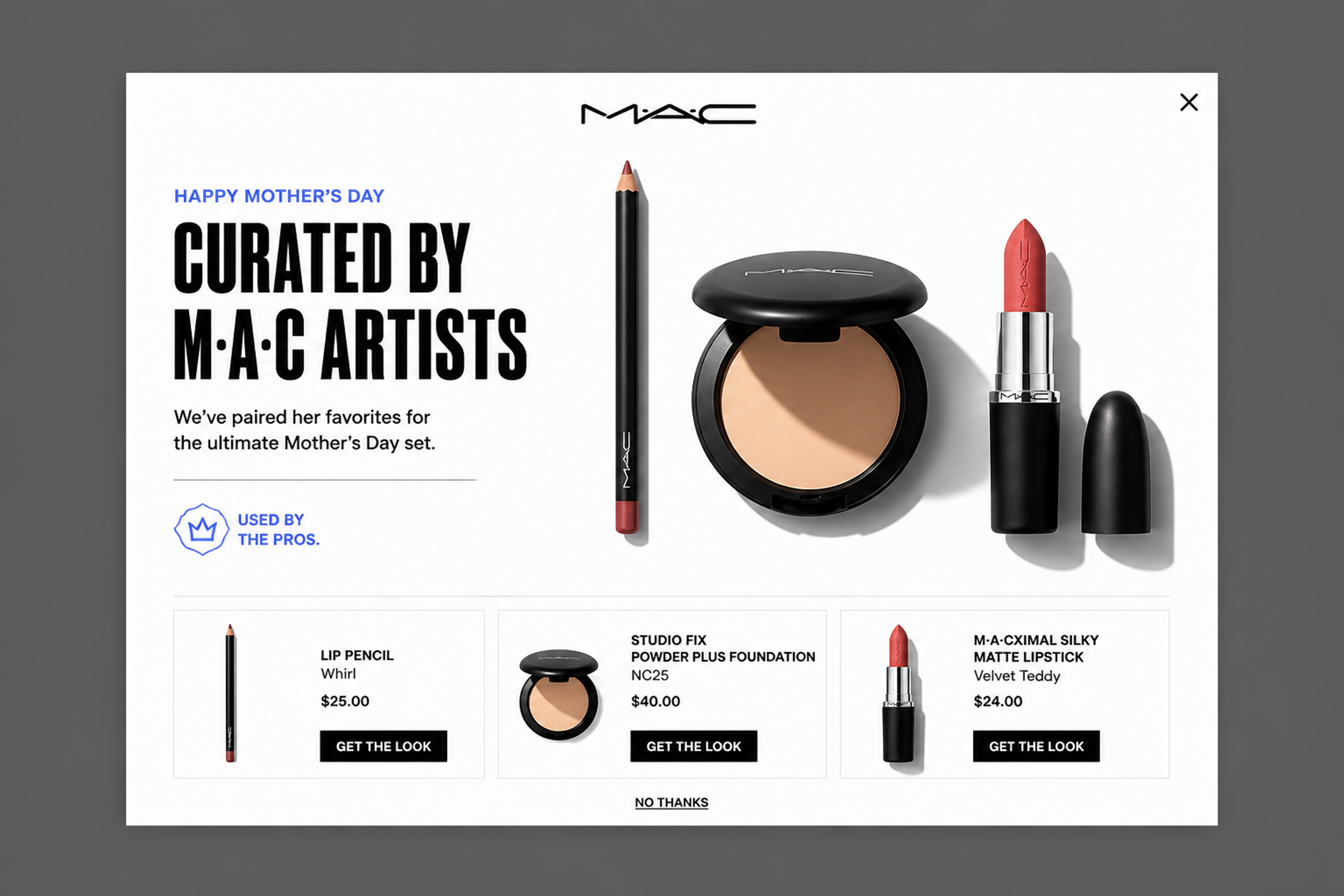
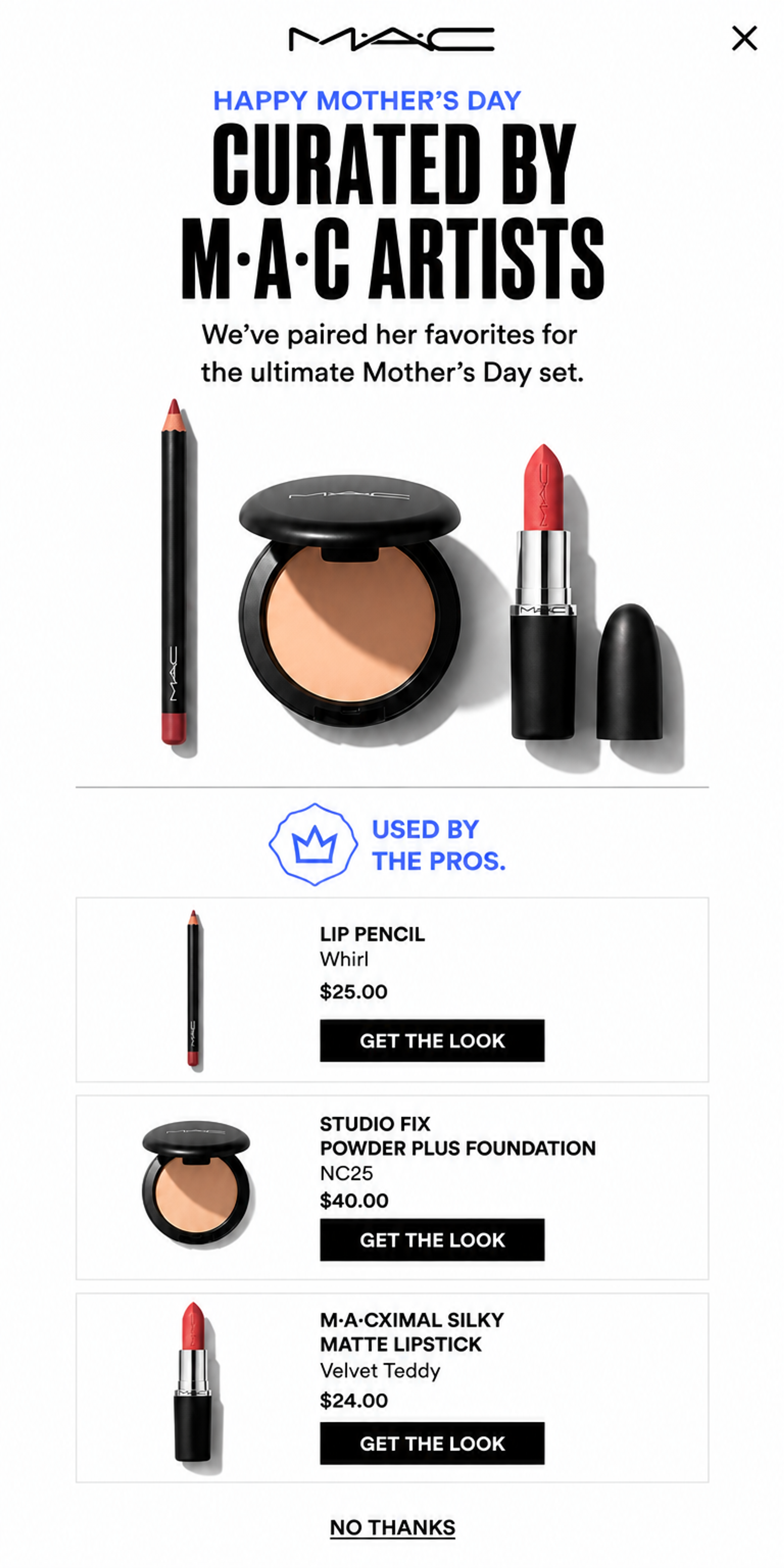
Three products that work together, "curated by M·A·C artists" for Mother's Day, with a "Get the look" button under each. Pairs sell better than single items because the shopper sees the finished result. Products picked by hand, scheduled for the campaign. See this popup
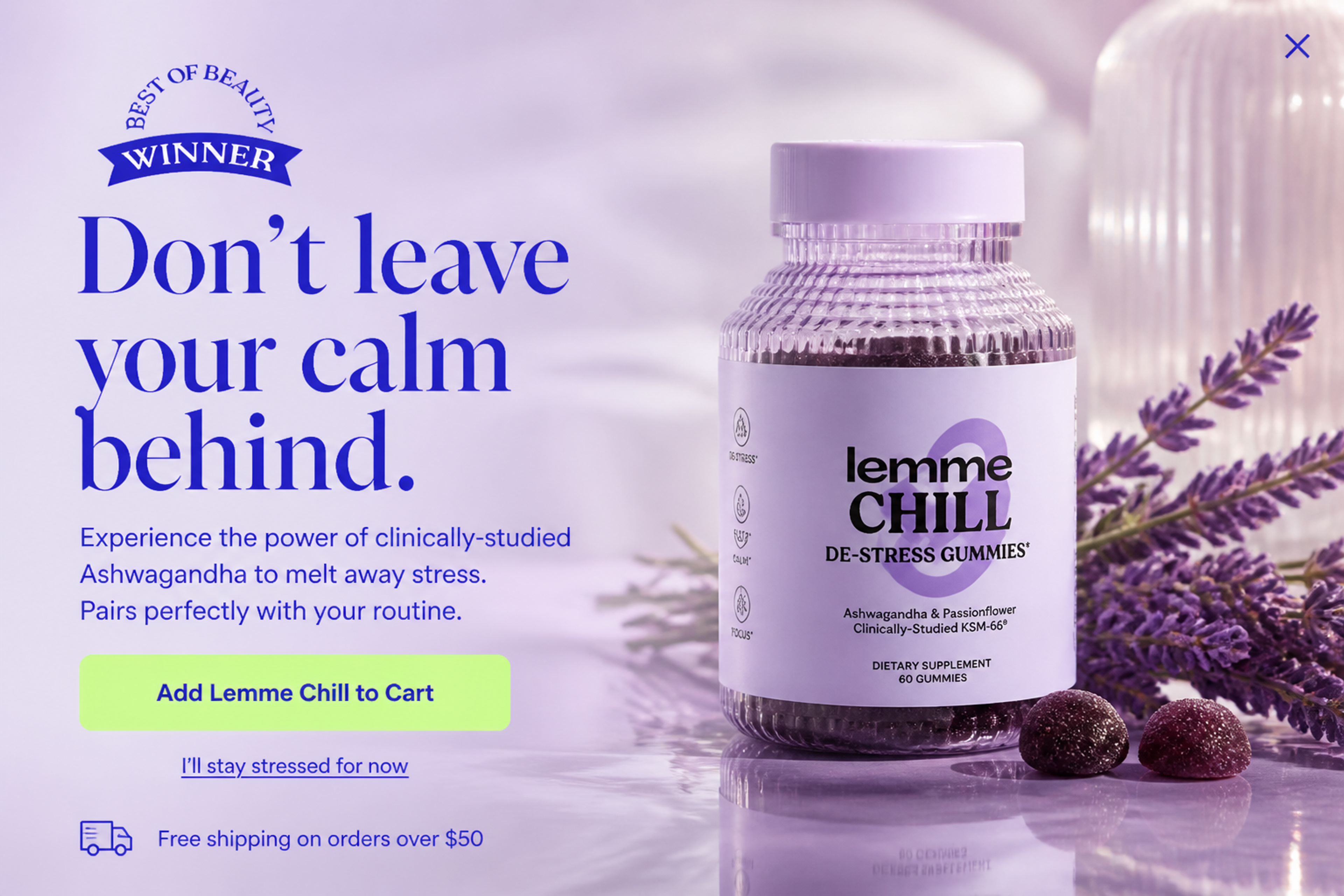
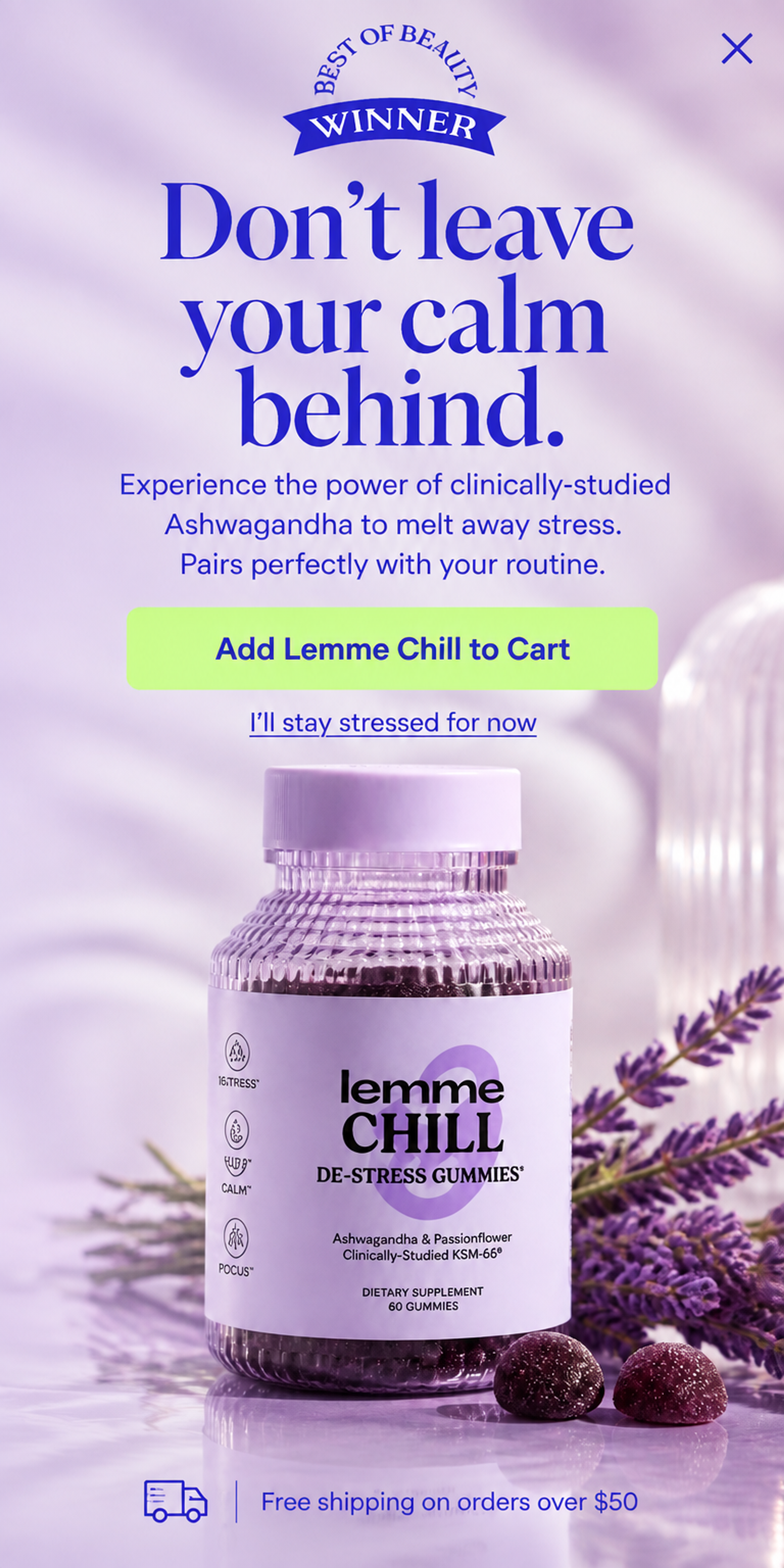
A fullscreen exit-intent popup for a single product: "Don't leave your calm behind." One product and one button keep the decision simple, and the free shipping line removes the last objection. One product picked by hand. See this popup
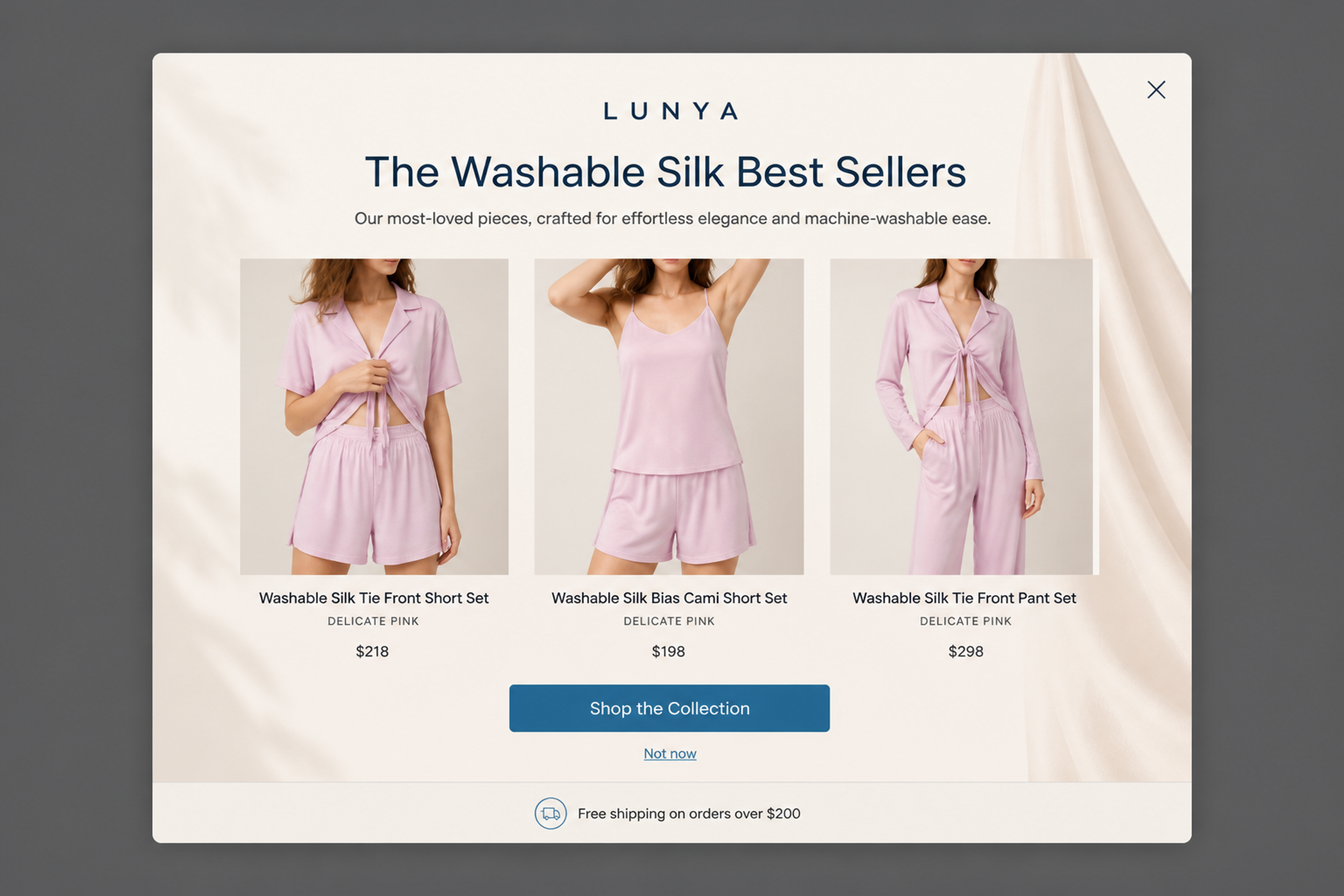
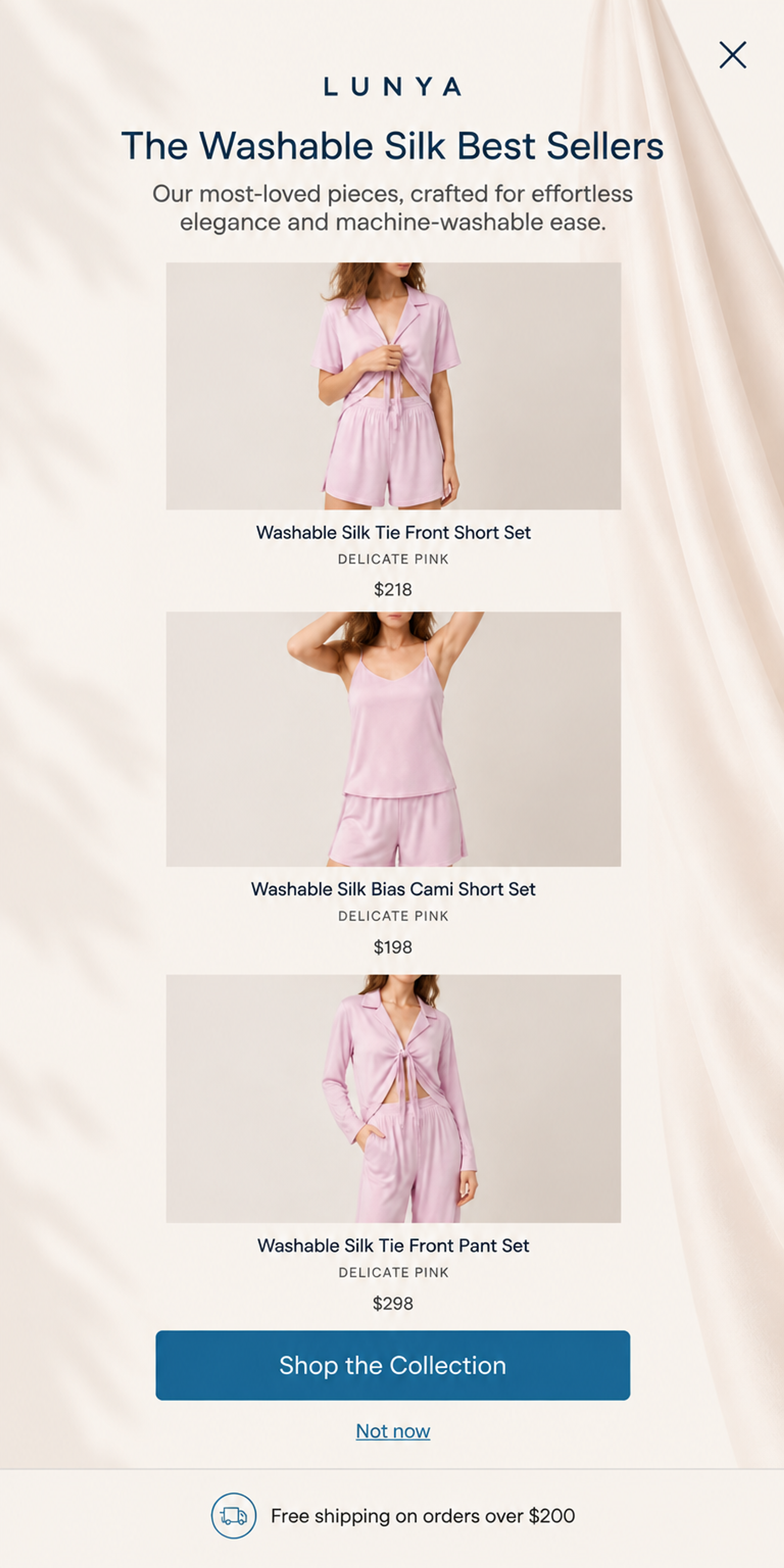
"The Washable Silk Best Sellers": three sets with prices and one "Shop the Collection" button. An evergreen best-seller grid gives first-time visitors a safe place to start. Best sellers, for new visitors on a category page. See this popup
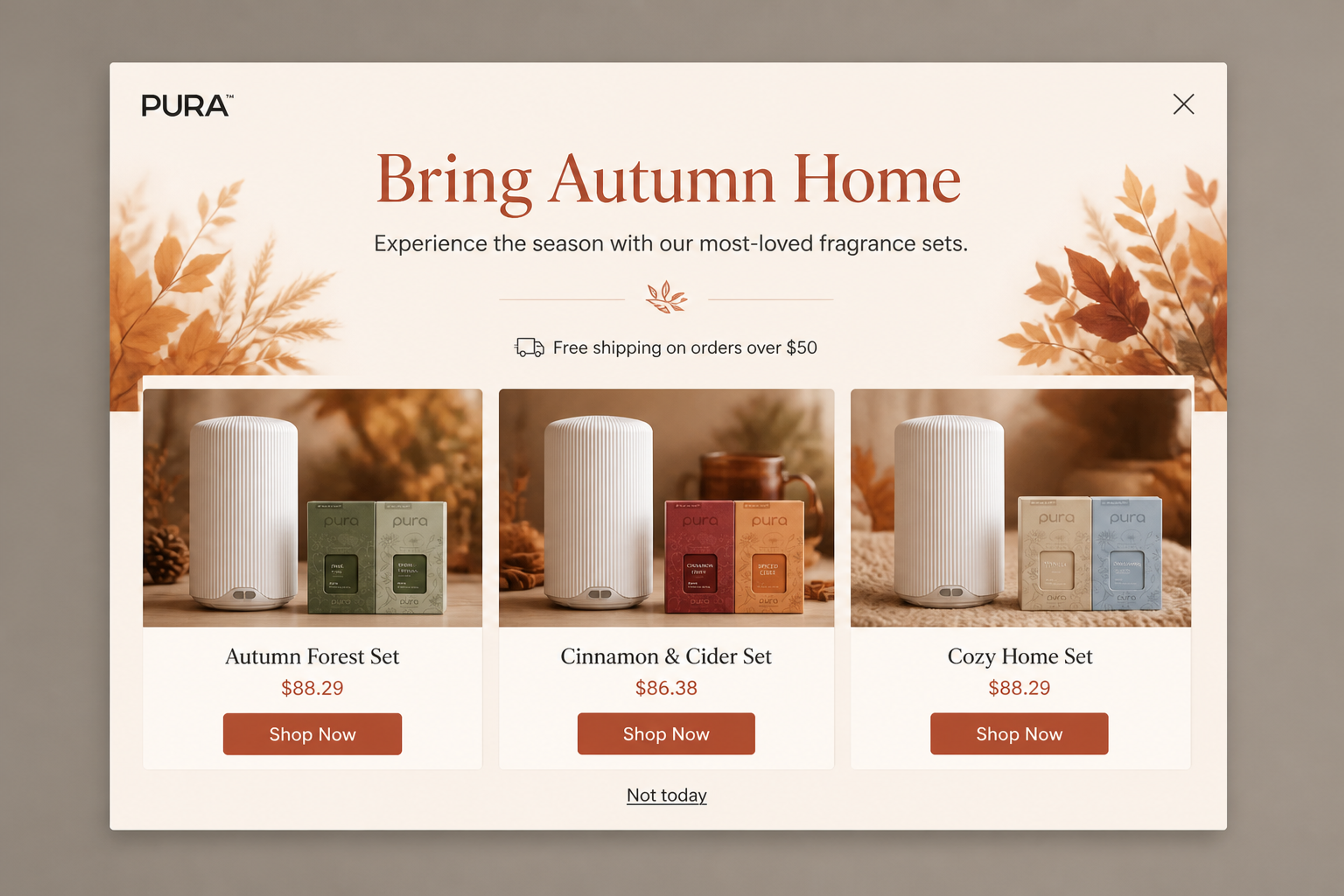
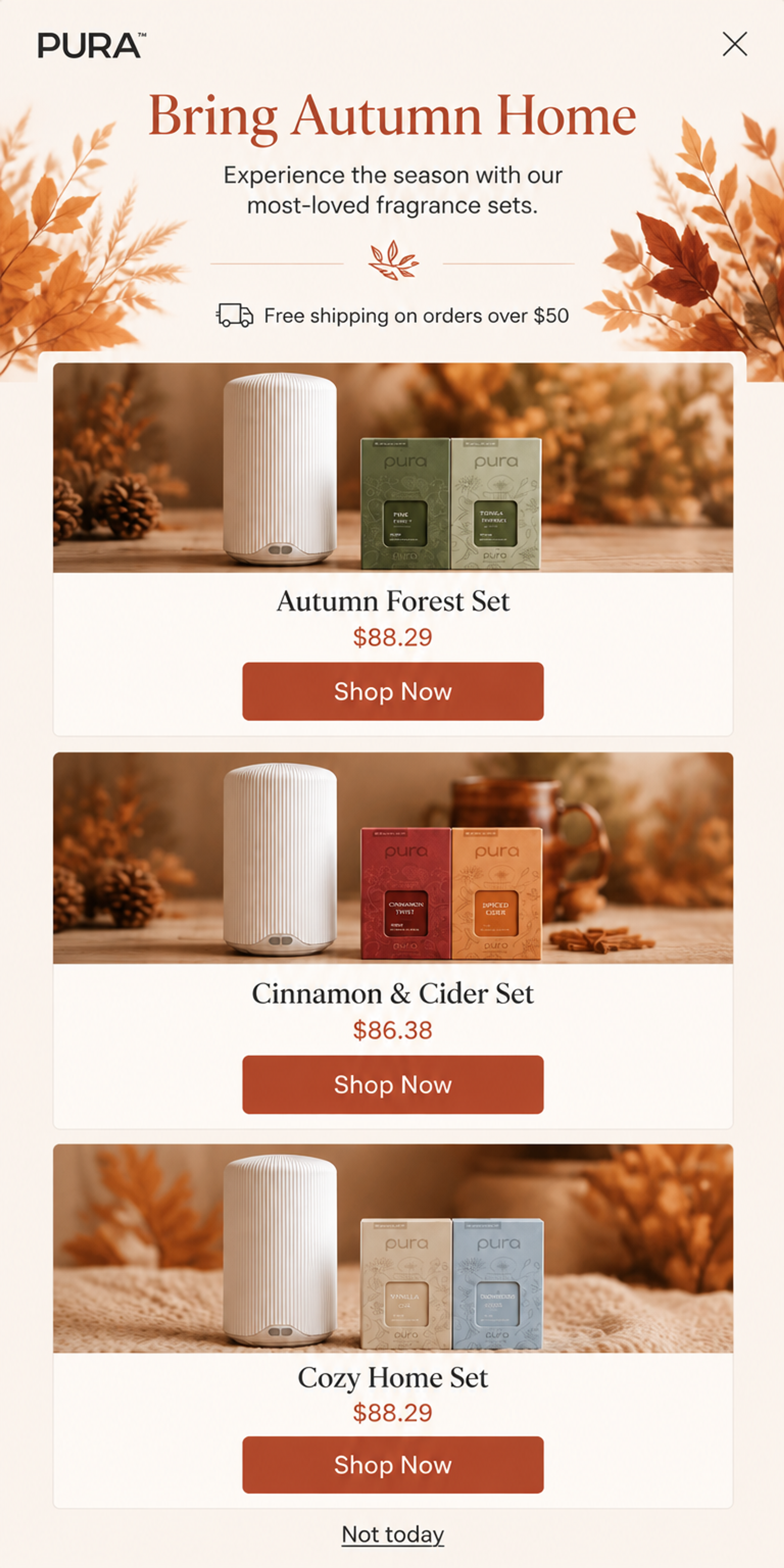
"Bring Autumn Home" with the store's most-loved fragrance sets and a "Shop Now" button under each. The seasonal frame makes best sellers feel new again. Best sellers, or seasonal sets picked by hand. See this popup
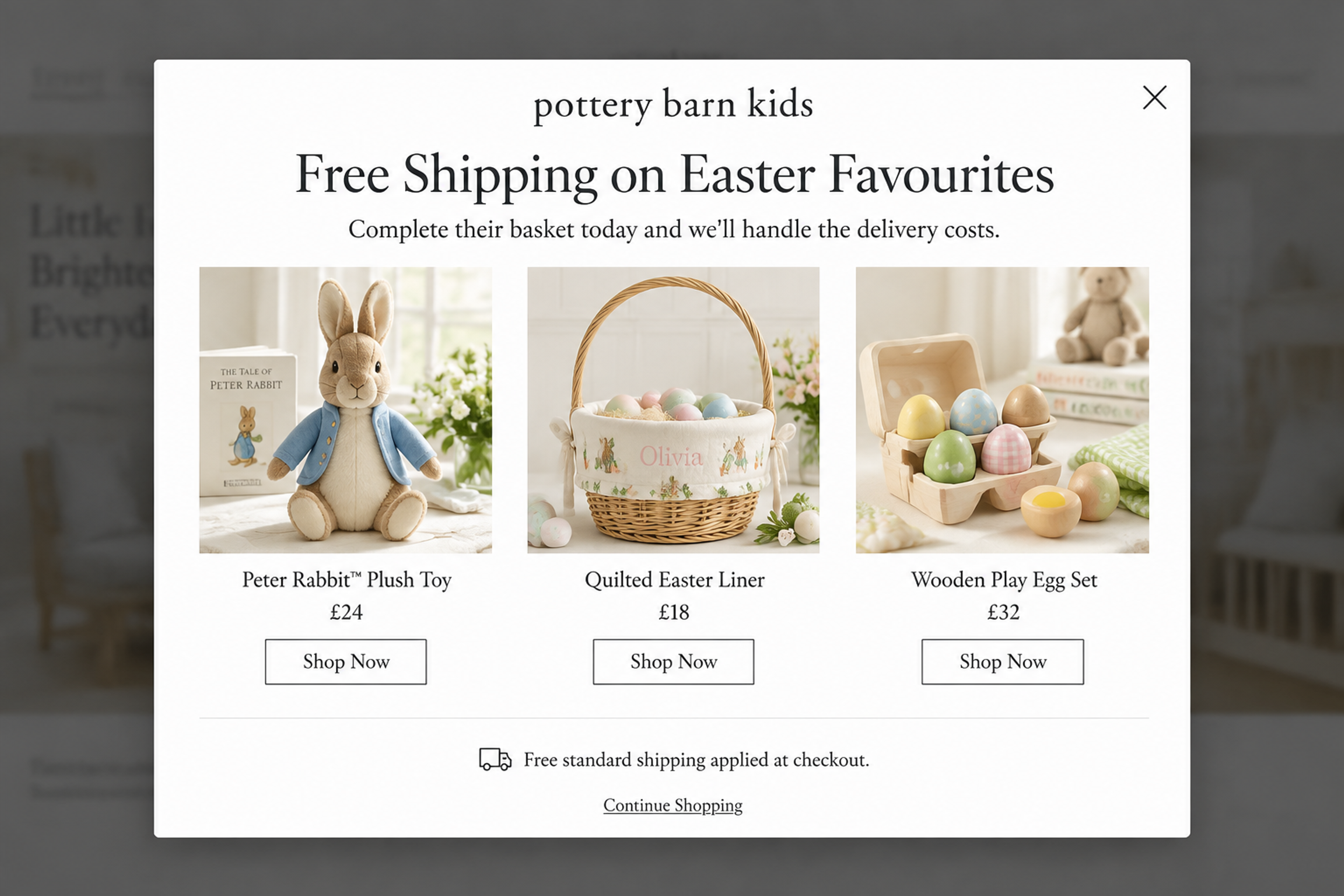
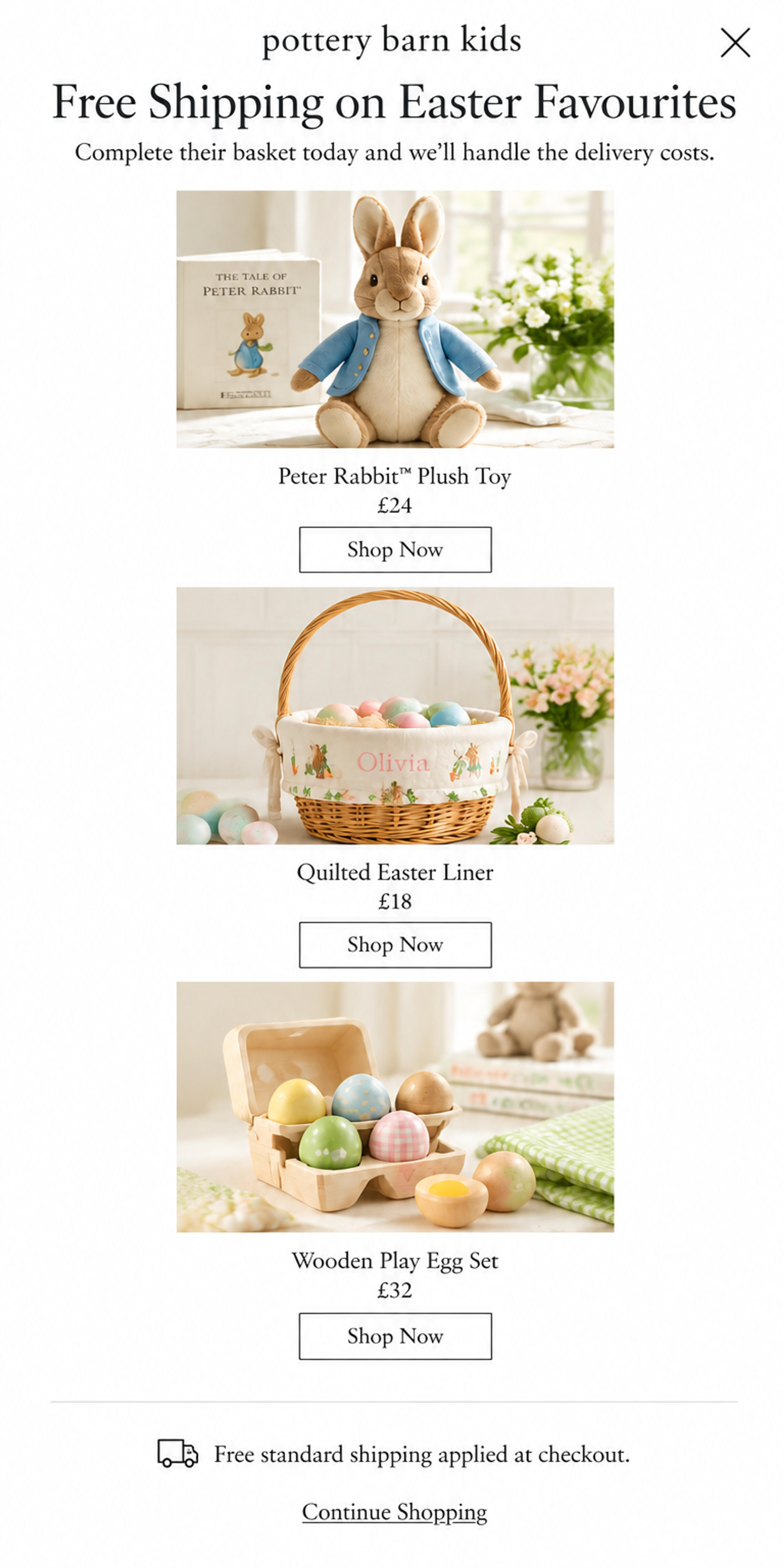
"Free Shipping on Easter Favourites" over three gift ideas, each with its own "Shop Now" button. A holiday offer plus a short list of picks helps parents decide fast. Products picked by hand, scheduled for the Easter weeks. See this popup
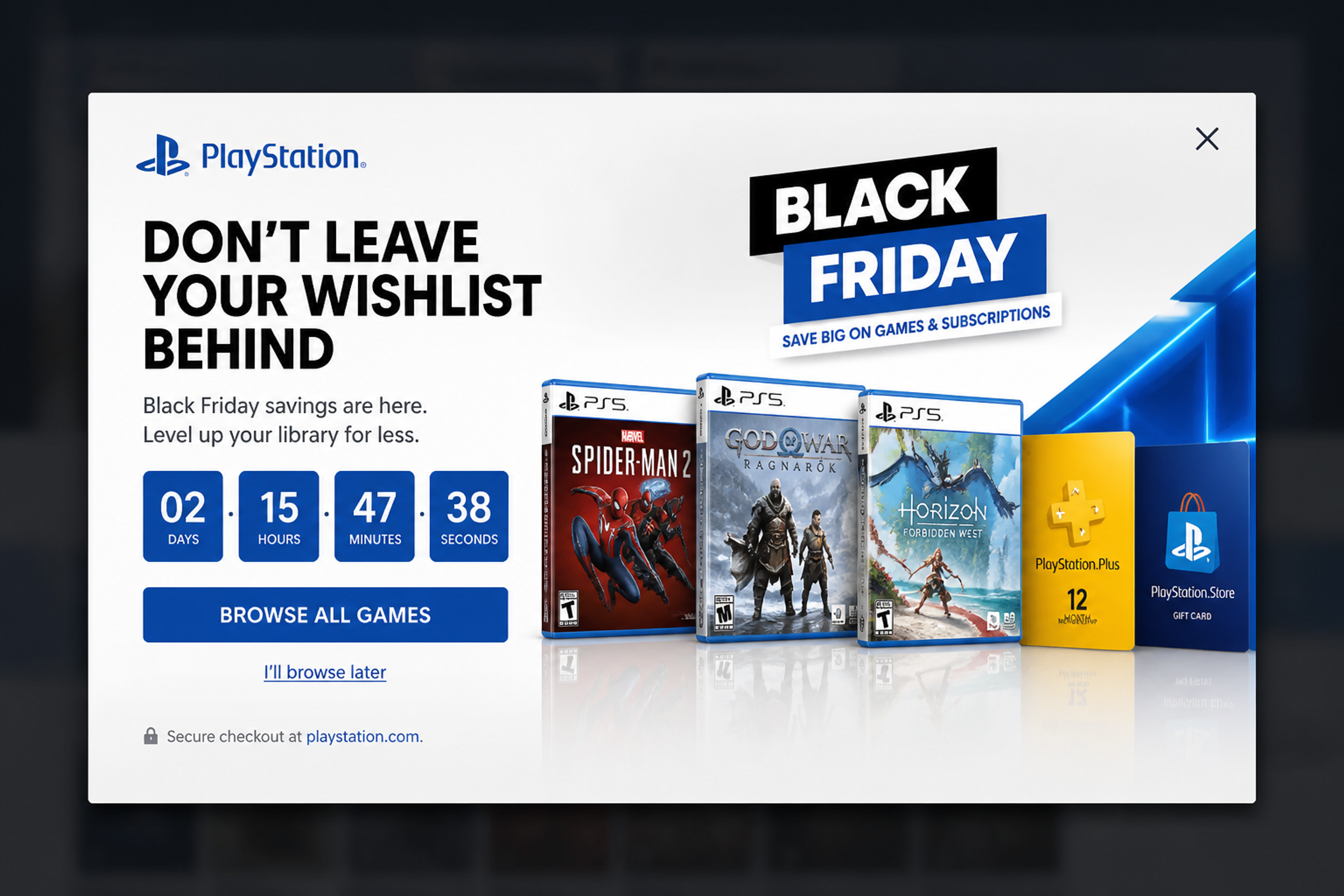
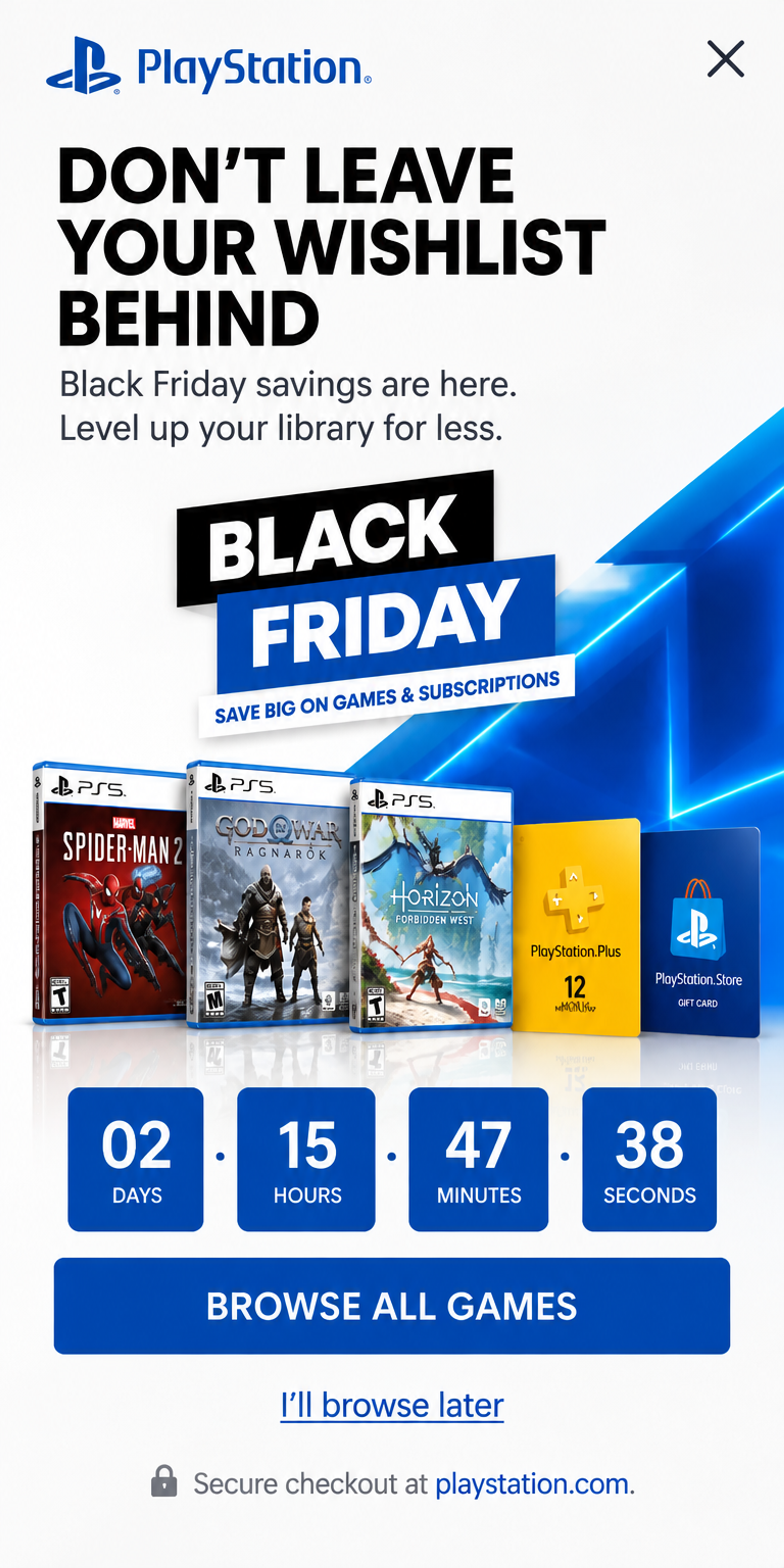
A Black Friday exit popup with a row of game covers and one "Browse all games" button. With the visitor's recently viewed products in the row, the "don't leave it behind" message becomes personal. Recently viewed products, on exit intent. More ideas for the season: Black Friday marketing. See this popup
More examples: upsell popups and cart saver popups in the Popup Library.
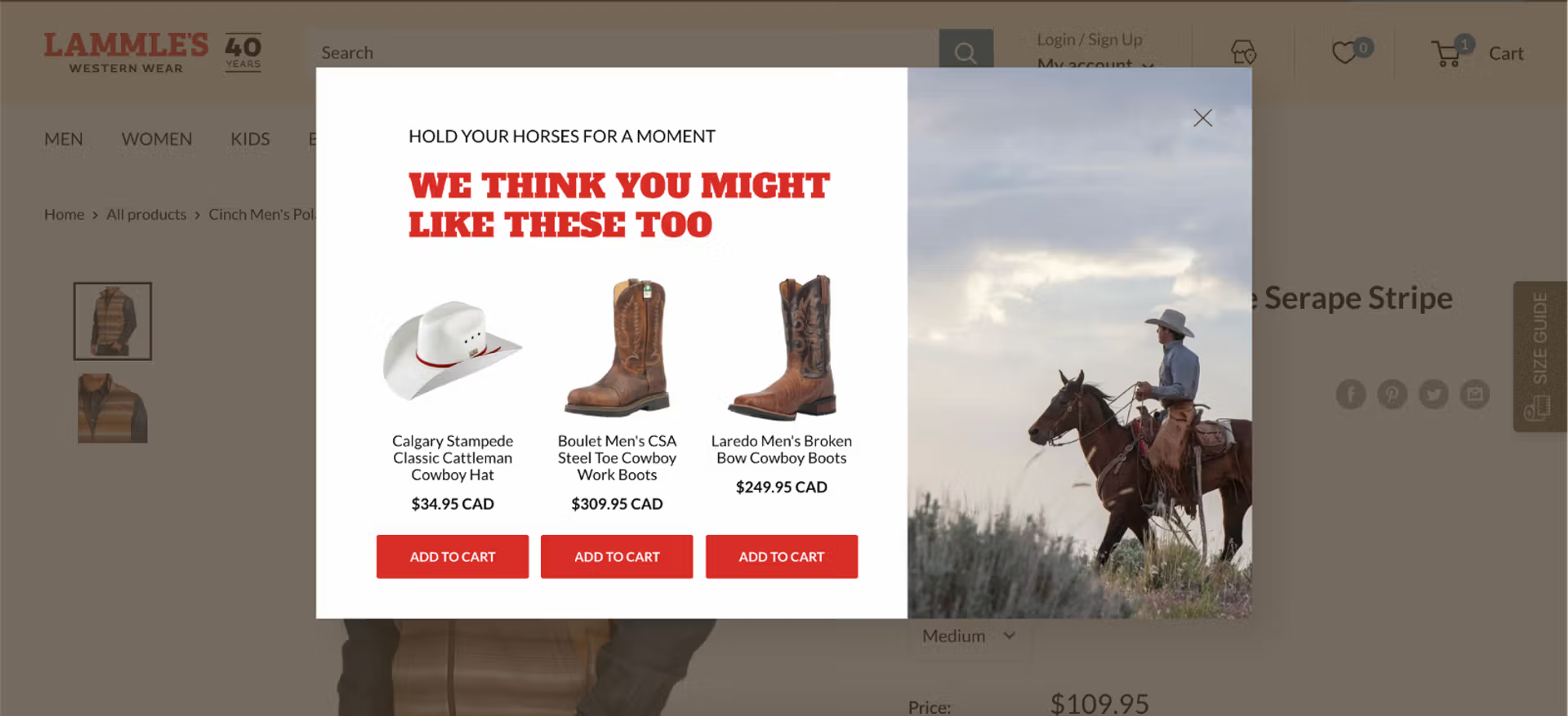
Lammle's Western Wear didn't want to discount. An exit-intent popup on product pages showed the most popular products: revenue from product page visitors grew by 23.5%. The same idea on category pages, after 40 seconds, brought 26.3% more revenue from those shoppers, and a reminder for returning visitors 11.9%.
Case study, 2023: how Lammle's boosted sales without discounting. Today you'd ask the agent for best sellers or recently viewed products, and keep a popup to one category with a page rule.
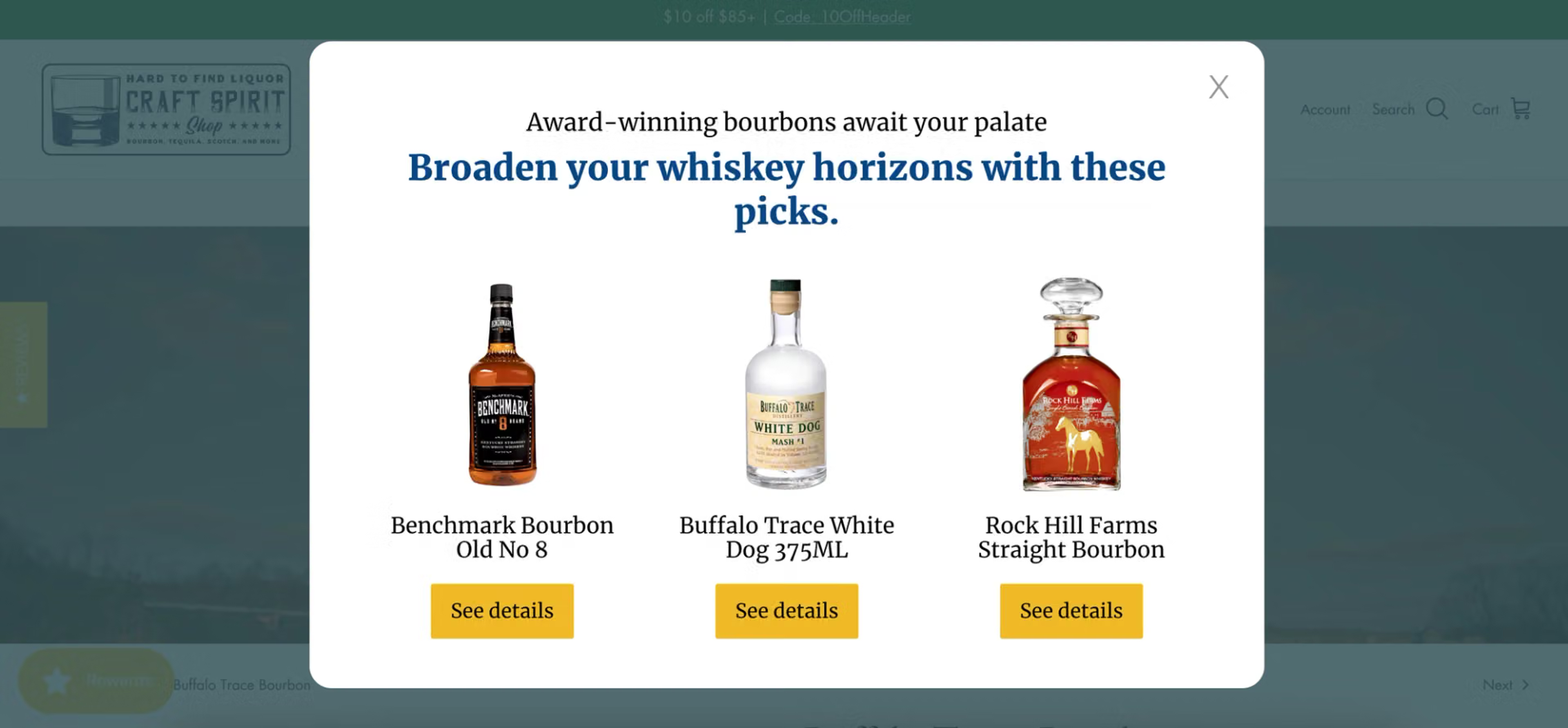
Craft Spirit Shop showed products matching the page: bourbons on a bourbon page, tequilas on a tequila page. The popup appeared on exit intent on desktop and after 20 seconds on mobile. Compared with the control group, visitors who saw it purchased 38.5% more often and spent 77.9% more.
Case study, 2024: Craft Spirit Shop.
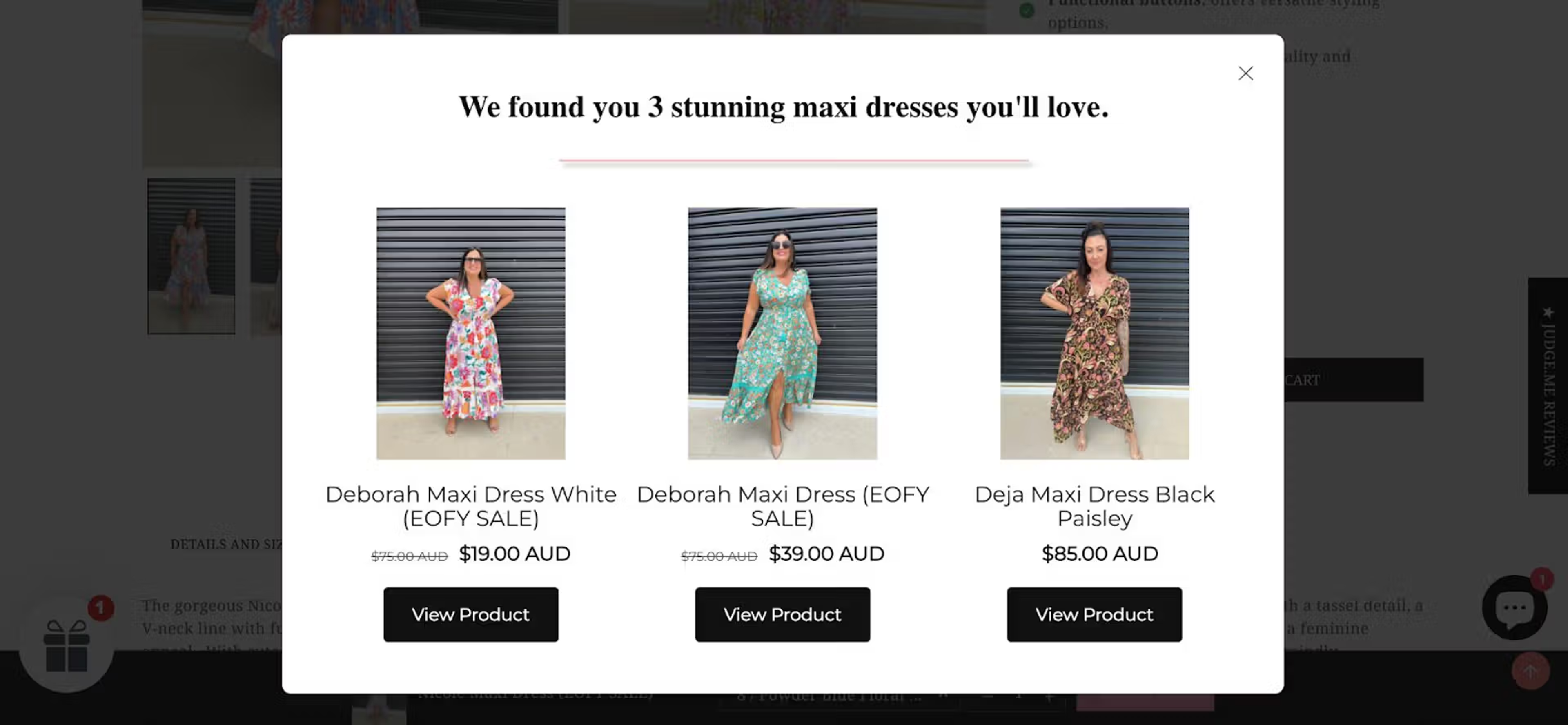
Millie n Me and its agency, Estlanders Marketing, showed recommendations to visitors who had opened at least two product pages and spent 20 seconds on one: a shopper browsing maxi dresses saw other maxi dresses. The popup converted at 10.25% (visitors who clicked a product), with 5.65% more revenue and a 15.72% higher ecommerce conversion rate.
Case study, 2024: Millie n Me.
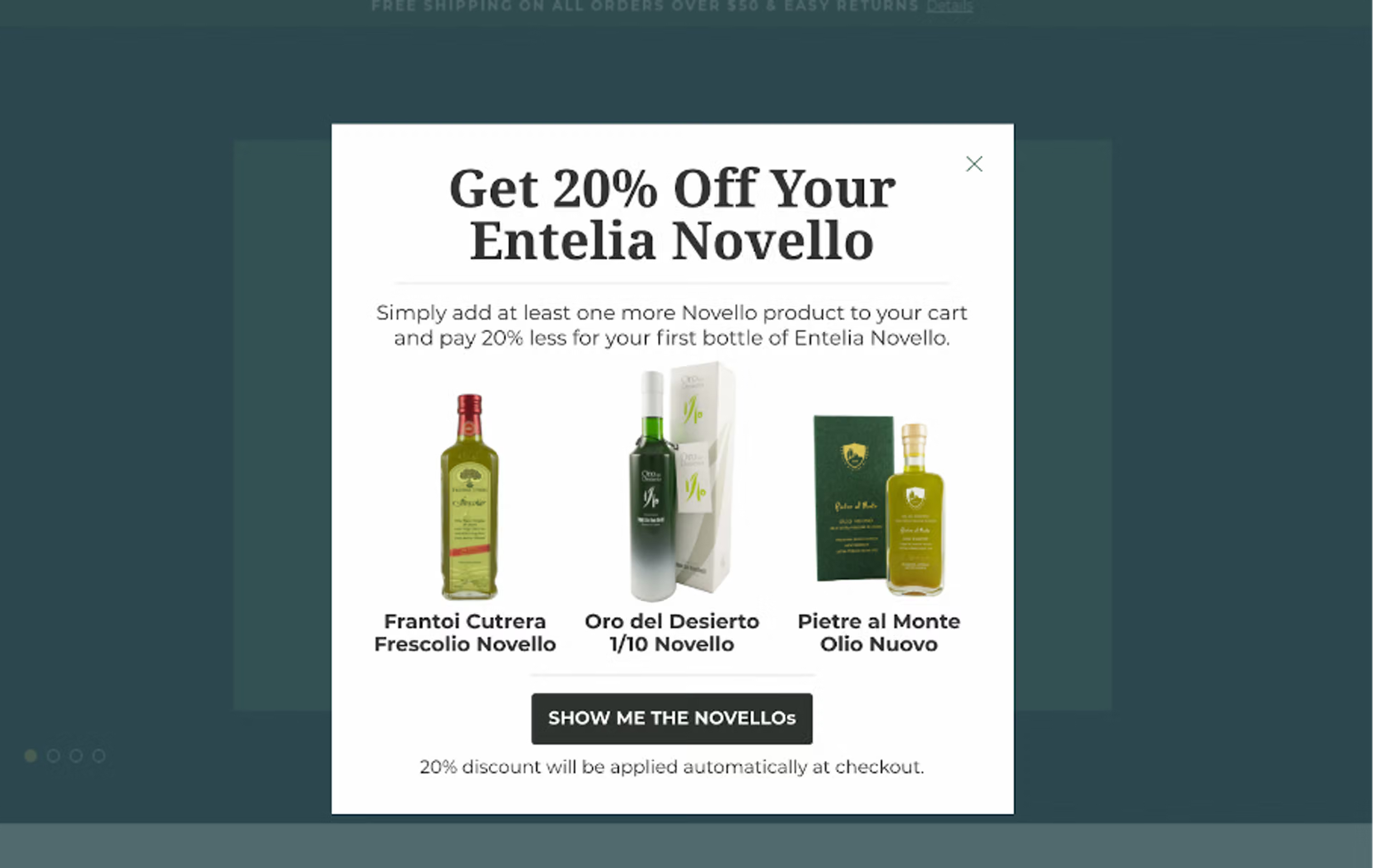
When a visitor added certain products to the cart, Olive Oil Lovers showed a popup with 20% off one of its best sellers. It converted at about 37% and raised average order value by at least 15% over three months. Today you'd target by cart contents and pick the offered product by hand.
Case study, 2022: Olive Oil Lovers.
You describe the popup in one sentence, and the OptiMonk agent builds it with your store's real products.
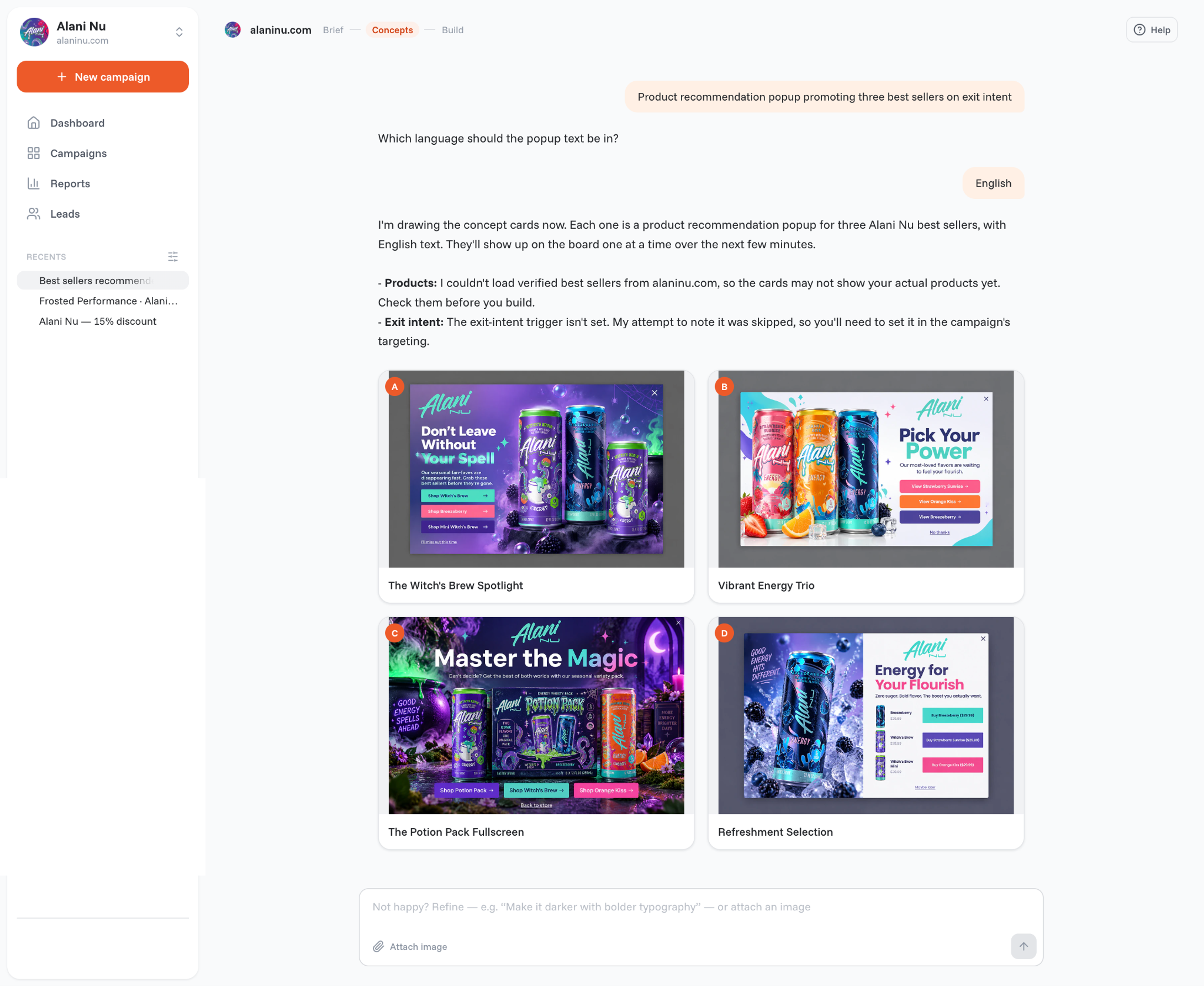
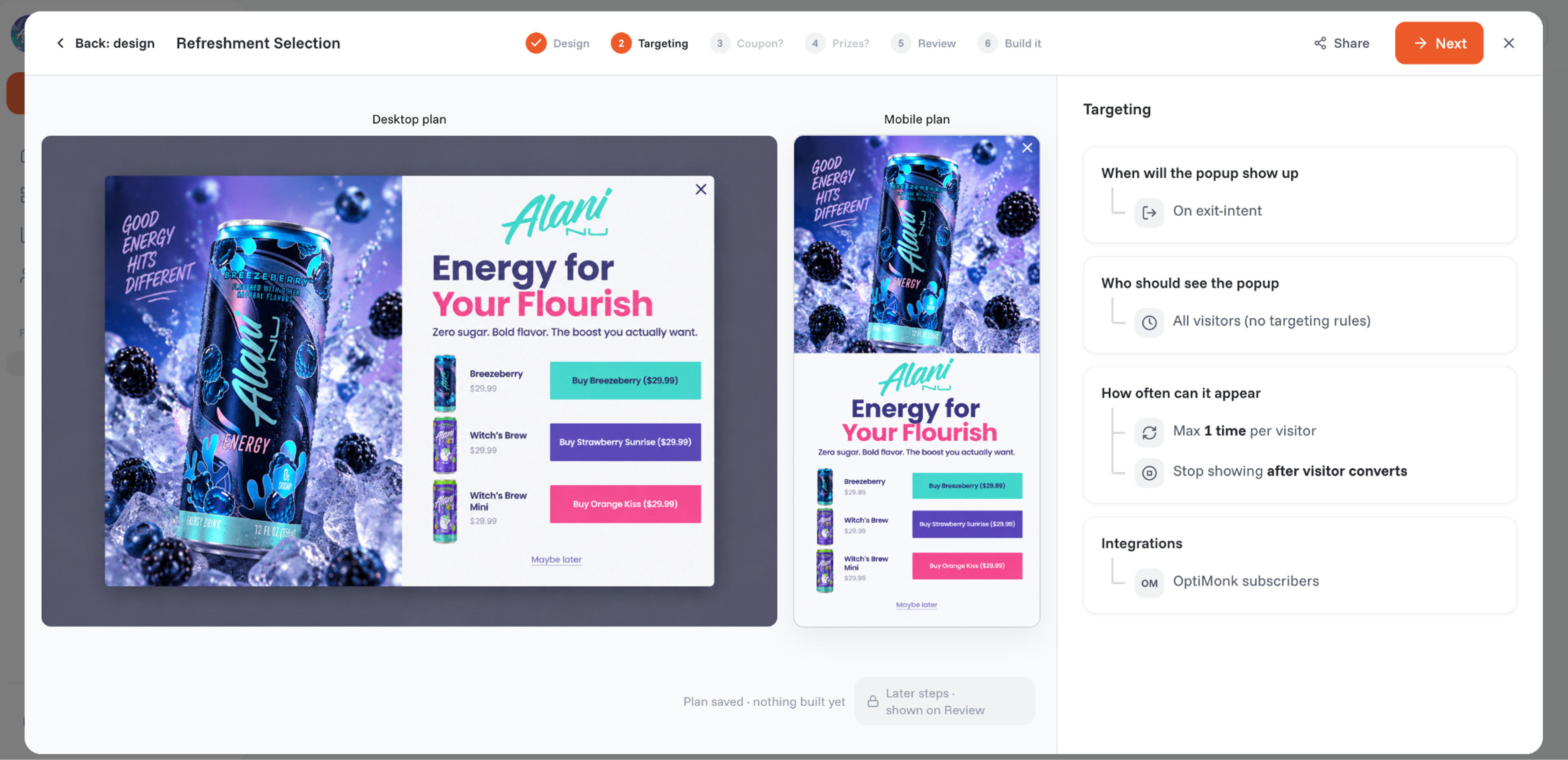
Good to know:
You can also build the popup from Claude, ChatGPT or Cursor through the OptiMonk MCP connection. More on the feature: dynamic product recommendations.
Shopify has built-in product recommendations for on-page blocks. According to Shopify's developer documentation, they come in two kinds: related products, which Shopify generates automatically ("You might also like"), and complementary products, which you set up by hand ("Pair it with"). You manage both in the Shopify Search & Discovery app.
For popups, the OptiMonk Shopify app reads the same catalog, so a popup can show your best sellers, recently viewed items or what's in the cart. More Shopify tactics: cross-selling on Shopify.
For recommendation blocks on product pages, in search, in the cart and in emails, driven by a machine-learning model, you need your platform's engine or a dedicated recommendation app. Compare apps on three things: platform integration, where they can show products, and revenue reporting.
OptiMonk adds the popup next to these blocks: the moment a visitor is about to leave or is looking at the cart. More ideas: ecommerce recommendations and the product recommendation quiz.
Product recommendations are products a store suggests to a shopper based on their behavior, their cart, or what sells best. They appear on the homepage, product pages, the cart, in emails, and in popups.
There is none. Product suggestions, product recommendations and recommended products mean the same thing: products picked for a shopper. "Product suggestion" is more common in everyday language, and "product recommendation" in ecommerce tools.
Keep it short and say why the product is relevant: "You may also like", "Frequently bought together", "Complete your kit", "Still thinking about these?". On a product page, name the fit ("Pairs with your jacket").
They can, when they show up at the right moment. OptiMonk customers saw 23.5% more revenue from product page visitors (Lammle's, 2023) and at least 15% higher average order value (Olive Oil Lovers, 2022). In a 50/50 test on category pages, Indestructible Shoes saw a 6.84% higher conversion rate among visitors who got recommendations (case study, 2022).
Yes. Install the OptiMonk app and turn on the app embed in your theme. Then the popup can show best sellers, recently viewed products, the items in the cart or products you choose. The popup shows only products that are in stock.
Product recommendations work when they answer the shopper's next question at the moment they ask it. Start with one spot where you lose sales, such as visitors leaving a product page or carts just under your free shipping threshold, and give it one popup with three relevant products.
Measure it against a holdout group, then add the next moment. Your first product recommendation popup is one sentence away: describe it, and the OptiMonk agent builds it with your store's real products and a separate mobile version.
Free to start. No credit card.

Discover creative Thanksgiving marketing ideas to engage customers, build buzz, and drive sales before Black Friday and Cyber Monday.
Learn 5 ways ecommerce brands can turn new subscribers into recurring revenue using welcome flows, personalization, loyalty programs, re-engagement, and referrals.
In this article, we’ve compiled a list of the 25 top ecommerce apps that will help you streamline your operations, boost sales, and grow your online business.


