


14 Effective Thanksgiving Marketing Ideas to Boost Your Sales in 2026
Discover creative Thanksgiving marketing ideas to engage customers, build buzz, and drive sales before Black Friday and Cyber Monday.
Why shoppers abandon carts, the average rate, and 15 ways to reduce cart abandonment before, during and after checkout.
In short
Cart abandonment means a shopper fills a cart but never places the order. It hits about seven in ten carts, mostly over surprise costs and long checkouts. Fix it: show every cost up front, keep checkout short, stop departing visitors with an exit-intent popup and send reminder emails.
Picture 100 shoppers who add something to their cart. About 70 of them leave without paying. They found your store, chose a product and got within a few clicks of buying, and then something stopped them.
Usually that something is a cost they didn't expect or a checkout that asks too much, and both are in your hands. Most of the reasons shoppers give can be fixed on your own product, cart and checkout pages. The shoppers who still leave can be caught on the way out or reminded later.
Cart abandonment happens when a visitor puts at least one product in the cart and leaves the store without placing the order. It's the online version of filling a basket and leaving it at the till.
Three terms describe three different moments, and each needs a different fix:
| Term | When it happens | What fixes it |
|---|---|---|
| Browse abandonment | The visitor views products but never adds one to the cart | Better product pages, reviews, product recommendations |
| Cart abandonment | Products are in the cart, but checkout never starts | Clear costs on the cart page, a reason to finish now, an exit-intent popup |
| Checkout abandonment | Checkout has started, but no order is placed | A shorter form, guest checkout, more payment options, trust signals |
The difference is timing, cause and cost.
You calculate checkout abandonment the same way as cart abandonment, only from a later step: abandoned checkouts ÷ started checkouts × 100.
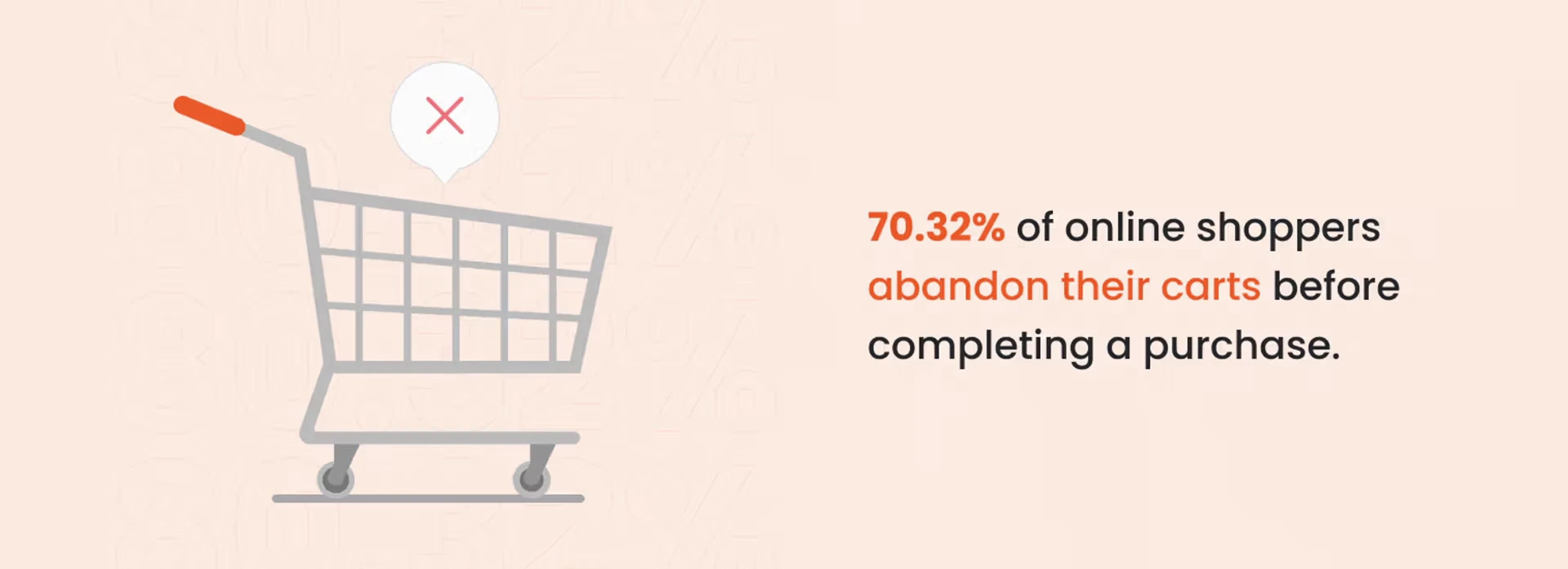
The average cart abandonment rate is 70.32%, based on OptiMonk's own data from 18,000 ecommerce websites. In plain terms, about seven out of ten carts never become an order.
Where the shopper comes from makes a difference. Carts from social media traffic are abandoned 77.54% of the time, while search (63.81%) and direct traffic (69.39%) do better, because those visitors usually arrive with a clearer plan to buy.
Baymard Institute, which averages 50 studies, puts the rate at a similar 70.22%.
You can work out your own rate with one formula:
Cart abandonment rate = (carts created − orders completed) ÷ carts created × 100
Don't aim for zero. In Baymard's survey of US online shoppers, 42% had abandoned a cart because they were "just browsing" or not ready to buy. They were never going to order that day.
Your real target is the other reasons below, because most of them are fixable.
For industry and mobile numbers, see our cart abandonment statistics.
Every abandoned cart is a sale from someone who already found you and picked a product. That's why it costs more than it looks:
The top reason is cost. In Baymard's survey, 40% of US online shoppers who abandoned a cart (leaving out the "just browsing" group) said extra costs like shipping, taxes and fees were too high. Here are the ten biggest reasons and the fix for each one in this guide:
| Reason (Baymard) | Share | Fix in this guide |
|---|---|---|
| Extra costs too high (shipping, tax, fees) | 40% | #1, #2 |
| Delivery was too slow | 20% | #3 |
| Didn't trust the site with credit card details | 19% | #7 |
| The site wanted me to create an account | 18% | #4 |
| Too long / complicated checkout process | 17% | #5 |
| Website had errors / crashed | 17% | #9 |
| Returns policy wasn't satisfactory | 13% | #8 |
| Couldn't see / calculate the total order cost up front | 12% | #1 |
| Credit card was declined | 10% | #6 |
| Not enough payment methods | 9% | #6 |
Shares exclude the 42% who were just browsing (Baymard, US online shoppers, source). Shoppers could pick more than one reason, so the shares add up to more than 100%.
Almost every reason is a surprise or a hurdle late in the journey, so the fixes below follow the order a shopper moves through your store.
The fixes are grouped by where the shopper is: checking the price, going through checkout, deciding on the cart page, and leaving. Start with the group that matches your biggest drop-off.
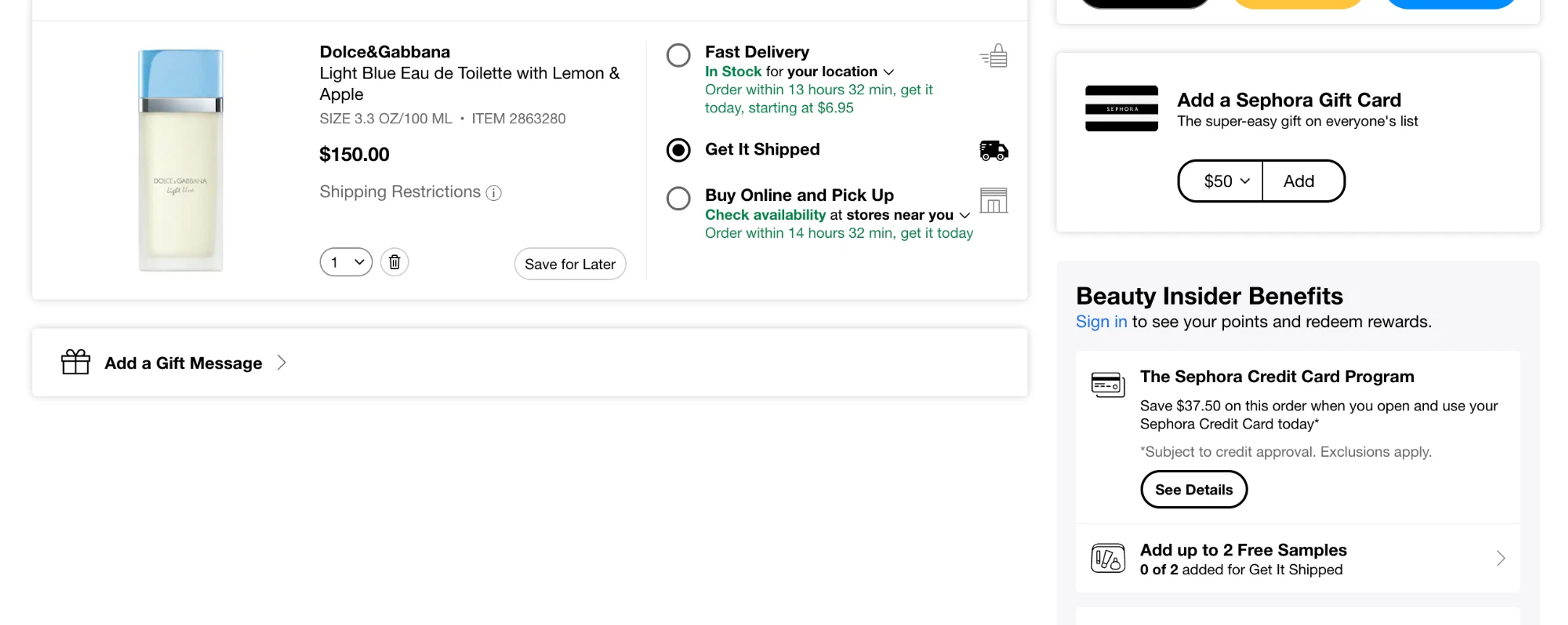
Extra costs are the number one reason shoppers leave, and 12% abandon because they can't see the total up front. Show shipping fees and taxes on the product page and in the cart, not for the first time on the payment step. A shipping calculator on the cart page ("Enter your zip code to see shipping") removes the guesswork.
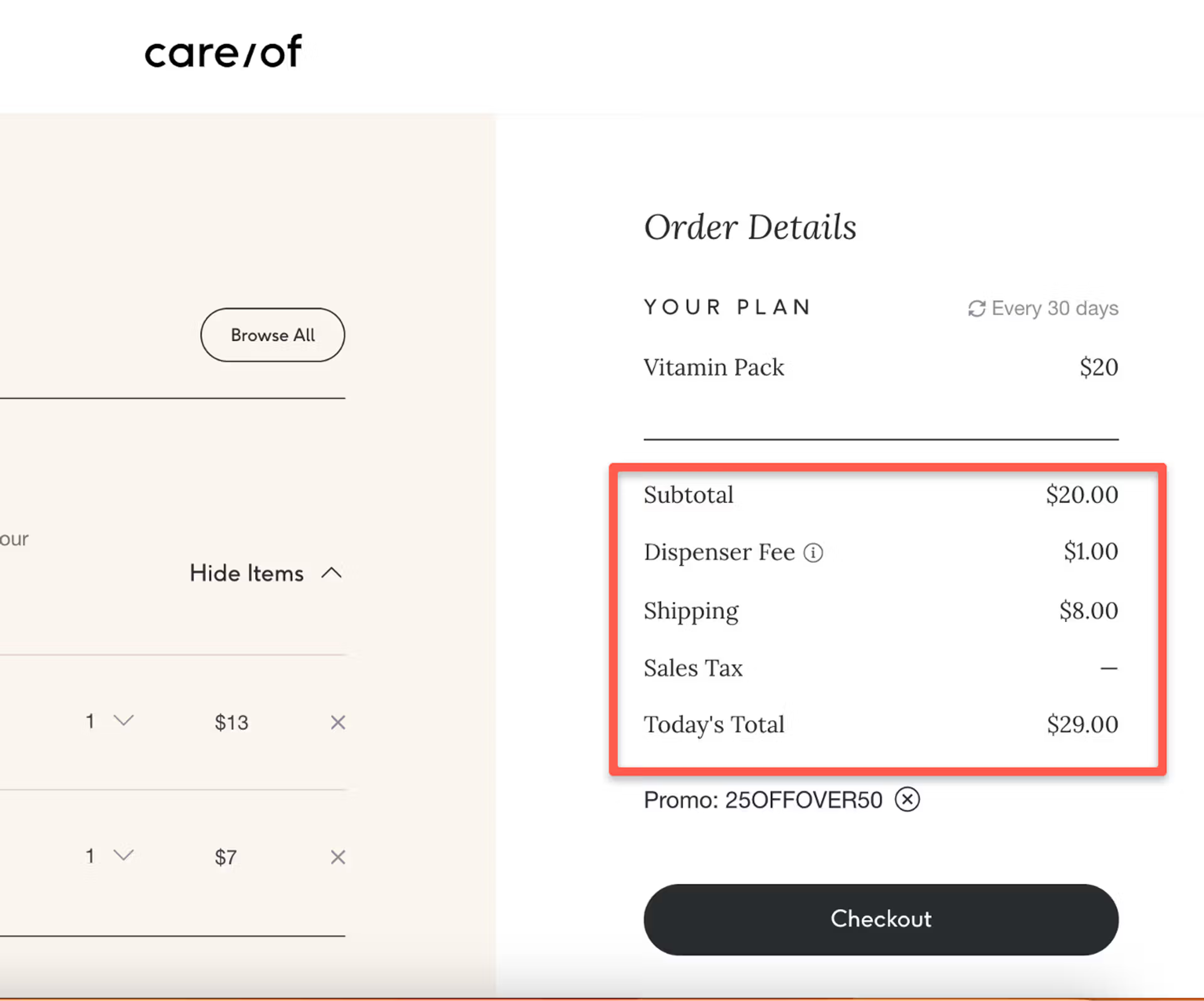
If you can afford free shipping, say so on the product and cart pages. If you can't offer it on every order, set a threshold and state it in plain text in the cart: "Add $12 more for free shipping."

For shoppers who still leave with a cart below the threshold, a free shipping offer in an exit-intent popup is your second chance (see fix #14).
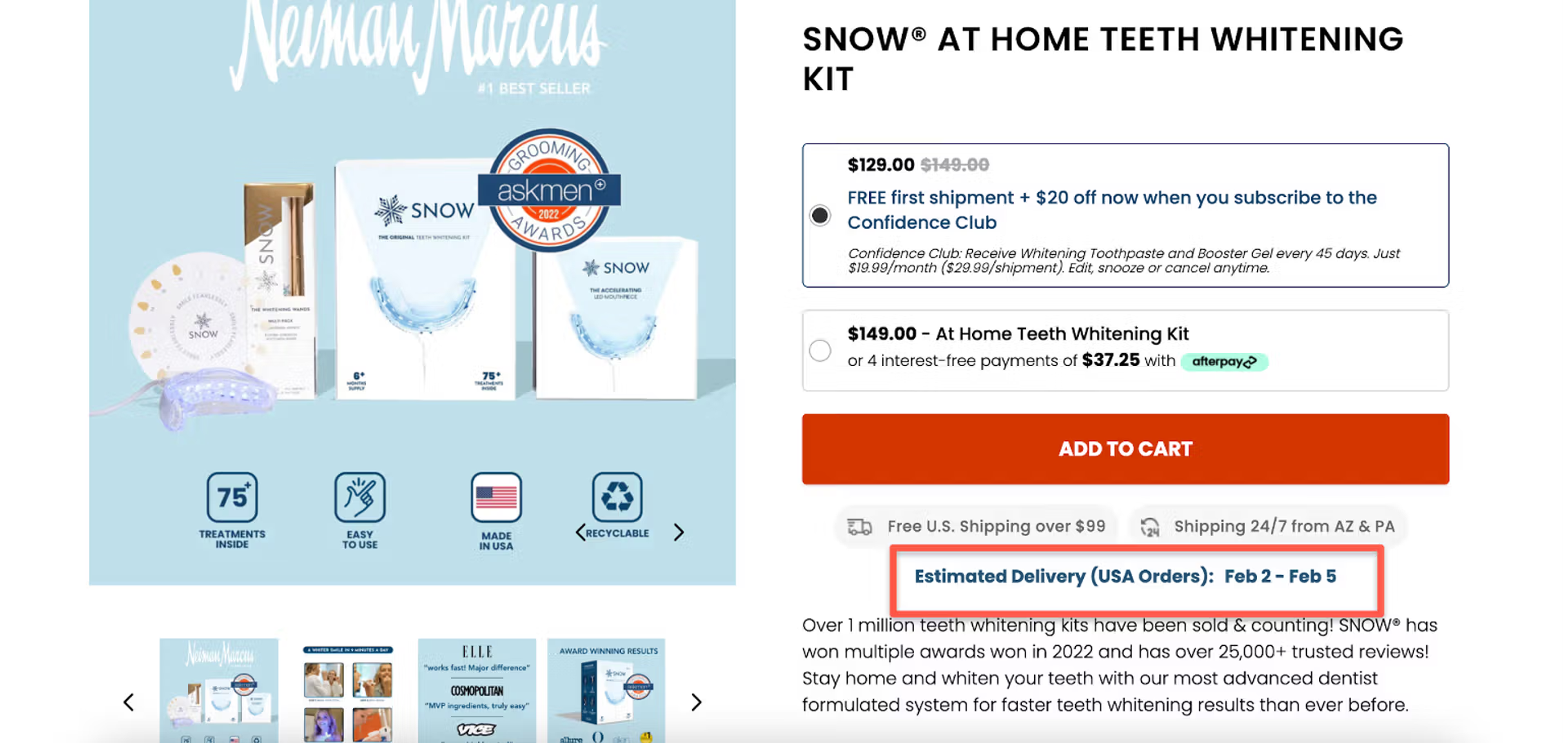
One in five shoppers who abandon say delivery was too slow. Show an estimated delivery date ("Arrives Thursday, Oct 30") on the product and cart pages, so shoppers don't have to guess. If you offer faster shipping, show it next to the date with its price.
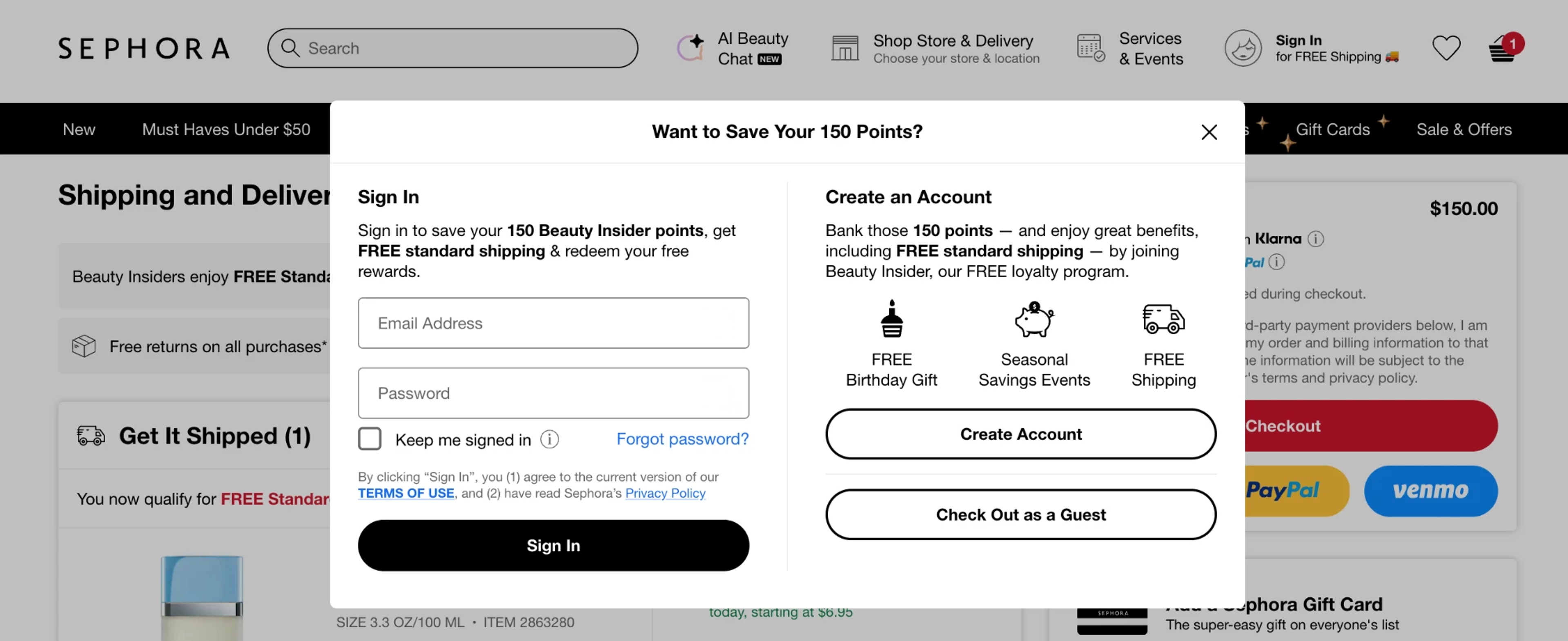
18% of abandoners left because the store wanted them to create an account. Let shoppers buy as guests, then offer an account on the thank-you page, when you already have their details and they have a reason to track their order.
Baymard found that the average US checkout shows 23.48 form elements by default, while an ideal checkout can get by with 12–14. Remove every field you don't need to ship the order, use address autocomplete, and show a progress indicator ("Step 2 of 3") so shoppers know how much is left. Let shoppers edit quantities in the cart summary without leaving checkout.
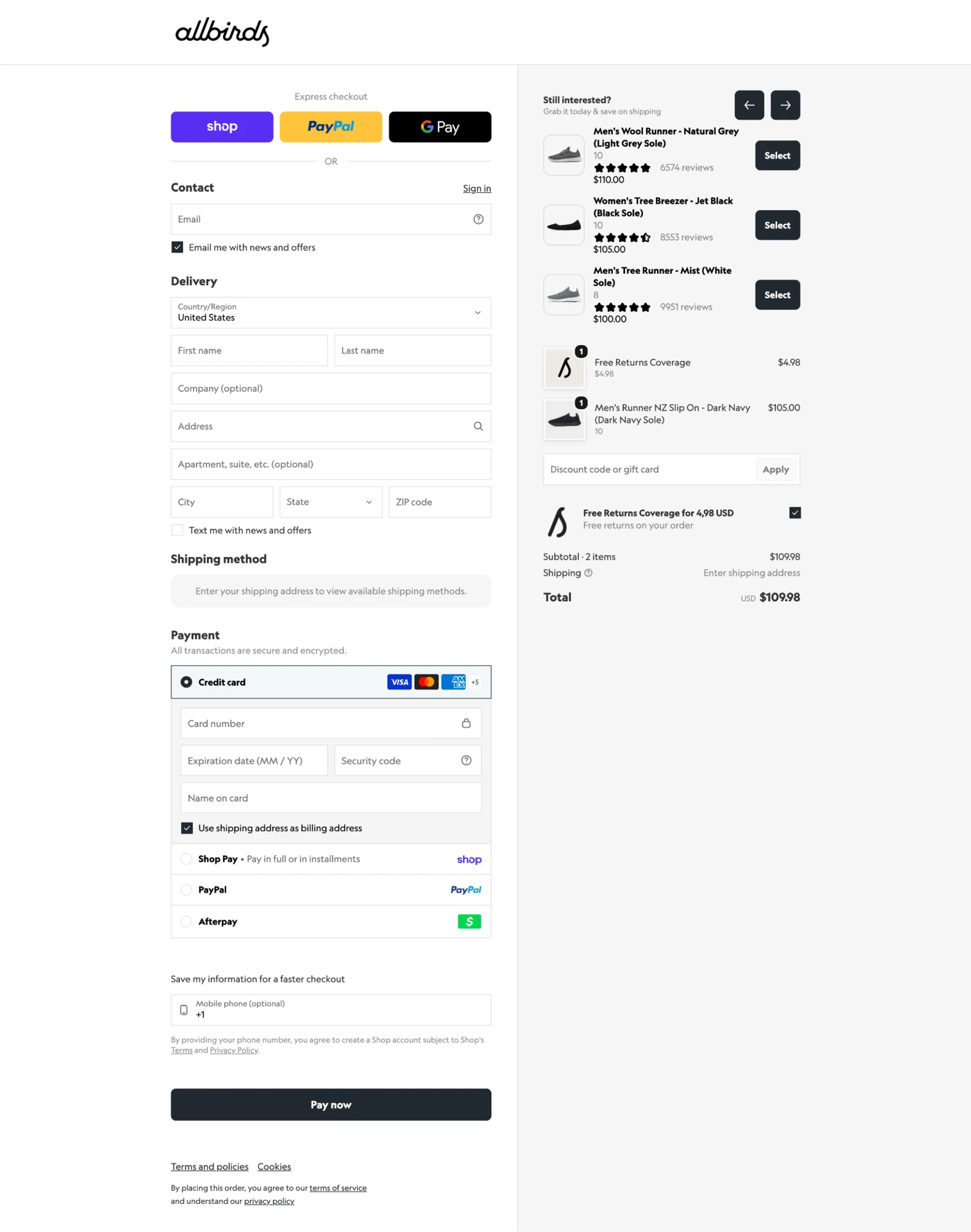
9% left because there weren't enough payment methods, and 10% because their card was declined. Offer the wallets and options your audience expects: PayPal, Apple Pay, Google Pay, Shop Pay, and buy now, pay later services like Klarna or Afterpay. Wallets also shorten checkout, because the shopper doesn't type card details at all.
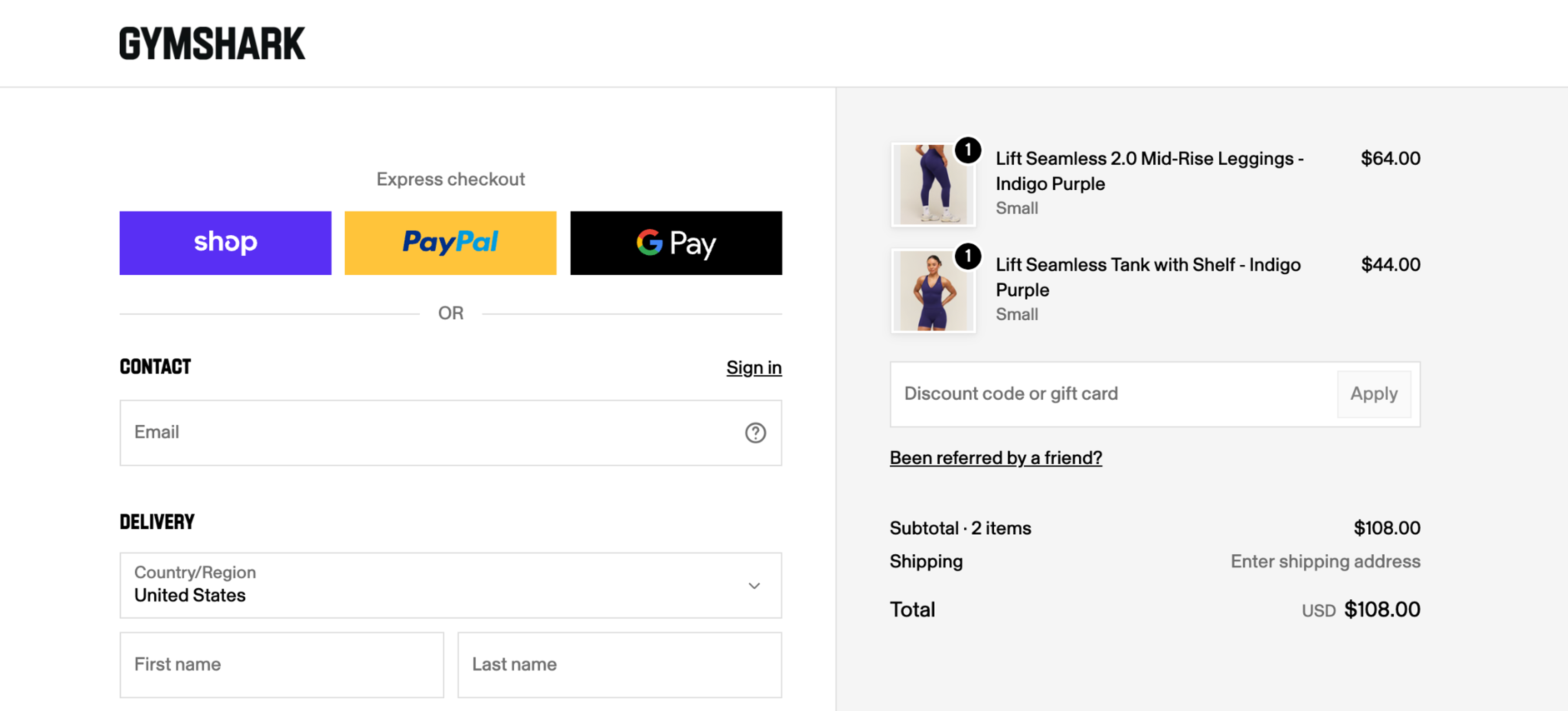
19% didn't trust the site with their card details. Place security and payment logos next to the payment fields, keep the checkout design consistent with the rest of the store, and make contact details easy to find. More ideas in our guide to trust badges.
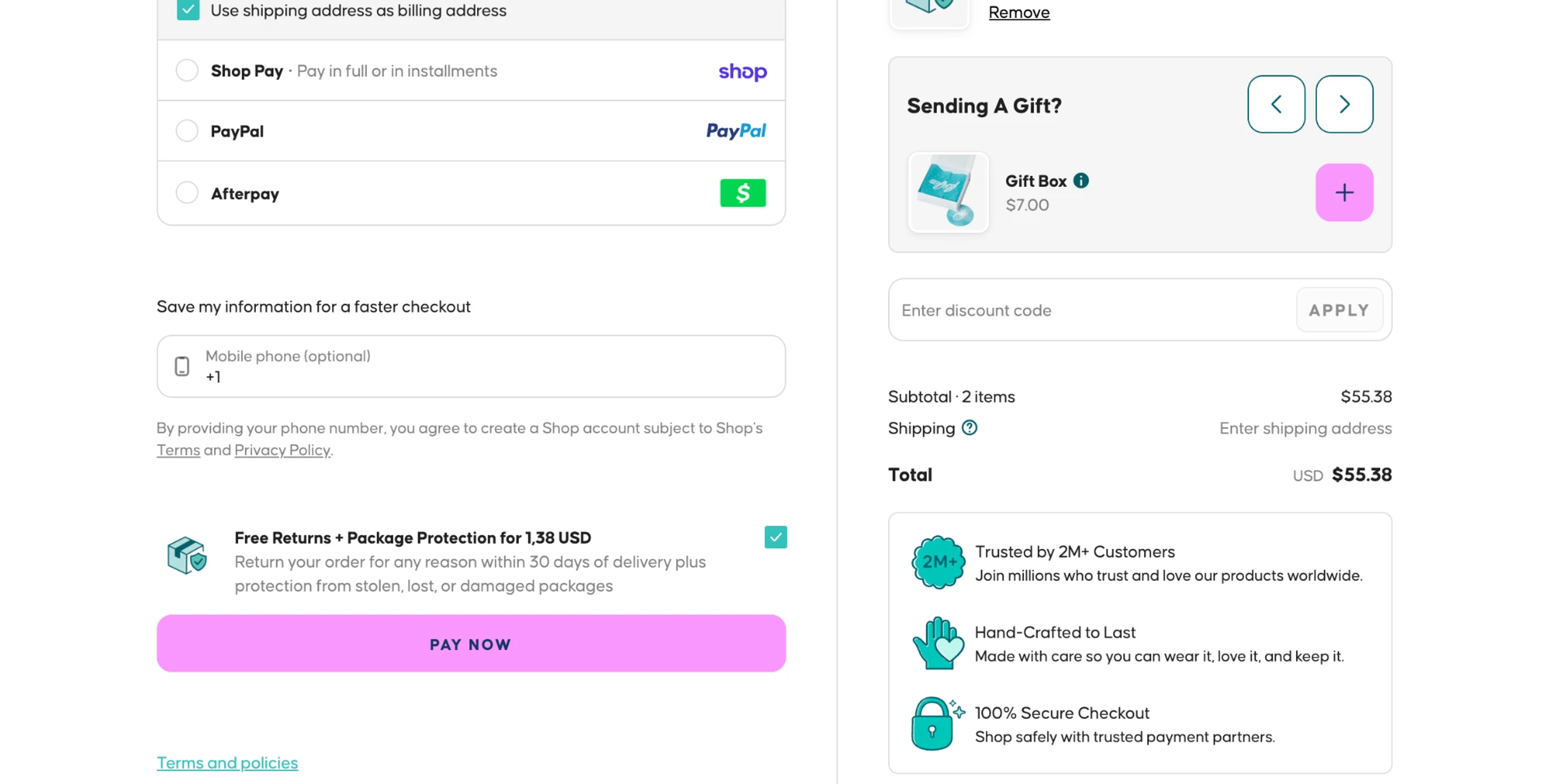
13% abandoned because the returns policy wasn't good enough. Add one line under the cart total and in checkout, such as "Free returns within 30 days," with a link to the full policy. First-time buyers look for it most.
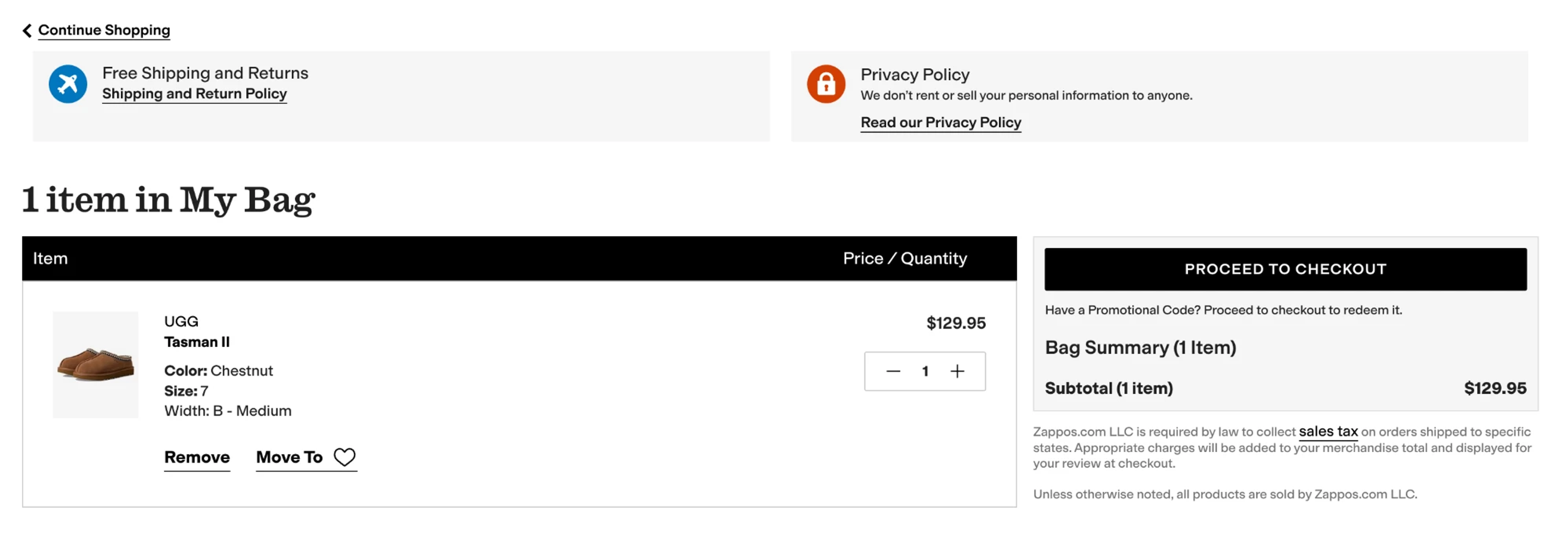
17% left because the site had errors or crashed. Place a test order on your phone every week, check the checkout in different browsers, and watch your error logs after every app install or theme change. For a full checklist, see checkout page optimization.
An empty coupon field sends shoppers off to search for a code, and some never come back. If you show the field, make sure your current codes are easy to find, or apply the discount automatically. When a discount is applied, show the saving as an amount ("You save $14"), not only as a percentage.
Many shoppers use the cart as a wishlist. Keep carts saved across visits and devices, offer "Save for later" and show stock status, so a returning shopper finds the same cart waiting.
A real deadline helps hesitating shoppers decide: a sale that ends on Sunday, the last two items in stock, an order-by date for holiday delivery. Use a countdown only when the offer really expires, because a timer that resets on every visit costs you trust. More on creating a sense of urgency.
A discount isn't the only reason to finish an order.
Recommend a matching product, add a free sample above a cart value, or show how many loyalty points the order earns. These raise the value of the order instead of cutting your margin. See our guide to product recommendations.
The first 13 fixes remove the reasons to leave. The last two deal with shoppers who leave anyway.
A cart abandonment popup appears when a shopper with a full cart is about to leave, and gives them one reason to finish the order now. Unlike a recovery email, it reaches the shopper while they're still on your site.
When it appears. On desktop, exit intent fires when the cursor moves toward the top of the browser to close the tab. On phones there's no cursor, so OptiMonk reads other mobile signals: the visitor switches tabs, scrolls quickly to the top of the page, or presses the Back button on their entry page after interacting with it (help center). For the full setup, see our guide to the exit-intent popup.
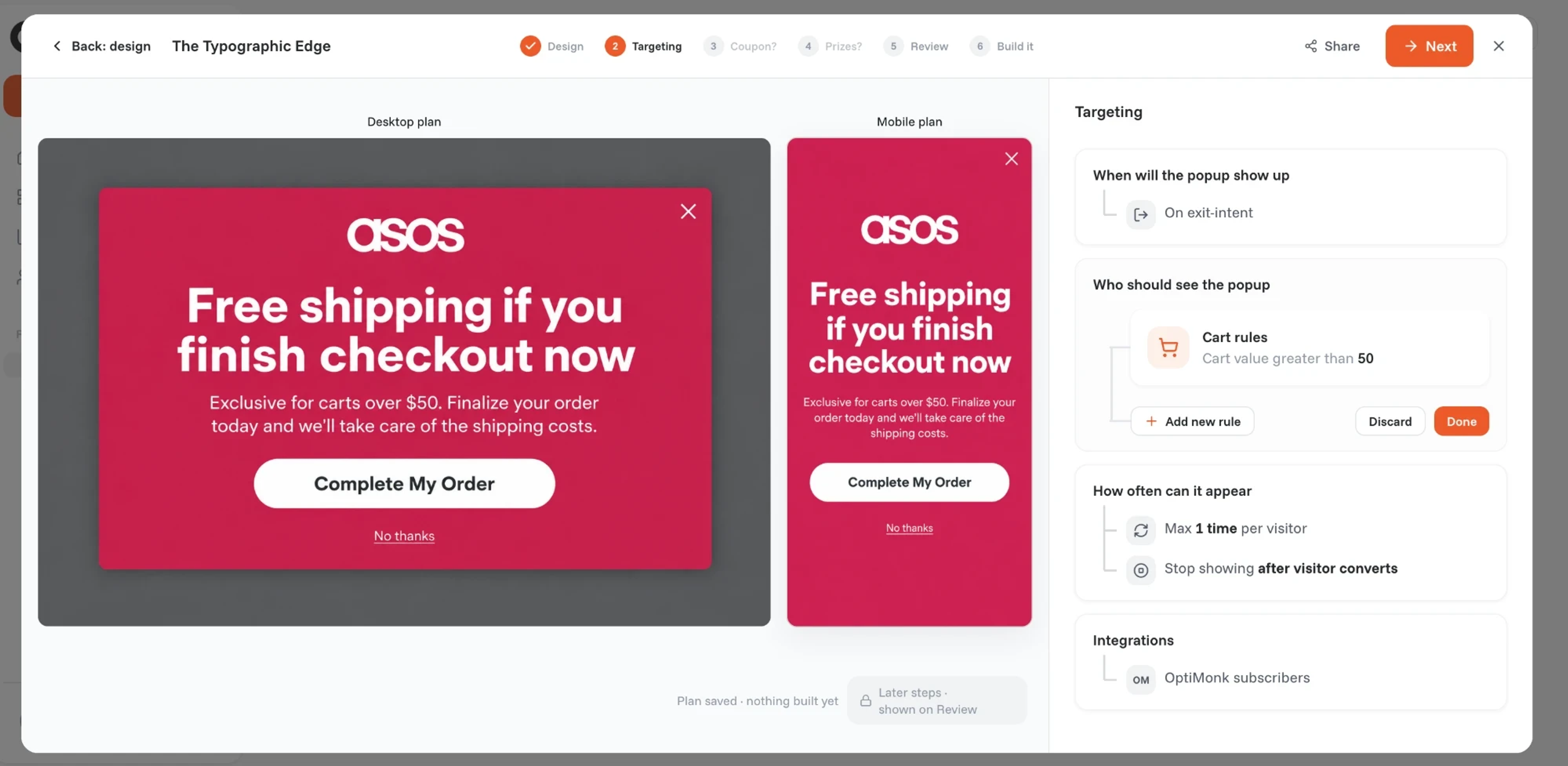
Who sees it. Only shoppers with something in the cart. Cart rules let you target by cart value (greater than, less than, between two amounts), by the number of products, or by a specific product in the cart (help center). On Shopify, WooCommerce, Magento, WordPress and Shoprenter stores this works automatically; on other platforms it needs a short JavaScript snippet.
What to offer. Not every leaving shopper needs a discount. Match the offer to the cart:
| Shopper | Offer | Why |
|---|---|---|
| Low cart value, or likely just browsing | A reminder, no discount | They may come back anyway, so don't pay for it |
| Cart just below your free shipping threshold | Free shipping if they finish now | Answers the top reason (extra costs) directly |
| High cart value, or a first-time buyer | A discount code | A larger order can carry the cost of the code |
| Not ready to buy today | Ask for the email address | Your email flow can follow up (fix #15) |
That's the rule for an abandoned cart discount: give one where it changes the decision, and test whether it does. For more offer ideas, see our list of abandoned cart coupon code ideas.
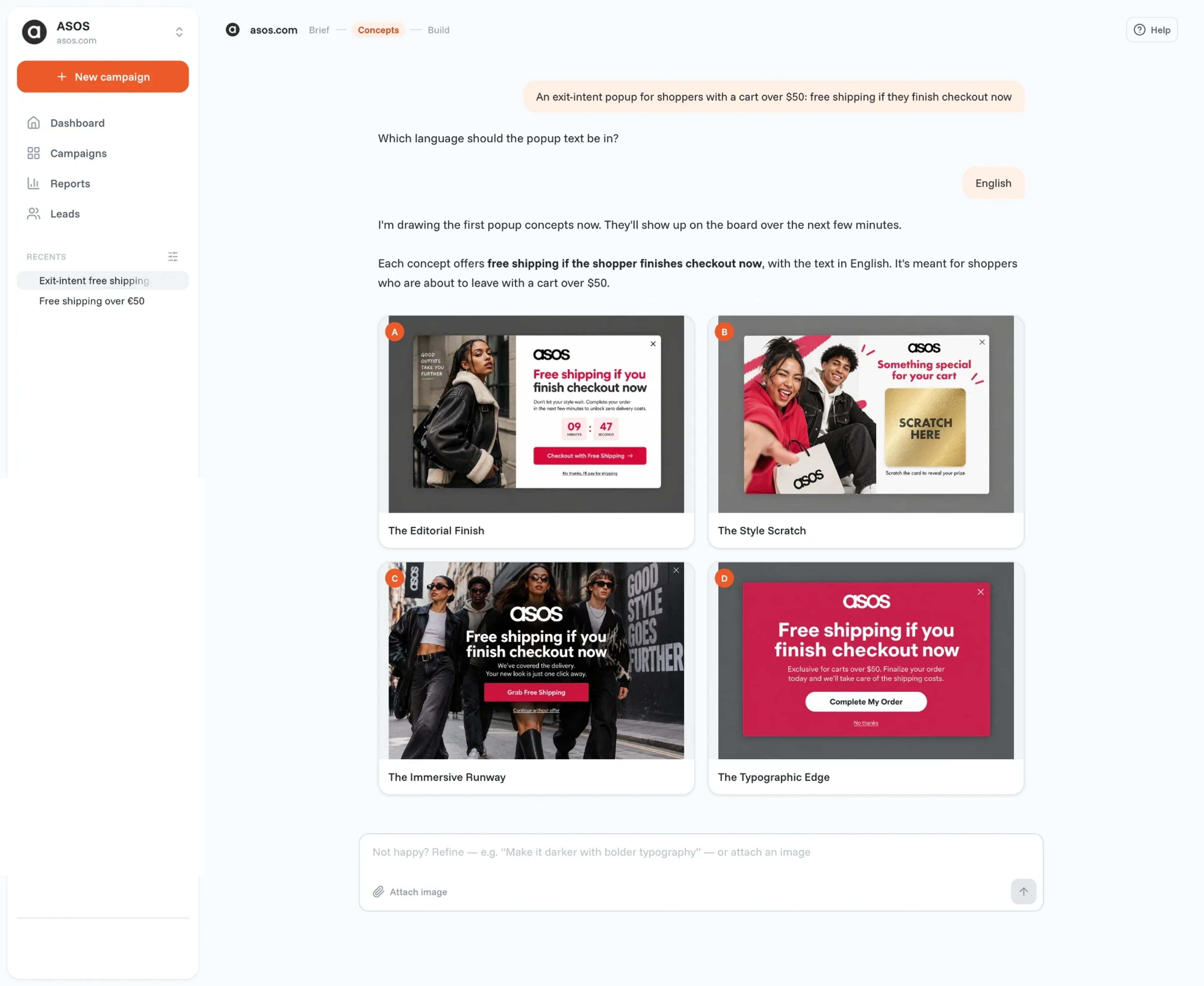
How to build it. Describe the popup to the OptiMonk agent in one sentence, for example: "An exit-intent popup for shoppers with a cart over $50: free shipping if they finish checkout now." The agent designs it in your brand's colors and fonts, builds a separate mobile version, and sets the trigger and the cart targeting. You can also build it from Claude, ChatGPT or Cursor through the OptiMonk MCP connection.
On Shopify. OptiMonk can create the discount code for you, including unique, single-use codes, and apply it automatically at checkout, so the shopper never has to type it (help center). Shopify doesn't allow third-party scripts on its checkout pages, so show the popup on the cart and product pages (help center).
Don't overdo it. Set frequency limits so the popup doesn't follow the shopper from page to page. By default, a new OptiMonk campaign shows at most once per visitor and stops after the visitor converts (help center).
Measure what it's worth. A/B test the copy, the offer or the whole design. Then add a "Control (no popup)" group with a holdout test: part of your traffic sees nothing, and the campaign's Overview tab shows the uplift against it (help center). That tells you how many orders the popup really adds, not just how many people clicked it.
Cart abandonment popups convert well. In OptiMonk's popup statistics, they had the highest average conversion rate of any popup type, 17.12%, compared with 11.09% for all popups. The best results came from popups with an incentive, such as free shipping or 10% off, offered for a limited time.
For ready-made ideas, see the six cart abandonment popup examples after the fixes.
Once the shopper has left, your email or SMS tool takes over: Klaviyo, Omnisend, Shopify Email or whichever platform you use. A typical abandoned cart flow has two or three messages. Send the first within the first few hours as a simple reminder with a link back to the cart, and keep any discount for the last message, so you don't reward everyone who leaves.
OptiMonk doesn't send these emails. Its job comes before them.
The email address collected in your popup goes into your Klaviyo list, so the flow has someone to write to. You can also use your Klaviyo lists and segments to decide who sees which popup. For copy ideas, see our abandoned cart email examples, and for the setup, our guide to the Klaviyo abandoned cart flow.
Retargeting ads on Meta and Google reach shoppers who left without giving an email address. Show them the products they left in the cart, and exclude people who have already ordered.
These come from the OptiMonk Popup Library. Each one was designed by the OptiMonk agent for a real store's brand.
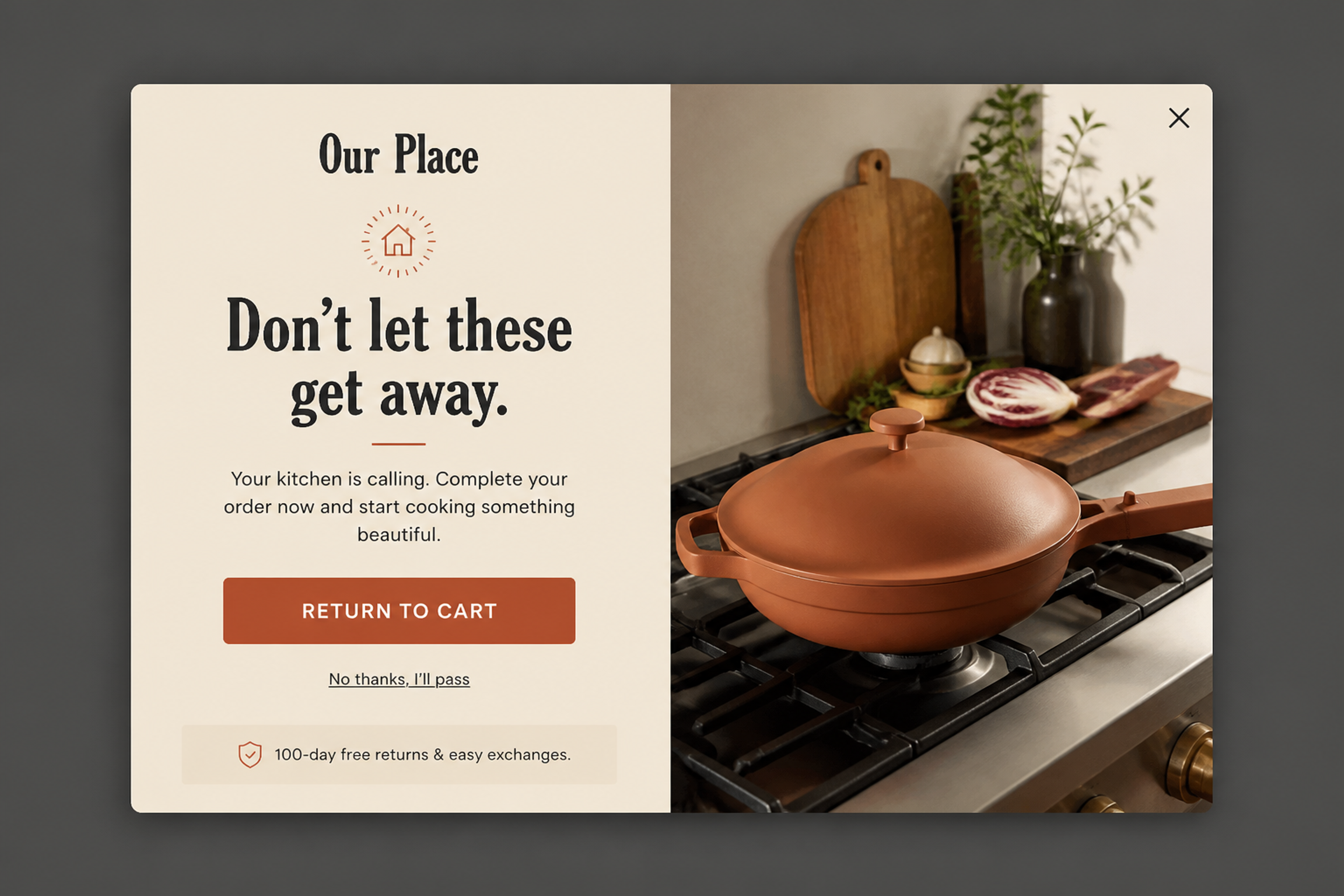
A plain reminder, no discount: "Don't let these get away." and a Return to cart button. It fits shoppers who were just browsing, so you don't give away margin to people who would have come back anyway.
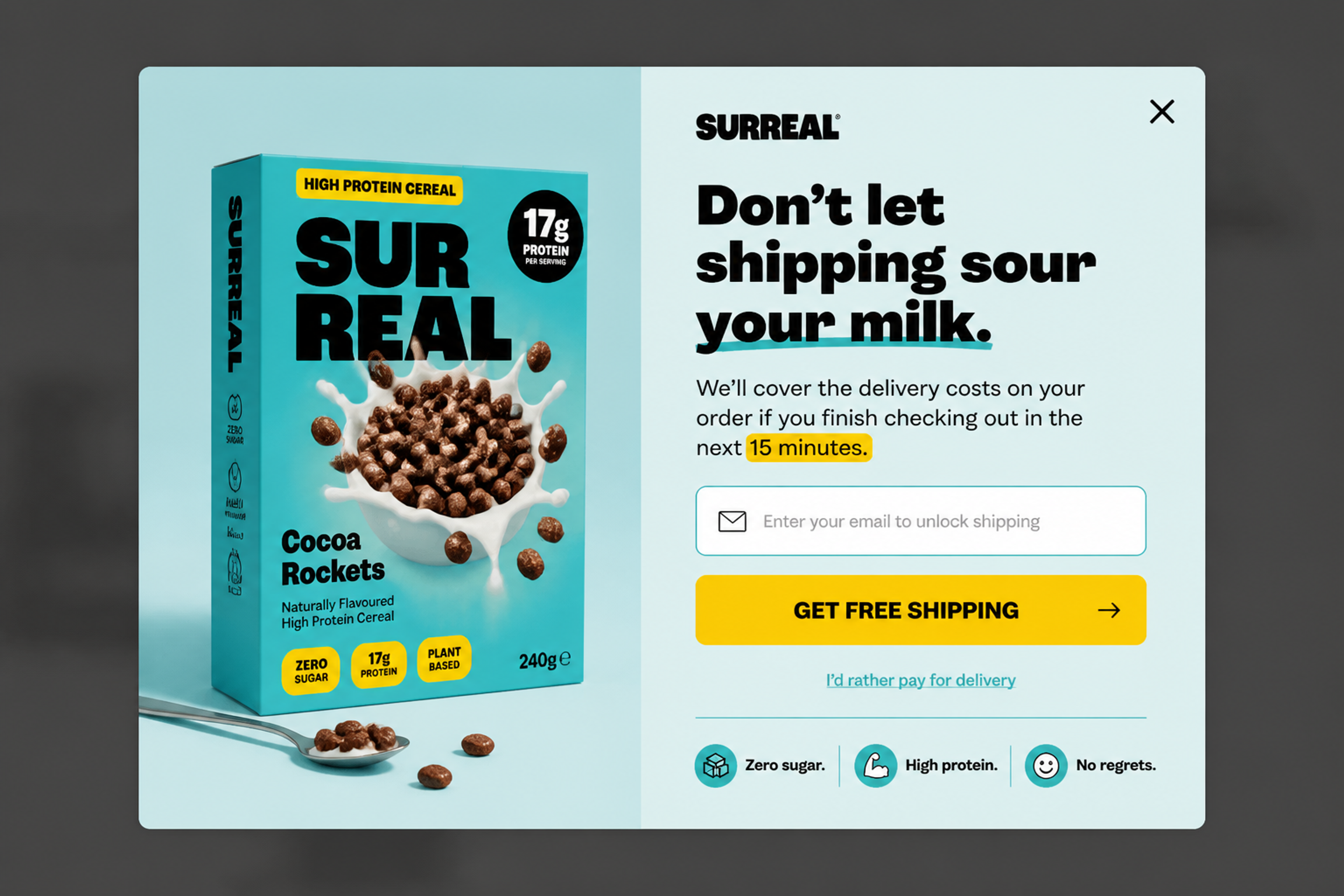
"Don't let shipping sour your milk": free shipping if the shopper finishes the order within 15 minutes. It answers the biggest reason for abandonment, extra costs, with a short, real deadline.
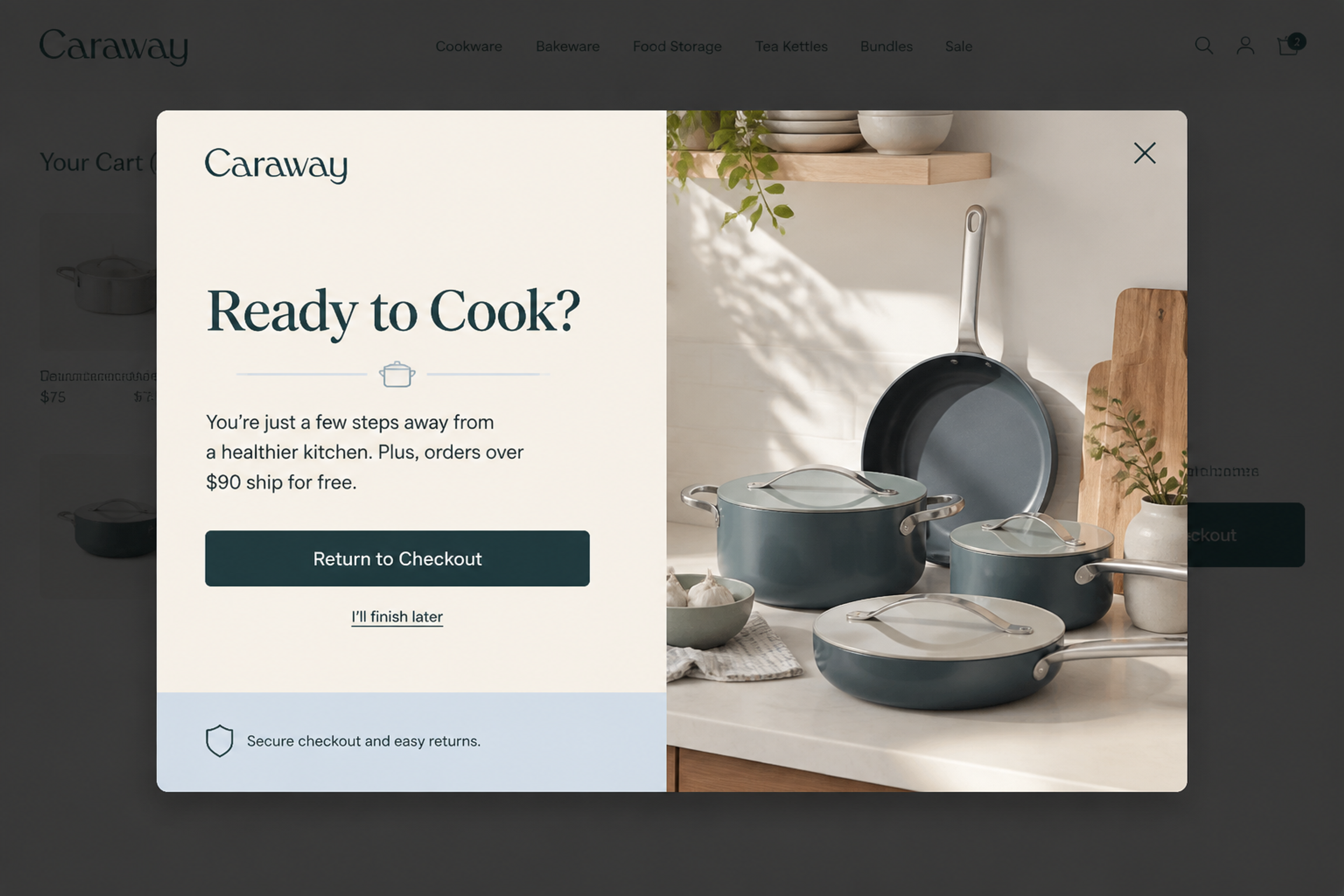
A cart reminder plus one line: orders over $90 ship for free. Target it to carts just under the threshold, and the popup turns a shipping fee into a reason to add one more item.
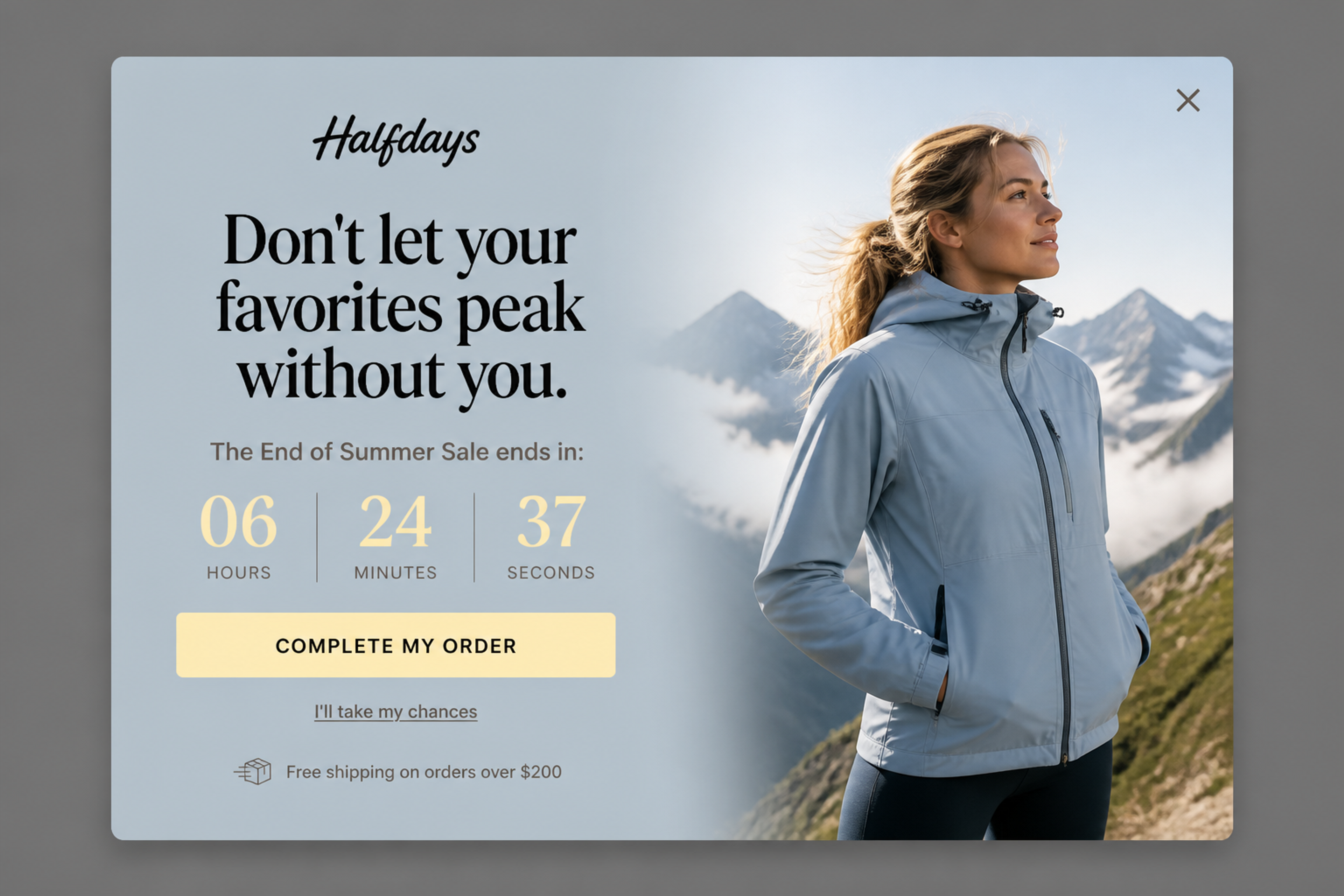
A countdown to the end of a real sale (End of Summer Sale). The urgency is honest because the deadline is the sale's own, which is the kind of urgency fix #12 recommends.
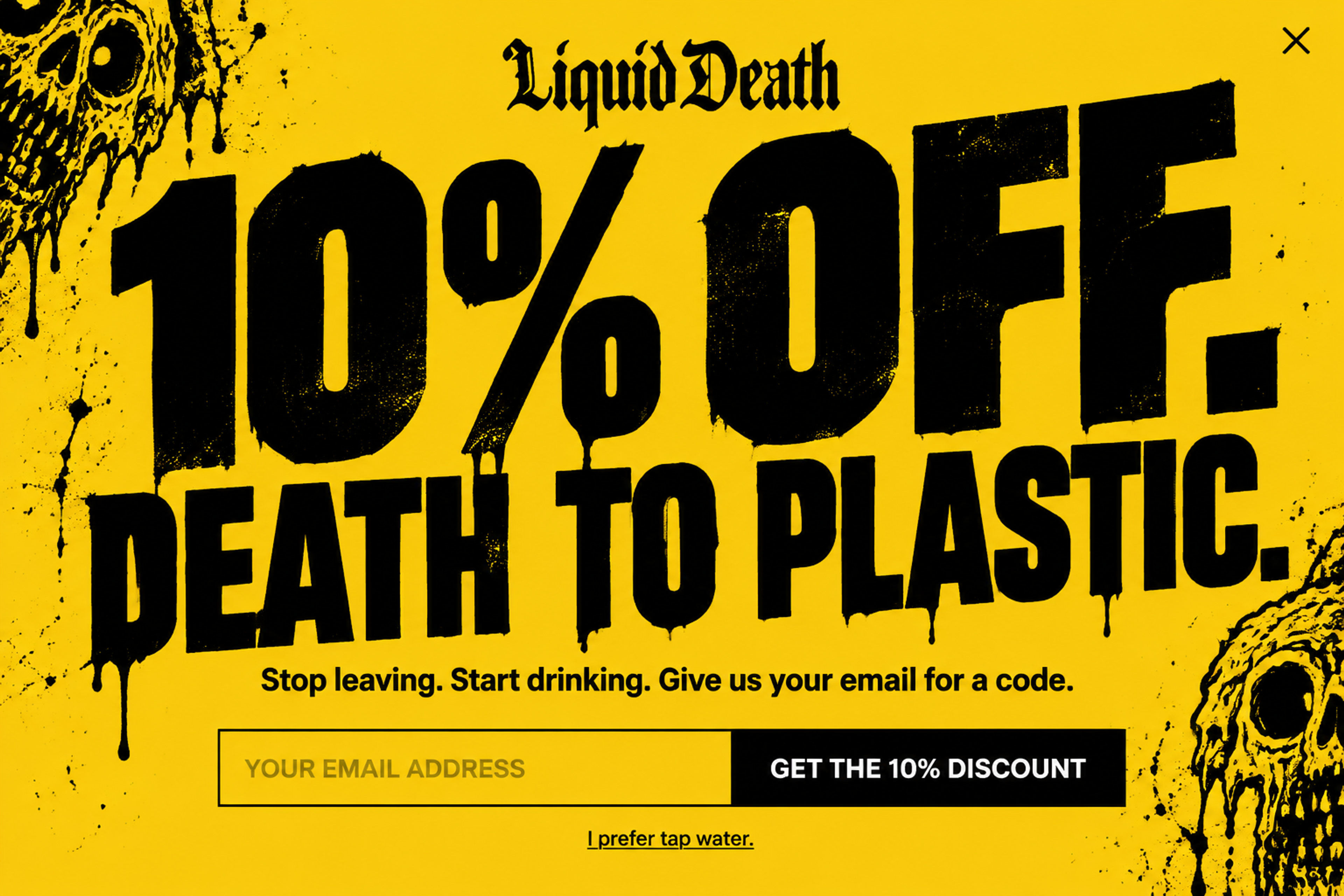
A fullscreen, type-only design that offers 10% off for an email address. Even if the shopper doesn't buy now, you have their email, so your abandoned cart flow can reach them later.
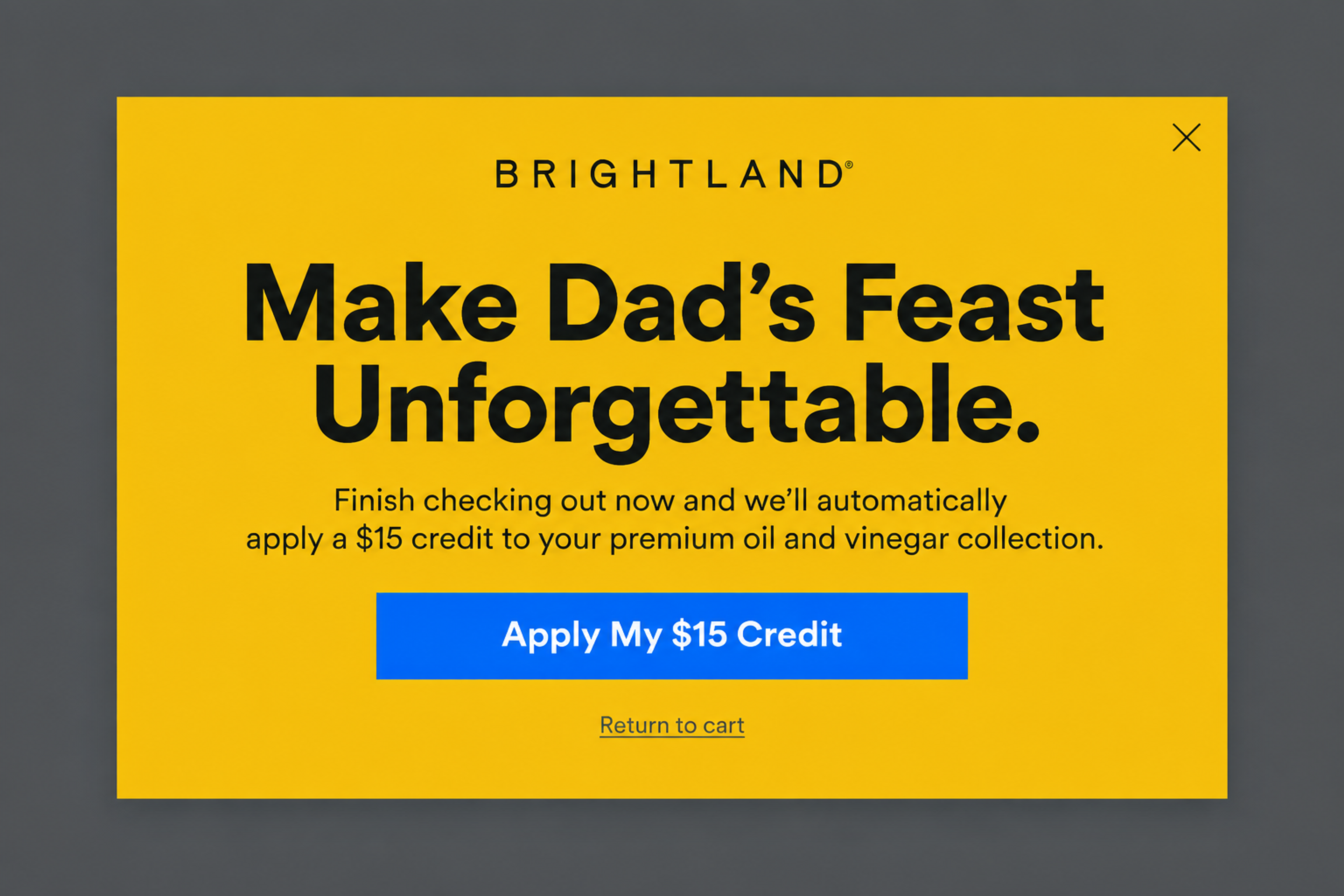
"We'll automatically apply a $15 credit": the shopper doesn't have to copy or type a code, which removes one more step before payment. This one has a Father's Day theme, so use the idea in your own seasonal sales.
See more cart abandonment popup examples, or browse all cart abandonment stopper popups in the library. For more exit-intent use cases, see exit-intent popups.
Shopify stores have a few things built in. Shopify counts a checkout as abandoned when the shopper has entered an email address and hasn't paid for more than ten minutes. You'll find these under Orders → Abandoned checkouts, and the abandoned checkout automation in the Shopify Messaging app can email shoppers a link back to their cart. The checkout itself is closed to third-party scripts, so popups and other on-site tools work on the product and cart pages, not inside checkout.
For the full setup, see our Shopify abandoned cart guide. On other platforms, start with our roundup of WooCommerce abandoned cart recovery plugins or our guide to the BigCommerce cart abandonment rate.
Use the formula above: (carts created − orders completed) ÷ carts created × 100. You'll find the numbers in two places:
Compare your rate with your own previous period, not with an industry average: your products, prices and traffic differ from everyone else's. Change one thing at a time, and give it enough traffic before you judge it. The same approach works for the rest of your store: see our guide to ecommerce optimization.
For a popup, the honest test is the holdout group from fix #14: it shows the orders the popup added on top of what you would have sold anyway. For benchmarks by industry and device, see our cart abandonment statistics.
Anything below the roughly 70% average (70.32% in OptiMonk's data, 70.22% in Baymard's) is better than typical, but your own trend matters more. Track your rate month by month and after every change. Industry and mobile numbers are in our cart abandonment rate statistics.
Cart abandonment happens before checkout starts: products are in the cart, but the shopper never begins paying. Checkout abandonment happens after the shopper starts checkout but before the order is placed, usually because of a surprise cost, a long form or a payment problem.
Extra costs. 40% of US online shoppers who abandoned a cart (not counting those just browsing) said shipping, taxes or fees were too high, according to Baymard. Slow delivery (20%) and a lack of trust in the site (19%) come next.
Only where it changes the decision: high-value carts or first-time buyers. Shoppers who were just browsing often come back without one, and a discount for everyone teaches people to leave their cart and wait for a code. Run an A/B test to check that the discount brings more orders than a plain reminder.
Yes. Phones have no cursor, so OptiMonk uses other signals: the visitor switches tabs, scrolls quickly to the top of the page, or presses the Back button on their entry page. The agent also builds a separate mobile version of each popup.
Send the first reminder within the first few hours, while the shopper still remembers the cart, and follow up once or twice over the next days. Your email tool (such as Klaviyo or Shopify Email) sends them; check its reports to find the timing that works for your store.
You don't need all 15 fixes at once. Look at where shoppers drop off in your store: at the price, in checkout or on the way out. Fix the biggest leak first, compare the rate with your previous period, then move to the next one.
If shoppers are leaving with full carts, your first cart abandonment popup is one sentence away: describe it, and the OptiMonk agent designs it for your brand, with a separate mobile version.
Free to start. No credit card.

Discover creative Thanksgiving marketing ideas to engage customers, build buzz, and drive sales before Black Friday and Cyber Monday.
Learn 5 ways ecommerce brands can turn new subscribers into recurring revenue using welcome flows, personalization, loyalty programs, re-engagement, and referrals.

In this article, we’ve compiled a list of the 25 top ecommerce apps that will help you streamline your operations, boost sales, and grow your online business.


